
Hard Drive Data Recovery
Hard Drive Recovery Service No Data, No Data Recovery Fee
Can a clicking or unrecognized hard drive be recovered?
Yes — clicking, unrecognized and physically damaged hard drives can usually be recovered. eProvided works at component level on Seagate, Western Digital, Toshiba, HGST and Samsung drives, and has been opening failed drives since 1999 with a 98% average success rate on hard drive cases.
“A clicking drive is a mechanical problem, not a dead one. Stop powering it on and the files are usually still there.” — Bruce Cullen, founder, eProvided
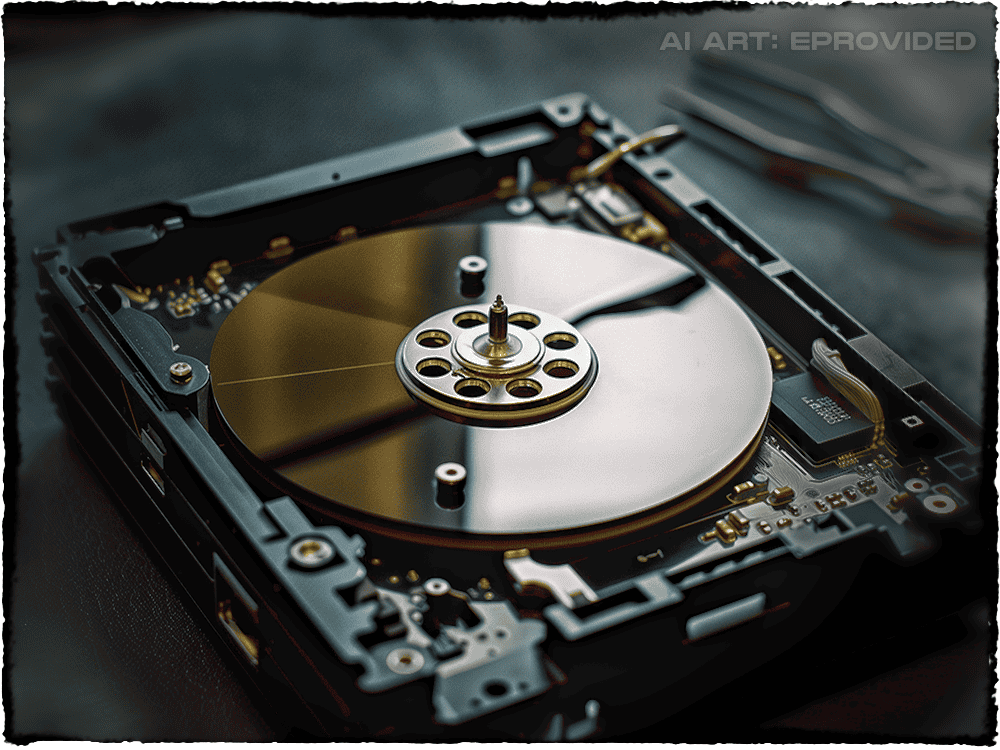
Hard drive data recovery is the engineering process of retrieving files from failed, damaged, clicking, dropped, or water-exposed HDDs when the drive can no longer be read normally. eProvided has performed hard disk recovery since 1999, averaging a 98% success rate on mechanical failures, head crashes, firmware corruption, and accidental deletion across thousands of drives. Our Las Vegas recovery lab handles every interface — SATA, IDE, SAS, NVMe-bridge, and external USB enclosures — from 40 GB legacy drives to 24 TB modern HDDs. If your drive is a portable unit in its own USB enclosure rather than mounted inside a computer, see our external drive data recovery page — the failure and repair process differ slightly. See our data recovery FAQ for common questions, or call (866) 857-5950 to start — free evaluation, no data, no data recovery fee.
According to Backblaze 2025 drive reliability data, mechanical hard drives still fail at 1.4–1.5% annualized rates — and physical failures (head crashes, motor seizure, platter damage) dominate. When a drive fails mechanically, software cannot help. The platters must be accessed in a controlled lab environment using donor parts, firmware-aware imaging hardware, and sector-by-sector data reconstruction.
eProvided handles every drive class on the market today: SATA III, SAS, IDE/PATA, USB-bridged externals, NVMe-bridge enclosures, and enterprise nearline drives. We recover from Seagate, Western Digital, Toshiba, HGST, Samsung, and legacy Maxtor / IBM / Quantum families. Capacities from 40 GB to 24 TB are routine in our lab. Whether your drive clicks, beeps, fails to spin, shows the wrong capacity, or simply stops being detected — start with a free evaluation.
Free Hard Drive Data Recovery Evaluation
Ship your drive to our lab — we diagnose the failure for free. No Data, No Data Recovery Fee.
Get My Free EvaluationOr call (866) 857-5950
Table of Contents
- Signs Your Hard Drive Is Failing
- Common Causes of Hard Drive Failure
- Types of Hard Drive Damage We Recover
- NASA & Federal Track Record
- Our Professional Recovery Process
- Why Choose eProvided
- Customer Success Stories
- Hard Drive Recovery FAQ
- Brand-Specific Recovery
- External & USB Drives
- SMART Errors & Warning Signs
- Further Reading: Hard Drive Recovery Guides
- Related Recovery Services
Signs Your Hard Drive Is Failing – Don’t Ignore These Warnings
Hard drives rarely fail without warning. Recognizing the early signs dramatically improves your chances of full recovery when you need professional hard drive data recovery services. See how recovery pricing works to know what to expect.
Common warning symptoms include:
- Clicking, grinding, or beeping noises – often the first indicator of head crashes or motor failure in traditional HDDs
- Unusually slow performance, frequent freezing, or extended load times when accessing files
- Files or folders suddenly disappearing, becoming corrupted, or showing errors
- Repeated system crashes, blue screen errors, or “drive not recognized” messages
- The computer failing to detect the drive entirely in BIOS or file explorer
If you experience any of these issues — especially a clicking hard drive — power down safely and stop using the device. Many clients find us after searching “clicking hard drive data recovery” or “recover files from dead hard drive,” often after other companies declared the data unrecoverable. The key is acting fast — every additional power cycle risks permanent loss.
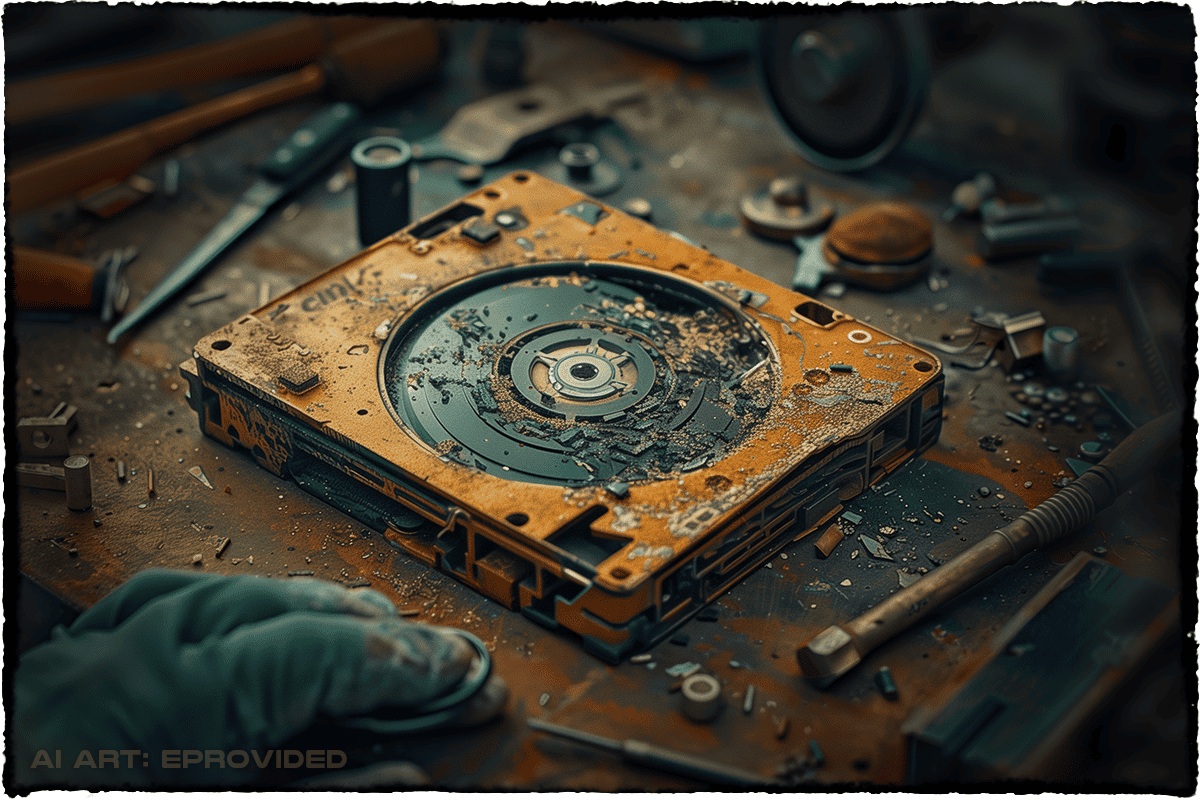 That clicking sound you hear is your drive's read/write heads making repeated contact with the platters as the firmware retries failed reads. Every additional power-on cycle deepens the damage zone. Effective clicking hard drive recovery requires immediately powering down the drive and shipping it to a professional lab — software tools cannot help once the heads are striking platters. eProvided's hard drive data recovery process for clicking-drive cases starts with controlled-environment head-stack inspection, donor-part matching to the original firmware revision, and selective track-by-track imaging once the heads are stable. We've handled thousands of these cases since 1999, including drives that arrived with the heads parked outside the platter zone — every recovery starts with a free evaluation, no data, no data recovery fee.
Common Causes of Hard Drive Failure in 2026
 Understanding why drives fail is the first step toward successful hard disk data recovery — and choosing the right recovery partner. Physical shock from drops remains the leading cause of hard drive failures we see in our lab, followed closely by overheating, power surges, and natural wear over time. However, logical issues—such as accidental formatting, deleted partitions, or malware corruption—are increasingly common as users search for ways to “recover deleted files from hard drive without software.”
Other frequent causes include:
- Manufacturing defects that only appear after years of use
- Logical corruption from improper shutdowns, viruses, or failed updates
- Liquid exposure causing corrosion on circuit boards or platters
- Bad sectors accumulating and spreading across the drive
- Firmware corruption that prevents proper drive recognition
Understanding the root cause is critical for successful recovery. For example, a dropped external hard drive often suffers head crashes or platter scratches, while a clicking internal drive may have seized spindle motors. Our diagnostic process identifies the exact issue during your free evaluation, allowing us to choose the most effective recovery method for your specific case.
Clients searching for “dropped hard drive data recovery” or “recover data from water damaged hard drive” often find us because of our proven track record with these challenging scenarios—including saltwater exposure cases like our work with NASA’s Helios mission. No matter the cause, our engineers have the tools and experience to address it effectively.
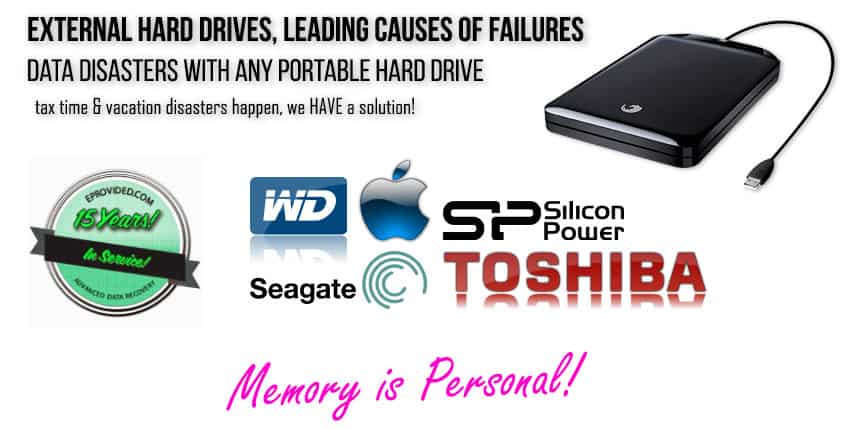
Beyond the dramatic platter damage shown above, many hard drive failures are quieter. Firmware module corruption can lock a drive in “busy” state where it spins normally but refuses to respond. Bad sector accumulation creeps in silently until the OS finally reports unreadable files. Stuck-spindle stiction prevents the motor from starting after a long off-time — common on Seagate 7200.11, certain Toshiba 2.5-inch laptop drives, and aged Hitachi Deskstar units. Each failure mode follows a different recovery path: firmware repair, image-around-bad-sectors, or controlled head-release procedures. Our specialists diagnose the exact failure class before any work begins.
Successful physical hard drive recovery on drives this far gone depends on three things: clean platter extraction, donor-part matching to the original drive's firmware revision, and patient track-by-track imaging that prioritizes the highest-value sectors first. eProvided routinely performs mechanical hard drive recovery on drives other labs return as unrecoverable.
Types of Hard Drive Damage We Recover – From Mechanical to Logical Failures
Whether you need mechanical hard disk data recovery after a head crash, or logical recovery from a corrupted file system, our lab handles every failure type. We recover data from virtually every type of hard drive damage, whether the drive is internal, external, 2.5-inch laptop, 3.5-inch desktop, or enterprise-grade. Our lab handles both traditional HDDs and hybrid drives with success rates consistently above 98%.
Our expertise covers the full spectrum of hard drive failures, giving us the ability to tackle even the most complex cases that other companies turn away. Whether the damage is visible (like scratches on platters) or invisible (like logical corruption), we use proprietary tools and techniques developed across 27+ years to retrieve your files safely and efficiently. For a broader look at how HDDs compare to other formats, see our data storage devices guide.
Major damage categories we specialize in:
- Mechanical failures: Clicking heads, seized motors, scratched or damaged platters
- Logical issues: Deleted files, formatted drives, corrupted file systems, overwritten data
- Physical trauma: Dropped drives causing head crashes or misalignment
- Liquid damage: Water, coffee, or saltwater exposure (proven with NASA Helios recovery)
- Electronic failures: PCB damage from power surges or component failure
- Bad sectors: Progressive sector degradation making files inaccessible
| Hard Drive Types We Successfully Recover | ||
|---|---|---|
| Drive Type | Common Devices | Typical Recovery Challenges |
| 3.5-inch Desktop HDD | Desktop PCs, NAS, external enclosures | Mechanical wear, head crashes, platter damage |
| 2.5-inch Laptop HDD | Laptops, portable external drives | Shock from drops, physical trauma |
| External USB HDD | Backup storage, media libraries | Connector failure, power surge damage |
| Enterprise/Server HDD | Servers, RAID arrays, data centers | High-usage wear, multiple simultaneous failures |
| Any Type SSD, Internal or External | NVMe, M.2, PCIe, etc. | Overheating, Bent, Bad Workmanship, Not Recognized |
 The damage shown here is what professionals call a head crash — concentric grooves carved into the magnetic platter surface when a drive's read/write heads make physical contact with the spinning media. Software-only tools cannot recover data from a head-crashed drive. Successful hard drive data recovery on platters this damaged requires platter extraction in a controlled lab environment, micro-imaging of the surviving recording surface, and head-stack replacement matched to the original drive's firmware revision. eProvided has handled hard drive recovery cases like this since 1999, including external hard drive recovery from drops, water-damaged enclosures, and power-event head impacts.
The hard drive types we successfully recover extend beyond consumer desktop and laptop drives. Our lab handles 2.5-inch SATA (laptops, external enclosures), 3.5-inch SATA (desktops, NAS, RAID), SAS enterprise (server-class), SCSI legacy, NVMe-bridged externals, and modern helium-filled drives like Seagate Exos and WD Ultrastar at 18–24 TB capacities. Whether you're recovering hard drive data from a sudden drop or a long-failing drive, our hard disk recovery process maintains a 98% success rate across all damage classes.
| Hard Drive Brand Recovery Patterns — What We See in 2026 | ||
|---|---|---|
| Brand | Most Common Failure Pattern | Recovery Approach |
| Seagate | SA (Service Area) firmware module corruption; "BSY" lockup | Donor firmware module rebuild via PC-3000 + adaptive imaging |
| Western Digital | Head failure (WD20EARS / WD30EZRX generations); USB-bridge encryption | Matched donor head-stack swap in controlled lab; encrypted-volume key recovery |
| Toshiba | 2.5-inch laptop spindle motor seizure; head parking failure after drops | Platter transplant to donor body + sector-by-sector image |
| HGST / Hitachi | Translator corruption locking drive in "busy" state; head stiction after long off-time | Translator regeneration + head-release procedure under microscopy |
| Samsung SpinPoint | PCB component failure on F-series; bad sector accumulation | ROM-chip transplant to donor PCB + selective track-by-track imaging |
| Maxtor / IBM / Quantum | Legacy IDE/SATA drives, donor stock scarcity | 27+ years of inventory + reference firmware for legacy drive families other labs no longer service |
eProvided Hard Drive Recovery — NASA Helios, FBI & DoD Track Record
Our lab capabilities are tested every week on the same drive families that pass through every other recovery shop — but our reference cases include drives no consumer lab will ever see. eProvided recovered NASA Helios mission data from a spacecraft module that crashed into the Pacific Ocean and remained submerged in saltwater for sixty days. We've consulted on Mars rover storage architecture decisions, served as the chosen recovery partner for the U.S. Department of Defense, and processed evidence-grade recoveries for the FBI on bioterrorism cases and active special-agent investigations.
What this means for your hard drive: the equipment that recovered saltwater-corroded NASA platters is the same equipment that handles your dropped external drive. The donor-parts inventory that supported FBI evidence chains is the same inventory that supplies your Seagate 7200.11 head replacement. The chain-of-custody protocols that protect classified federal recoveries are the default for every consumer drive that arrives at our Las Vegas facility. eProvided does not have a "consumer tier" and a "government tier" — every drive gets the same treatment, the same lab, the same specialists.
This depth of capability is why we average a 98% success rate across all hard drive damage classes, including cases that other recovery companies have declared unrecoverable. If your drive has been turned down elsewhere, ship it to eProvided for a free evaluation, or call 1-866-857-5950 to speak with a recovery specialist now.
Our Professional Hard Drive Data Recovery Process – Secure and Transparent
We follow a proven, secure process designed to maximize recovery success while protecting your privacy:
- Free Evaluation: Ship your drive, or call ahead to arrange a scheduled drop-off—we perform a full diagnostic at no cost
- Detailed Quote: Receive a firm price, list of recoverable files (when possible), and estimated turnaround
- Professional Recovery: Performed in our advanced lab by recovery specialists using proprietary tools
- Verification & Return: Review recovered files before payment; data returned on new secure media
Every step follows strict chain-of-custody protocols used by government agencies and Fortune 500 companies. We never charge if we cannot recover your essential data. This “No Data, No Data Recovery Fee” policy has been our commitment since 1999.
Starting a case is simple and risk-free. Our online form guides you through the process, or you can call us directly for personalized assistance. Once your drive arrives, we begin the free evaluation immediately and keep you updated every step of the way.
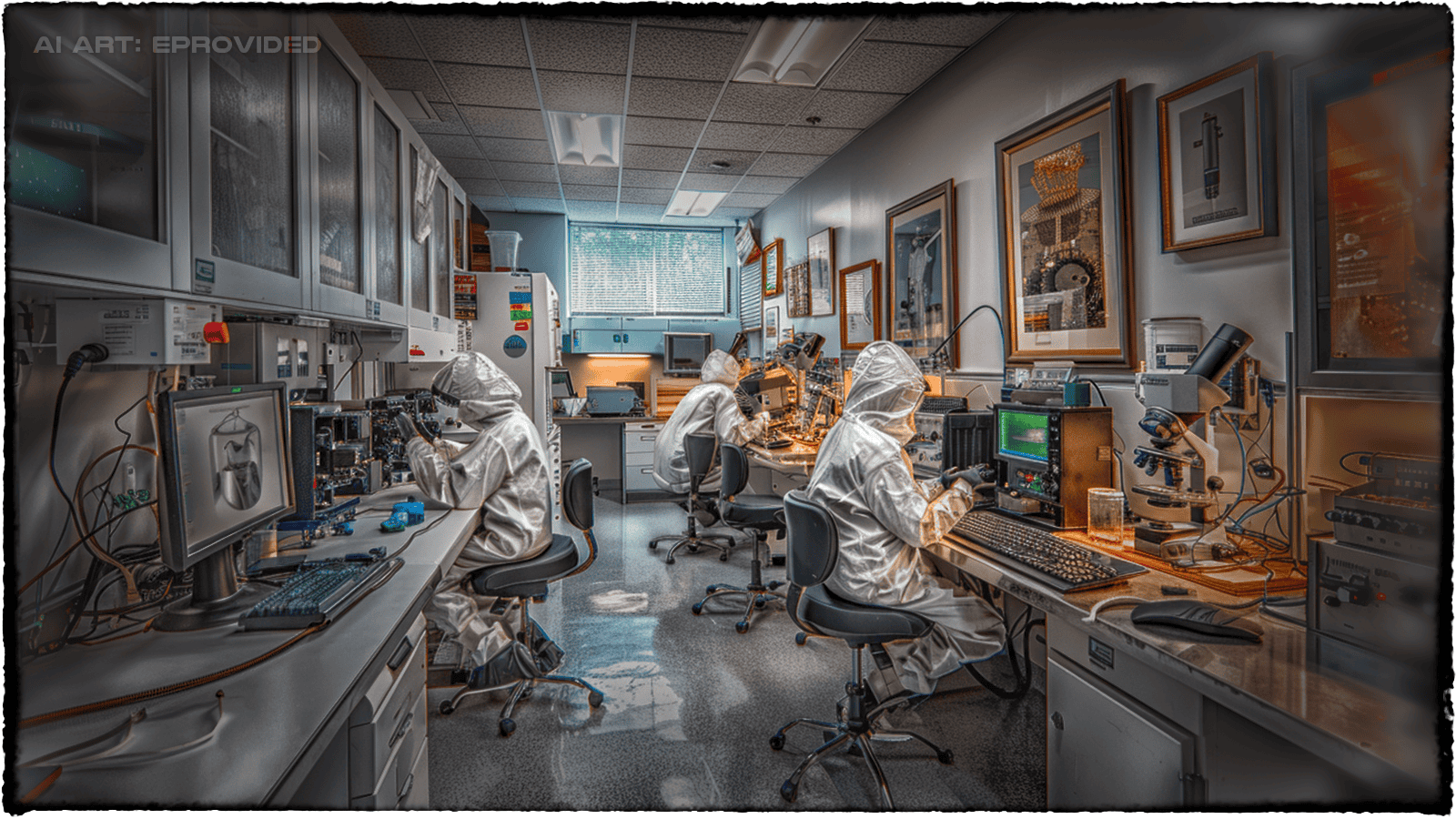 Every recovery happens here, in eProvided's controlled lab environment outside Las Vegas. The space is purpose-built for professional hard drive data recovery work: anti-static workstations, sealed inspection chambers for platter exposure, and donor-drive inventory spanning two decades of consumer and enterprise drive models. When you ship a drive to eProvided, this is where it lands.
Lab security and chain-of-custody are built into the workflow. Every drive is logged on arrival with photographs and serial-number verification. Drives requiring NDA coverage are processed in a separately access-controlled bay. Recovered data is delivered on new sealed media (external drive, USB-3 stick, or encrypted cloud transfer) and your original drive is returned by tracked shipping. After delivery, eProvided wipes the recovered data from our internal systems within 30 days unless the client requests longer retention. This standard applies to every recovery — classified federal cases get the same workflow as consumer wedding-photo recoveries.
Clicking, Dead, or Dropped Drive?
Power it off and ship it to our lab for a free evaluation. We recover drives other companies turn away.
Get My Free EvaluationWhy Choose eProvided – Experience, Expertise, and Proven Results
With 27+ years specializing in hard drive data recovery, we’ve earned the trust of individuals, businesses, and major organizations worldwide — including walk-in and mail-in customers across our home base of hard drive recovery in Las Vegas.
What truly sets eProvided apart is our combination of cutting-edge technology, recovery specialists, and unwavering commitment to client satisfaction. We invest heavily in proprietary tools and ongoing training to stay ahead of evolving storage technologies, ensuring we can handle tomorrow’s failures today. Unlike general IT repair shops or software-only solutions, we operate a dedicated data recovery lab with the specialized equipment needed for complex mechanical and logical recoveries.
Clients choose eProvided because we consistently deliver:
- 98%+ success rate across tens of thousands of recoveries
- No Data, No Data Recovery Fee guarantee—no risk to you
- Fast standard and emergency turnaround options
- Worldwide secure shipping with real-time tracking
- Absolute privacy and data security with government-level protocols
- Transparent pricing and free evaluations
Customer Success Stories – Real Recoveries, Real Results

What happens AFTER eProvided returns your data is what matters — recovered family photos, business records, research, irreplaceable files. The reviews below are unedited verified customer stories from across the United States and worldwide. Read more on Trustpilot, Reddit r/eProvided, and the BBB — eProvided has maintained excellent ratings on every public review platform since 1999.
Every recovery story starts the same way: a free evaluation, a firm quote before any work begins, and our No Data, No Data Recovery Fee guarantee. If your drive has been turned down by another recovery shop, ship it to us — thousands of drives we recover are second or third opinions after other labs declared the data unrecoverable. Our 98% success rate covers every damage class, including mechanical, logical, water-damaged, and firmware-corrupted drives.
Ready to Recover Your Hard Drive Data?
Since 1999 — 27+ years of hard drive data recovery. 98% success rate. No Data, No Data Recovery Fee.
Get My Free EvaluationOr call (866) 857-5950 • 9527 Knopfler Ln, Las Vegas, NV 89148
Hard Drive Data Recovery FAQ – Answers to Common Questions
How much does professional hard drive data recovery cost in 2026?
Cost depends on the failure type, the drive capacity, and whether the platters need mechanical work in our lab. Every evaluation is free, and you receive a firm written quote before any work begins. Our No Data, No Data Recovery Fee policy means an unsuccessful attempt costs you nothing.
Can you recover data from a clicking hard drive?
Yes. Clicking usually means the read/write heads are striking the platters or failing to park correctly, so the drive has to be opened in our lab. We fit a matched donor head stack, image the platters sector by sector, then rebuild the file system from that image.
How long does hard drive recovery typically take?
Standard cases take 3–10 business days from receipt. Emergency service is available for critical situations requiring faster turnaround. Clients ship from all 50 states — New York hard drive recovery cases arrive by overnight courier and enter the same queue.
Is my data secure and private during the recovery process?
Your drive is logged under a unique case number, handled only by the assigned engineer, and imaged to isolated storage that never touches a shared network. Recovered files come back on encrypted media, and we wipe our working copies once you confirm. Used by NASA and the FBI since 1999.
Can files be recovered from water-damaged or dropped hard drives?
Often, yes. Water leaves corrosion and mineral residue on the platters, which we clean off before imaging; a drop usually damages the heads instead. eProvided recovered mission-critical data from NASA's Helios project drives after weeks submerged in the Pacific, so saltwater exposure alone does not make a case hopeless.
Do you recover deleted files from formatted hard drives?
Usually. Formatting rewrites the file system index, not the file data itself, so the original sectors normally survive intact. We image the drive first, then rebuild directory entries and carve files by signature from that image. Stop writing to the drive immediately, because new data overwriting those sectors is what ends recovery.
Is hard disk data recovery the same as hard drive data recovery?
Yes—hard disk data recovery and hard drive data recovery are the same service. Both terms refer to retrieving lost files from HDDs, whether from mechanical failure, logical corruption, or physical damage. eProvided has performed professional hard disk data recovery since 1999 with success rates above 98%. Call 1-866-857-5950 for a free evaluation.
Hard Drive Brand-Specific Recovery — Seagate, Western Digital, Toshiba & More
Every hard drive manufacturer engineers their drives differently — different head designs, different firmware architectures, different platter coatings, different PCB layouts. Our recovery specialists maintain donor parts inventories and reference firmware modules for every major brand on the market today. For general failure diagnosis, see our hard drive recovery guide.
Seagate Hard Drive Recovery
Seagate Barracuda, IronWolf, FireCuda, SkyHawk, and Exos drives all use Seagate’s proprietary firmware architecture stored in the SA (Service Area). When SA modules become corrupted — one of the most common Seagate failure modes — the drive may spin up but never become ready, or it may report a wrong capacity. Our specialists rebuild the SA using donor firmware and recover data from drives that no recovery software can even detect.
Western Digital (WD) Hard Drive Recovery
Western Digital Blue, Black, Red, Purple, and Gold drives, plus the WD My Passport and My Book external lines, account for a large share of our weekly intake. WD drives often present with head failures, particularly the WD20EARS and WD30EZRX generations. We use carefully matched donor heads and adaptive firmware techniques to recover data from drives that click, beep, or fail to spin up.
Toshiba, HGST, Hitachi & Samsung Hard Drive Recovery
Toshiba enterprise and consumer drives, HGST Ultrastar and Travelstar drives (now under WD ownership but still using HGST firmware on older units), Hitachi Deskstar and Travelstar drives, and Samsung SpinPoint drives are all routine recoveries in our lab. Each brand has predictable failure patterns — Hitachi heads stick to the platter after long off-time, HGST translator corruption locks the drive in busy state, Toshiba spindle motor seizure on 2.5-inch laptop drives.
Maxtor, IBM & Legacy Drive Recovery
For drives from the late 1990s and 2000s — Maxtor DiamondMax, IBM Deskstar (the “Deathstar” 75GXP and 60GXP), and Quantum Fireball drives — we keep working donor stock for parts replacement. Many businesses still need data from drives this old. Our 27-year operating history means we have the equipment and reference data to recover from drive families that newer recovery shops have never seen.
External & USB Hard Drive Recovery
External hard drives and portable USB drives fail more often than internal drives because they get carried, dropped, plugged into multiple computers, and powered through cheap USB hubs. The drive inside a WD My Passport, Seagate Backup Plus, LaCie Rugged, or Toshiba Canvio enclosure is a standard 2.5-inch laptop drive — but the USB-to-SATA bridge controller adds an additional failure point, and how severe that damage is often determines the recovery path.
Common external HDD failure scenarios we handle every week:
- Drive clicks or beeps when plugged in — head crash or stiction, mechanical recovery required
- Drive spins but is not detected — USB bridge controller failure or PCB damage
- Drive was dropped — head parking failure, head misalignment, platter damage
- Drive shows incorrect capacity or asks to be formatted — partition table corruption, file system damage, or firmware module failure
- Drive worked then stopped after power cycle — classic firmware corruption, particularly common on Seagate 7200.11 and certain WD families
For drives with built-in hardware encryption (most modern WD My Passport, Apricorn, and ioSafe drives), we recover the encrypted volume and work with you through the password recovery process. Encryption alone is rarely a recovery blocker — the data is on the platters regardless.
Hard Disk Recovery — Reading SMART Errors & Mechanical Warning Signs
Hard disk recovery begins with diagnosis. The drive is either telling you something through SMART (Self-Monitoring, Analysis, and Reporting Technology) or telling you through sound — and both signals predict different failure modes.
SMART attributes that almost always precede catastrophic failure:
- Reallocated Sectors Count (Attribute 5) — the drive is silently mapping bad sectors out of service. When this counter starts climbing, the platters are degrading.
- Current Pending Sectors (Attribute 197) — sectors the drive cannot read but has not yet remapped. Each one represents data at risk.
- Uncorrectable Sectors (Attribute 198) — data already lost to ECC failure. The drive is past warning, into failure.
- Spin Retry Count (Attribute 10) — the spindle motor is struggling to start. Stiction and motor wear show here first.
- Reported Uncorrectable Errors (Attribute 187) and Command Timeout (Attribute 188) — predictive of imminent total failure.
The mechanical sounds tell a different story:
- Rhythmic clicking (the “click of death”) — the read/write heads cannot find the servo track and are repeatedly recalibrating. Power off immediately. Each click increases platter damage.
- Grinding or scraping — the heads have left the air bearing and are touching the platter. Catastrophic if continued.
- Beeping on power-up — spindle motor cannot reach speed, usually stiction. Recoverable in a controlled lab environment.
- Spin-up then immediate spin-down — firmware module unreadable, drive cannot complete its boot sequence. Recoverable through firmware repair.
- Silent — no spin at all — PCB failure, blown TVS diode, or spindle motor open circuit. Often the easiest recovery class.
HDD recovery is not a single procedure — it is a decision tree of repair paths chosen based on what the drive is telling us. Drives that click need clean-room head replacement. Drives with corrupt firmware modules need module-level repair. Drives with bad sectors need imaging hardware that can read around damaged areas. Our specialists run this diagnosis before any work begins so you know exactly what your drive needs.
Further Reading: Hard Drive Recovery Guides
- External & portable hard drive recovery — why portable drives fail and how we recover them.
- Hard drive recovery tips.
- Does the freezer trick really work? — the truth about the hard-drive-in-the-freezer myth.
- New hardware & HDD capacity.
- How to completely erase a hard drive.