
Used by NASA · the FBI · the U.S. Navy · Since 1999
Power Surge Data Loss: Can a Damaged Hard Drive, SSD, or External Drive Still Be Recovered?
- No Data, No Data Recovery Fee
- Hard drives, SSDs & external hard drives
- Written by a 27-year recovery engineer
- Board-level repair & controller revival in-house
Is Your Data Gone After a Power Surge Kills a Drive?
Usually not. A power surge most often burns out the drive’s circuit board or power components, while the platters or memory chips holding your files survive. Recovery means repairing that original board or moving its key parts to a matching donor board; repeated power-ups only add damage. eProvided has done this since 1999 with a 98% success rate.
“A surge kills the electronics that talk to your computer. The parts that hold your files almost always come through it.” — Bruce Cullen, founder, eProvided
A power surge doesn’t usually destroy your files — it destroys the electronics standing between you and them. The spike of voltage that killed your hard drive, SSD, or external drive almost always burns out a circuit board or controller chip, not the physical media where your photos, documents, and videos actually live. After 27+ years recovering data from surge- and outage-damaged devices, we see this pattern constantly: the drive looks completely dead, and the data behind it is still intact. This guide covers what a surge actually damages, how hard drives and SSDs fail differently, what happens when a power outage takes your computer down with it, what a surge protector does and doesn’t protect, and exactly what to do — and not do — right now.
Yes, in most cases. A power surge typically fries the drive’s controller board or power circuitry, not the magnetic platters or NAND chips that store your data. A recovery lab bypasses or replaces the damaged electronics and reads the data directly. Stop trying to power the device on — every additional attempt risks further damage.
Worried about specific files? Before trying anything yourself, you can find out free whether your files are recoverable »
- Can Data Be Recovered After a Power Surge?
- Why Power Surges Damage Storage Devices, Not Usually Your Data
- Hard Drives vs. SSDs vs. USB Drives: Which Fails Differently
- Signs Your Device Was Hit by a Power Surge
- What to Do Right Now
- Computer Won’t Turn On After a Power Outage?
- Do Surge Protectors Actually Prevent Data Loss?
- How Board-Level & Controller Recovery Gets Your Files Back
- What Our Customers Say
- Frequently Asked Questions
- Recover Data After a Power Surge
- Related Recovery Services
Can Data Be Recovered After a Power Surge?
Yes — in most cases, data can be recovered after a power surge, because the surge overwhelms the drive’s controller board or power circuitry while leaving the data-bearing platters or NAND chips physically intact. A recovery specialist replaces or bypasses the damaged electronics and reads the storage medium directly, rather than relying on the drive’s own (now-dead) circuitry to hand the data over. For surge-damaged hard drives specifically, eProvided provides professional hard drive data recovery built around exactly this scenario.
The exception is rare but real: if the surge is severe enough to physically arc across the platter surface or destroy a NAND die itself — not just the surrounding electronics — recovery becomes impossible. That outcome is uncommon. The far more typical failure is a burned trace on the PCB, a shorted controller chip, or a fried power-regulation component, none of which touch where your files are actually stored.
Why Power Surges Damage Storage Devices, Not Usually Your Data
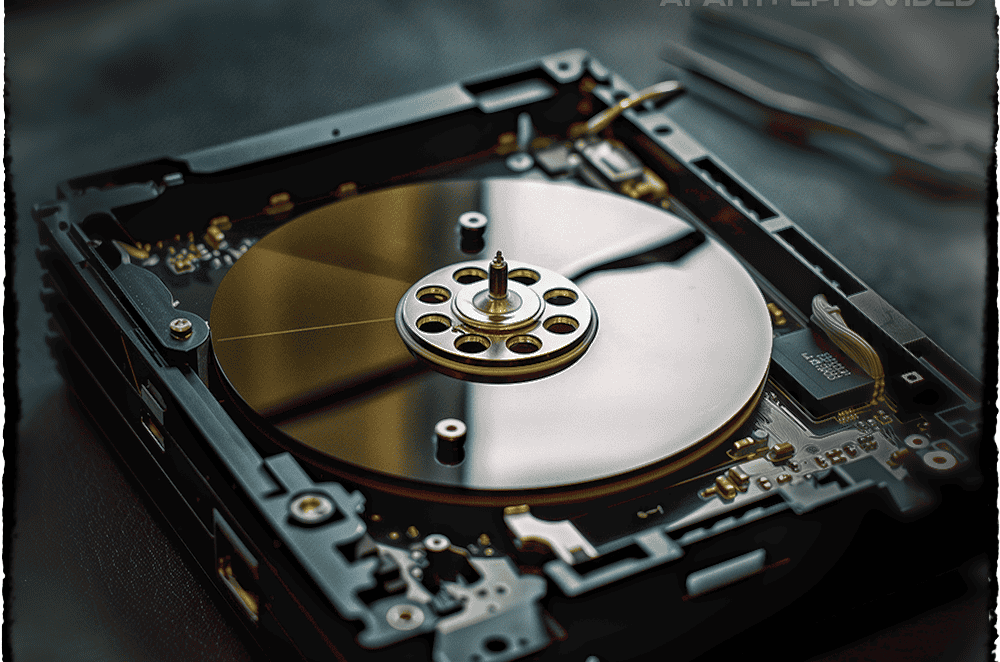
An electrical spike — a voltage surge — enters a device through its power supply and travels the path of least resistance — which is almost always the circuit board, not the storage medium itself. On a hard drive, that means the PCB and its controller chip absorb the spike; the magnetic platters spinning inside are passive metal discs that store data as magnetic orientation, with no active circuitry of their own to fry. On an SSD or USB drive, the surge typically kills the controller chip that manages the NAND, while the NAND cells — which hold data as trapped electrical charge, not a live current — usually survive untouched. That controller-first failure is exactly why a dead or unrecognized USB flash drive can so often be recovered after a surge: the part that died isn’t the part holding your files.
This is the same underlying reason a drive that’s been through a fire, a flood, or a hard drop is often still recoverable: the parts responsible for storing your data are built to be durable and largely passive, while the parts responsible for talking to your computer are comparatively fragile and exposed. A power surge is simply the electrical version of that same pattern.
Hard Drives vs. SSDs vs. USB Drives: Which Fails Differently
Every storage type reacts to a power surge a little differently, and that difference changes both the symptoms you’ll see and the recovery method that works:
| Power Surge Damage by Device Type | |||
|---|---|---|---|
| Device | What a surge typically damages | Recovery method | Recovery odds |
| Hard drive (HDD) | PCB / controller board, occasionally the read/write head preamp | Board swap or head replacement + platter imaging | ✓ Very high |
| SSD (SATA / NVMe) | Controller chip & power-regulation components | Board repair & original-controller revival | ✓ High |
| USB / external hard drive | Controller chip, connector, or the external hard drive’s own separate power adapter | Chip-off extraction (USB flash drive) or board repair (external HDD) or original-controller revival (SSD) | ✓ High |
The pattern holds across all three: the component that talks to your computer is what fails, and the component that stores your data is what survives. That’s why recovering the data from a surge-hit SSD looks structurally similar to hard drive recovery after a surge, even though the technology inside is completely different. Brand doesn’t change the pattern either — we see the same controller-first failure on Western Digital, Seagate, Toshiba, and Samsung drives alike.
Signs Your Device Was Hit by a Power Surge
The classic signs of surge damage are: the drive shows no power light or activity at all, a hard drive that used to click or spin now does neither, the device isn’t detected by the computer or BIOS at any point, a faint burning smell near the port or enclosure, or a drive that powered off abruptly during a storm, outage, or brownout and never came back. Any one of these is reason enough to stop and get an evaluation before doing anything else.
It’s also worth checking the obvious: sometimes what looks like a dead drive after a power event is actually a dead power supply or a tripped surge protector between the wall and the device. If the drive itself shows any sign of life — a spin-up sound, an activity light — when connected through a known-good cable and port, the damage may be more limited than it first appears.
What to Do Right Now
Do RIGHT NOW
- Unplug the device from power immediately
- Note what happened (surge, outage, lightning, brownout)
- Leave the drive exactly as it is
- Get a free evaluation before attempting any fix
- Check if a connected surge protector itself tripped or needs replacing
- If this followed a power outage, check the wall outlet with another device first
DON’T Do
- Don’t keep plugging it back in “to see if it works”
- Don’t open the drive casing or touch the board
- Don’t run CHKDSK or disk-repair utilities
- Don’t swap parts from another drive yourself
- Don’t assume “no lights” means the data is gone
Repeated power-on attempts are the single most common way a recoverable surge-damaged drive becomes a harder case — a shorted board can draw current unpredictably, and every additional attempt is a chance for secondary damage to reach the NAND or platters that were otherwise untouched.
Computer Won’t Turn On After a Power Outage?
A power outage and a power surge are technically opposite events — one is a sudden loss of electricity, the other a sudden excess — but they often arrive together. Grid power frequently spikes when it’s restored after an outage, so “the power went out and now my computer won’t turn on” is very often a surge event in disguise.
When a computer won’t turn on after a power outage, the fault is frequently the power supply unit or motherboard, not the storage drive at all — those components sit directly in the surge’s path and are more exposed than a drive tucked inside the case. The most reliable way to tell the difference: pull the hard drive or SSD and connect it to a different computer, or place it in an external enclosure. If it’s detected there, your data was never actually at risk — only the PC around it was. If it still isn’t detected anywhere, treat it as a surge-damaged drive and stop powering it on.
Do Surge Protectors Actually Prevent Data Loss?
A surge protector genuinely reduces the risk of data loss on an external hard drive, but only for whatever it’s actually plugged into. A common gap: someone protects their desktop computer with a good surge protector, but plugs their external hard drive’s separate power adapter into a regular, unprotected wall outlet or an ordinary power strip a few feet away. The computer survives the surge; the external hard drive doesn’t — because it was never actually behind the protection. This is the exact scenario behind the common comparison question “external hard drive vs. surge protector”: it’s not one or the other, the external hard drive needs to be plugged into the surge protector too.
For real protection, every powered device in the chain needs to share the same surge-protected circuit: the computer, any externally-powered hard drive, and ideally the modem/router too, since surges can also travel in through network and phone lines. A surge protector clamps voltage spikes on the line it protects; it does nothing for an external hard drive plugged in elsewhere. For power outage protection as well as surge protection, a battery backup (UPS) is the stronger option — it also gives you time to shut a computer or externally-connected hard drive down cleanly when a power outage hits, which a surge protector alone cannot do. For the wider habits that matter just as much — backups, safe ejection, storage rotation — see our 10 tips for keeping your data safe.
How Board-Level & Controller Recovery Gets Your Files Back After a Surge
When a power surge kills the electronics on a hard drive, the fix is board-level repair: our engineers replace the damaged PCB with a matching donor board (often requiring an adapter chip transplant so the drive’s unique calibration data still matches), then image the platters directly. When the damage is on an SSD, the fix is repairing the original board so its own controller comes back to life: most modern SSDs encrypt data with a key locked inside that controller, so desoldering the NAND chips would return only scrambled data. Only on simple USB flash drives and memory cards, where no such key exists, do we read the raw NAND flash memory directly: the chip is desoldered, read on specialized programmers, and the file system reconstructed from the extracted data. On an SSD, we revive the original controller instead.
Every method serves the same goal — get past the burned electronics without harming the part that stores your files. Most surge-related recoveries, whether board repair, controller revival, or chip-off, complete within 3–7 business days once the device reaches our lab. If the drive also suffered secondary damage — from a prior drop, corrosion, or age — that adds complexity but rarely changes the fundamental odds, since the storage medium itself is still the part most likely to have survived.
What Our Customers Say
Frequently Asked Questions About Power Surge Data Recovery
Recover Data After a Power Surge
Whether it’s a hard drive, SSD, or external hard drive damaged by a surge or a power outage, our engineers will tell you exactly which files are recoverable — free, no obligation, completely confidential.
Start My Free Evaluationor call (866) 857-5950 now
Recovery Help for Every Storage Device
Power surges and outages don't just hit hard drives — if the damage reached a different device, here's where to get the data back, plus related guides: