
Used by NASA · the FBI · the U.S. Navy · Since 1999
How to Recover USB Flash Drive Data: Broken, Corrupted or Not Detected
- No Data, No Data Recovery Fee
- Chip-off recovery even on snapped-in-half drives
- Every brand — SanDisk, Kingston, PNY, Lexar
- Written by a 27-year recovery engineer
Can data be recovered from a broken or unreadable USB flash drive?
Often, yes. A USB flash drive stores every file on a NAND memory chip, and that chip often survives when the connector snaps, the controller fails, or the drive shows a “format disk” prompt. eProvided bypasses the broken part and reads the chip directly, averaging a 98% success rate recovering USB flash drive data.
“The connector and controller are the parts that fail. The chip underneath them is what we actually recover.” — Bruce Cullen, founder, eProvided
You plugged in your USB flash drive and nothing happened — no drive letter, a “format disk” prompt, or a device your computer refuses to read. Before you panic or click anything: the files are often still there. A flash drive holds your data on a NAND memory chip, and that chip often survives even when the connector snaps, the controller dies, or the file system corrupts. To recover USB flash drive data you don’t repair the broken part — you bypass it and read the chip directly. This guide walks through how that works, what you can safely try yourself, and when physical damage needs a lab. If your files are irreplaceable and the drive is physically damaged, our engineers handle professional USB flash drive recovery under a No Data, No Data Recovery Fee guarantee.
To recover USB flash drive data, first stop using the drive — every extra plug-in or “format” click risks the files. Logical corruption can sometimes be imaged with software, but physical damage — snapped connectors, dead controllers, monolith drives — needs chip-off lab work. Because the NAND chip often outlives the drive around it, eProvided's success rate averages 98%.
Do RIGHT NOW
- Unplug the drive and set it aside if the files matter
- Note the exact symptom — not detected, format prompt, snapped
- Check whether the connector or board is cracked or bent
- Copy files off immediately if the drive still mounts at all
DON’T Do
- Don’t click “Format disk” when Windows prompts you
- Don’t keep re-plugging it into port after port
- Don’t run chkdsk or repair tools on a physically broken drive
- Don’t open the case or apply heat, cold, or glue
- How Recovery From a Broken Flash Drive Works
- Common Hardware Failures in USB Flash Drives
- USB Flash Drive vs SSD vs HDD Recovery
- Recovering a Corrupted or Unreadable USB Drive
- Broken Circuit Boards & Monolith Drives
- What to Know Before You Start Recovery
- Our Lab Recovery Process
- Prevention Tips & Warning Signs
- What Our Customers Say
- Frequently Asked Questions
- Recover Your USB Flash Drive Now
- Related Recovery Services
How Does Data Recovery From a Broken Flash Drive Work?
To recover USB flash drive data from a broken or corrupted device, engineers bypass the failed controller and read the NAND memory directly. When a USB drive is physically damaged or unreadable, eProvided uses chip-off NAND extraction to access the raw chip and rebuild your files — every case backed by No Data, No Data Recovery Fee.
In many cases professionals recover data at up to 98% success rates — even on drives snapped in half — because inferior memory chips and multi-bit storage cells fail around the data, not the data itself. Physical damage, logical corruption, and wear over time are the most frequent issues we see, and advancements in lab techniques make recovery more reliable than ever. Acting quickly remains critical to avoid permanent overwriting.

Even drives that appear completely dead usually contain intact NAND memory. Our engineers specialize in chip-off recovery: carefully removing the memory chip and reading it directly with specialized programmers, which bypasses failed controllers and damaged connectors entirely. The process requires precision tools and a controlled environment, but it routinely delivers full data restoration where other methods fail — and the extremes come back too: eProvided recovered NASA Helios mission data from flash memory recovered from the Pacific Ocean after saltwater submersion. On a separate occasion, NASA reached out to founder Bruce Cullen directly about a NAND data-transmission glitch affecting the Mars rover, a story that made national news, and eProvided was later consulted on data storage for the Nancy Grace Roman Space Telescope program. Whether you have a broken USB drive, a damaged USB drive that is bent or snapped, one that is corrupted, or simply one that is not detected, options exist — the key is stopping use immediately and consulting experts with proven lab capabilities. The sooner you act, the better your chances of recovery.
Common Hardware Failures in USB Flash Drives
Hardware issues account for a large share of USB flash drive failures. Common causes include broken connectors, cracked circuit boards, controller-chip malfunctions, and NAND memory degradation. Physical trauma — bending, snapping, or dropping the drive — often damages internal connections, while inferior components in budget drives accelerate wear. To recover data from USB media in that condition, the broken part gets bypassed rather than repaired, which is why broken flash drive data recovery succeeds so often. For more on these patterns and why drives die in the first place, see our guide to why flash drives fail.
- Broken or bent USB connectors preventing detection
- Cracked traces on the PCB from impact
- Failed controller chips blocking access to NAND memory
- Wear from excessive write cycles corrupting data
- Inferior flash chips prone to early failure
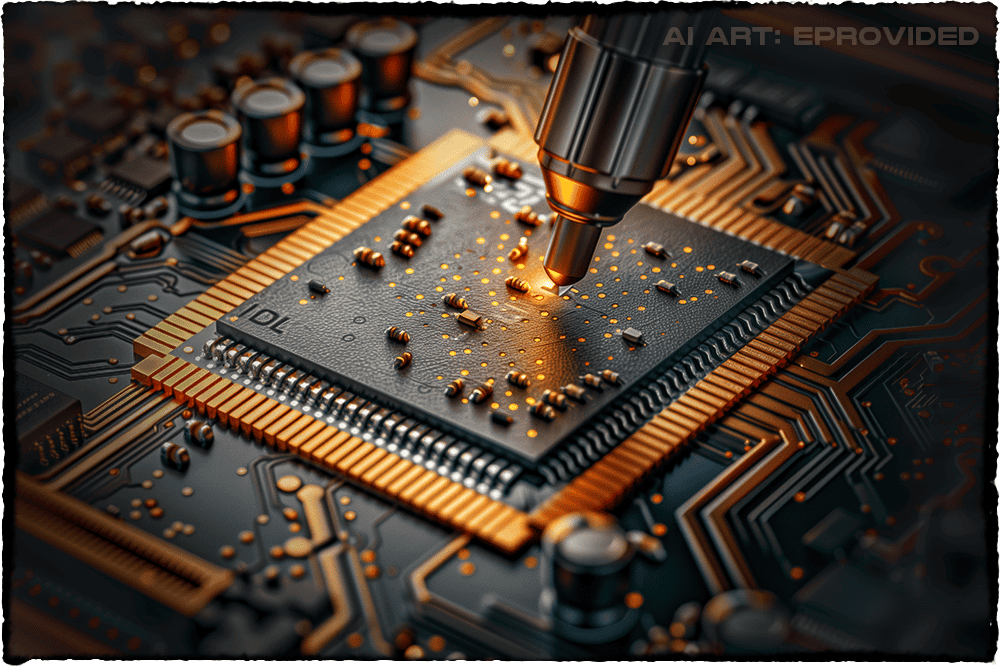
Monolith-style USB drives, where memory is integrated directly onto the connector board, present unique challenges when damaged. These compact designs lack removable NAND chips, requiring precise micro-soldering and advanced extraction tools. Our engineers routinely recover data from these “impossible” cases by rebuilding connections at the microscopic level. Environmental factors like heat, moisture, or static discharge can also degrade solder joints over time. In one recent case, we recovered 100% of files from a monolith drive that had been run over by a vehicle — the NAND remained intact despite severe external damage. Professional intervention is essential here: DIY attempts often worsen damage by overheating components or contaminating chips, whereas with proper lab tools, recovery is often possible for physical failures handled promptly. Because the memory and controller share one board on a monolith drive, a failed at-home repair attempt can take out both at once, which is the single biggest reason we ask customers to stop and ship rather than experiment first.
USB Flash Drive vs SSD vs HDD: Failure & Recovery Comparison
A USB flash drive fails — and recovers — differently than an SSD or a hard drive. The table below compares the three by what usually goes wrong and how likely a professional recovery is.
| Storage Type Comparison — Common Failures & Professional Recovery Odds | |||
|---|---|---|---|
| Storage type | Common failure causes | Recovery difficulty | Typical success rate |
| USB Flash Drive | Physical damage, controller failure, wear, corruption | Medium to High (chip-off often needed) | ✓ 95–98% |
| SSD | NAND wear, controller issues, firmware corruption — our guide on how to fix a dead SSD covers the symptoms | High (encrypted / complex controllers) | ⚠ 85–95% |
| HDD | Mechanical failure, head crashes, platter damage | Very High (moving parts) | ⚠ 70–90% |
The takeaway: a flash drive has no moving parts, so its failures are electronic, physical, or logical — which is exactly why chip-off gives it some of the highest professional recovery odds of any storage class. Solid-state media often has favorable recovery odds, confirmed in the free evaluation.
Recovering Data From Corrupted USB Drives
Corruption often results from improper ejection, virus attacks, or file-system errors. Initial DIY steps include running antivirus scans and Windows CHKDSK, but these rarely resolve severe cases — and free software fails entirely on physical damage or controller failure. Professional recovery rebuilds the file system from raw NAND data, recovering files even when the drive appears completely empty or unreadable; success rates remain high, often 95%+, when no physical damage is present. If your drive still mounts but the files look scrambled, our guide on how to recover a corrupted flash drive covers the safe first steps in more depth.

A separate case is the drive your computer simply won’t acknowledge. If yours shows no drive letter at all, or throws a “device not recognized” error, start with our walkthrough on fixing a USB not recognized error before assuming the worst. When the drive is genuinely dead to the operating system, we bypass the failed controller and read the NAND directly — the same approach that reconstructs files even when proprietary wear-leveling maps or RAID-like XOR scrambling sit between the raw chip and a readable file. That scrambling is a controller-level storage trick, not a password or a locked door, so removing the controller from the equation removes the obstacle with it. The one thing to avoid is repeated connection attempts or consumer software on a failing drive: stop using it and seek a professional evaluation instead. If the drive is user-encrypted with a password (BitLocker To Go and similar), the NAND still holds ciphertext once extracted, so the password itself remains part of getting your files back.
Recovery From Broken Circuit Boards & Monolith Drives

Broken PCBs and monolith drives require specialized micro-soldering and direct NAND reading. Our engineers spot microscopic cracks invisible to the naked eye and reconstruct connections when possible. For monoliths, we use adapters and programmers to extract data without traditional chip removal — expertise that has recovered data from drives deemed unrecoverable elsewhere. These are the cases that make professional chip-off NAND work essential for modern flash storage: the NAND survives the disaster, and reaching it is the whole job. A snapped connector or a board cracked clean through looks worse than it usually is for the data itself. Shipping the pieces intact, rather than attempting a home repair first, is what keeps that outcome likely.
What to Know Before Starting Recovery
Time is critical. Continued use risks overwriting deleted files or further damaging NAND cells, so the first move is always to stop using the drive. When you ship a failed device, protect it in anti-static packaging — and never bundle it loose where the connector can bend further in transit. On cost: logical issues are less expensive than chip-off procedures, and we provide a fixed quote after a free evaluation, so you always know the price before any work begins. For secure handling standards, we follow guidance such as the NIST SP 800-88 media-handling guidelines that govern how storage media should be treated end to end.
Our Professional Lab Recovery Process
Professional USB recovery isn’t a software download or a DIY fix — it’s a methodical, multi-step process performed by engineers with decades of hands-on experience. Here is exactly how it works, from the moment you contact us to the moment your files come back.
- Free evaluation. We diagnose the failure type at no cost and log your device on arrival.
- Custom plan. Micro-soldering or chip-off, performed in a controlled lab environment.
- Data extraction. Direct NAND reading and logical reconstruction of your files.
- Verification & return. Files are verified and returned on new secure media — and under No Data, No Data Recovery Fee, if we can’t recover them you don’t pay for the recovery.
Prevention Tips & Warning Signs

Treat recovery as the backup for when the real plan fails, not the plan itself. Always eject drives safely, buy quality brands from reputable sellers — SanDisk, Kingston, PNY, Lexar and Samsung all reach our bench in roughly the volumes their market share predicts, and counterfeit drives from secondary marketplaces fail far sooner than any of them — and keep backups — the 3-2-1 rule (three copies, two media types, one off-site) means no single failure can take everything at once. Watch for warning signs like slow performance, read errors, or a drive that intermittently disappears; those are your cue to migrate the data off before it fails for good. When you do ship a failed device, use bubble wrap and anti-static bags to prevent further damage in transit. USB drives seem to have nine lives — like cats — but when they finally give out, professional help is your best bet.
What Our Customers Say

Thousands of customers have trusted eProvided with their critical data. These client success stories are recent examples of successful USB flash drive recoveries — snapped connectors, dead controllers and drives written off elsewhere. Every case below started the same way: a customer who assumed the files were gone for good, and a chip that turned out to have survived the damage just fine. That pattern holds across brands, capacities and the exact way the drive failed, which is why a free evaluation before writing anything off is worth the few minutes it takes. Read closely, the three stories below cover three different failure types — a snapped connector, a dead controller, and a drive another shop had already declared a loss — and each ended the same way: files back, on new media, with nothing paid until the recovery was confirmed. If your own case looks nothing like these three, that is normal — USB failures come in dozens of shapes, and the free evaluation exists precisely so we can tell you which category yours falls into before you decide anything.
Frequently Asked Questions
One last thing worth knowing before you send anything in: the habits that protect a USB stick protect every drive in the family, because they all share the same fragile connector and board — our guide for keychain-sized drives covers that form factor specifically. And if the drive still mounts at all, copy the files off right now, before you read any further.
Sources & Technical References
- Internal eProvided lab case studies and proprietary NAND recovery procedures
- Industry reports on flash storage failure patterns (2024–2025)
Related Articles
More USB & Flash Drive Recovery Guides
- What makes a flash drive fast
- Why flash drives shrink in capacity
- What is new in flash memory storage
- USB features explained
- USB drive recovery solutions
Recover Your USB Flash Drive Now
Broken, corrupted, snapped or not detected — our engineers will tell you exactly what’s recoverable from your drive. Free, no obligation, completely confidential.
Start My Free USB Recovery Evaluationor call (866) 857-5950 now
Related Recovery Services
A USB drive isn’t the only device we bring back — eProvided recovers every storage class from one lab. If a different device failed, start here: