
Used by NASA · the FBI · the U.S. Navy · Since 1999
SD Card Broken or Won’t Read? Your Photos & Footage Are Probably Still Recoverable.
- No Data, No Data Recovery Fee
- Free, confidential evaluation
- 4.9 / 5 on Trustpilot (67 reviews)
- Worldwide mail-in recovery
A broken SD card almost never means your data is gone. Your photos, video, and footage live on a NAND flash die sealed inside the card — and that die usually survives a snap, crack, crash, or collision intact. The plastic shell and gold contacts take the damage; the data does not wash out with them. Two rules: do not keep plugging a broken card in to “test” it, and get it read at the raw chip level by a professional. At eProvided we recover physically broken SD cards from cameras, drones, and dashcams every week.
We’ve been recovering data from snapped, cracked, water-damaged, and corroded memory cards since 1999, averaging a 98% success rate across all device types — work used by NASA when storage fails under conditions no one gets a second try at. We bring that same chip-level precision to a cracked SD card from a wedding shoot, a card that took a hit in a drone crash, or an SD card not reading after a car accident. If it ever stored photos or footage and now it’s broken or unreadable, we can evaluate it — free. Start your case now or call (866) 857-5950.
This guide covers broken SD card recovery for photographers and videographers, drone and aerial footage, dashcam accident footage, and action cameras — the formats and brands we recover, the signs your card is failing, what never to do with a broken card, whether a physically broken SD card can be recovered via chip-off, and our exact five-step process. For the recovery techniques behind it, see our SD card recovery techniques guide. Need the full mail-in service overview instead? See our broken memory card recovery service. One warning up front: every time you plug a broken card in to “test” it, you risk losing the data for good.
Broken SD Card Recovery for Photographers & Videographers
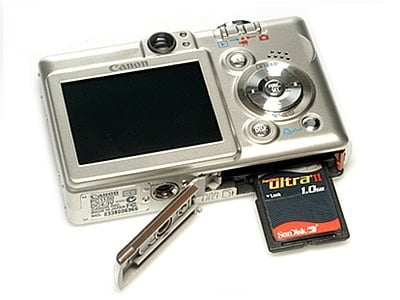
For a photographer, a card that won’t mount after an all-day shoot is one of the worst moments in the job — and in most cases the footage is still fully recoverable. You wrap a twelve-hour wedding, slot the SD card in, and nothing happens. That card is broken as a device, but the NAND flash die holding those 2,400 irreplaceable frames is almost always intact — the job is to read that die directly.
Professional photographers — wedding, portrait, event, sports, real estate, documentary, commercial — make up a large share of our case load, alongside videographers: YouTube creators, content producers, corporate video teams, and filmmakers, all capturing footage that cannot be re-shot. The reassuring part is that most SD card failures are interface failures, not storage failures: the file system corrupts, the controller firmware crashes, or physical damage severs the link between the card’s contacts and its NAND chip. The data on the NAND cells stays intact until something physically destroys them.
Camera SD Card Formats & Brands We Recover
Every camera maker uses a different card standard — often several across one product line — and we recover all of them, from SanDisk, Lexar, Sony, and Samsung to Kingston, PNY, Delkin, ProGrade, and Angelbird:
- Canon — SD, SDHC, SDXC, CFexpress Type B (EOS R3, R5, R6 Mark II, 1DX III)
- Nikon — SD, SDHC, SDXC, XQD, CFexpress Type B (Z9, Z8, Z7 II, Z6 III, D850, D5)
- Sony — SD, SDHC, SDXC, CFexpress Type A (A1, A7R V, A7 IV, FX3), Memory Stick Pro Duo
- Fujifilm — SD, SDHC, SDXC, CFexpress Type B (GFX 100S II, X-T5, X-H2S)
- Panasonic, Olympus / OM System — SD, SDHC, SDXC, XQD, CFexpress Type B (S1R II, GH7, OM-1 Mark II)
- Leica, Hasselblad, Phase One — various SD and CFexpress formats, all recovered
If it stores image data and it failed, we recover it. Format, brand, speed class, and card generation never decide whether recovery is possible — only the condition of the NAND chip does.
Roughly 60–70% of SD card failures involve physical damage to the card housing or the internal NAND circuits — which is exactly why consumer recovery software is useless on these cases. When a card can’t be detected by any device, direct chip-off lab extraction is the only reliable path to the data.
SD Card Won’t Read After a Shoot? The Footage Is Almost Certainly Still There.
Our engineers will tell you exactly which photos and videos we can pull off the NAND chip — free, no obligation, completely confidential.
Start My Free Broken-SD Recovery Evaluationor call (866) 857-5950 now
Drone & Aerial SD Card Recovery
Drone footage is recoverable far more often than a wrecked aircraft suggests — when a drone hits the ground or drops into water, the card takes the impact too, but the NAND die usually rides it out. Aerial shots represent hours of planning, weather windows, permits, and travel, and the footage that’s hardest to re-capture is invariably on the card that took the worst hit. The card housing can be destroyed and the controller dead; none of that matters if the NAND flash chip is physically intact.
We’ve recovered footage from microSD cards bent almost in half by crash forces and from cards still embedded in a cracked drone body we had to disassemble to extract. We handle every model — DJI Mini 4 Pro, Mavic 3, Air 3, FPV / Avata and Inspire 3, Autel Evo II, Skydio X10, and Parrot Anafi — for real estate operators, surveying firms, film production, search-and-rescue teams, and hobbyist pilots. Most drones use a microSD card; some (DJI Inspire 3) use CFexpress Type B or XQD. We read the NAND directly through chip-level NAND flash recovery, bypassing every failed component between the chip and the data.
Water submersion is a different challenge. Freshwater is recoverable in most cases if the card is powered off quickly and not allowed to corrode; saltwater is more aggressive because the salt accelerates oxidation of the copper traces and contact pads — but even saltwater has a high recovery rate when the card reaches our lab fast. If your drone went down over water, retrieve the card quickly, do not try to dry it, do not power it on, and ship it to us immediately. Time genuinely matters here.
Dashcam SD Card Recovery — Accident Footage
Dashcam footage is the one SD card scenario where the stakes are legal, and a card that won’t read after an accident is usually still recoverable — if you act fast. Accident footage is time-sensitive evidence that insurers, attorneys, and law enforcement may need to establish fault, dispute a fraudulent claim, or document a hit-and-run. A collision is a high-force event: your dashcam and the microSD card inside it absorbed the impact too, and “we’ll figure it out tomorrow” is not a strategy.
We regularly recover dashcam footage from BlackVue, Nextbase, Viofo, Thinkware, Garmin Dash Cam 67W / 57 / 47, Rexing, and Vantrue units — plus the many generic off-brand cameras sold online. The brand rarely matters; what matters is the condition of the microSD card inside it, and we’ve recovered footage that insurers used to resolve fault claims involving major property damage and injury. The card may have shifted in its slot, fractured, or had its file system corrupted by an unclean power cutoff when the vehicle lost power in the crash — all recoverable.
Dashcam cards also fail from heat and constant rewrite wear: modern dashcams record in continuous loops, overwriting the oldest footage first, in a hot cabin that bakes the card all day. That loop is the urgent part — if your dashcam is still powered on after an accident and keeps recording, it will overwrite the footage you need. Stop the dashcam, remove the card, do not format it, and do not keep inserting it into different devices. Most dashcams need a Class 10 or V30 card for reliable loop recording, but the speed class never changes our approach — we recover them all.
Action Camera SD Card Recovery — GoPro, Insta360 & Sony
Action cameras live hard lives by design, and the microSD cards inside them face shock, vibration, submersion, sand, and temperature extremes that would kill a standard device — yet the card is usually recoverable even when it gives out. A GoPro goes surfing, skydiving, and white-water kayaking; an Insta360 goes where most electronics fear to tread. Most of the time the camera survives; occasionally the card doesn’t, and that’s where chip-off recovery comes in.
We recover microSD cards from the full GoPro lineup — Hero 12, Hero 13, Hero 13 Black, MAX 360, and Volta — from Insta360 (X4, ONE RS, ONE X2, Ace Pro series), Sony action cameras (ZV-E10, FDR-X3000, HDR-AS300), and DJI Osmo Action 4 and 5 Pro. Typical cases include surfing and diving water damage, cards cracked on rock or concrete, and cards that overheated during long sessions in high heat. A NAND chip stores data in floating-gate transistors — charges trapped in insulating layers that hold their state even without power — and the housing, contacts, and controller are just the interface to those cells. Direct chip-off bypasses all of that interface hardware, which is why it works even under extreme physical damage.
SD Card Types & Brands We Recover — Every Format
Over three decades the SD card family has grown into a sprawling ecosystem of formats, speeds, and capacities — and we recover every one, from the original 8MB SD cards of the early 2000s to the latest 2TB CFexpress Type B cards in flagship cinema rigs. If it stores data, we recover it; format, brand, speed class, and capacity have never been a barrier in our 27+ years.
| SD Card Formats & Brands eProvided Recovers | ||
|---|---|---|
| Card Format | Common Devices | Recoverable? |
| SD / SDHC / SDXC | DSLRs, mirrorless cameras, camcorders, dashcams, drones — up to 2TB on SDXC. | ✓ Yes |
| microSD / microSDHC / microSDXC | Smartphones, tablets, drones, action cams, dashcams — up to 1TB+. | ✓ Yes |
| CFexpress Type A & B / XQD | Sony A1, A7 IV, FX3 (Type A); Nikon Z9, Canon R3, Fujifilm GFX (Type B); Nikon D5 / D850 (XQD). | ✓ Yes |
| CFast 2.0 & legacy formats | Cinema cameras (ARRI ALEXA Mini), CompactFlash and Memory Stick — right back to legacy media. | ✓ Yes |
| SanDisk, Lexar, Samsung, Sony, Kingston | All major brands across every format, every speed class (V30 / V60 / V90, UHS-I / UHS-II), every capacity. | ✓ All brands |
Higher-speed cards tend to use more advanced controller firmware and tighter NAND packaging, which can add complexity to chip-off — but never makes recovery impossible. If it stores data and fails, regardless of format, speed class, or brand, we recover it.
Signs Your SD Card Is Failing or Damaged
Catching SD card failure early is often the difference between a quick recovery and permanent loss. Many cards flash symptoms before they fail completely; others fail without warning mid-write. Recognizing the signs lets you stop and act before the situation turns critical. Watch for any of these:
- No drive letter appears in any computer or device — the card is completely undetected.
- Thumbnails show in-camera but full images won’t open or load completely once transferred.
- Photos load with colored lines, pixelation, or only partially — signs of fragmented NAND read errors.
- The card reports the wrong size — a 64GB card suddenly shows as 0MB, 32MB, or unformatted.
- Filenames contain garbled characters or unreadable text in the directory listing.
- The device shows “Card Error,” “Format Card,” or “SD Card Not Supported.”
- Transfers start then freeze, stall, or disconnect mid-copy — the card can’t sustain a read.
- The card is visibly cracked, bent, missing a corner, or has damaged gold contact pins.
If you’re seeing any of these, stop using the card immediately — don’t shoot more onto it, don’t run recovery software, and don’t format it. Every action on a failing card raises the odds of permanent loss.
Is My SD Card Recoverable? Quick Checklist
| Is My SD Card Recoverable? | ||
|---|---|---|
| Symptom | What It Means | Recovery Outlook |
| Card intact but not reading | File-system or firmware issue — the NAND data is typically untouched. | ✓ Very Likely |
| Files deleted or card formatted | Deletion marks space free but doesn’t erase data — fast recovery is possible. | ✓ High Chance |
| Errors but device still detects it | Partial corruption — most of the data on the NAND is usually intact. | ✓ Excellent Odds |
| Cracked, broken, or bent | Physical damage needs chip-off lab work — the NAND is extracted directly. | ⚠ High — Act Fast |
| Water, heat, or impact exposure | Component damage possible — time matters, and every hour counts. | ⚠ High — Act Fast |
Even if your card falls into the warning rows, don’t assume the data is gone — we handle physically broken, water-damaged, and impact-damaged cards every day. The checklist shows urgency, not a verdict. Start a free evaluation and let our engineers tell you exactly what we’re working with.
What NOT to Do With a Broken SD Card
The decisions you make in the first ten minutes after finding your card is broken often decide whether the data is recoverable or permanently gone. We’ve watched well-intentioned actions destroy recoverable data many times — here is exactly what to avoid.
- Never plug a broken card in to “test” it. Repeated insertion bends connector pins further and can short the NAND circuits. One careful insertion to check detection is understandable; inserting it fifteen times across five devices is how a recoverable card becomes unrecoverable.
- Never run file-recovery software on a physically broken card. Software can’t read a card that won’t mount, and on a card that partially mounts it may overwrite fragile, partially-readable sectors — turning a recoverable case into a permanent loss.
- Never format the card. Formatting rewrites the file-system index that recovery depends on to locate your files. It doesn’t erase the data immediately, but it makes reconstruction dramatically harder.
- Never bend it back into shape. SD card PCB traces are thinner than a human hair; bending the board to re-align a crack causes irreversible trace fractures that sever the NAND from the interface and turn a chip-off case into a far harder microsolder case.
- Never glue, solder, or open it yourself. The contact pads are fractions of a millimeter wide, and amateur soldering or glue causes permanent NAND damage in virtually every card we’ve seen arrive after a home repair attempt. And skip the rice — it pulls moisture from the air, not from sealed electronics, while wasting the critical first hours after liquid damage.
There’s a corner of the internet full of confident DIY tutorials on fixing a broken SD card with a soldering iron, a toothpick, and roughly zero understanding of NAND controller architecture. We respect the DIY spirit — but a broken card holding your only copy is not the place to develop it; the DIY-vs-chip-off comparison further down shows exactly why. Questions before you start? Click to chat live with our specialists right now.
Snapped, Cracked, or Just Won’t Read? We’ll Tell You What’s Recoverable — Free.
Send us the card — our engineers read the raw NAND die directly and tell you exactly what we can pull off before any work begins.
Start My Free Recovery Evaluationor call (866) 857-5950 now
Can a Physically Broken SD Card Be Recovered?

Yes — in most cases data can be recovered from a physically broken SD card, even one snapped completely in half. The data lives on the NAND memory chip inside the card, not on the plastic housing or connector pins. As long as the NAND chip itself is physically intact, professional lab recovery is possible — the housing is just packaging and the connector just an interface, and neither holds a single bit of your data.
eProvided averages a 98% success rate across all SD card cases, including physically damaged cards, and our lab has recovered data for NASA and JPL — including media submerged in salt water for extended periods. A clean break through the PCB rarely damages the NAND chip itself, which sits toward the center of the card. The same chip-off techniques we apply to government storage are what we bring to your broken wedding-photography card — see our microSD card data recovery service if your card is the smaller format.
What Makes Chip-Off SD Card Recovery Possible?
The NAND flash chip stores data at the cell level — individual floating-gate transistors holding electrical charges that represent your files. Those cells are physically independent of the circuit board, the contact pads, and the controller chip that normally mediates access to them. When a card fails because its controller crashes or its PCB traces fracture, the NAND cells keep holding their data indefinitely. Our engineers remove the NAND die under microscope magnification, read it directly with chip-off hardware, and reconstruct the file system from the raw NAND. According to NIST forensics guidelines, chip-off is a recognized, validated method for extracting data from non-functional flash media — the same technique used in law-enforcement digital forensics.
DIY vs. Professional Chip-Off — and What Affects Success
| DIY Attempt vs. Professional Chip-Off on a Broken SD Card | ||
|---|---|---|
| Approach | What It Actually Does to a Broken Card | Result |
| Plug it in to “test” | Bridges severed traces and shorts the card; heat builds in seconds and can cook the NAND die — the one part still holding your data. | ⚠ Destroys the Chip |
| Recovery software / glue / solder | Software can’t mount a broken card; glue and a home iron contaminate the package and burn traces thinner than a hair. | ⚠ No Path Forward |
| Professional chip-off / monolith | Bypasses the broken card entirely, taps the raw NAND die under magnification, and rebuilds the file system in software. | ✓ Reads the Data Directly |
A few factors shift the odds. Elapsed time matters — oxidation from water and electrical stress from repeated insertions both degrade recoverable data. Prior software attempts on a partially-mounting card can overwrite fragile sectors, so tell us if that happened. The physical state of the NAND die is decisive: most failures leave it intact even when the housing is shattered, but extreme crush damage or fire can destroy the cells themselves — the rare 2% that can’t be recovered. Our engineers assess all of this during the free evaluation.
eProvided’s Broken SD Card Recovery Process
Our process is simple for you even when the recovery is complex for us — you don’t need to understand NAND architecture or chip-off procedures, just stop using the card, package it safely, and ship it. Here is exactly how a broken-SD case moves through our Las Vegas lab.
- Free evaluation — stop and ship. Power off the device, remove the card, and start on our recovery intake page; it takes about a minute and you pay nothing upfront. Pack the card (and every fragment) in an anti-static bag inside a padded mailer — not loose, not in rice — and ship via FedEx, UPS, or USPS with tracking. Las Vegas locals can drop off at 9527 Knopfler Ln, Las Vegas, NV 89148.
- Microscope inspection. Every broken card goes under a stereo microscope first — the only way to see where the break or crack ran, whether it crossed the NAND die, and whether the housing separated from the chip.
- Chip-off or monolith extraction. For a card with a separable chip we perform a classic chip-off; for a monolith we grind to the substrate and locate the die’s test pads. Either bypasses the broken card entirely.
- Read the raw NAND die. With precision rework gear we connect directly to the die’s contacts — reconstructing severed traces where the break cut them — and read the raw flash with professional NAND readers.
- Reassemble & deliver securely. Raw NAND is scrambled by the controller’s wear-leveling and ECC; we reverse that to rebuild the file system, then verify your photos and footage. Recovered files ship back on a USB drive or via encrypted download — you confirm what was recovered before the case closes. No Data, No Data Recovery Fee.
This is the same approach behind all NAND flash recovery — the same chip-level reads behind NVMe SSD and USB drive recovery — and it works even when the card is in pieces. Standard cases complete in 3 to 5 business days; rush service is available for time-sensitive accident footage. For a microSD that snapped in half or broke inside a phone, see our microSD broken in half guide; for a bent or cracked microSD, our damaged microSD card guide goes deeper.
What Our Customers Say
Frequently Asked Questions
Don’t Risk the Chip — Stop and Get a Free Evaluation.
A broken or unreadable SD card is routine for us. Send us the card and our engineers will tell you exactly what we can recover off the NAND die — free, no obligation, completely confidential.
Start My Free Broken-SD Recovery Evaluationor call (866) 857-5950 now
Related Services & Articles
More on broken SD & memory card recovery, how we do it, and related services: