
Used by NASA · the FBI · the U.S. Navy · Since 1999
Why Flash Drives Fail — and Is Your USB Data Still Recoverable?
- No Data, No Data Recovery Fee
- Every major brand — SanDisk, Kingston, PNY, Lexar
- Written by a 27-year recovery engineer
- Chip-level, controller-bypass recovery in-house
Why Do Flash Drives Fail?
Flash drives fail because a tiny controller chip or connector breaks down, not because the NAND memory holding your files dies. Physical damage, a corrupted controller, worn-out NAND cells, or a bad file system all disconnect that controller from working storage — the data itself almost always survives and can be recovered.
“Ninety percent of the flash drives that reach our bench have a dead controller sitting on top of perfectly good memory.” — Bruce Cullen, founder, eProvided
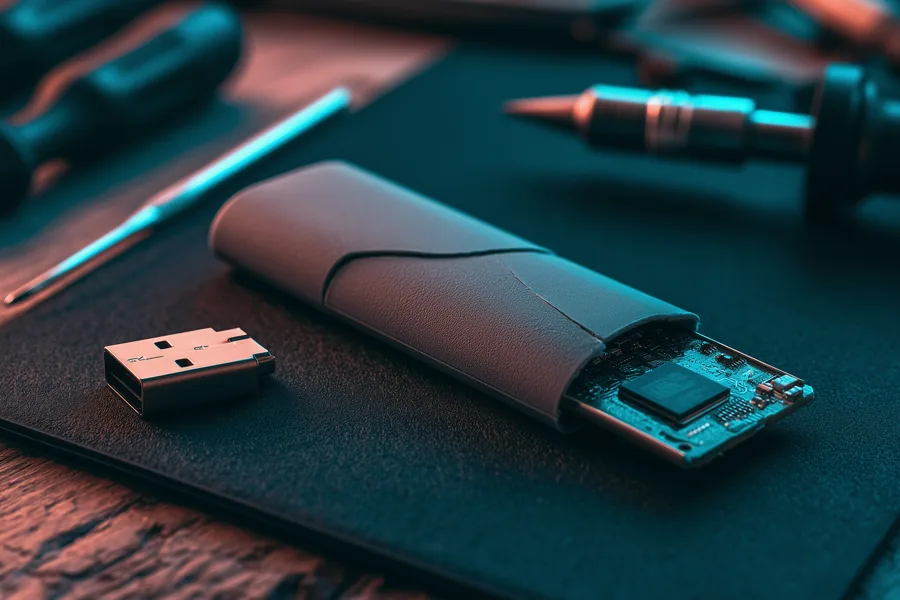
Your USB flash drive was fine yesterday. Today the computer doesn’t see it, or it shows up asking to be formatted, or it simply won’t stay mounted long enough to copy a file off. Flash drives have no moving parts, so when one fails it can feel more mysterious than a hard drive that starts clicking — there’s no warning sound, just silence. Here is the part that matters most in that first frustrating minute: the vast majority of flash drive failures are a broken doorway, not burned-down data. The NAND flash chip that actually holds your files is usually intact; what failed is the tiny surface-mount controller, connector, or firmware standing between it and your computer — which is exactly the gap professional flash drive recovery is built to close. After 27+ years of failed flash and USB drives crossing our bench, this guide covers what actually causes flash drive failure, how to tell what’s wrong, whether your data is really gone, and the habits that keep the next drive from joining the pile.
Flash drive failure almost always comes from one of four causes: physical damage to the tiny connector or circuit board, a dead or corrupted controller chip, NAND flash cells worn out from heavy use, or a corrupted file system from unsafe removal. In nearly every case the NAND chip holding your data survives even when the drive itself is dead — recovery means bypassing the failed part and reading the chip directly, which is why eProvided recovers flash drive data roughly 98% of the time. The riskiest thing you can do is click “Format disk” when Windows asks, or keep re-plugging a failing drive into different ports.
Do RIGHT NOW
- Unplug the drive and set it aside if the files matter
- Note the exact symptom — not detected, read-only, corrupted, snapped
- Stop using the computer port you last tried it in
- Check if the connector or PCB is visibly cracked or bent
DON’T Do
- Don’t click “Format disk” when Windows prompts you to
- Don’t keep re-plugging it into different ports “to see”
- Don’t run chkdsk or repair tools on a physically damaged drive
- Don’t try the freezer, rice, or superglue tricks you read online
Worried about specific files on a USB flash drive that already failed? Before you touch it again, you can find out free what’s recoverable » or call (866) 857-5950 to talk it through now.
- What Are the Most Common Flash Drive Failure Causes?
- Signs Your Flash Drive Is Failing
- USB Flash Drive Types & Reliability by Brand
- Is Your Flash Drive Data Really Gone?
- How Flash Drive Data Recovery Works
- Preventing Flash Drive Failure and Data Loss
- What Our Customers Say
- Frequently Asked Questions About Flash Drive Failure
- Recover Files from a Failed Flash Drive
- Related Recovery Services
What Are the Most Common Flash Drive Failure Causes?
Flash drive failure falls into four main causes: physical damage to the connector or circuit board, a failed controller chip, worn-out NAND flash cells from heavy use, or a corrupted file system from unsafe removal. In most cases the NAND chip holding your files survives even when the drive itself stops working.
The most common flash drive failure causes fall into four groups, and knowing which one you’re dealing with changes what happens next. Physical damage is the most visible cause — the USB connector is small, gets carried in pockets and bags, and a bent or snapped connector, or a hairline crack in the circuit board underneath it, is enough to disconnect the NAND chip from the rest of the drive entirely. Controller failure is the most common cause you can’t see: every USB flash drive relies on a tiny surface-mount controller chip to manage how data is written to and read from the NAND, and that controller is the single point of failure most often responsible for a drive that simply stops responding, since it has far more going on electrically than the flash memory itself. NAND flash wear happens because flash memory cells can only be written and erased a finite number of times before they degrade — heavy, repeated use over years is what causes gradual flash drive failure rather than a sudden one. Corrupted file systems, usually from unplugging a drive mid-write or an unsafe removal, leave the hardware perfectly healthy but the directory structure unreadable to the operating system.

A fifth cause worth calling out on its own is the electrical surge. A bad USB port, a failing power supply, or a static discharge can kill a flash drive’s controller instantly, the same way a power surge kills a hard drive’s circuit board — the NAND chip is usually untouched, but the drive won’t enumerate at all. eProvided performs component-level USB flash drive recovery for every one of these failure types, from a snapped connector to a dead controller to worn NAND, because the recovery technique follows the failure mode, not the brand printed on the case. Whatever caused it, these flash drive problems and broader USB drive issues share the same underlying lesson: the tiny part that failed is almost never the part holding your data. Unlike a hard drive, which fails mechanically as platters and heads wear down, a flash drive has no moving parts at all — every one of its failure modes is electronic, physical, or logical instead.
Signs Your Flash Drive Is Failing
Most flash drive failures give at least one warning before the drive goes fully dark. Catching the symptoms of a failing USB flash drive early — and stopping use immediately — is the difference between a routine recovery and a hard one. The table below maps what we see most often to what’s actually failing underneath and whether the data typically survives.
| Flash Drive Failure Symptoms — What’s Failing & Whether Files Survive | |||
|---|---|---|---|
| Symptom you notice | Usual cause | Failure type | Files recoverable? |
| Not detected / no drive letter | Dead or disconnected controller, or a failed connector | ⚠ Electronic | ✓ Yes, via chip-off |
| “You need to format the disk” | Corrupted file system or partition table, hardware usually fine | ⚠ Logical | ✓ Yes, forensic image |
| Read-only, can’t save or delete | Worn-out NAND blocks or firmware protecting itself from further writes | ⚠ NAND wear | ✓ Yes, read files off |
| Connector visibly bent or snapped | Physical damage to the connector or the circuit board underneath | ⚠ Physical | ✓ Yes, via chip-off |
| Disconnects randomly / drops out | Failing controller or a marginal connector losing contact | ⚠ Electronic | ✓ Usually, in lab |
USB Flash Drive Types & Reliability by Brand
Note: dimensions and capacities below are general specs — actual sizes vary by manufacturer.
USB flash drives ship in a handful of connector types, and the connector is often the first thing to fail. USB-A is still the most common style on flash drives, especially larger-capacity ones, while USB-C flash drives are now standard on newer laptops and phones and scale up to multi-terabyte capacities. Micro-USB flash drives are largely a legacy format at this point, kept alive mainly by older Android accessories and OTG adapters. A flash drive with a broken USB connector — bent pins, a cracked shell, or a connector fully separated from the board — is one of the most common physical-damage cases we see, and it rarely means the NAND chip underneath is damaged. Keychain drives take the worst of it: a drive left in a laptop port gets knocked sideways by a passing elbow, and the lever effect of a long metal plug concentrates all that force on four small solder joints. Low-profile “nano” drives that sit almost flush with the port avoid most of that strain, which is one reason they reach our bench with snapped plugs far less often.
| Type | Dimensions (approx mm) | Typical max capacity |
|---|---|---|
| USB-A | 58x20x10 | 2TB |
| USB-C | 40x12x5 | 4TB |
| Micro-USB (legacy) | 25x12x2 | 512GB |
| Lightning (Apple-specific) | 30x10x3 | 256GB |
| OTG (dual-ended) | 35x15x5 | 1TB |
eProvided recovers data from every connector type above — the recovery method depends on the failed part, not the plug on the outside. On reliability by brand: no manufacturer publishes drive-level failure-rate statistics, so treat any specific percentage you see online with skepticism. What we can say from the drives that actually reach our lab is that failure tracks more closely with controller quality, manufacturing batch, and how the drive is used (constant plug/unplug, being carried loose in a pocket, cheap counterfeit chips sold on secondary marketplaces) than with any single brand name — damage severity, not brand, drives recovery odds. SanDisk, Kingston, PNY, and Lexar drives all show up on our bench in roughly the volumes you’d expect from their market share — none of them are failure-proof, and none are unusually fragile as a category. Every drive, regardless of brand, ultimately depends on NAND chips manufactured by a handful of companies — Samsung, Micron, SK Hynix, and Kioxia among them — packaged behind a controller from the drive maker, which is part of why failure patterns look similar across brands. One real, verifiable exception worth knowing about: SanDisk has acknowledged firmware issues on some drive models that can cause sudden read failures, and publishes a firmware update tool for affected models. If your SanDisk drive fails suddenly and updating isn’t an option because it’s already unreadable, that’s exactly the kind of controller/firmware failure eProvided recovers from directly.
Is Your Flash Drive Data Really Gone?
In the large majority of flash drive failures, your data is completely intact on the NAND chip. NAND holds its contents with no power at all, so a dead controller, connector, or circuit board can fail without touching a single byte actually stored in the flash memory.
This is the question that actually matters, so here is the direct answer: in the large majority of USB flash drive failures, the data is completely intact on the NAND chip and waiting. NAND flash holds its contents with no power at all — a drive can sit dead in a drawer for years and every file is still written into the memory cells. The controller that manages reads and writes, the connector that plugs into your computer, and the tiny circuit board holding it all together can fail without touching a single byte stored on the chip itself. That gap between “the drive won’t connect” and “the data is gone” is the entire reason professional recovery exists — and why even the extremes come back: eProvided recovered NASA Helios mission data from flash memory pulled out of the Pacific Ocean after weeks submerged in saltwater. Founder Bruce Cullen was also contacted directly by NASA over a NAND data-transmission glitch on the Mars rover — a case that made national news — and separately about data storage for the Nancy Grace Roman Space Telescope program.
What genuinely does lower your odds is almost never the original failure — it’s what happens afterward. Clicking “Format disk” when Windows prompts you overwrites the very file-system structures a recovery needs to rebuild your folders. Continuing to plug a failing drive into port after port, hoping it reappears, can further damage a marginal connector or corrupt a controller that’s already struggling. And the internet’s favorite home remedies do more harm than good on flash media: there are no moving parts to “unstick” with cold, and superglue on a snapped connector usually finishes the job of separating it from the board. The best thing you can do once a flash drive shows real failure is simple: stop using it, and let a lab open the case once, correctly. If the drive holds work files, also write down roughly when it last saved correctly and what was copied onto it that day. Knowing which folders matter most lets the recovery team check those first once the chip has been read, and it makes the verification step faster because your most important files are confirmed by name rather than buried in a long list.
How Flash Drive Data Recovery Works
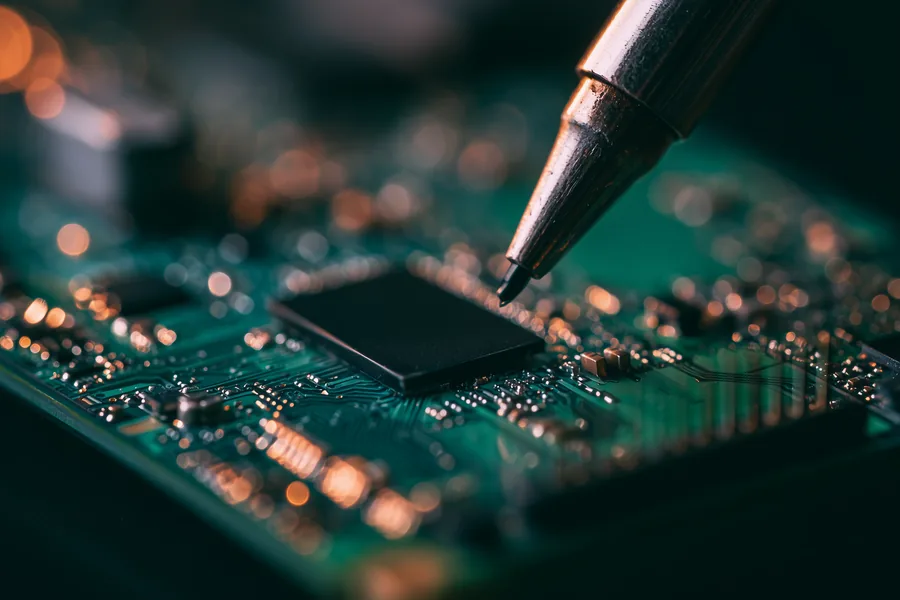
Professional flash drive data recovery works by diagnosing the failure mode first, then bypassing the failed part instead of trying to repair it. A physically damaged drive — snapped connector, cracked board — is opened in a controlled environment and the NAND chip is desoldered from the board (the same chip-off NAND recovery technique used across BGA, TSOP and monolith packages), then read directly on specialized hardware that speaks the chip’s raw protocol. A drive with a dead or corrupted controller is treated the same way: the NAND survives the controller, so bypassing it and reading the chip directly recovers the data. A logically corrupted drive — the “format this disk” case — is imaged read-only and its file structure rebuilt from the copy, never from the original. A flash drive case typically wraps up in a few business days, and the “No Data, No Data Recovery Fee” guarantee means you owe nothing if the files never come back.
This article’s job is to explain what failed and why; if your flash drive has already failed and you need it fixed, that’s a different task with its own page. If you need your failed USB flash drive recovered, that team handles the free evaluation, the quote, and the physical chip-level work of getting your files back — start there when you’re ready to send a drive in.
Preventing Flash Drive Failure and Data Loss
Getting a drive recovered is the backup plan working, not the actual plan. The habits that prevent USB flash drive failure and data loss take a few minutes to build. The cornerstone is the 3-2-1 backup rule: keep 3 copies of anything you can’t afford to lose, on 2 different types of media (say, a flash drive and a cloud folder), with 1 copy kept somewhere else entirely. No single event — a snapped connector, a lost drive, a corrupted file system — can take out all three at once.
Beyond backups, a few habits meaningfully extend a USB flash drive’s life. Always eject safely: use “Safely Remove Hardware” (or wait for the write light to stop) before unplugging — pulling a drive mid-write is one of the single biggest causes of corrupted file systems. Buy from reputable sellers: counterfeit and rebranded flash drives sold on secondary marketplaces frequently use lower-grade NAND or under-spec’d controllers, and fail far sooner than genuine drives from an authorized retailer. Keep firmware updated when your manufacturer offers it — SanDisk, for example, publishes updates for models with known controller issues. Handle the connector gently: carrying a flash drive loose in a pocket or bag is the single most common way the connector or board gets bent or cracked; a cap or a keychain case prevents most of it. Retire aging or heavily-used drives that have been rewritten thousands of times — NAND wear is gradual, and migrating data off before it fails costs nothing compared to a recovery. For a fuller list of the problems that cost people files, and the habits that avoid them, see our guide to common flash drive problems.
What Our Customers Say
Frequently Asked Questions About Flash Drive Failure
Looking to recover USB flash drive data yourself first? Free tools can sometimes read a logically corrupted drive that’s still detected — but on anything physically damaged, DIY USB drive recovery software just keeps a dying drive spinning while it degrades further, which is exactly the scenario a professional evaluation is built to catch before it costs you the data. Prevention beats recovery every time. Carrying a thumb-sized drive on a keyring instead of loose in a pocket is one of the simplest habits that works across the whole USB family — our thumb drive recovery guide covers the form-factor-specific handling tips in more depth.
Recover Files from a Failed Flash Drive
Not detected, read-only, snapped or corrupted — our engineers will tell you exactly what’s recoverable from your flash drive. Free, no obligation, confidential.
Start My Free Flash Drive Evaluationor call (866) 857-5950 now
Recovery Services for Every Storage Device Class
A flash drive is not the only device at risk? eProvided recovers every storage class from one lab — these recovery services get the data back: