
Thumb Drive · USB Stick · Pen Drive · Jump Drive · Memory Stick · Chip-Off
Thumb Drive Recovery — Snapped, Water-Damaged & Corrupted Drives Restored
Can data be recovered from a broken or dead USB thumb drive?
Yes — a snapped, crushed, or unrecognized thumb drive almost always still has intact NAND flash memory inside. eProvided reads that chip directly, bypassing the broken connector or dead controller entirely. Photos, documents, and files are recovered this way at an average 98% success rate, with a free evaluation first.
“A snapped USB drive still has its NAND chip inside — the connector breaks, the data doesn’t.” — Bruce Cullen, founder, eProvided
Thumb drive recovery is the engineering process of extracting lost or inaccessible files from a broken, snapped, water-damaged, or corrupted USB thumb drive — the small flash device also called a USB stick, pen drive, jump drive, or memory stick. When the connector breaks or the controller fails, your files still live on the NAND flash chips inside. eProvided reads those chips directly through chip-off NAND flash data recovery — chip-off extraction, raw NAND dumps, and algorithmic reconstruction — to recover data others declare gone. Ship it in for a free look, or call (866) 857-5950 first if you want to talk through what happened.
If your thumb drive snapped, got soaked, or stopped showing up on your computer, stop trying to plug it back in. Each reattempt risks shorting the NAND chips that still hold your data. Whether you snapped the connector tip, ran it through the laundry, or watched it vanish from every USB port with a “USB device not recognized” error, eProvided’s lab has been recovering broken thumb drives since 1999 — with techniques most shops simply do not have.
Every case follows the same diagnostic flow: a free evaluation, a transparent quote, and a simple promise — No Data, No Data Recovery Fee. eProvided averages a 98% success rate across all flash drive recovery cases, including physically destroyed drives. See our federal & aerospace work.
- What is a thumb drive
- Why do thumb drives fail
- Signs you need professional recovery
- Is my thumb drive recoverable
- How eProvided recovers your files
- Thumb drive failure types comparison
- Common USB error messages
- Pen drive, jump drive & USB stick recovery
- Used by NASA & government agencies
- What does recovery cost
- Real thumb drive cases
- Customer reviews
- Thumb drive recovery FAQ
- Further reading
- Other devices we recover
What Is a Thumb Drive — and Why Does Data Loss Happen?
 Enlarge
A thumb drive is a portable solid-state storage device that plugs into any USB port and keeps your data without power. It is the same device people call a USB stick, pen drive, jump drive, or memory stick — only the name changes by region and brand. There are no spinning platters and no moving heads, just NAND flash memory chips quietly holding your photos, documents, and backups. That compactness is exactly what makes a thumb drive both brilliantly convenient and frustratingly fragile.
Unlike a hard drive that usually warns you before failing, a thumb drive tends to go silent. One moment it works perfectly; the next, your computer reports “USB device not recognized” — no countdown, no farewell. It simply stops.
Physical damage is the leading cause of thumb drive data loss. Because of their small, plug-in design, these drives are constantly at risk: dropped laptops, snapped connector tips, drives left in pants pockets through the wash, drives crushed under a chair wheel, or simply plugged and unplugged thousands of times until the solder joints give out. NAND flash also has a finite number of program/erase cycles — typically 1,000 to 10,000 depending on chip type — so heavy-use drives eventually wear out at the cell level even without visible trauma.
eProvided’s engineers work on broken thumb drive recovery cases every single day — from snapped connectors and cracked circuit boards to water-damaged sticks and drives that no computer has recognized in months. If your files are still on those NAND chips, we can get them back. We recover every brand and model: SanDisk, Kingston, Samsung, PNY, Lexar, Corsair, Patriot, Transcend, Sony, and Verbatim, at any capacity and any USB generation (2.0, 3.0, 3.1, 3.2). This page covers the thumb-drive family specifically; for the broader USB-stick service, see our dedicated page for broader USB stick problems.
Lost Data on a Thumb Drive? We’ll Get It Back.
Free evaluation on every case — snapped, water-damaged, or unrecognized drives, any brand, any USB generation. No Data, No Data Recovery Fee.
Get My Free EvaluationOr call (866) 857-5950
Why Do Thumb Drives Fail? The Real Causes Engineers See Daily
 Enlarge
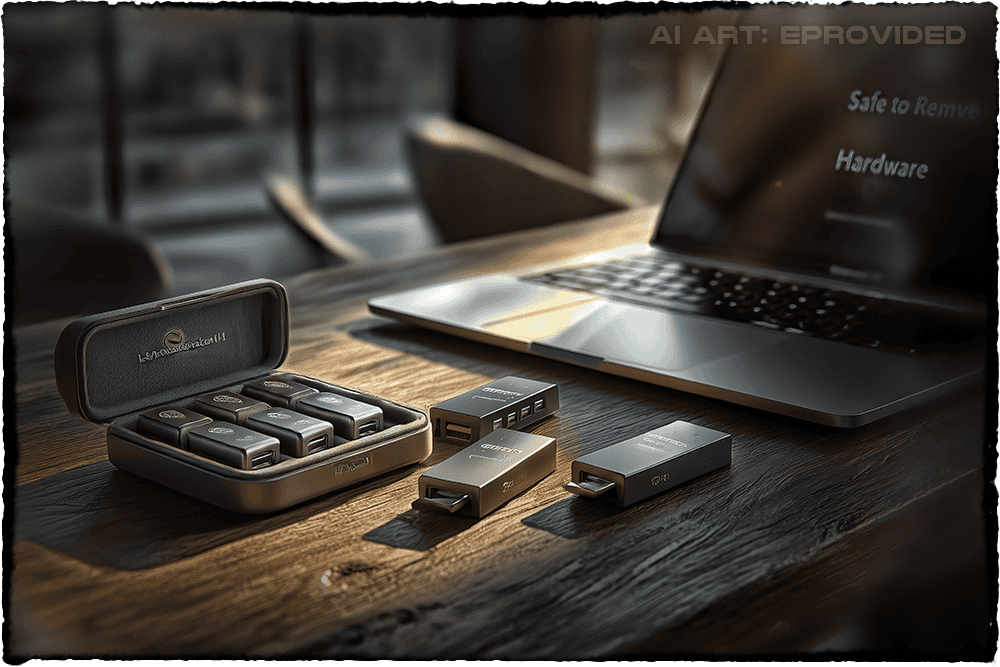
In our lab we see a fairly predictable set of failure categories — though every drive tells its own story. Understanding why thumb drives fail sets realistic expectations and, more importantly, tells you what not to do once your drive stops working. The most common failure modes include:
- Broken or bent connector. The most common failure. The metal tip snaps, bends, or pulls away from the board. The data is usually intact; the challenge is reaching it without a working interface.
- PCB (circuit board) damage. Cracks, burnt components, or a damaged controller from power surges, static, or impact. The NAND chips may be perfectly fine — we just bypass the dead board.
- NAND flash wear-out. After thousands of write cycles, cells can no longer hold a charge reliably and files corrupt. Typical thumb drives become unreliable after roughly 1,500–3,000 full write cycles.
- Firmware or controller failure. Corruption from a botched update or power loss mid-write can make a healthy drive appear empty. See our guide to common flash drive failures.
- Logical corruption / accidental format. Deleted files, wiped partition tables, or a reformat by mistake. No physical damage; the data is invisible to the OS but still there. Excellent outcomes.
- Water, heat & environmental damage. Laundry, hot cars, saltwater. PCB corrosion is the enemy; the NAND is often unharmed. Read how damage severity determines recovery success.
- Virus, malware, or ransomware. Malicious software can encrypt or corrupt file-system structures; recovery is often possible when the NAND is physically intact.
One rule our engineers live by: stop using the drive the moment something feels wrong. Continued use after early failure signs — slow transfers, unexpected disconnects, files with wrong sizes — almost always makes recovery harder. Power the drive down, set it aside, and call us. A typical thumb drive survives only 1,500–3,000 full write cycles before NAND degradation begins, so when a drive starts behaving strangely, time is not on your side.
What Are the Signs You Need Professional Thumb Drive Recovery?
 Enlarge
Not every USB problem needs a professional — sometimes a driver reinstall or a different port does the trick. But certain symptoms clearly signal a hardware-level failure that no software tool can fix. Treat the following as red flags:
- “USB device not recognized” on every computer you try, not just one machine — see our explainer on USB device not recognized errors.
- The drive shows up but with 0 bytes used / 0 bytes free — a classic firmware or controller failure.
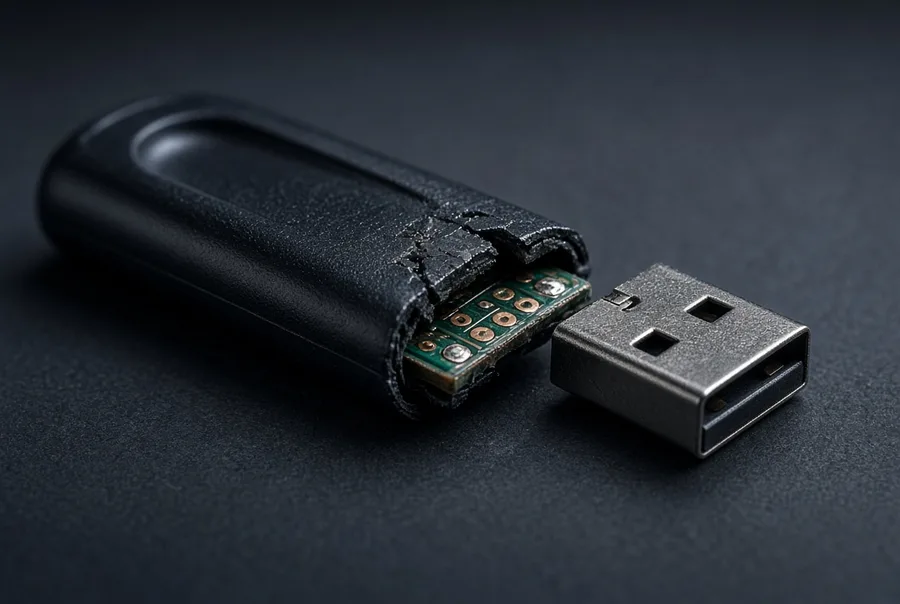
- The drive is physically damaged — bent connector, snapped tip, or cracked housing with visible board damage.
- You hear a faint click or pop when plugging in — not normal for flash, and a sign of a shorted component.
- The drive gets unusually hot within seconds — a component drawing too much current.
- Windows or macOS asks you to format the drive — it sees the drive but cannot read the file system.
- Files appear but will not open, show 0 KB or wildly wrong sizes, or display as corrupted.
If you see any of these, resist the urge to run consumer recovery software in a loop — especially on a physically damaged drive. Each repeated read on a failing NAND chip degrades the data further. The best move is a professional evaluation. Ours is always free, and you pay a recovery fee only if we succeed.
Is My Thumb Drive Recoverable? Use This Quick Checklist
Not sure whether professional recovery is worth it? Run through the situations below. In our experience, the answers tell you a lot about what to expect before you even ship the drive.
| Thumb Drive Recovery Outlook by Situation | ||
|---|---|---|
| Situation | What It Usually Means | Recovery Outlook |
| Drive is physically broken or bent — connector snapped, housing cracked, tip separated from the board | NAND chips are usually undamaged; the damage is to the interface, not the data. | Very likely recoverable |
| At least one computer detects the drive — even if it cannot read or open it | The drive has power and partial communication. Data is almost certainly still present. | High recovery chance |
| Files were accidentally deleted or the drive was accidentally formatted | Logical corruption only. Data remains on NAND; the file-system index is damaged. | Excellent odds |
| Drive shows 0 bytes used and 0 bytes free, or appears completely blank | Controller or firmware failure masking the data. NAND may be intact but inaccessible without advanced tools. | Complex — high chance |
| Drive was exposed to water, saltwater, heat, or fire | PCB corrosion is the challenge, not the NAND. Cleaning and chip-off extraction often succeed. | Complex — high chance |
Even a “high chance” outcome means time matters: the longer a corroded or water-damaged drive sits unused, the deeper corrosion progresses into the board. Start your free evaluation now — we will tell you honestly what we find before any work begins.
How Does eProvided Recover Data from a Damaged Thumb Drive?
 Enlarge
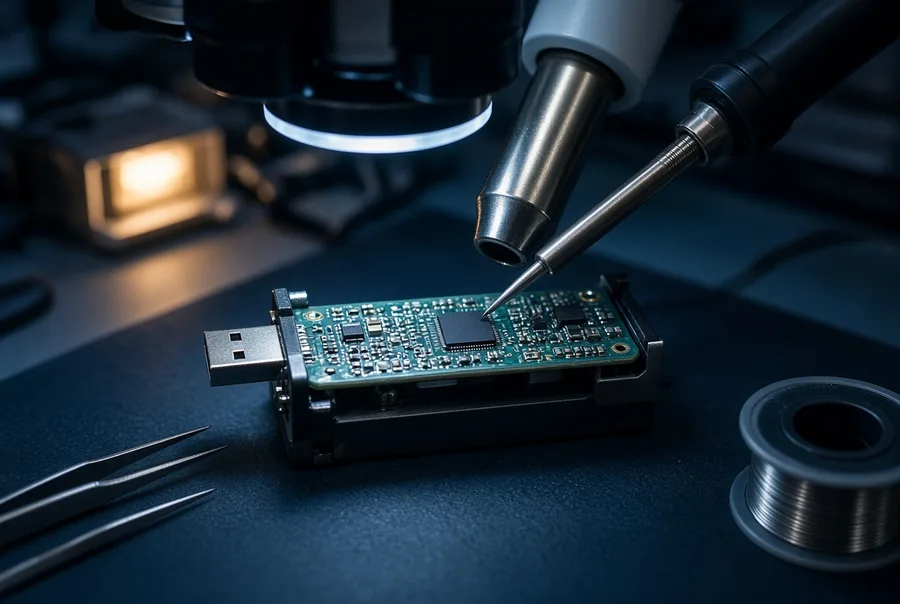
Our recovery process is methodical, not guesswork. Over 27+ years we have built proprietary tools, custom algorithms, and a deep library of controller-firmware knowledge that off-the-shelf software cannot replicate. Here is how a typical thumb drive recovery unfolds in our lab:
- Free evaluation and failure diagnosis. We examine the drive, document the damage, and determine the failure category (physical, logical, firmware, or NAND-level) at no cost. Be wary of competitors boasting dozens of city offices — many are unstaffed Regus addresses charging far more for the same work.
- PCB repair or bypass. If the connector or board is damaged, we microsolder or redirect the data path to reach the NAND directly. A broken USB port does not mean broken data.
- Chip-off NAND extraction (when required). For severely damaged or monolithic thumb drives, we physically remove the NAND chip and read it with specialized adapters — advanced work very few labs do reliably.
- NAND dump & error correction. We image the raw NAND bit-for-bit, applying error-correction algorithms to reconstruct data from worn or damaged cells.
- Descrambling and data reconstruction. Controllers scramble data as they write it (XOR plus wear leveling); our engineers reverse this with custom decoding tools to reassemble your files.
- Verification & delivery. We verify recovered files are intact, then ship them on a new drive. If we cannot recover your data, you pay no recovery fee — our No Data, No Data Recovery Fee guarantee.
Want a real-world look? Our post on recovering data from a shattered USB drive walks through what chip-off recovery looks like on a physically destroyed drive. Standard turnaround runs 1–3 business days from receipt for most cases, with rush options when time is critical.
Thumb Drive Failure Types: What We Recover From
Across the thumb-drive family — sticks, pen drives, jump drives, and monolithic designs — failures fall into a handful of repeatable patterns. Each one has a matching recovery method our engineers apply every day.
| Thumb Drive Failure Type Comparison | |||
|---|---|---|---|
| Failure Type | Common Cause | Recovery Method | Typical Success |
| Broken connector | Physical impact, torque on the tip | Microsolder / PCB bypass | Very high |
| Controller / firmware failure | Power loss mid-write, bad update | Firmware reflash / chip-off | High |
| Logical corruption | Unsafe removal, accidental format | File-system reconstruction | Very high |
| NAND wear-out | Excessive write cycles (1,500+) | NAND dump + error correction | Moderate–high |
| Water / moisture damage | Laundry, spills, flooding | PCB cleaning + chip-off | High (NAND often intact) |
| Monolithic thumb drive | Single-chip design failure | Specialized monolith reader | Moderate–high |
| Virus / ransomware | Malware attack, encryption | File-system + partition recovery | Moderate–high |
Bending, crushing, or snapping a drive — even total separation of the connector from the board — does not automatically mean your data is gone. Our engineers have recovered files from drives that looked like someone used them to hammer in a nail. The NAND chip is surprisingly resilient; it is the interface circuitry around it that usually fails first — the same chip-level recovery we apply to broken memory cards, while the controller revival that dead drives of the SSD kind need is covered on our SSD data recovery page.
Don’t Wait — Thumb Drive Damage Gets Worse.
A snapped connector or a dead controller almost never touches the NAND chip underneath — ship it in and we will tell you for free what survived.
Get My Free EvaluationOr call (866) 857-5950
Common USB Error Messages That Signal Thumb Drive Data Loss
Windows and macOS generate specific error messages when a thumb drive fails. Knowing what each one really means can save you from making things worse. The ones our engineers see most often:
- “USB device not recognized” — the computer detects something but cannot communicate with it; usually a controller failure, corrupted firmware, or broken connector (here's what to do when your USB device is not recognized).
- “You need to format the disk in Drive X before you can use it” — the file system is unreadable, typically partition-table corruption or a failed controller. Do not format — it makes recovery harder.
- “Status: Unreadable” (Windows Disk Management) — the drive exists but no valid partition structure is readable. File-system reconstruction is usually the fix.
- “Unknown Device” (Device Manager) — the controller responds but the OS cannot enumerate it; firmware corruption is the likely culprit.
- “Drive is not accessible. Access is denied.” — a permissions or file-system encryption issue, recoverable in most cases.
- macOS: “The disk you inserted was not readable by this computer” — partition table or file system unreadable; the data is likely intact on the NAND.
My thumb drive is showing 0 bytes — is my data gone? No. A 0-bytes reading almost always means the controller or firmware has failed in a way that hides the data partition from the OS. Your files are still physically present on the NAND chips. We perform a low-level NAND read that bypasses the failed controller and reconstructs the file system from the raw chip data. Do not reformat — and never run chkdsk or loop consumer software, which all overwrite recoverable data. Contact us for a free evaluation instead.
Pen Drive, Jump Drive & USB Stick Recovery: Any Brand, Any Damage
 Enlarge
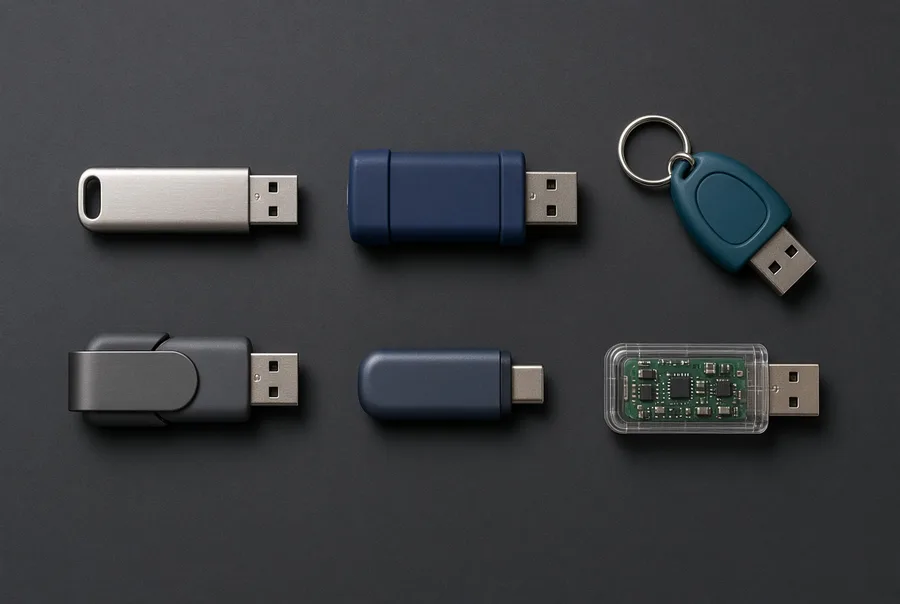
Whether you call it a pen drive, jump drive, USB key, memory stick, or thumb drive, they all use the same NAND flash technology — and we recover them all. The terminology varies by region and manufacturer; the physics of failure stays the same. eProvided recovers data from all device types. Devices we recover every week include:
Not sure which you have? A device the size of a keychain is a thumb drive. A larger device that needs its own USB cable and sits on your desk is usually a portable external hard drive, which fails differently and is recovered differently.
- Standard USB-A thumb drives (SanDisk Cruzer, Kingston DataTraveler, Samsung BAR, PNY Turbo, Lexar JumpDrive)
- USB-C and OTG (On-The-Go) pen drives for Android and MacBook
- Micro-USB flash drives and retractable / swivel sticks with housing damage
- Password-protected and hardware-encrypted drives (IronKey, Apricorn, Kingston Vault Privacy)
- Bootable USB sticks with operating systems (Windows install media, Linux live USBs)
- Corporate and enterprise jump drives used for IT deployments
- High-speed USB 3.2 Gen 2 drives and USB4 devices
We recover from every major brand and then some — SanDisk, Kingston, Samsung, PNY, Lexar, Corsair, Sony, Verbatim, Toshiba, and more — matching each failure to the right method. SanDisk drives often arrive showing 0 bytes; Kingston and ADATA usually need connector microsoldering; Samsung and Verbatim tend toward NAND wear; Sony monolithic sticks need a specialized monolith reader; and IronKey or Apricorn encrypted drives are handled case-by-case. The recovery steps are listed in the section above, and once the raw NAND is reached your files are often completely intact.
Mac users see a distinct set of problems too — the “disk not readable” message, and APFS or HFS+ corruption after unsafe ejection. eProvided works with all file systems (APFS, HFS+, exFAT, FAT32, NTFS); our intake bench serves Mac users worldwide, and the recovery is identical regardless of OS. This page focuses on the thumb-drive lane; for the broader stick-and-drive service, our USB flash drive recovery page covers it in full.
The Same Lab NASA, the FBI, and the U.S. Navy Trust With Their Data
When NASA’s Helios solar aircraft went down into the Pacific Ocean in 2003, the storage media aboard spent weeks submerged in saltwater. eProvided was brought in to recover the mission-critical data — and we succeeded. That is not a marketing claim; it is the kind of case that defines what true data recovery expertise looks like. NASA used eProvided because our engineers could do what others could not. Learn more about our work with NASA and other agencies.
Beyond NASA, eProvided has worked directly with the FBI on bioterrorism cases, U.S. Special Agents, and the U.S. Department of the Navy. We bring that same refusal to give up to every consumer thumb drive recovery case — whether it is a student’s thesis on a snapped thumb drive or a small business’s only backup, your data gets the full weight of our 27+ years of experience. NAND-based storage often survives physical events that would destroy a hard-drive platter, which is exactly why the right lab matters.
What Does Thumb Drive Data Recovery Cost?
The honest answer is that it depends on the failure type and how much work is required to reach your data. What does not depend on anything is the evaluation — that is always free — and our No Data, No Data Recovery Fee guarantee means you pay only if we actually recover your files.
| Thumb Drive Recovery — Estimated Cost Ranges | ||
|---|---|---|
| Recovery Type | Typical Cases | Estimated Range |
| Basic / logical recovery | Accidental delete, format, or partition corruption — no physical damage | Quoted at your free evaluation |
| Standard physical recovery | Broken connector, PCB damage, firmware failure, water damage | Quoted at free evaluation on arrival |
| Advanced / chip-off recovery | Monolithic drives, severe NAND damage, encrypted or multi-chip drives | Quoted at free evaluation on arrival |
These are estimates — your exact quote comes after the free evaluation, once our engineers have diagnosed the drive. Visit our full pricing page for details. Once the drive is diagnosed, a free evaluation gives you a specific quote at no cost or obligation.
Real Thumb Drive Cases From Our Records
Five of the many thumb drives we have handled, in the customers’ own words from the evaluation form, with what the lab’s notes record. Two came back, two did not, and one is still only a form. Every case ID and date below comes from the lab record, and the customers’ names stay out.
Thumb drive bent in a laptop fall, after a failed shop repair, September 2018
“Laptop fell while thumb drive was still connected. Took thumb drive to a local shop and they were not able to complete the job after they tried to solder some jumpers.”
Case AHLN6E, September 2018. Recovered. The drive reached the lab on September 20, 2018 after another shop’s repair attempt, the customer approved an advanced recovery, and the lab’s note on November 19, 2018 delivers the recovered files.
Thumb drive that connects, then hangs, May 2020
“Device is a thumb drive that my computer has a very hard time connecting to. After connecting I get a message stating that it needs to be repaired … says Windows can’t repair it. Tried Recuva to repair files and download, didn’t work.”
Case VRGVWG, May 2020. Recovered, slowly. The lab’s note in August 2020 calls it a complex recovery, and the success note came on January 28, 2021. Some drives take months, and a drive that half-works is not a safe one to keep reading.
Thumb drive chewed by a puppy, May 2020
“My puppy chewed on my thumb drive.”
Case UKZYXD, May 2020. Not recovered. The lab’s note on August 12, 2020 records no success because of a short between the power and ground lines on the board.
Thumb drive broken in half, January 2024
“thumb drive broke in half”
Case VV6MNU, January 2024. Not recovered. The basic attempt failed and the lab said an advanced recovery was needed, and the customer declined it after learning the whole port had been ripped out of the drive.
Thumb drive bent when a laptop slipped, July 2026
“The Thumb drive was in the computer when the computer slipped and fell on the side of the thumb drive. The flash drive was bent and stopped working. Other thumb drives work fine, and the computer is fine.”
Case W34ZFF, July 2026. The case record holds the form only, so no outcome is claimed here. A drive that is bent but whole is the kind of break the section above on connector damage describes, and it is the reason we ask people to stop plugging it in.
What Our Customers Say
Read the full set of 67 verified thumb drive and flash storage reviews on Trustpilot.
Frequently Asked Questions About Thumb Drive Recovery
My thumb drive just stopped working — there was no warning. What happened?
“It was working fine and then it stopped” is one of the most common things customers tell us, and it is normal for this device. A thumb drive gives no warning because there is nothing to hear — no noise, no slowdown, no clicking. The controller can quit between one plug-in and the next while the NAND chip holding your files sits there unchanged. Stop plugging it in repeatedly; each attempt is another chance to make the failure worse.
Can you recover data from a physically broken thumb drive?
Yes — in the majority of cases. Physical damage to the connector, PCB, or housing does not necessarily damage the NAND flash chips where your data actually lives. When the connector or board cannot be used, our engineers read the NAND chip itself (the chip-off step in how we recover your files), the approach that also rescues a damaged card in microSD card data recovery. eProvided averages a 98% success rate across all flash drive cases, including snapped and water-damaged drives.
How much does thumb drive data recovery cost?
The evaluation is always free. Every case, from a simple logical recovery to an advanced chip-off, is quoted during your free evaluation on arrival. If we cannot recover your files, you owe nothing for recovery.
My thumb drive is showing 0 bytes — does that mean my data is gone?
No. A drive showing 0 bytes almost always means the controller or firmware has failed in a way that hides the data partition from the OS. Your files are still physically present on the NAND chips. This is a highly recoverable scenario — do not reformat. Contact us for a free evaluation.
What should I do with my thumb drive before sending it in?
Stop using it immediately. Do not format it, run chkdsk, or loop consumer recovery software. Place it in a small zip-lock bag if there is any moisture or corrosion, then package it carefully in a padded envelope or small box and ship with tracking. The less you do after failure, the better your chances of full recovery.
How long does thumb drive recovery take?
Standard recoveries (logical corruption, basic connector repair) typically complete within 1–5 business days of receipt. Advanced chip-off or monolithic cases may take 5–10 business days. We communicate throughout — real updates from the engineers actually working your case.
Do you recover data from Mac-formatted thumb drives?
Yes. eProvided works with all file systems — APFS, HFS+, exFAT, FAT32, and NTFS. If macOS gave you the “disk not readable” message, your files are almost certainly still on the NAND. Our recovery works at the raw chip level, so the operating system or format does not limit what we can retrieve.
Do you recover monolithic and encrypted thumb drives?
Yes. Monolithic thumb drives — where the controller and flash are fused in a single chip with no external solder points — require a specialized monolith reader, and eProvided has both the equipment and the expertise. Software-encrypted drives (BitLocker, VeraCrypt) with a known password are often recoverable even with physical damage; hardware-encrypted drives (IronKey, Apricorn) are handled case-by-case. We read the encrypted data off the flash, then unlock it with your password or key; the free evaluation tells you what is recoverable before any fee.
Do you recover all brands and drive sizes?
Yes. We recover from every brand including SanDisk, Kingston, Samsung, PNY, Lexar, Corsair, Verbatim, Patriot, Transcend, Sony, Toshiba, and HP — any capacity (256 MB to 2 TB) and any USB generation (1.1, 2.0, 3.0, 3.1, 3.2).
Ready to Recover Your Thumb Drive Files?
Free evaluation, firm quote, then recovery. Recovering broken thumb drives since 1999 with a 98% success rate.
Get My Free EvaluationOr call (866) 857-5950
Further Reading: Thumb & Flash Drive Guides
- Common problems behind thumb drive failures — what goes wrong and how we recover it.
- Recovering data from a formatted thumb drive — what a quick format wipes, what it leaves behind, and what to do before writing anything new.
- Tips to avoid thumb drive damage — everyday habits such as safe eject, no pocket carry and a second copy of what matters.
- Top 5 thumb drives — a buyer’s look at popular models, useful when you need a replacement stick.
Other Devices We Recover
Thumb drive not your only failure? eProvided recovers every storage class from one lab. Choose your device: