
Used by NASA · the FBI · the U.S. Navy · Since 1999
Forgot Your Phone Password? Ultimate Guide to Unlocking Your Smartphone in 2026
- No Data, No Data Recovery Fee
- 27+ years of recovery experience
- iPhone & Android, damaged or water-hit
- Free evaluation, no obligation
Can You Recover Data From a Phone You Can’t Unlock?
Only with the passcode. Apple and Google both say a forgotten passcode ends in a reset, and a reset erases the phone, so photos survive only in a backup. No honest lab can get around a phone’s lock. A lab can repair a physically damaged phone so that you can enter your own passcode.
“The one move you can’t undo is the factory reset.” — Bruce Cullen, founder, eProvided
We’ve all been there: staring at a locked smartphone, wondering how we forgot the PIN we type every day. Phone lockouts are common, and they usually happen at the worst moment. Don’t panic. This guide walks through the official ways back into an iPhone or an Android phone and says plainly which of them erase your photos and messages. Almost all of them do. We do not suggest ways around a lock, because Apple and Google build these locks to stop thieves, and anything that really got past one would work for a thief too. If the phone is also damaged or wet, our cell phone data recovery service repairs the phone so you can enter your own passcode.
If you forgot your phone password, the official route is a reset, and a reset erases the phone. On an iPhone, try Apple’s Passcode Reset first, then reset on the phone, then reset with a computer. On Android, try your fingerprint or face unlock, then a factory reset, from the phone or through Google’s Find Hub. Photos come back only from a backup. A recovery lab cannot get around the lock, but it can repair a damaged phone.
Do RIGHT NOW
- Check whether Face ID, Touch ID or a fingerprint still opens the phone
- Find out whether an iCloud, computer or Google backup exists before you erase anything
- Have your Apple Account or Google Account details ready
- Keep a damaged or wet phone switched off
DON’T Do
- Don’t install random unlock software from download sites or forums
- Don’t keep guessing passcodes; the waits get longer
- Don’t factory reset the phone before confirming backup availability
- Don’t connect a wet or physically damaged phone to power
- What to Do First
- Common Reasons for Phone Lockouts
- How to Unlock Android Phone Forgot Password
- How to Unlock iPhone Forgotten Passcode
- Brand and Model Specific Tips
- What Happens to Your Photos
- Advanced Methods to Unlock Without Data Loss
- When to Seek Professional Help
- Myth-Busting Common Misconceptions
- What Not to Do
- Preventing Future Lockouts
- Locked Out and No Backup?
- Real Locked-Phone Cases From Our Records
- What Our Customers Say
- Frequently Asked Questions
- Related Articles
- Get a Free Evaluation
- Related Phone Recovery Services
Forgot Your Phone Password? What to Do First
If your phone is locked and you are unsure what to do next, the safest move depends on the phone and on what is saved somewhere else.
- If it is an iPhone showing Security Lockout or iPhone Unavailable, follow Apple’s official recovery order below, and check for a backup before you reset.
- If it is an Android phone, try your fingerprint or face unlock first, then use Google’s official reset paths.
- If the phone is damaged, will not turn on or is wet, stop trying to unlock it and ask a recovery lab to look at the hardware.
Why This Guide Is Reliable
This guide follows the instructions Apple and Google publish for their own phones, and it is checked against real phone cases handled in our lab. It was updated in October 2026. It is written by Bruce Cullen, a Certified Data Recovery Specialist with 27+ years of experience, and it puts your data ahead of convenience: nothing here asks you to defeat a lock.
Common Reasons for Phone Lockouts
 Enlarge
Most lockouts come from simple human error or from a security feature doing its job. A PIN changed on a busy day and never typed again, a new phone set up in a hurry, a passcode used only by Face ID for months: all of these end at the same screen. Other causes include too many failed attempts, a software update that asks for a fresh password, or a child tapping the screen. A toddler can turn a thirty-second lockout into a disabled phone.
Weak, reused passwords are a security problem of their own, and the push toward stronger passcodes means more people now carry one they do not remember. Whether it is an Android pattern you forgot or an iPhone that says Unavailable, the first step is the same: stop guessing and work out what is backed up. A phone with failing storage or a damaged board can also refuse a correct passcode. That is a hardware fault, not a memory lapse, and it needs a different fix.
How to Unlock Android Phone Forgot Password
 Enlarge
Android gives owners no official way past a forgotten screen lock that keeps the data. The honest order of options is short.
- Try any fingerprint or face unlock that is still enabled. It often works when the PIN is gone, and it lets you set a new screen lock from the settings.
- Stop guessing. Repeated wrong tries bring longer waits, and a few phones, such as work phones set up by an employer, are set to erase after too many failures.
- Use Google’s Find Hub if you need to secure or erase the phone remotely. It works only if the phone has power, is online, is signed in to a Google Account and has Find Hub turned on. “Mark as lost” locks the phone with your existing PIN, pattern or password. It does not set a new one.
- As a last resort, factory reset the phone from its recovery menu or through Find Hub. Google says erasing permanently deletes all data on the device, though it may not delete an SD card.
After a reset, the phone is protected for its owner. To factory reset a protected device you need either the screen lock or your Google Account password (Google device protection), so keep your Google details handy. If you forgot those as well, start with Google Account recovery on a computer or another phone.
How to Unlock iPhone Forgotten Passcode
 Enlarge
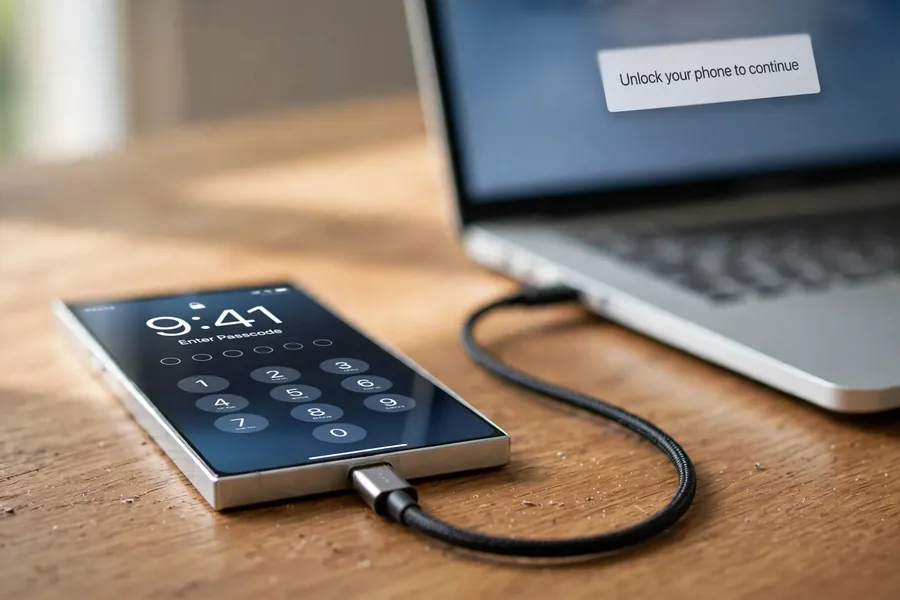
Apple lists the official options in a fixed order on its passcode support page. If you forget your passcode, try Passcode Reset first. If you cannot use Passcode Reset, you can reset the iPhone on the phone itself. Finally, if neither works, you can reset it with a Mac or Windows PC and a cable, which Apple says can take up to 60 minutes.
Be clear about the cost. Apple states that to get into an iPhone after you forget the passcode, you must reset it, and that the reset erases the data currently on the phone. Photos and messages come back only if they were in an iCloud or computer backup, or synced with iCloud Photos. Confirm that before you start. If Face ID or Touch ID still opens the phone, use it to go into Settings and set a new passcode, then make a fresh backup.
Why the iPhone Says to Try Again Later
That message is a built-in protection against guessing. Apple’s Platform Security guide explains that the waits grow from 1 minute to 8 hours as wrong attempts pile up, and that after enough failures the iPhone stays locked until it is connected to a Mac or PC. The passcode is tied to a key inside the device, so each guess must happen on the phone itself, and each one takes roughly 80 milliseconds by design. Guessing faster is not possible, and it is not meant to be.
Brand and Model Specific Tips
Each brand has its own official support pages, and they all lead to the same place. A Samsung Galaxy, a Google Pixel, a Motorola and most other Android phones follow Google’s path above, with the maker’s own account tools on top for some models. iPhones follow Apple’s order. Whatever the brand, a reset that the screen offers is still an erase, so stop at that screen if the photos have no backup anywhere else, and check the maker’s support page for your exact model before you press anything.
What Happens to Your Photos After a Forgotten Passcode
The table sums up the official options and what each does to the data on the phone. The effect on data is the part people miss, so read that column first.
| Forgotten Passcode: Official Options and Their Effect on Data | |||
|---|---|---|---|
| Situation | Official option | Effect on data | Source |
| iPhone, forgotten passcode | Passcode Reset, tried first | Apple lists it as the first thing to try; read Apple’s own Passcode Reset article for what it keeps | Apple Support, passcode page |
| iPhone, Passcode Reset not available | Reset on the phone, then with a computer | Erases the data currently on the iPhone | Apple Support, passcode page |
| iPhone, repeated wrong guesses | Wait out the delay | Waits grow from 1 minute to 8 hours; then a Mac or PC is needed | Apple Platform Security guide |
| Android, lost or locked | Find Hub, Mark as lost | Locks the phone with your existing PIN, pattern or password | Google Find Hub help |
| Android, forgotten lock | Factory reset, from the phone or Find Hub | Permanently deletes all data; an SD card may remain | Google Find Hub help |
| Android, after a reset | Device protection | Needs the screen lock or your Google Account password | Google device protection help |
Advanced Methods to Unlock Without Data Loss? What Is Real and What Is Not
Search results are full of tools, videos and forum posts that promise an advanced way into a locked phone without losing data. We do not recommend or describe any of them. They fall into two groups: official features that need your own account, covered above, and bypass tricks that do not work on a modern phone or put the phone at risk.
Bypass Android Lock Without Data Loss: What the Tips Get Wrong
Android 7.0 and later supports file-based encryption, and full-disk encryption is not allowed on new devices running Android 10 and higher (Android security documentation). Your files sit encrypted on the phone, and the keys stay inside the phone. Old tricks that removed a lock file over a debugging connection belong to old, unencrypted phones with debugging already switched on, and they do not open the data on a current one. A tool that truly got past the protection would also work for a thief, so the downloads on offer are unofficial and may carry malware or wipe the phone.
iPhone Security Lockout Fix Strategies: What Apple Allows
When an iPhone shows Security Lockout or iPhone Unavailable, the fix Apple provides is the reset order above, and it erases the phone. If the data matters and there is no backup, stop and check every account that might hold a copy before you reset: iCloud, a computer you synced with, a shared photo library. Nothing else is approved by Apple, and nothing else is safe to trust with a phone full of personal data.
When to Seek Professional Help
 Enlarge
We cannot and will not get around a phone’s lock. Every iPhone since the 3GS, and mainstream Android phones since about 2015, encrypt their storage with keys tied to the passcode and to the phone’s own processor, so pulling the memory chip out of a phone returns scrambled data. Reading the memory chip directly is the right tool for USB sticks and memory cards, not for phones. Anyone who promises to open a locked, encrypted phone for you is promising something Apple and Google designed to be impossible.
What a lab can do is fix the hardware. If a phone is locked and also damaged, for example by water, a crushed board or a phone that will not power on, we repair the original board so the phone runs again. In some cases we move the phone’s processor and memory together onto a donor board, so the phone’s own hardware can still do the decrypting. After either repair the phone still asks for your passcode. A repair is a chance to get the phone running, not a promise about the files, and we say so before any work begins. We also check that you own the phone, and recovered data goes only to the verified owner.
If you are curious how flash memory works under the lock screen, our guide to NAND chip technology explains it. For a phone that fell in water, our guide to a phone dropped in the toilet shows what to do in the first hour.
Myth-Busting Common Misconceptions
Three beliefs cause most of the damage we hear about, so here they are with short answers.
- “Every method wipes the phone.” Not so. A fingerprint or Face ID that still works, Apple’s Passcode Reset and a good backup can all get you through without losing photos. What wipes the phone is the reset you choose when none of those are available.
- “Third-party unlock tools are safe.” They are not. They are unofficial, many carry malware, and none is approved by Apple or Google; see what is real and what is not.
- “A lab can simply pull the memory chip out of a locked phone.” On a modern phone that returns scrambled data, which is why a lab works on the hardware instead; see when to seek professional help.
What Not to Do When You Are Locked Out
 Enlarge
These five mistakes turn a recoverable situation into a lost one. A good backup habit prevents most of them, and the rest of this section explains why.
- Do not install unlock or bypass tools. They are unofficial, may carry malware and can trigger a wipe.
- Do not keep guessing the passcode. The delays grow to hours, and some phones erase after too many tries.
- Do not factory reset before you know a backup exists. A reset erases the phone, and nothing you do afterward changes that.
- Do not charge a wet or crushed phone. Power can short the board and make a repair harder.
- Do not sell or give away the phone while it is locked. Device protection ties it to your Google Account or Apple Account.
Preventing Future Lockouts
 Enlarge
Better biometrics and passwordless sign-in should cut down on forgotten passcodes over time, but today the simple habits do most of the work. A password manager creates and stores a strong passcode so you never have to remember it cold. When you do use a passcode, a passphrase such as “yellow-bicycle-coffee-moon” is both strong and memorable. Most important, a backup turns a forgotten passcode from a disaster into an inconvenience, because after the reset you restore everything.
- Enable fingerprint or Face ID as a second way in.
- Use a password manager for creating and storing complex PINs.
- Run regular backups to the cloud or to a computer, and check that they finish.
- Keep your Apple Account and Google Account recovery details current.
- Watch for security alerts on the accounts tied to your phone.
Locked Out and No Backup? If the Phone Is Also Damaged
If the phone will not power on, was dropped or got wet, a repair may get it running so that you can enter your own passcode. Tell us what happened and we will say what is realistic.
Start My Free Phone Evaluationor call (866) 857-5950
Real Locked-Phone Cases From Our Records
The quotes below are owners’ own words from our intake form, shortened and stripped of names and contact details. They show the situations people reach us in. For three of them the record holds only the submitted form, so we describe what the owner wrote and the official path that applies, not an outcome.
iPhone Unavailable, then a failed restore, October 2026
Case J6F8E7. The owner wrote:
“I reached the maximum number of passcode attempts on my iPhone Air and it displayed ‘iPhone Unavailable.’ I believe I now remember the correct passcode, but I no longer have any attempts remaining.”
The owner then tried a restore through a computer, it failed several times, and the phone ended up stuck on the recovery screen. Our reply the same day was plain: this was not something we could do, and please do not send the phone in. A locked iPhone that has already been restored in recovery mode is the clearest example of why we do not promise to open locked phones. If an iPhone is broken rather than only locked, our guide to broken iPhone data recovery explains the difference.
Factory reset, then a Google account lock, July 2026
Case NHMWV9. The owner wrote:
“I forgot my screen lock so I used the side buttons on my cell phone a Motorola to factory data reset it and now it’s asking me for the screen lock or Google account password which I can’t remember.”
This is the device protection step described above: after a reset, Android asks for the screen lock or the Google Account password. The record holds only the form. The official path is Google Account recovery, and the reset had already erased the phone, so the data question was settled before the owner wrote to us.
Three attempts left before a reset, September 2026
Case YUWJB5. The owner wrote:
“Passcode locked out of phone. Samsung galaxy s24. three more attempts before factory reset. I do not want to factory reset.”
The owner stopped before the last attempts, which was the right call, because a wrong guess at that point ends in an erase. The record holds only the form. The next steps are the ones above: look for any fingerprint or face unlock, then check for a Google backup before choosing a reset.
Lockout timers that grew for days, September 2026
Case ZUGXR2. The owner described a Samsung Galaxy S22 that asked for a new password after an update:
“The phone has slowly increased lockout timing between password attempts to the point that the phone was locked for days and has been sitting locked in a drawer since.”
That is the escalating wait doing what it is built to do. The record holds only the form. Owners in this spot often leave the phone untouched for months, and the one thing that does not help is more guessing.
What Our Customers Say
Frequently Asked Questions
Related Articles
Recovery Services Beyond Phones
A phone is often only one of the devices in the drawer. The same lab handles snapped or dead flash drives and microSD card data recovery, where a chip-level read is the right tool because those cards are not locked to a processor. We also cover failed NVMe and SATA SSDs from Samsung, WD and Crucial, professional hard drive data recovery for Seagate, Western Digital, Toshiba and HGST drives, and NAND flash chip-off recovery. Browse all data recovery services.
Get the Photos Back Before You Erase Anything: Free Evaluation for Damaged Phones
Dropped, water-hit or a phone that stopped working: send it in and we will tell you what we can do with the hardware. We never promise to open a locked phone.
Start My Free Evaluationor call (866) 857-5950 now
Related Phone Recovery Services
When the lock screen is not the only problem, these are the services that pick up the case: