
Water-Damaged Phone Data Recovery
Water-Damaged Phone Data Recovery: Free 60-Second Evaluation
Can you recover photos from a phone that’s been in water?
Yes — water almost never reaches your files. It kills the board that powers the phone. The files only unlock with that phone’s own processor, so we repair the board or move the processor and memory together onto a donor board. Free evaluation since 1999.
“In 27 years I’ve almost never seen water destroy the memory itself — it kills everything around it.” — Bruce Cullen, founder, eProvided
If your phone went for a swim — pool, ocean, sink, toilet, washing machine, or a drink spill — the data on it is almost always still recoverable. Water-damaged phone data recovery at eProvided gets your photos, messages and files back. The key to the files lives in that phone’s own processor, so the work is on the phone itself, and we work out which route yours needs for free, before you owe us anything. On a dead iPhone specifically, our iPhone 13 data recovery service covers the same board-level and donor-transplant methods. Free evaluation, 24–48 hour rush available. Don’t put it in rice — call (866) 857-5950 first.
What to Do RIGHT NOW If You Dropped Your Phone in Water
Five steps, in this order. Every minute matters in water-damaged phone data recovery — especially for salt water.
- Power it off immediately. If it’s already off, leave it off. Power + wet circuit = shorts that destroy the logic board.
- Do not charge it. Plugging in a wet phone is the single most common cause of permanent damage we see.
- Do not put it in rice. Rice is a myth — it doesn’t absorb fast enough, and starch dust clogs the ports.
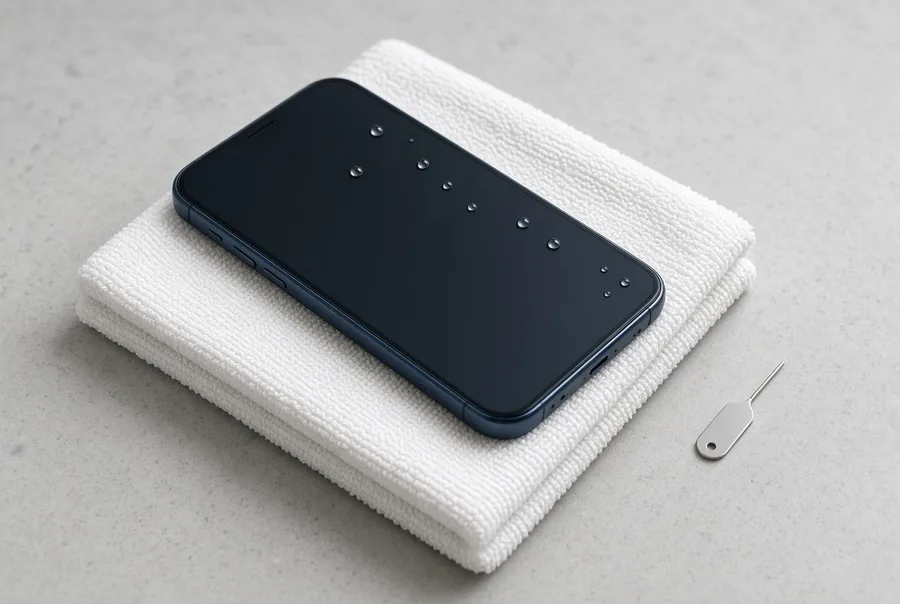
- Remove the SIM, case, and accessories. Pat it dry with a lint-free cloth. Stand it upright on a towel.
- Call a recovery lab within 24 hours. Ship overnight if salt water was involved. Call us at (866) 857-5950 for guidance.
- What to do RIGHT NOW
- Why time matters — the corrosion clock
- Water type vs corrosion window vs recovery odds
- What we recover from a water-damaged phone
- If your phone won’t turn on after water damage
- Samsung Galaxy water damage
- Android & iPhone water damage
- How we get the data off a dead phone
- Our 4-step recovery process
- What it costs
- Questions to ask before you send a wet phone to any lab
- Real water-damaged phone cases
- Real customer stories
- Frequently asked questions
- Related recovery services
Why Time Matters: The Corrosion Clock
 Enlarge
If you've just dropped phone in water (any water — pool, ocean, sink, toilet), the corrosion clock is already running. The instant water touches your phone’s logic board, a chemical reaction starts. How fast that reaction destroys your data depends on what the water contained:
- Salt water: irreversible logic-board corrosion begins in 4–6 hours. Salt ions drive galvanic corrosion that continues even after the phone is dried.
- Sugary drinks (soda, coffee, juice): 8–12 hours. Sugar residue keeps conducting current and feeding corrosion long after the liquid evaporates.
- Pool water (chlorinated): 12–18 hours. Chlorine plus minerals accelerate copper-trace damage.
- Fresh water (tap, rain, lake): 24–48 hours before significant board corrosion. Still urgent.
- Toilet water: treated like fresh water for corrosion (24–48 hours) but with bacterial considerations for handling. (See our phone fell in the toilet guide for first-aid specifics.)
The good news: the NAND flash chip that stores your photos and messages is sealed inside its own package. It survives water exposure in the large majority of cases. What corrodes is the board, the connections, and the controller — and we work around all three at the board level. Start your free evaluation or call (866) 857-5950.
Water Type vs Corrosion Window vs Recovery Odds
Not all water damage is created equal. The type of liquid that hit your phone changes how fast you need to act and what we have to do in the lab. Here’s the quick reference we use to triage incoming cases:
| Water Type vs Corrosion Window vs Recovery Odds | ||
|---|---|---|
| Water Type | Corrosion Window* | Typical Recovery Odds |
| Salt water (ocean, sea) | 4–6 hours | High — if shipped overnight + RUSH applied |
| Sugary drink (soda, coffee, juice) | 8–12 hours | High — needs ultrasonic clean |
| Pool water (chlorinated) | 12–18 hours | Very high |
| Fresh water (tap, rain, lake) | 24–48 hours | Very high |
| Toilet water1 | 24–48 hours | Very high (handling protocol1) |
* Corrosion Window = how long from the moment water hits the phone before logic-board damage compounds enough to make recovery significantly harder. After the window closes you can still recover data from a water damaged phone, but it almost always takes lab work rather than software. That is the kind of professional water damaged phone recovery service no software tool can replicate. Salt water gives you the smallest cushion; fresh water and toilet incidents give you days.
Whatever your phone landed in, what happens next is decided by the phone, not the water. Either the original board is repaired, or the phone’s own processor and memory are carried over as a pair to a donor board. You will know which yours needs before you are charged. The window above tells you how fast to ship — ideally overnight for salt or sugar, next-day fine for fresh water and toilet incidents.
What We Recover From a Water-Damaged Phone
 Enlarge
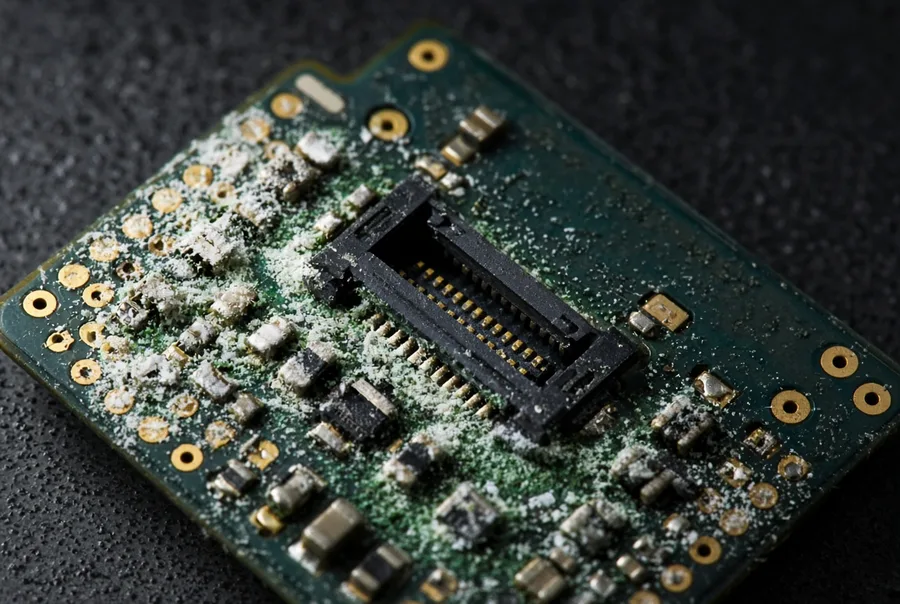
When you need to recover photos from water damaged phone storage — or rebuild a year of text messages — or pull contact lists off a phone that won't turn on, the data is almost always still there. Even when your phone is completely dead, swollen, or visibly corroded, the data on it is usually still intact. Here’s what eProvided recovers from water-damaged phones every week. Messages deleted before the water hit have their own guide: recover deleted text messages.
- Photos & videos — including 4K and 8K video, RAW/HEIC, and slow-motion footage. The most-requested recovery type.
- Text messages & iMessage history — including attachments, group chats, and reactions.
- WhatsApp, Signal, Telegram chat databases — including media and voice notes.
- Contacts, call history, and voicemails.
- App data — saved games, fitness records, notes, calendar entries, and authenticator codes.
- Voice recordings & memos.
- Documents & downloads — PDFs, work files, and offline-saved web pages.
- Secure-Folder, Knox, and other encrypted-storage data on Samsung devices.
Photos on an Android phone in particular are covered in our guide to recovering deleted Android photos. Whether your files are personal memories, business data, legal evidence, or app data with no other backup, the plan is the same: stop, keep it off, and let a lab look. Every recovery starts with a free evaluation, and the repair routes are explained in the recovery section further down.
Wet Phone? Don’t Let the Corrosion Clock Win.
We get photos and messages back from phones that are dead, and the free evaluation tells you which route yours needs.
Get My Free EvaluationOr call (866) 857-5950
If Your Phone Won’t Turn On After Water Damage
 Enlarge
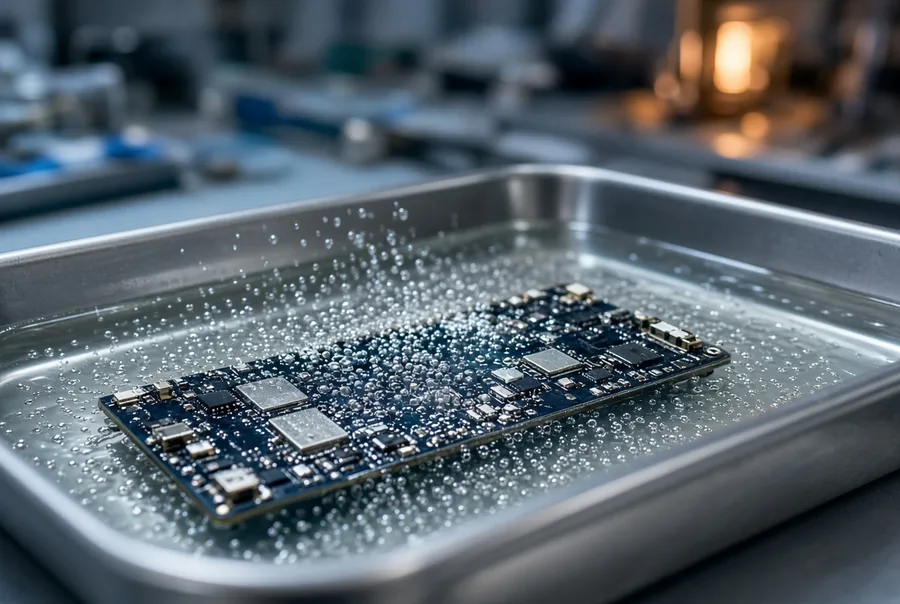
A water-damaged phone that won’t turn on is the most common case that reaches our lab — and one of the most recoverable. When the screen stays black, the phone won’t boot past the logo, or it no longer charges, the cause is almost always power-delivery damage or a failed board component — not the memory itself.
Water kills the board long before it ever reaches your files. The files only unlock when the phone’s own processor is involved — so we either repair the original board, or move the original silicon onto a healthy replacement board: the processor, the NAND flash that holds your files, and the EEPROM, a small chip carrying that board’s identity. Those parts are matched to each other at the factory and have to travel together. The exact set depends on the model. Either way the goal is one clean boot — long enough to copy everything off. In most water-damaged dead-phone cases the data is fully intact and recoverable — including photos, messages, contacts, and app data. Start your recovery or call (866) 857-5950.
Samsung Galaxy Water Damage: What’s Different
Samsung Galaxy phones (S22, S23, S24, S24 Ultra, Note series, Fold/Flip) carry an IP68 water-resistance rating — but Samsung’s own support page states that IP68 is "not permanent and may diminish over time." Salt water and chlorine are explicitly excluded from the rating, and any water damage voids the warranty.
The most common water-damage failure points on Samsung Galaxy devices:
- USB-C charging port corrosion — the pin spacing creates capillary paths that hold water for hours. Salt water destroys these pins in 4–6 hours.
- S Pen silo (Note, S22/S23/S24 Ultra) — the spring-loaded ejector and graphite contacts are a documented secondary water-ingress path.
- Galaxy Fold/Flip hinge gasket — Fold4/Fold5 were not submersion-rated; Fold6 added IPX8 but the hinge remains the weakest seal.
- Repeat-exposure gasket degradation — S23 Ultra owners report failures after a second or third pool exposure despite the IP68 rating.
For specific device coverage, see our dedicated Samsung Galaxy S24 Ultra recovery service. Whatever Samsung you’re holding, it comes down to the model year. From the S22 on, your files are locked to the phone’s own processor, so lifting the memory chip off returns scrambled data. On those we repair the board instead of trying to go around it.
Android & iPhone Water Damage Recovery
Beyond Samsung, eProvided recovers data from every smartphone brand and model that has touched water — including iPhone 11 through 16 Pro Max, Google Pixel, Motorola, OnePlus, Sony Xperia, Xiaomi, and older Android devices. On any iPhone from 2009 on, and Samsung from the S22 on, lifting the NAND flash chip — the memory chip holding your files — off the board returns scrambled data, because the key that unlocks the files is fused into the phone’s own processor — so we revive the original board instead, or move the original processor, NAND flash and EEPROM (a small chip carrying that board’s identity) together onto a matched donor board.
For brand-specific coverage:
- iPhone 16 Pro Max water damage recovery
- iPhone 15 Pro Max water damage recovery
- iPhone broken-screen and water-damage guide
- Other smartphone brands
One Apple-specific caveat: modern iPhones (and S22+ Samsung) pair the NAND flash to the SoC with hardware encryption keys. Chip-off alone yields encrypted blocks — recovery on those devices means reviving the original board, or moving the original CPU, NAND and EEPROM together onto a matched donor board. Secure boot will not come up unless all of that silicon is present and talking to each other, which is the only way to restore the conversation the storage chip will respond to. There is no way to read the storage chip directly on a modern phone, and any lab that tells you otherwise is describing something that does not exist. The wider reasoning is in our encrypted device vulnerability article, and the iPhone side is covered in our iPhone data recovery guide. Call (866) 857-5950 if your iPhone is dead from water.
How We Get the Data Off a Dead Phone
 Enlarge
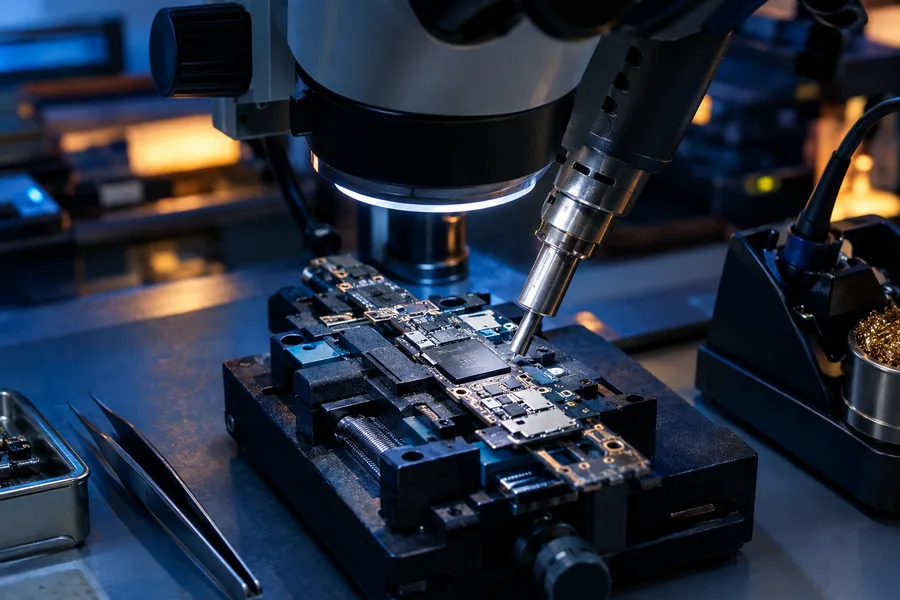
There are two ways in, and the phone decides which one — no software tool can do either. Here’s what actually happens in our lab:
The NAND flash chip inside your phone is a sealed silicon package about the size of a fingernail. It stores every photo, message, and file you have ever saved. When the phone’s board corrodes, the connections between the chip and the rest of the phone fail — but the chip itself, and the data on it, almost always survive.
On a phone the memory chip on its own returns scrambled data, so the work moves to the board: we revive the original, or move the original processor, NAND flash and EEPROM together onto a matched donor board — the exact set of parts depends on the model — until the phone boots once, long enough to copy everything off. The same lab recovered NASA’s Helios flight-data CompactFlash cards after sixty days submerged in the Pacific Ocean.
Don’t Leave Your Photos to Chance.
Free evaluation, 24–48 hour rush available, and 27+ years of recovery experience behind every case. Since 1999.
Get My Free EvaluationOr call (866) 857-5950
Our 4-Step Water-Damaged Phone Recovery Process
 Enlarge
Water-damaged phone data recovery starts the moment your phone goes for a swim. When your phone swallows water, time matters. Most water-damaged recoveries complete in 24–48 hours with the rush option; non-rush cases are typically delivered in 1–10 days. The full lab workflow is laid out in our data recovery process guide.
1. Free Diagnosis
Ship your phone to our lab (or drop off in Las Vegas by calling ahead to confirm a scheduled arrival time). Our specialists open the device, assess the corrosion, identify which board components failed, and confirm whether board repair or a donor-board transplant is needed. The evaluation is free.
2. Quote and Approval
We provide a firm written quote based on the actual condition. You only proceed if you approve. No work begins without your authorization. No surprise fees.
3. Board Repair or Donor-Board Transplant
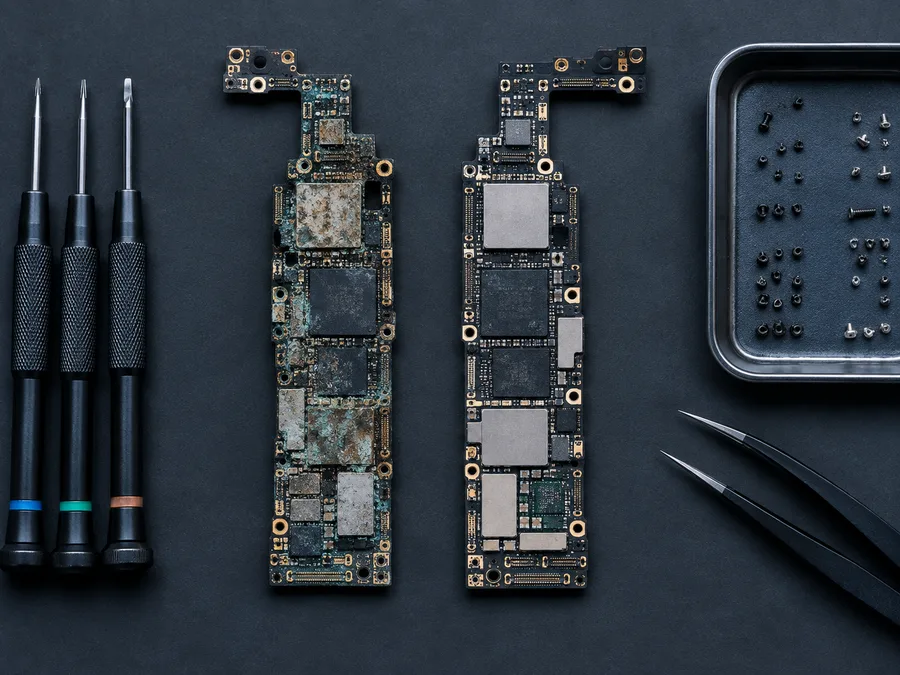
We clean the corrosion off under a microscope. The files only open with the phone’s own processor, so we repair the original board, or move the processor, the NAND and the EEPROM together onto a matched donor board, until the phone comes back to life and gives the files up.
4. Verification and Delivery
You verify the recovered files match what was on the phone. We deliver on a fresh encrypted drive or via secure cloud download link. Optional secure data destruction is available after recovery. Start step one now or call (866) 857-5950.
How to get water out of a phone — and what it will not fix
People ask how to get water out of a phone as though drying it were the whole job. Getting the water out matters, but it is only half of what is happening. Stand the phone upright on a towel so gravity drains the ports, leave it switched off, and put it somewhere warm and dry — not hot, and not in rice. For prevention before the next beach day, see our advice on protecting devices from heat and water. What you cannot get out by drying is the residue the water left behind. Salt, chlorine and sugar stay on the board after the water has gone, and they keep eating copper for as long as they sit there.
That residue is the reason a phone can dry out, switch on, and die a week later. It is also why water damaged phone data recovery is a different job from drying a handset: we clean the corrosion off under a microscope and work on the board itself, and the photos usually come back even when the phone never does. If the phone is already dead, stop drying it and get it moving — the free evaluation tells you where you stand.
What Water-Damaged Phone Data Recovery Costs
Phone water damage repair costs vary by shop, and water damage phone repair rarely covers data recovery. Most water damage phone shops can replace boards but can't recover what was on the broken one. Professional water-damaged phone data recovery is priced separately — by the failure type and the work required, not a flat rate. Whether you're dealing with fresh water, salt water, pool water, or sugary drink water damage, phone data recovery starts with a free evaluation. A logical recovery on a phone that still communicates costs less than a board repair or donor-board transplant on a dead, corroded device.
Every case begins with a free evaluation and a firm written quote before any work starts — and our policy is simple: No Data, No Data Recovery Fee. You only pay if we successfully recover your files. There are no upfront charges. See our data recovery pricing page for general ranges, or call (866) 857-5950 for a same-day estimate.
Questions to Ask Before You Send a Wet Phone to Any Lab
Not every lab handles water damage the same way, and the right questions save time and money. Ask each one plainly, and expect plain answers.
Is the evaluation free, and is the quote in writing? A serious lab examines the phone first, then gives you a firm written quote based on what it actually finds. Be wary of a price quoted over the phone before anyone has seen the board.
What happens if no data comes back? Ask every lab for its answer in writing, including what you owe if the files do not open.
Will they be honest about the method? On modern phones the files only open with the phone’s own processor, so a lab that promises to simply read the memory chip on its own is describing something that does not work on a current iPhone or most current Android phones. The honest paths are the two repair routes explained earlier on this page.
Has anyone opened it already? Tell us about every earlier attempt, including shop repairs and drying kits. It changes the plan, so we want to know.
How will the files come back? Ask for delivery on an encrypted drive, and a chance to confirm that your photos open before you pay.
Comparing options? Send us the answers you get elsewhere, and we will tell you what is realistic.
Real Water-Damaged Phone Cases From Our Records
Five phones that came in wet this year, in the customers’ own words from the evaluation form, with what the lab’s notes record. Two came back, two customers declined the quote after the evaluation, and one is still on the bench. Case IDs and months are real; names stay out, and no prices are quoted here.
Foldable that fell in a pool, July 2026
“My phone fell into the pool, I thought it would be okay because it’s been in a body of water before. It turned off the next day and doesn’t charge.”
Case R4X59W, July 2026. Recovered. The customer approved an advanced recovery on July 10, and the lab’s note on July 23, 2026 records a success.
Samsung S23 submerged, June 2026
“My Samsung S23 stopped working after it was submersed in water.”
Case 78N7C5, June 2026. Recovered. The customer approved an advanced recovery on July 10, the lab said on July 16 that it was in the process of a success, and the success note came on July 23, 2026.
Salt water, then a repair shop could not power it up, August 2026
“Samsung ultra 22 in pocket when sat in salt water. Flushed with fresh water. Evaluated at a repair shop. Put on drier. Could not get it to power up.”
Case TH69FW, August 2026. No recovery attempted. The lab’s evaluation said an advanced recovery was needed, the customer declined it on August 24, and the phone went back. That is the customer’s right, and it is why the evaluation itself is free.
Three days in a salt-water canal, October 2026
“I dropped my Samsung S22 into a salt water canal. The phone was submerged under ~2 feet of water for ~3 days.”
Case J6XT3X, October 2026. No recovery attempted. The customer declined the quote on October 8, 2026 and asked for the device to be recycled. Long salt-water exposure makes these cases harder, and we say so before any fee.
A “water resistant” phone that would not wake, September 2026
“This phone is advertised as being ‘water resistant’, but it came out of the water not working and would not power up afterward.”
Case KXBV9U, September 2026. In the lab. The customer approved the advanced recovery and the case began on October 2, 2026, so no result is claimed here yet. A water-resistant rating covers short, clean dips, not a pool or the sea.
What Our Customers Say
For more reviews, see eProvided on Reddit or read all 67 verified reviews on Trustpilot.
Water-Damaged Phone Data Recovery FAQ
Can you recover a phone dropped phone in water for hours?
Yes. Phones dropped in water (or completely submerged) for several hours are routine in our lab. Time matters — salt water destroys the logic board in 4–6 hours — but the NAND memory chip is sealed and survives even when the rest of the phone is dead. Power the phone off, do not charge it, and ship overnight. We've recovered data from phones that were dropped in water and left submerged for days.
Can data be recovered from a water-damaged phone that won’t turn on?
Yes — this is the most common water-damage case we handle. When a wet phone won’t turn on, the cause is almost always power-delivery damage or a failed board component, not the memory itself. Your photos, messages, and files live in the NAND flash, which usually survives water exposure. eProvided repairs the board or moves the processor and memory to a donor board, so the phone does not need to power on by itself. Send it in for a free evaluation.
How long do I have to recover photos from a phone dropped in water?
It depends on the water type. Salt water causes irreversible logic-board corrosion in 4–6 hours, so ship overnight. Pool water is 12–18 hours. Fresh water (tap, rain, lake, toilet) gives you 24–48 hours before significant board damage. The NAND chip itself almost always survives much longer — but the sooner you stop the corrosion process, the higher the recovery odds.
Does putting a phone in rice work?
No. Rice is a long-standing myth in 2026. It doesn’t absorb water fast enough to outpace corrosion, and starch dust gets into the ports and speakers where it causes additional damage. iFixit and Samsung both advise against rice. If you want a desiccant, use silica gel packets — but the best thing is to power the phone off and call a recovery lab within 24 hours.
Is my Samsung Galaxy waterproof if it has IP68?
No. IP68 is a water-resistance rating, not a waterproof guarantee. Samsung’s own support page states the rating "is not permanent and may diminish over time." Salt water and chlorine are explicitly excluded — and any water damage voids the warranty. We see Samsung Galaxy phones in our lab every week that drowned despite being IP68 rated.
What happens inside a phone after water damage?
Water carries dissolved ions (salt, minerals, sugar) that conduct electricity across circuits that were never meant to share current. If the phone is powered on, that current causes shorts — instant board damage. Even if powered off, the ions drive galvanic corrosion that eats away at copper traces, solder joints, and chip pins over hours to days. The NAND flash chip is sealed and survives; the connections to it are what fail.
How much does water-damaged phone data recovery cost?
Pricing depends on the failure type. A logical recovery on a phone that still communicates costs less than a board repair or donor-board transplant on a dead, corroded device. Every case starts with a free evaluation and a firm written quote before any work begins. Our policy: No Data, No Data Recovery Fee. See our pricing page for general ranges.
Can you recover data from a phone dropped in salt water?
Yes — we recover from salt-water exposure regularly, including ocean drops, beach water, and pool chemistry incidents. Salt water is the most aggressive case because of the 4–6 hour corrosion window, but the NAND flash typically survives. Ship overnight and we’ll evaluate it free. (For more on salt-water specifics, see our salt water phone data recovery guide.)
Can you recover photos from a water damaged phone that won’t turn on?
Yes. This is one of the most common recovery situations we see. When a water-damaged phone won't turn on, the cause is almost always board-level corrosion — not the memory itself. The files only unlock with that phone’s processor, so the repair has to keep the original processor and memory working together, which is the donor-board route when the board cannot be saved. Most photos, videos, and messages come back intact even on phones that have been submerged for days. Ship overnight if salt water was involved.
How to fix a water damaged phone that won’t turn on?
You don't fix it — you recover the data from it. Powering up or charging a water-damaged phone that won't turn on is how most permanent damage starts. Instead: power off, remove the SIM, stand it upright on a towel, and ship it to a recovery lab within 24 hours (overnight for salt water). From there we recover it the way your phone allows, and rebuild your photos, messages and files, even on phones that never power back on.
Should I charge my phone after it gets wet?
Absolutely not. Charging a wet phone is where many recoverable cases are lost. The wall current rushes into circuits that water has bridged, causing instant shorts that destroy the logic board and sometimes the NAND chip too. Power off, dry the exterior, and leave it off until you decide whether to attempt self-recovery or send it to a lab.
Ready to Recover Your Files?
Free evaluation, worldwide shipping to our Las Vegas lab. We recover the data even when your phone won’t turn on.
Get My Free EvaluationOr call (866) 857-5950 • 9527 Knopfler Ln, Las Vegas, NV 89148
Related Recovery Services
A wet phone is rarely the only device at risk. eProvided recovers every storage class from one lab: