
Samsung Galaxy S24 Ultra Data Recovery
Samsung Galaxy S24 Ultra Data Recovery: Recover Lost Photos, Messages & Files
Can data be recovered from a dead Samsung Galaxy S24 Ultra?
Yes — photos, messages and contacts can be recovered from a Samsung Galaxy S24 Ultra that is dead, water-damaged or will not turn on. The files are locked to the phone’s own processor, so we repair the original board, or move its processor, memory and EEPROM onto a matched donor board. eProvided has done this since 1999.
“"The phone can be destroyed and every photo is still inside it — the job is getting the phone's own processor to hand them over."” — Bruce Cullen, founder, eProvided
From eProvided’s data recovery lab: we’ve recovered files from Samsung Galaxy phones since 1999 — including dead, water-damaged, and donor-transplant cases that other labs decline — and lost camera-roll files go straight to our photo and video recovery bench. Every recovery is handled privately and confidentially, and backed by our No Data, No Data Recovery Fee guarantee. Forgot your passcode instead of a hardware failure? See our locked phone unlock service.
To recover data from the S24 Ultra, eProvided works on the phone itself — repairing its board, or moving its original processor, NAND flash memory and EEPROM together onto a healthy donor board — so we retrieve photos, messages, contacts, and files even when the phone won’t turn on, was water damaged, was physically broken, or had data accidentally deleted. The memory chip survives most failures that kill a phone, and in most cases we can get it to hand the files over even after it stopped turning on for you. Samsung’s flagship stores everything on fast UFS NAND flash soldered to the board, so when the phone dies the storage almost always survives — reading it correctly just takes specialized hardware and decades of chip-level experience. Whether you lost data to a cracked screen, a battery that won’t charge, a failed One UI update, or a drop in the pool, the recovery path is the same. We’ve done this since 1999 across thousands of smartphone cases, every one backed by a free evaluation and our No Data, No Data Recovery Fee guarantee. If another shop told you your data was gone, there’s a strong chance we can still recover it — call (866) 857-5950 to start.
- What We Recover from the Samsung Galaxy S24 Ultra
- Common Samsung Galaxy S24 Ultra Data Loss Issues
- Failure Mode vs Recovery Method vs Typical Odds
- Recover Data from an S24 Ultra That Won’t Turn On
- Board-Level & Donor Recovery for the S24 Ultra
- Storage & Chipset Architecture
- Samsung S24 Ultra Recovery Scenarios
- Advanced Recovery Methods
- Our 5-Step Recovery Process
- What Samsung Galaxy S24 Ultra Recovery Costs
- Why Choose eProvided
- What Customers Say
- Frequently Asked Questions
- Partner With eProvided
- Related Recovery Services
What We Recover from the Samsung Galaxy S24 Ultra

We recover accidentally deleted videos, photos, text messages, contacts, and all app data from your S24 Ultra. Lost a folder of irreplaceable photos? Deleted the wrong conversation? Wiped your gallery during a transfer or a failed migration to a new phone? Recovering deleted data from a Samsung Galaxy S24 Ultra is one of the most common cases we handle — and because deleted files stay physically in the phone's NAND flash until something writes over them, we routinely retrieve files long after the operating system reports them gone.
eProvided recovers data from every Samsung Galaxy model ever made. With 27+ years of expertise, we’ve successfully restored photos, messages, and documents from Samsung phones in every failure state — dead, drowned, cracked, or simply emptied by accident. Whether your files are personal memories, business documents, legal evidence, or app data with no other backup, our recovery process is the same decision every time: repair the original board if we can, move the original chips onto a donor board if we cannot, and tell you which before you are charged. Every recovery starts with a free evaluation and our No Data, No Data Recovery Fee guarantee. Start your recovery now or call (866) 857-5950.
Because we work on the phone hardware itself, we recover the data types unique to this phone: photos and 8K video from the gallery, contacts and call logs, SMS, MMS and RCS messages, WhatsApp and Signal chat databases, app data, voice recordings, and documents — including Knox-protected storage when the phone was in a known good lock state, and, and data stranded by a failed Smart Switch transfer to a new phone.
Did You Know? Deleting a file — or even factory-resetting the device — usually doesn’t erase your data. It only marks the space as reusable, so your photos and messages stay in the NAND flash until new data overwrites them. That’s why powering the phone off and sending it in quickly gives the best recovery odds — owners outside Nevada use our lab recovery service to get the device on a bench fast.
Common Samsung Galaxy S24 Ultra Data Loss Issues
Accidental Deletion
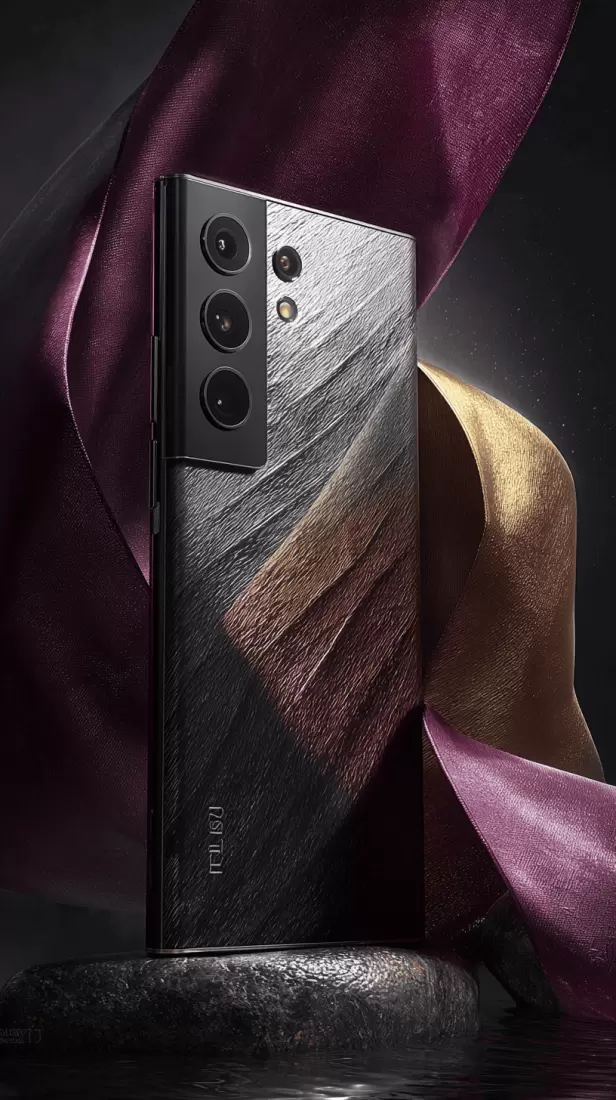
Recover accidentally deleted videos, photos, text messages, contacts, and all app data from your Samsung Galaxy S24 Ultra. The moment files are deleted they aren’t truly erased — the data stays in the NAND flash until something overwrites it. Stop using the phone and ship it to us before that happens, and recovery odds are excellent. Recover your deleted files.
Water Damage
Specialized phone recovery for water-damaged Samsung Galaxy S24 Ultra devices, including salt-water exposure. We’ll recover data even if the phone won’t turn on anymore. The memory cells are usually sealed and survive immersion; the damage is to the board and connections, which we work around. (Deeply submerged or salt-water Samsung phones? See our guide to water-damaged phone recovery.)
Samsung Software Update Failures
Recover data lost during failed or botched updates, software breakdowns, or after major physical damage on your Samsung Galaxy S24 Ultra. Maybe it’s a failed operating system install, a crash that deleted your apps, an update that left the phone stuck in a boot loop, or a soft or hard reset that wiped your memories. eProvided digs far and wide to retrieve everything the flash memory still holds.
Physical Damage
Recover data from physically damaged Samsung Galaxy S24 Ultra devices, tackling issues like shattered screens, crushed bodies, or any smartphone that won’t turn on. A broken screen rarely touches the memory — if the phone still communicates over USB-C we copy the data off directly, and if it doesn't, we repair the board or move its original chips to a donor board. Our eProvided experts manage even the most extreme cellphone damage cases with precision. Begin your case.
Samsung Galaxy S24 Ultra Failure Mode vs Recovery Method vs Typical Odds
Here is the eProvided lab triage reference for the most common Samsung Galaxy S24 Ultra cases. Each row maps a real-world failure on the phone to the recovery method we use and the realistic recovery odds — so you know what to expect before you ship.
| Samsung Galaxy S24 Ultra Failure Mode | eProvided Recovery Method | Typical Recovery Odds |
|---|---|---|
| Accidental deletion (photos, messages, contacts) | Logical extraction over USB-C while the phone still boots | Very high — if you stop using the phone immediately |
| Phone won’t turn on (dead board, no power) | Power-circuit revival + logical image, or donor-board transplant | Very high — the memory survives most board failures |
| Boot loop after a failed One UI update | Board bring-up past the boot fault, then a full copy | High — software issue, data intact |
| Cracked or shattered screen | USB-C image if the phone still communicates; otherwise board-level work | Very high — screen failure rarely touches the NAND |
| Water damage (fresh, pool, or salt water) | Board clean and repair; donor-board transplant if the board is gone | High — depends on ship-speed (overnight for salt water) |
| Crushed, burned, or extreme physical damage | Donor-board transplant of the original processor, NAND and EEPROM | High — the original chips need to survive together |
| Failed Smart Switch / botched migration to a new phone | Logical recovery of stranded data partitions | Very high — the data is still on the source phone |
Whatever the failure mode, the recovery path leads to the same decision: get the phone's own hardware working together again, whether on its board or a donor's, and rebuild your files. The table tells you which lane your S24 Ultra is in — and how fast to ship.
What does it cost to recover data from a dead Samsung Galaxy S24 Ultra?
Pricing for an S24 Ultra recovery is tied to the failure mode, not a flat per-device rate. Logical recoveries — deleted files, software issues, accidental resets on a phone that still powers — sit at the lower end of our smartphone recovery range. Board-level work and donor-board transplants cost more because they require microscope work, matched donor hardware, and engineer hours. Every case starts with a free evaluation, and we quote a firm fixed price before any billable work begins. Our No Data, No Data Recovery Fee guarantee means you only pay on a successful recovery. See our pricing page for ranges.
Can data be recovered from a Galaxy S24 Ultra with a dead motherboard?
Yes. A dead motherboard typically means a failed PMIC, charging IC, or trace damage — not a dead NAND. The UFS 4.0 flash chip is a separate BGA package soldered to that board, and it survives the vast majority of logic-board failures. Our engineers repair that board under a microscope — replacing the failed PMIC or charging IC, rebuilding damaged traces — until the phone wakes long enough to hand us one clean copy. When the board is beyond repair, we move its original Snapdragon processor, its UFS flash and its EEPROM (a small chip holding the board's identity data) together onto a matched donor board, because the key that unscrambles your files lives in that processor and never leaves it. Moving the memory chip on its own recovers nothing.
Does factory reset on a Galaxy S24 Ultra permanently delete data?
No — not immediately. A factory reset on a modern Galaxy rewrites the wrapper for the file encryption key, which makes the existing ciphertext unreadable to Android, but the underlying NAND pages are not zeroed. Your data is marked-for-reuse and remains physically present in flash until normal phone activity overwrites those pages. Recovery odds are very good in the first hours, decent in the first few days, and drop sharply after that. Power the phone off the moment you realize a reset happened and ship it to us same-day — faster ship equals better odds.
Will Samsung Knox or Secure Folder block data recovery?
It depends on what you’re trying to recover and what state the phone was in when it failed. The main user partition is encrypted with hardware-bound keys managed by Knox, and as long as the lock state didn’t change after the failure those keys remain addressable — we recover within the Knox crypto boundary as Samsung designed it. The Secure Folder is harder: it’s a sandboxed container behind a separate authentication event, and without that auth event we cannot unwrap its contents. We will tell you honestly during evaluation what is and isn’t recoverable on your specific device.
Can you recover from a Samsung Galaxy S24 Ultra stuck on the Samsung logo or in a boot loop?
Yes. A bootloop on the S24 Ultra is almost always a software or firmware problem — a corrupted system partition after a failed One UI update, a broken bootloader, or modem firmware that won’t initialize. The NAND itself is intact, which means we can recover photos, messages, and files that are still sitting in flash. We bypass the boot chain and read the user data partition directly. Do not factory reset the phone trying to fix the bootloop — that overwrites the partition headers we need to reconstruct your files.
What happens to data stored in Knox Vault after device failure?
Knox Vault is a hardware-isolated security enclave on the Snapdragon 8 Gen 3 for Galaxy — it stores cryptographic keys, biometric templates, and credential material, not your photos or messages. If the phone fails before its lock state changes, the keys Knox holds remain valid and the user data they protect remains recoverable — but only with that Snapdragon processor in the loop, which is why we repair the original board or move the processor, the UFS flash and the EEPROM onto a donor board together, never the memory chip on its own. If the phone was wiped, reset, or reflashed before failure, Knox Vault rotates or destroys the keys that wrapped your data, and the underlying ciphertext on the NAND becomes mathematically unreadable. We give you an honest read on this during the free evaluation.
What is the actual turnaround for Samsung Galaxy S24 Ultra recovery?
Turnaround depends on the failure mode and the service tier you choose. Rush service on a logical recovery can complete in 24–48 hours from receipt. A standard board-level recovery runs roughly 5–10 business days because the engineering work — microscope repair, or transplanting the original chips onto a donor board — is genuinely time-consuming. Severely damaged devices, board-level rework, or unusual UFS controller failures take longer and we give you a realistic estimate after evaluation. Delivery is via secure cloud transfer or an encrypted USB drive shipped back with your phone.
Ready to recover your Samsung Galaxy S24 Ultra data?
eProvided's lab works on the phone itself — even when it won't power on for you. Get a free 60-second evaluation now.
or call (866) 857-5950
Recover Data from a Samsung Galaxy S24 Ultra That Won’t Turn On
An S24 Ultra that won’t turn on is one of the most frightening — and most recoverable — situations we see. When the screen stays black, the phone won’t boot past the logo, or it no longer charges, the cause is almost always power-delivery, a failed component, or board-level damage — not the memory itself. Your photos, messages, and files live in the NAND flash, which survives in the large majority of “dead phone” cases that reach our lab.
We see the S24 Ultra refuse to start in every form: frozen on the Samsung logo, looping endlessly after a One UI update, stuck in Download or Recovery mode, a black screen that only vibrates, or a dim, color-tinted display. Every one of these points to a board- or software-level fault — not erased memory — so the photos, messages, and files in the NAND are almost always still there, and our work is on the board itself — repairing it, or moving its original chips to a donor board, until the phone gives them up.
Because eProvided works at the board level, your Samsung does not have to be working when it arrives. We repair the original board, or move its original processor, memory and EEPROM onto a healthy donor board, so the phone can unlock its own files the way it always did. Whether the phone is not turning on after a drop, a failed update, water exposure, or for no obvious reason, send it in for a free evaluation — in most dead-phone cases the data is still fully intact and recoverable. Start your recovery now or call (866) 857-5950.
Board-Level & Donor-Transplant Recovery for the Samsung Galaxy S24 Ultra
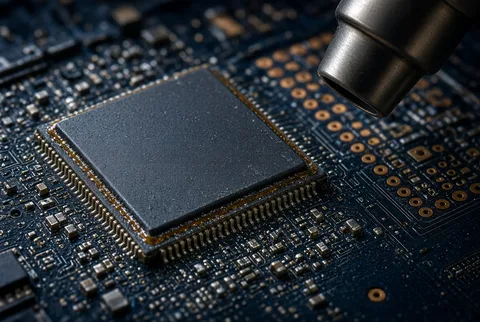
What sets eProvided apart on Samsung Galaxy S24 Ultra recovery is chip-level engineering. When a phone is too damaged for any software or logical method — crushed, burned, or with a destroyed controller — we use we transplant its original processor, NAND flash and EEPROM onto a matched donor board so the phone can read its own memory silicon again. The NAND chip is the part of your Samsung Galaxy S24 Ultra that actually stores every photo, text, and file.
Our engineers move three parts together — the Snapdragon application processor, the UFS NAND flash, and the EEPROM, a small chip carrying the board's identity data — onto a matched donor board, because the key your files are scrambled with is fused into that processor and never leaves it. The exact set depends on the model. From there the phone corrects its own wear-leveling, address translation, andJEDEC-standard ECC before reconstructing the file system to rebuild your photos, videos, and documents. This is the same chip-off and pinout expertise eProvided has used since 1999 — the same lab that recovered NASA’s Helios flight data — on recoveries that other labs, and download-and-run utilities, simply cannot perform. If your Samsung Galaxy S24 Ultra is damaged beyond what software can reach, NAND-level recovery is your path back to the data. Start a chip-level recovery or call (866) 857-5950.
At the silicon level, UFS 4.0 BGA packages used in the S24 Ultra carry a 153-ball footprint with dedicated lanes for command, data, and clock signaling — and that package will only talk to the Snapdragon processor it was paired to at the factory — there is no adapter that reads it on its own, which is why the processor has to come with it. The internal controller normally handles wear-leveling, bad-block remapping, and JEDEC-standard ECC; once we have the raw image, our engineers reverse those translation tables in software to reconstruct the logical address space that the file system actually saw. That step — rebuilding the controller’s view of the flash from physical pages back into a coherent LBA map — is what separates a real NAND recovery from a dump that produces only garbage.
When software can't reach your S24 Ultra, the bench can.
If your phone is crushed, burned, or won't power on at all, our engineers work on the board itself — or move its original chips onto a healthy one. Same lab that recovered NASA’s Helios flight data.
or call (866) 857-5950
Samsung Galaxy S24 Ultra Storage & Chipset Architecture
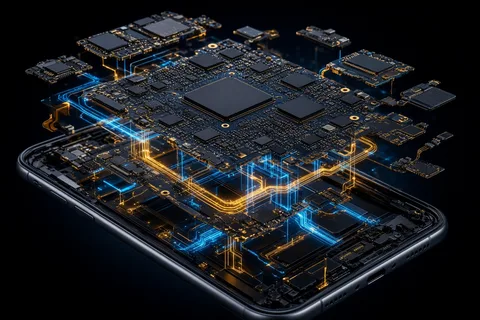
The S24 Ultra ships with a Snapdragon 8 Gen 3 for Galaxy SoC paired to UFS 4.0 NAND flash in 256 GB, 512 GB, and 1 TB capacities. That storage sits in a BGA (Ball Grid Array) package soldered directly to the logic board — there is no removable card, no socketed module, and no user-serviceable interface to the raw flash. For our lab, that architecture is the recovery path: when the phone’s SoC, charging circuitry, or display fails, the UFS 4.0 NAND almost always survives, because most failures are in the power and charging circuits rather than in the processor and memory pair that your files depend on.
Knox Vault is a separate hardware-isolated security enclave that protects keys, biometrics, and credentials — it is not where your photos, messages, or files live. User content sits in encrypted partitions on the UFS 4.0 flash, with the file encryption key wrapped by hardware-bound keys that Knox manages. As long as the phone’s lock state didn’t change after the failure, the key material stays valid inside the Snapdragon — which is exactly why the recovery has to keep that processor with the flash, on its own repaired board or on a matched donor board, rather than reading the flash on its own. The Titanium frame, IP68 sealing, and 5,000 mAh battery influence physical recovery work (bent frames, swollen cells), but they don’t change which chips have to travel together. One UI 6.1 on Android 14 uses standard ext4 / F2FS structures under the hood, and the 200 MP main camera plus 8K video produce unusually large image and video files — meaning a full S24 Ultra recovery can pull hundreds of gigabytes of user content from a single device.
Samsung S24 Ultra Recovery Scenarios
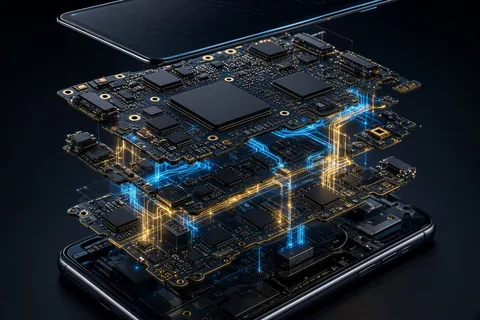
Most S24 Ultra cases that reach our lab fall into one of four real-world failure paths. Each has a different first-move decision — and one wrong move (especially a factory reset) can take a recoverable phone and make it much harder to read.
Boot loop after a One UI update
A failed or interrupted One UI / firmware update can leave the device cycling on the Samsung logo. The NAND is intact — the bootloader, modem, or system partition is corrupt. The wrong move here is a factory reset, which rewrites partition headers and overwrites the very metadata our engineers need to reconstruct your files. The right move is to power the phone off and ship it to us. We bring the board up past the broken boot chain, using the phone's own processor, and copy the user data partition out intact.
Stuck on Samsung logo / black screen
If the phone reaches Samsung’s logo and then dies, or shows a black screen with a vibration on power, the failure is usually board-level: PMIC, display driver, or a damaged trace. We diagnose at the board with a microscope and current draw measurements. If the SoC and storage controller respond, we recover logically. If they don't, we move the original processor, flash and EEPROM onto a matched donor board — good odds, longer turnaround.
Failed factory reset / accidental wipe
A factory reset on a modern Galaxy does not zero the NAND. It rewrites the encryption key wrapper, which makes the existing ciphertext unreadable to the OS — but the underlying flash pages still contain your data until they’re overwritten by normal use. The retention window is hours to days, not weeks. Stop using the phone immediately, switch it off, and ship the same day. The faster we receive it, the more pages survive intact.
Knox / Secure Folder lockout
Knox and Secure Folder protect their contents with hardware-bound keys tied to the device’s lock state and authentication. If you forget the passcode and the phone is still in a known good lock state, recovery of the main user partition is often possible. The Secure Folder contents themselves — sandboxed behind a separate auth event — are a much harder problem and may not be recoverable. We give you an honest assessment after evaluation; we don’t promise what the crypto won’t allow. More answers are in our common data recovery questions.
Advanced Samsung Galaxy S24 Ultra Recovery Methods
Our engineers stay ahead with cutting-edge Samsung recovery techniques, working in a controlled, high-tech lab environment built to handle physically damaged devices with precision. For an S24 Ultra we match the method to the failure: a logical extraction when the phone still communicates, board-level micro-soldering to revive a dead power circuit just long enough to image the storage, or a full donor-board transplant, moving the original processor, NAND and EEPROM together, when the board is gone. At every stage we correct for Samsung’s wear-leveling and error-correction at the raw-flash level, so the files we rebuild are complete and intact.
Throughout the process we uphold rigorous confidentiality protocols and secure handling for every smartphone and every recovered file, with optional secure data destruction afterward for added peace of mind. Your data is accessed only by our specialists and returned to you on encrypted media or a secure download link. Start your recovery or call (866) 857-5950.
Our 5-Step Samsung Galaxy S24 Ultra Recovery Process
When your Samsung Galaxy S24 Ultra swallows your data whole, time matters. Many rescues wrap up in just 24–48 hours with the rush option; non-rush orders are typically delivered in 1–10 days. Request a secure download link and your files can be back before your coffee gets cold.
1. Free Diagnosis
Our experts at eProvided assess your Samsung Galaxy S24 Ultra, identify the exact failure mode, and deliver a comprehensive report on recoverable data at zero cost.
2. Package & Ship Safely
Pack the phone snugly and ship it to our lab tracked via FedEx, UPS, or USPS. Water-damaged phones ship powered off; if the battery is swollen we send safe-handling packaging guidance first so nothing is made worse in transit.
3. Data Recovery
Our skilled pros wield cutting-edge tools to securely retrieve and restore your lost data using board-level repair and donor-board transplant methods, with no work performed until you approve the quote.
4. Data Verification
You examine the recovered files to confirm all your essential data has been flawlessly restored by our eProvided specialists before anything ships.
5. Secure Delivery
Receive your recovered data on a fresh drive or via a secure cloud download link. Our team guarantees your files are accessible and delivered swiftly. Start step one now or call (866) 857-5950.
Get your S24 Ultra data back — this week.
Most cases ship in 1–10 days; rush orders finish in 24–48 hours. Free evaluation. Pay only if we recover your files.
or call (866) 857-5950
What Samsung Galaxy S24 Ultra Recovery Costs
Samsung Galaxy S24 Ultra data recovery is priced by the failure type and the work required, not by a flat rate. A logical recovery (deleted files, a phone that still communicates) costs less than board-level work or a donor-board transplant on a dead or crushed device. Every case begins with a free evaluation and a firm, written quote before any work starts — and our policy is simple: No Data, No Data Recovery Fee. You only pay if we successfully recover your files. There are no upfront charges and no surprise fees. See our data recovery pricing page for general ranges, or call (866) 857-5950 for a same-day estimate.
Why Choose eProvided for Samsung Galaxy S24 Ultra Recovery
At eProvided, safeguarding your privacy is paramount. We conduct every S24 Ultra file recovery in a fortified, secure setting, ensuring your personal data stays locked tight. Our rigorous smartphone retrieval process guarantees that your sensitive files — photos, messages, texts, or documents — stay fully confidential throughout, with optional secure data destruction after recovery for added peace of mind.
Our engineers bring scientific and engineering backgrounds to every case, and with hundreds of successful smartphone recoveries we guarantee peace of mind across all mobile phone recovery services. eProvided has earned the trust of demanding clients and government agencies since 1999 — including work for NASA, the FBI, and the U.S. Department of the Navy — and we also assist attorneys and law enforcement with smartphone forensics. We use original parts when possible and adhere to manufacturer guidelines for high-quality results. Beyond smartphones, eProvided recovers data from nearly any device — including SSDs, hard drives, USB flash drives, and memory cards — with the right method chosen for each: chip-level work on flash drives and memory cards, controller-level work on SSDs and hard drives. Schedule your free consultation today.
Data Loss Prevention: Never skip regular smartphone backups — they’re your top shield against data loss. Without consistent phone backups for your S24 Ultra, you’re gambling with irreplaceable, critical files. Back up to two places, and verify the backup actually restores.
What Our Customers Say
— Verified eProvided smartphone recovery customer
— Mark Gundersen, Trustpilot review, December 2025
— Don Orkoskey, Trustpilot review (verified eProvided photography client), November 2015
For more reviews, see eProvided on Reddit or read verified reviews on Trustpilot.
Frequently Asked Questions: Samsung Galaxy S24 Ultra Data Recovery
Can you recover data from a Samsung Galaxy S24 Ultra that won’t turn on?
Yes. When a Samsung Galaxy S24 Ultra won’t turn on, the cause is almost always power or board-level damage — not the memory. Your photos, messages, and files live in the NAND flash, which usually survives. eProvided works at the board level, so the phone does not have to be working when it reaches us. Send it in for a free evaluation; in most dead-phone cases the data is fully intact.
Can you recover data from a Samsung Galaxy S24 Ultra stuck in a boot loop?
Yes. A boot loop usually follows a failed update or corrupted firmware — a software issue, not lost memory. We get the board past the broken boot process, using the phone's own processor, and copy your photos, messages, and files out. Avoid repeatedly restarting or factory-resetting the phone, as that can overwrite recoverable data before we see it.
Can you recover deleted photos and messages from a Samsung Galaxy S24 Ultra?
Yes. Deleted files aren’t immediately erased — they remain in the NAND flash until overwritten. We routinely recover accidentally deleted photos, videos, text messages, contacts, and app data from the S24 Ultra. The sooner you stop using the phone and send it in, the better the odds, because continued use can overwrite the deleted data.
How much does Samsung Galaxy S24 Ultra data recovery cost?
Pricing depends on the failure type and the work required. Every case begins with a free evaluation and a detailed quote before any work starts. Our policy is simple: No Data, No Data Recovery Fee — you only pay if we successfully recover your files. View our pricing page for general ranges.
How long does Samsung Galaxy S24 Ultra recovery take?
Many recoveries finish in 24–48 hours with the rush option. Standard, non-rush cases are typically delivered in 1–10 days. Need it faster? Ask for a secure download link. Call (866) 857-5950 to discuss expedited service.
Do you recover data from a water-damaged Samsung Galaxy S24 Ultra?
Yes — including fresh-water and salt-water exposure. The NAND memory cells are often sealed and survive immersion, even when the phone no longer powers on. Our engineers clean corrosion and rebuild connections to the intact memory. For tips on what to do first, see our guide to water-damaged phone recovery.
My Samsung is locked with a forgotten passcode — can you still help?
Yes. Locked out of your device with a forgotten passcode? We can still get your data off a locked Samsung, then disable the lock screen and return the phone with all data intact.
Ready to recover your Samsung Galaxy S24 Ultra data?
Free evaluation. No risk. You only pay if we successfully recover your files.
or call (866) 857-5950
Partner With eProvided on Samsung Recovery
Run a phone-repair shop, carrier store, or IT service? Partner with eProvided for Samsung Galaxy S24 Ultra and smartphone data recovery. We handle the board-level lab work and you offer your customers professional recovery at preferred partner rates — so you can say “yes, we can help” instead of turning data-loss cases away. Become a recovery partner or call (866) 857-5950. Samsung devices ship to our Las Vegas lab at 9527 Knopfler Ln, Las Vegas, NV 89148.
Related Phone Recovery Services
More device-specific recovery services and the labs behind them: