
Used by NASA · the FBI · the U.S. Navy · Since 1999
Testimonial: NAND Flash Recovery Client Story
- No Data, No Data Recovery Fee
- Email updates from start to finish
- SD, microSD & CompactFlash
- Free evaluation, no obligation
Can Photos Come Back from a Sand- and Water-Damaged SD Card?
Sometimes. In the client story below, two local shops turned away a sand- and seawater-damaged SD card from a honeymoon camera, and eProvided’s lab recovered every photo in less than 4 days in total. Other wet cards in our records came back and some did not, so the result depends on the damage.
“Sand and seawater ruin a camera fast. The memory inside often holds on longer than the camera does.” — Bruce Cullen, founder, eProvided
This page holds one client story and what it teaches. A couple on honeymoon in Costa Rica in December 2013 lost a camera full of photos to sand and seawater on the last beach day. Two local shops turned the card away. The client wrote about the outcome in an unprompted Trustpilot review on March 28, 2014, and we have kept the story ever since because the same thing still reaches our lab: a wet or sandy card, a camera that says “card error,” and a shop that says it cannot help. Below you will find the account itself, why a card like this can still be read, a symptom table, real wet-card cases from our own files (with the ones that did not come back), and a short list of what not to do. For general help getting photos back from damaged media, see our digital image recovery service. The short list of what to do in the first hour is worth reading before you touch the card again.
Saving Precious Memories: A Firsthand Account from a Data Recovery Client
The text below is the client’s own review as posted on Trustpilot on March 28, 2014, unchanged. The reviewer is shown on Trustpilot by first name and initial only, so we have left the name out here.
“During my incredible, amazing, PERFECT honeymoon in Costa Rica this December, my husband and I were spending our last day in heaven-on-earth at the beach, with our waterproof camera. When we got out of the water my husband held up the camera and sand and water were pouring out. When we got back home, (San Diego, CA) I took the sd card to 2 different camera and image recovery stores, both with no luck. But I refused to give up and lose our honeymoon pictures. I got on the computer and googled sd card recovery companies. EProvided came up first and quite a few times after, each and every review was positive, and all had success stories. I read so many stories, all the same, eProvided recovered all the images in every review, plus the main reason I decided to send our sd card to their company were the continued mention of their updates and communication with customers. I mailed my sd card that day! I was constantly recieving emails with updates. I was contacted by a very, very friendly, professional, personable man who called to let me know the sd card was too damaged. He then mentioned the option to do a more intensive attempt, which required to be sent to the lab ….. Let’s just say this amazing human being listened to my story, was genuine and helped make us some of the happiest people because less than 4 days TOTAL and they have recovered every picture from our honeymoon. I have never, ever had an experience this amazing with such an amazing company, ever before. I am going to go to every possible website to rave about and review this amazing company because they are the reason I have my honeymoon pictures and without them, all their help and everything they did for me, I would have never seen or had the pictures that will capture some of the best times and best memories in my life!”

Three things in the review matter for anyone in the same spot. First, the card was not physically broken; it was flooded, so the failure sat in what water and sand do to contacts and electronics. Second, the first assessment said the card was too damaged for a normal read, and the client was offered a more intensive lab attempt instead of a flat no. Third, the client names communication as the deciding reason. We cannot add detail the review does not contain: it does not name a case number or a method, so we do not either. The order of events also matters. The client took the card to two local camera and image recovery stores before searching online, so other hands had already tried it before a lab saw it. The review does not say what those stores did, and we do not guess. For any wet card, the safest first step is to stop trying readers and adapters once a first attempt fails, because each new attempt adds risk and no information.
Why This SD Card Could Still Be Read
 Enlarge
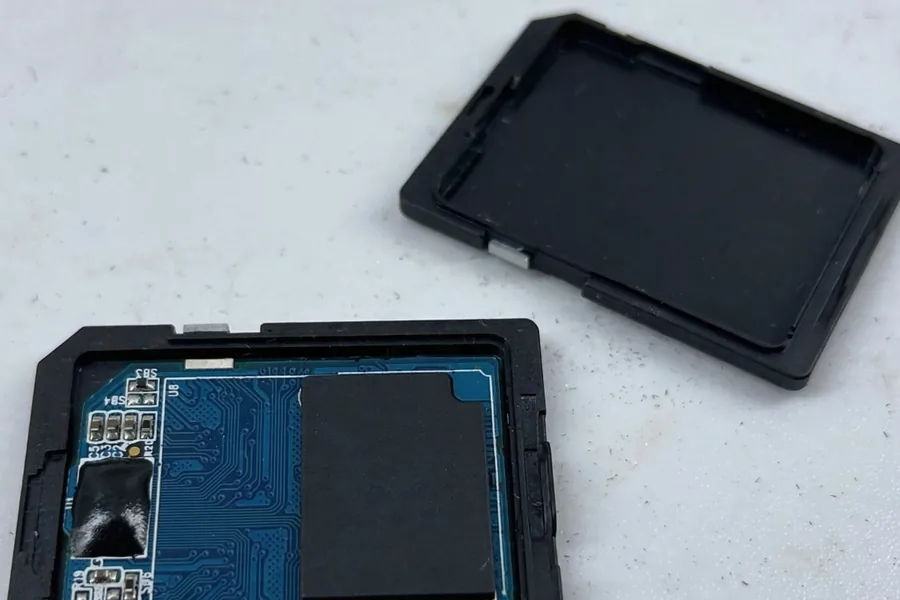
An SD card is a small controller chip sitting next to NAND flash memory. Sand and seawater usually damage the contacts and the controller first. The NAND chip that holds the photos often survives. When a card is “too damaged” to read through its own contacts, a lab can take the more intensive path the client describes: read the NAND flash directly, bypassing the card’s own controller and contacts, and rebuild the card’s file system from the raw data. SD and microSD cards do not encrypt their contents the way modern phones do, so a direct read of the memory is the correct method for this type of media. The review does not say which steps the lab took on this card, so read this as the general method, not a record of this case. A card that has been in seawater can also be damaged inside, and then even a direct read may bring back little.
Vendors do sell cards built for water. Transcend, for example, states that its sealed cards meet the IPX7 rating from the IEC 60529 standard (Transcend FAQ). That is one maker’s claim for its own cards. An ordinary card in an open slot is not built for seawater, and a camera door that is not sealed lets water straight in.
| This Case, Step by Step | |
|---|---|
| Stage | What Happened |
| Damage | Sand and seawater poured out of a waterproof camera on the last day of the honeymoon |
| Local help | Two camera and image recovery stores in San Diego could not help |
| Choosing a lab | The client picked eProvided for its reviews and its record of updates to customers |
| First assessment | The card was too damaged for a standard read, so a more intensive lab attempt was offered |
| Result | Every honeymoon picture recovered, less than 4 days in total |
What a Wet or Sandy Card Does
 Enlarge
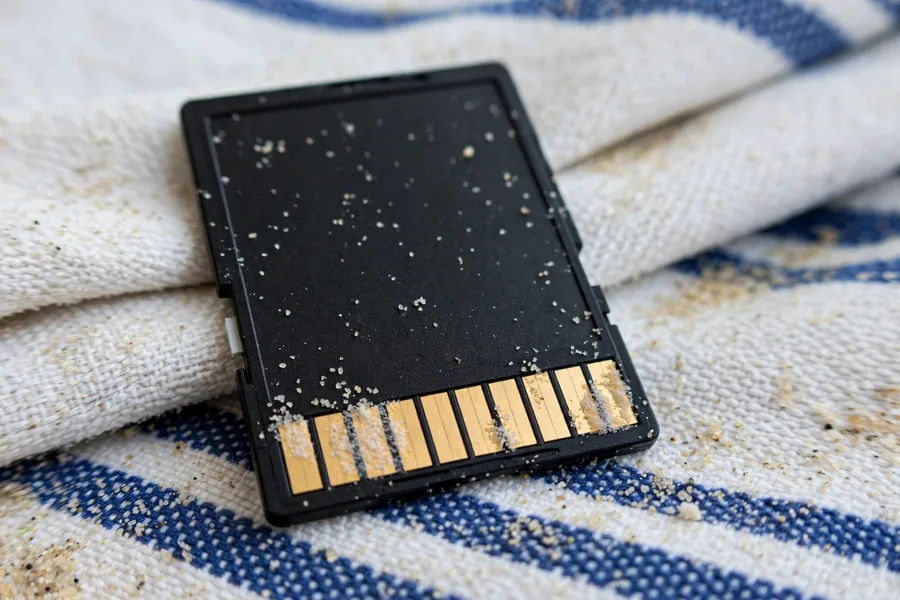
Sand and salt do different harm. Sand is gritty: it scratches the gold contacts and can jam in a card slot or reader, so pushing a sandy card in even once can add damage. Salt water is slower and often worse: as it dries it leaves a conductive film between the contacts, and if the card stays wet the metal begins to corrode. Fresh water is usually the mildest of the three, which is why the first question we ask is what the card was in, not only whether it was wet. The photos sit on the memory chip, which is often the last part to be harmed, so a card that looks ruined from the outside can still hold readable files.
A flooded card rarely fails in one clean way. This table lists what owners tell us they see, what it usually points to, and the safe next step. It is a guide, not a diagnosis: only a read of the card itself confirms the cause.
| Wet or Sandy SD Card: Symptom Decoder | ||
|---|---|---|
| What you see | What it usually means | Safe next step |
| Camera says “card error” after the camera got wet | Water or salt on the contacts or the controller, with the memory chip often untouched | Take the card out, let it dry at room temperature, and stop trying it |
| Computer does not list the card at all | The controller or the contacts are not answering; the files may still be intact | Do not retry in more readers; request an evaluation |
| “You need to format the disk” prompt | The card is answering but its file system is damaged or unreadable | Click Cancel, never Format; copying files out first is the only safe order |
| Card shows as empty or 0 bytes | Water may have shorted the card, or the controller is returning no data | Stop; an empty listing does not prove the photos are gone |
| Green, white or dark crust on the gold contacts | Corrosion from salt water or a long soak | Do not scrub with a pencil eraser, a knife or a coin; hand it to a lab |
| Card reads for a moment, then drops out | Intermittent contact, a weak controller, or damage inside | Power off and remove it; every extra read can lose data |
| Camera shows the photos but they will not open | Damaged file entries, or flash cells that no longer hold data cleanly | Do not delete or take new photos; get an evaluation |
A card that is cracked or bent as well as wet is a separate case; our broken SD card guide covers it in full. Camera error messages are a different problem again, explained one by one in our SDHC camera card troubleshooting guide.
Wet-Card Cases From Our Records
 Enlarge
The cases below come from our own files and date from 2011 to 2024. Each quote is what the owner typed on the order form, shortened a little, with every name and contact detail taken out. The outcomes are mixed on purpose: some wet cards came back, some did not, and one bent card from a second honeymoon closes the list. A method is named only where the case notes name it, which is rarely. For the same kind of evidence on deleted, formatted and corrupted cards, see our guide to memory card data recovery.
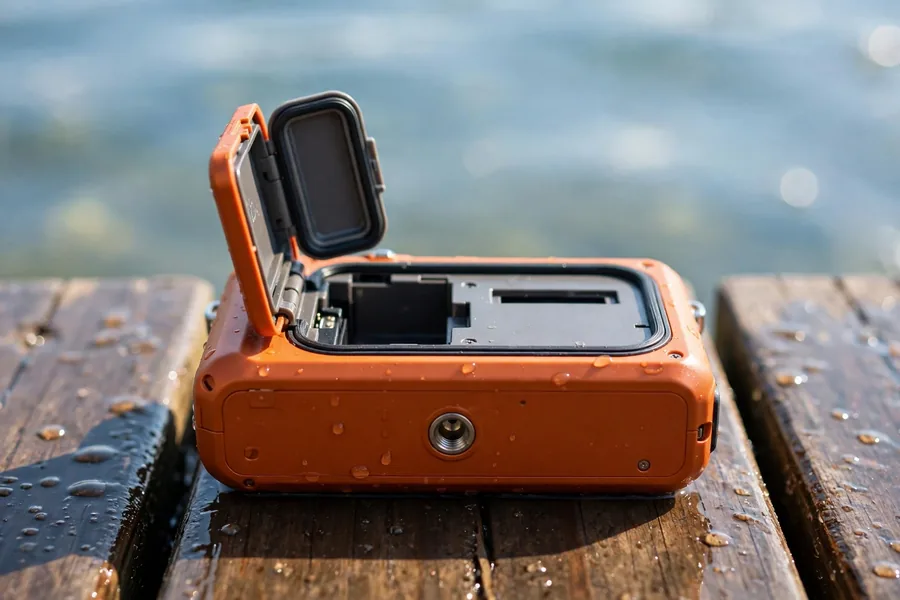
A waterproof camera with an unsealed door, December 2017
Case JU3AXP. The owner wrote:
“4 GB SD, used in a waterproof camera, but user forgot to seal the door, ocean water.”
Recovered. The basic read failed on the first day and the card went on to advanced recovery. About a week later the notes record success recovering the photos, and the card shipped two weeks after the form. The lesson matches the honeymoon story: “waterproof” describes the camera with its door sealed, not the card.
A GoPro card in salt water, January 2023
Case UW8WDB. The owner wrote:
“My GOPRO SD card got wet with salt water. The card is intact but will not read in my computer. There is visible surface damage though.”
Recovered, slowly. The notes call this one very difficult, the work ran for several weeks, and the recovery fee was raised with the owner’s approval before the success note on February 10, 2023. Visible surface damage and an intact shell did not rule out a recovery, and they did not make it quick.
“Minor” salt water on a DSLR card, June 2020
Case NT376N. The owner wrote:
“Minor Salt water damage to sd card of dslr, PC always says to format card.”
Recovered, after about eleven weeks. The notes say timelines at the time were a guess because of the pandemic. The owner did the right thing by not formatting the card, and the files were still there to be read.
A card that went through the wash, May 2011
Case IMH1V9. The owner wrote:
“My SD card with video files from a Kodak Z80 HD pocket video camera got washed (just the SD card) in the washing machine. Somehow, the disc broke inside the washer.”
Recovered within two days of the card arriving, and shipped back the next day. The shell had broken, and the notes still record a successful recovery. We list it because a broken, soaked card sounds hopeless and was not.
A GoPro 7 card with corroded contacts, February 2020
Case EVFGAW. The owner wrote:
“This micro sd card got wet while in my gopro 7 with salt water. It corroded some of the gold contacts on the card.”
Not recovered. The owner chose the flat-fee option, the lab tried what its notes call direct internal data extraction, and its notes say too much damage kept data from coming out of the card, and the card was shipped back in March. Corroded contacts were a warning sign here, not a cosmetic problem.
A card that got wet on a trip, July 2024
Case DEHEHR. The owner wrote:
“SD card got wet, while on a trip, it was inside a DJI Pocket Camera.”
Not recovered. The card was dropped off in person, and a week later the notes say it showed as empty, that water had shorted it, and that it also had bad sectors. The owner was offered the card back. Honest outcomes include this one.
Another honeymoon card, March 2019
Case M5ZVWG. The owner wrote:
“We were on honeymoon with this micro SD card inside a pouch. Unfortunately that pouch has fallen from a balcony and the result is that the micro sd card is a little bent with a little crack on it.”
Not recovered. This card was bent and cracked, not wet, and the notes say it had extreme damage to begin with. A honeymoon story does not guarantee an ending like the one at the top of this page, and we would rather say that plainly than let one good story stand for all of them.
If Your Card Gets Wet or Sandy
 Enlarge
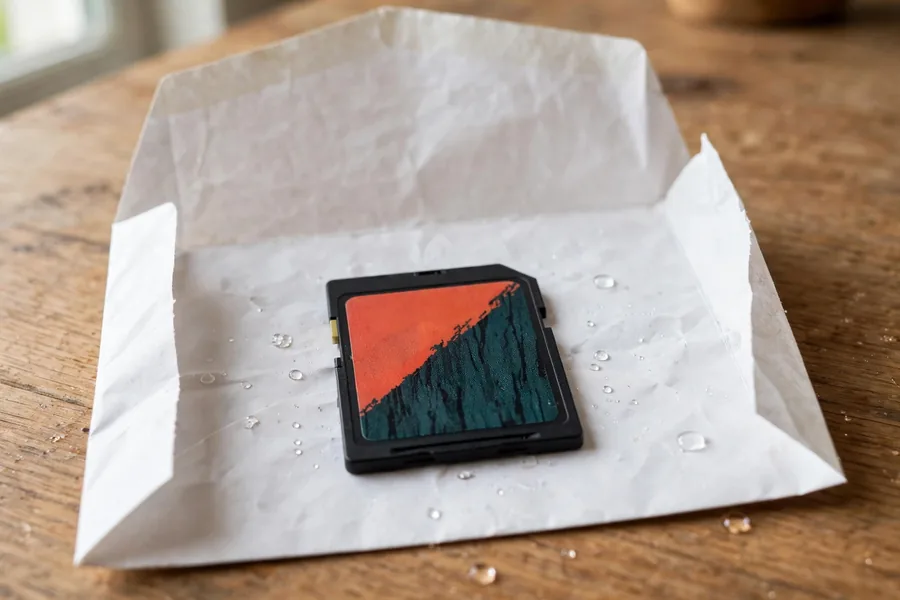
Work through it in this order. Switch the camera off first, since a powered, wet card can be damaged further. Take the card out by its edges and note what it met: fresh water, salt water, sand, or a mix. That detail tells the evaluator where to look, and it matters more than how long the card was wet. Do not rub the contacts, blow into the slot, or shake the card to move the sand around. Write down the camera model, the card size and roughly when it happened, because each detail shortens the first conversation. People often ask whether the photos are already lost. Usually nobody knows until the card has been read, and every extra attempt in a camera or reader can only make that read harder. So stop there: a card that feels dry is not proof the files are safe, and the next step is an evaluation, not one more device.
Do
- Take the card out of the camera and stop using it
- Let it air-dry at room temperature in a clean, dry envelope or small box so sand does not spread
- Get an evaluation before anyone tries a fix
Don’t
- Push a sandy card into a reader or computer again and again
- Dry it with a hair dryer or an oven
- Format the card when the camera asks you to
Recovery Services for Every Storage Device Class
Cards like this one go to our memory card data recovery service (SD, microSD and CompactFlash, all brands) or to NAND flash chip-off recovery for BGA, TSOP and monolith packages. Browse all data recovery services → The full catalog is one click away, and the cards, drives and phones in it share one lab. The same lab handles USB flash drive data recovery and microSD card data recovery, including monolithic cards. It also works on clicking hard drives, both mechanical failures and logical ones, on drives from Seagate, WD, Toshiba and HGST, and on NVMe and SATA solid-state drives from Samsung, Crucial and WD, through our SSD data recovery service. Each of these services starts with the same free evaluation, so you can ask about any device before you decide on anything.
More NAND Flash Recovery Guides
- What is a monolith storage device?
- NAND flash not detected? Who to call
- NAND flash technology in space
- NAND wafers vs. monolithic storage
- NAND flash in tablets vs. laptops
What Not to Do With a Wet or Sandy Card
 Enlarge
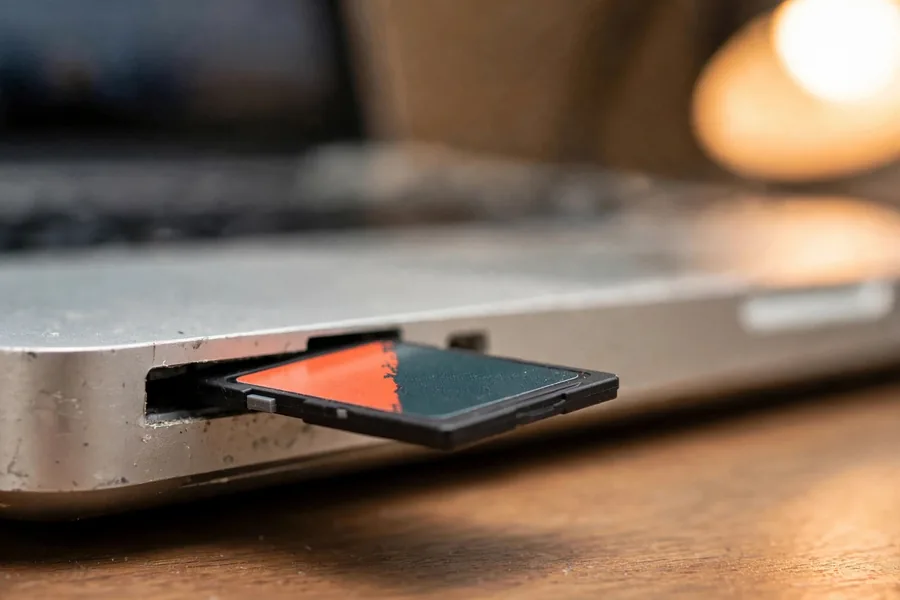
These five mistakes turn up again and again in the case notes. Backups prevent most of the fear that comes with them, and our guide to preventing data loss covers that side. If you are choosing between labs, what memory card recovery services offer is a fair place to compare.
- Do not push it into one reader after another. Sand scratches the contacts and every power-up can overwrite a weak controller’s state.
- Do not dry it with a hair dryer, an oven or a radiator. Heat can crack a card that has water inside and does nothing for corrosion.
- Do not format it when the camera or computer asks. Formatting writes new structures over the ones a lab needs to read.
- Do not scrub the gold contacts with an eraser, a blade or a coin. The plating is thin, and scraping it can turn a readable card into an unreadable one.
- Do not run recovery software on a card that is still wet or crusted. Software depends on the card answering reliably; a flaky card gives it bad reads and can make the loss worse.
What Our Customers Say
Frequently Asked Questions
Send Us Your Damaged Card
Sand, seawater or a snapped card: tell us what happened and we will tell you what can be read. The evaluation is free.
Start My Free Evaluationor call (866) 857-5950
Related Recovery Services
Cards like the one in this story go through these services: