Used by NASA · the FBI · the U.S. Navy · Since 1999 · 98% Success Rate
eProvided Flash Memory Card Recovery Services on NAND Flash Memory
- No Data, No Data Recovery Fee
- 27+ years of recovery experience
- SD, microSD, CF & Memory Stick
- Free evaluation, no obligation
What Does a Memory Card Recovery Service Do?
A memory card recovery service restores deleted, formatted and physically damaged cards from cameras, drones and phones. For a cracked or dead card, engineers use chip-off: they remove the NAND chip and rebuild the raw data. eProvided has 27+ years of this work and charges No Data, No Data Recovery Fee.
“A formatted card, a cracked card and a dead card are three different problems. The photos are often still waiting in all three.” — Bruce Cullen, founder, eProvided
Memory card recovery service experts at eProvided handle SD and microSD cards, plus the built-in flash in cell phones, tablets and laptops. MacBook Pros, for example, use NAND-based SSDs for their storage. Our engineers also offer digital photo recovery services, and weddings and vacations have had successful recoveries in our lab. Our USB drive and SSD drive recovery services are popular too. Las Vegas, Nevada (NV) (PR Photography News)
A card that was dropped in mud, soaked, cracked or formatted by mistake usually still holds its photos. Stop using it, don’t try an SD repair at home, and send it for a free evaluation. A removable card can be read chip-direct when its controller dies. Built-in phone and laptop flash is encrypted, so it is recovered through the original board instead.
Do RIGHT NOW
- Take the card out of the camera and stop shooting on it
- Let a wet card sit powered-off; don’t dry it with heat
- Note what happened, when, and in which device
DON’T Do
- Don’t accept a “format this card?” prompt
- Don’t run free repair tools on a card that throws errors
- Don’t tape or glue a cracked card back together
Photos stuck on a dead or damaged card? A free evaluation tells you what survived, or call (866) 857-5950 to talk it through first.
- Memory Card Recovery for Flash Memory Drives
- eProvided Data Recovery and the Chip-Off Method
- Which Problem Does Your Card Have?
- Digital Photo Recovery Solutions
- Recover Crucial Data from a Memory Card
- How a Memory Card Recovery Service Works
- What NOT to Do With a Failed Card
- Questions to Ask Before You Hire a Service
- What Real Memory Card Recovery Cases Taught Us
- What Our Customers Say
- Frequently Asked Questions
- Get a Free Evaluation
- Related Recovery Services
Memory Card Recovery Services for Flash Memory Drives

SD cards, smartphones, tablets, and laptops all contain flash memory. You can recover deleted files from a badly damaged tablet or smartphone. Dropped your camera into the ocean? Memory card recovery is still possible. Our experienced data recovery engineers routinely restore deleted and formatted data, so a card that fell in the mud or got wet doesn’t necessarily mean it’s over for you.
Attempting SD repair at home can result in permanent data loss. Cards with severe damage need a different technique from a simple undelete, and the right one depends on the device. A removable card stores plain data on its chip, while a modern phone or tablet encrypts its built-in storage. In either case, contacting eProvided to recover your data is usually the best course of action.
eProvided Data Recovery and the Chip-Off Method
Advanced data recovery on memory cards sometimes requires a chip-off method. Removing the memory chip from its circuit board requires specialized tools; the expert lifts the chip safely and then unscrambles the raw data set the card controller left behind. Our engineers have the experience, skills, and tools to perform chip-off recoveries on SD, microSD, CompactFlash and USB media. Memory card recovery is essential for professionals and consumers worldwide. Don’t let your hard work go to waste. Whether the failure is logical or physical, your data is often recoverable.
Chip-off has a hard limit, and it matters. A modern phone, tablet or Apple-silicon laptop encrypts its internal flash with a key held in its own processor. A chip lifted from one of those boards reads back as scrambled data. For those devices we repair the original board, or move the processor and memory together onto a donor board, so the device decrypts its own files.
Today, some companies also combine the computer processor and video into one package. You can buy a device built on a single chip where video and the main processor work together, and it does everything a full-size computer does. Engineers must understand that combined technology, and handling it correctly from the start speeds up the whole recovery.
Which Problem Does Your Card Have? A Plain Decoder
A memory card recovery service does not use one method for every card. The method follows the failure, and the failure usually shows in the first thing you saw. Find your symptom in the table. Read these as likely outcomes, never guarantees: what a given card still holds is known only after a technician has examined it.
| Memory Card Symptom Decoder | ||
|---|---|---|
| What You See | What Is Probably Wrong | Usual Outlook |
| Files deleted, card still reads | Only the file table changed. The photos normally stay on the chip until new data overwrites them. | ✓ Often recoverable |
| “Format card” or “card error”; computer shows RAW or 0 bytes | A damaged file table, or a controller that has started to fail. | ✓ Often recoverable |
| Not detected anywhere, no visible damage | Usually the controller or its firmware. The memory cells are normally fine, so the lab can read the chip directly. | ⚠ Case by case |
| Cracked, bent or snapped | Housing, contacts or board traces. Whether the memory chip survived decides the result. | ⚠ Case by case |
| Wet, muddy or corroded | Corrosion on contacts and traces. It keeps spreading while the card stays damp. | ⚠ Act fast |
| Hot, warped or melted | Heat can damage the chip itself, and nobody can judge that by eye. | ⚠ Case by case |
| Android card set up as internal storage | The card is encrypted, and its key sits in the phone. A chip read alone returns scrambled data. | ⚠ Needs the original phone |
The last row surprises people. Android’s own documentation says an adopted card is encrypted to work with one Android device at a time, and that the keys are stored on the phone’s internal storage. That card follows the same rule as the phone: recovery goes through the original device, not the chip alone.
Digital Photo Recovery Solutions
 Enlarge
We offer professional digital photo recovery services for all NAND form factors. Did you know that MacBook Pros also come with built-in NAND flash memory? We retrieve data from laptops, external drives, USB sticks, and smartphones. SSDs are another NAND form factor, with lightning-quick read and write speeds, and they have no moving parts to wear out the way a hard drive’s heads and platters do.
NAND is a non-volatile type of flash storage, which means your files stay put even without power. If your NAND flash storage device shows photo corruption, don’t use it further. Risky software solutions could corrupt the card further. Contact experienced data recovery engineers to recover deleted files.
Data recovery experts at eProvided service iPhones, laptops, SSDs, and more. Flash memory can be erased electrically and reused, a design it inherited from EEPROM (electrically erasable programmable read-only memory), which clears data through a circuit before it is reprogrammed. That erase happens in blocks, and a transfer cut off mid-write often leaves the old data sitting in place. So if your SD card files become corrupt during a data transfer, there is a good chance they can come back. Our memory card recovery experts retrieve deleted, formatted, and corrupted data, and we recover data from memory cards physically broken in half or that won’t read.
Recover Crucial Data from a Memory Card
 Enlarge
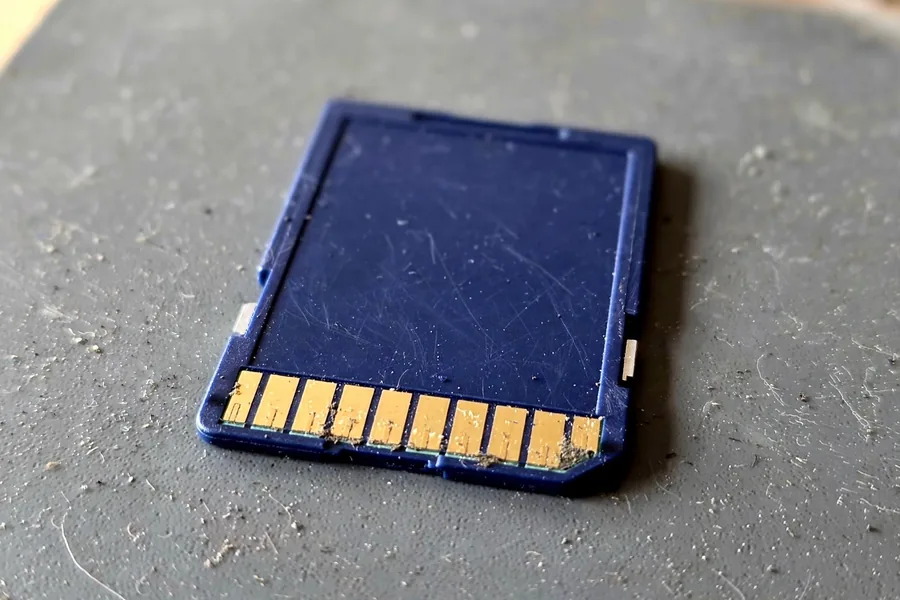
How do images disappear from memory cards, and how do you recover the data? There are a few reasons for memory card failure. If the firmware in your camera crashes mid-write, it can damage the card’s file table. When you insert the SD card into a computer or laptop, the operating system must recognize it too; if that system crashes or the card is pulled while it is writing, the card can become corrupted and files go missing.
Audio, video, and images are restored using specialized data recovery tools. Once your device arrives at our lab, we provide a free evaluation. It determines whether manufacturing defects, a virus infection, or bad sectors are causing your data loss. We work cases of physical damage and card corruption alike, and we tell you honestly what came back before you pay.
eProvided data recovery has spent many years refining its methods, including the digital photo repair service. As a result, eProvided is a trusted name in memory card recovery through flash data recovery. eProvided is also seeking data recovery partners to join our business network.
Contact eProvided at (866) 857-5950. eProvided management and our memory stick recovery team can be reached at the same number.
How a Memory Card Recovery Service Works, Step by Step
 Enlarge
You do not need to understand flash memory to use a memory card recovery service. You need to stop using the card and know what happens next. This is the path a card takes through our Las Vegas lab.
- Free evaluation. Start on the free evaluation form and tell us what happened. Put the card, and every piece of it, in an anti-static bag inside a padded envelope, and ship it with tracking. Bringing a card in person works only with a booked time, so phone us before you drive over.
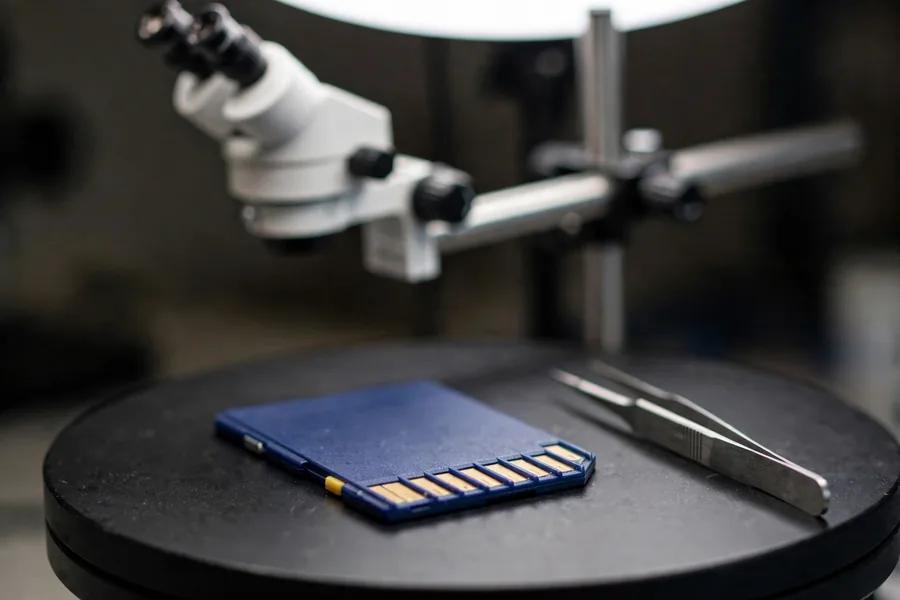
- Inspection. An engineer looks at the card under magnification: contacts, board, housing and signs of water or heat. The result tells us which failure from the decoder above we are dealing with.
- Method choice. A card that still answers needs a logical read. A card with a dead controller or a break needs the chip-level work described above. An encrypted phone card goes through the phone. Chip-level work waits until you have seen a price and said yes.
- Rebuild. A card’s controller shuffles and encodes files as it writes them to flash. We undo that encoding, rebuild the file table and check the photos and video open.
- Delivery. You see what came back before the case closes. We ship the recovered files back, with your original card, by download or on a drive.
What NOT to Do With a Failed Memory Card
 Enlarge
The first hour after a card fails often decides how much comes back. Five common reactions do the most damage to a failed card, and each comes with the reason.
- Do not try the card in one device after another. Every device that sees an unreadable card may offer to repair it, and each attempt can write to the card.
- Do not dry a wet card with heat. A hair dryer or radiator stresses the solder joints and the chip, and warm air does not undo corrosion that has already started.
- Do not choose “format as internal storage” on an Android phone for photos you cannot lose. That setting encrypts the card for that one phone, and a phone failure then takes the card’s files with it.
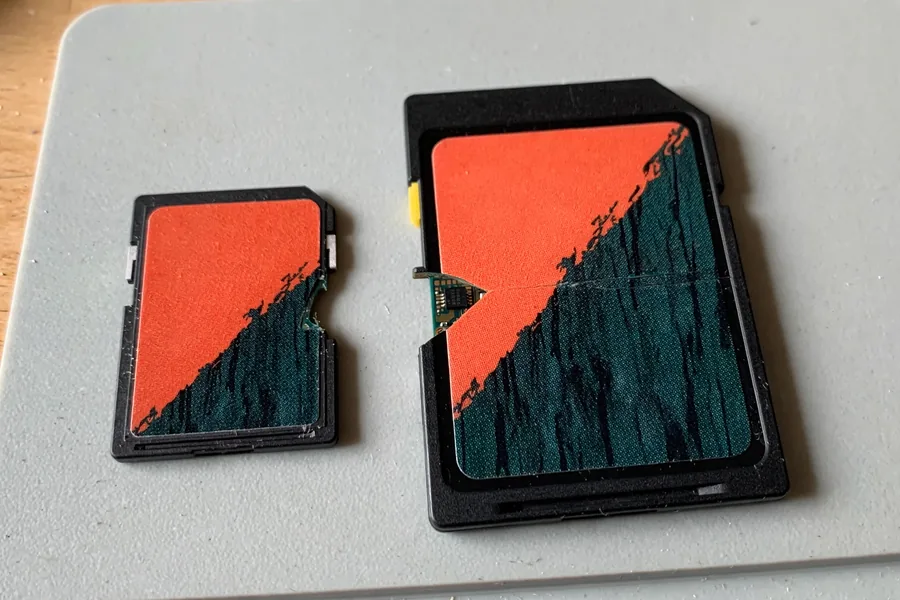
- Do not tape, glue or bend a cracked card back together. The board traces are thinner than a hair, and a bent board can tear the ones that are left.
- Do not copy recovered files back onto the failing card. Save them to two other places first, because a card that failed once can fail again.
Questions to Ask Before You Hire a Memory Card Recovery Service
 Enlarge
Not every memory card recovery service works the same way. Five questions separate a lab that reads chips from one that runs a scan and hopes. They also show whether the service will tell you the truth about a hard case.
- Do they look at the card before you commit to a price? At eProvided the evaluation is free, and advanced work starts only after you opt in to a quote.
- Can they name the method for your device? A removable card can be read at chip level. A phone or tablet cannot. NIST’s mobile forensics guide describes chip-off as removing the memory from a device to extract its data, work that takes extensive training.
- Do they say what they cannot do? A lab that promises every card will come back is guessing. Honest answers include “too much damage.”
- Do they cover your card type? SD, microSD, CompactFlash and Memory Stick are different packages with the same flash memory inside.
- Do they return your original card and show you the recovered files? You should see what came back before the case closes.
Our guide on what to know before memory card recovery goes through the same questions for deleted and formatted cards.
What Real Memory Card Recovery Cases Taught Us
A memory card recovery service is easier to judge from real files than from a promise. What follows is what the card owners typed on their intake form, shortened and stripped of personal details. Outcomes are mixed on purpose: some came back whole, one came back in part, and one did not come back at all. For cards snapped in two, broken SD card recovery goes deeper.
An SD card bent by children, December 2020
Case JW8NHG. The owner wrote:
“SD Card bent by kids. One of the surface mount ICs appears contacts popped off the board. No visible other visible damage or cracks on ICs or PWB.”
Mostly recovered. A lab note says it was not a 100% recovery, because of wear leveling and NAND degradation that are common over time. About two months after the form, the notes record a success recovering the data.
A camera card bent in a bag, February 2021
Case WDCR6F. The owner wrote:
“This SD card is from a camera. The card got bent while in a bag. I’m hoping to recover the photos on the card.”
Recovered. Basic recovery failed first, so the case went to advanced recovery. About a month after the form, the notes record a success recovering the files.
A GoPro clip that would not play, April 2024
 Enlarge
Case Z8AEGR. The owner wrote:
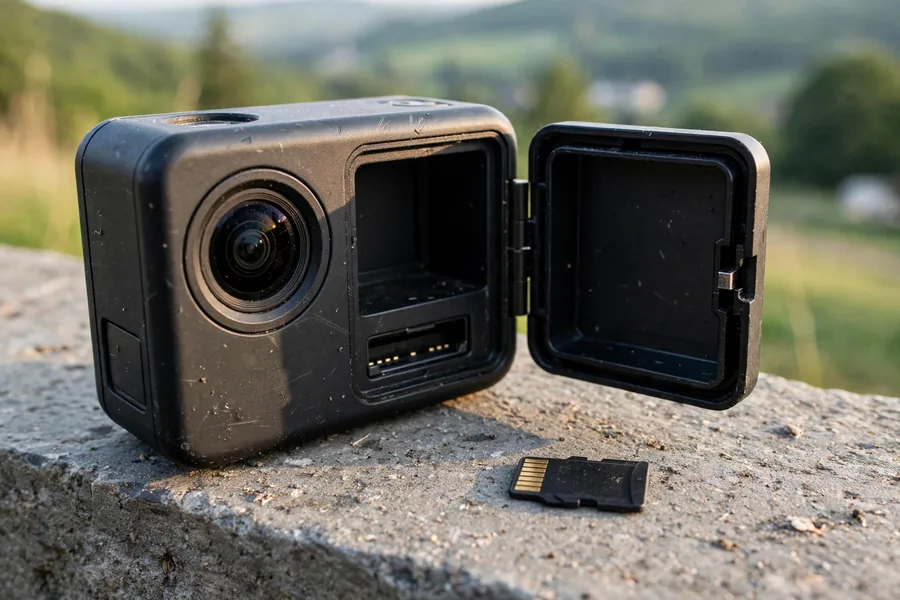
“Recorded 20 min video on GoPro Hero. There is 1GB of data on the SD card but it can’t be transferred to a computer or played on the GoPro. Tried free online repair tools and didn’t work.”
Recovered. Basic recovery failed here too, and advanced recovery followed. About two weeks after the form, the notes record a success. The free repair tools the owner tried first had not helped.
A microSD that got hot and snapped, January 2025
Case 5VVT2B. The owner wrote:
“… I put the micro-sd card in to transfer the files … and it got very hot. When I removed it, it snapped in half. I am hoping that you can recover the files I don’t have backed up.”
Not recovered. Technicians tried to pull data straight from the memory, and nothing readable came off it. The notes record too much damage. Heat was the warning sign in this case.
What Our Customers Say
Frequently Asked Questions
A broken card rarely means lost photos. The chip that holds them is small, tough and usually intact, and reading it is what our lab does every day.
Get Your Card’s Photos Evaluated Free
Snapped, soaked, corrupted or asking to be formatted: send the card in and we’ll report what’s on it before you commit to anything.
Start My Free Memory Card Evaluationor call (866) 857-5950 now
Recovery for Every Flash and Drive Type
Cards are one part of the bench. Browse all data recovery services for the full list. We also run NAND flash chip-off recovery on BGA, TSOP and monolith packages, USB flash drive recovery, microSD work down to monolithic substrate level, NVMe and SATA SSD recovery, and professional hard drive data recovery.
Related Recovery Services
For a card, stick or drive that has already failed, start with the service that matches it: