
Used by NASA · the FBI · the U.S. Navy · Since 1999
Troubleshooting an SDHC Card Your Camera Won’t Read
- No Data, No Data Recovery Fee
- Chip-off recovery — our specialty
- 27+ years of recovery experience
- Every brand, every capacity
Why Won’t My Camera Read My SDHC Card?
Most often it’s a compatibility or contact-reading problem, not a dead card — try the card in a second reader or camera before assuming the worst. If it still won’t mount anywhere, stop trying and stop reformatting; further attempts can overwrite exactly the data you want back.
“Half the cards sent to us were never broken in the first place. They were read by one bad camera and then formatted in a panic.” — Bruce Cullen, founder, eProvided
A digital camera that suddenly stops seeing its own SDHC card feels alarming, but it’s one of the most common — and most fixable — problems in digital photo recovery. After 27+ years working on camera media of every brand, we can walk through exactly what to check on the camera side before assuming the card itself has failed, why an SDHC-specific error can look identical to a dead card and rarely is, and the honest chip-off recovery path for the small number of cases where the card really has failed.
Most “camera won’t read the SDHC card” problems trace back to the camera, not the card: an incompatible camera model, a firmware version that predates SDHC support, a locked write-protect tab, or a card seated on dirty contacts. Try the card in a second reader or camera first — if it reads fine elsewhere, the fix is on the camera side. If no device anywhere can read it, the card’s NAND chip usually still holds the data intact, and chip-off recovery reads that chip directly.
Do RIGHT NOW
- Try the card in a second camera or a USB card reader before blaming the card itself
- Check the small physical lock switch on the side of the SDHC card — a locked card mounts as read-only or not at all on some cameras
- Check your camera manufacturer’s site for an SDHC compatibility note or a firmware update, especially on an older camera body
- Power the camera off and back on with the card reseated before trying anything else
DON’T Do
- Don’t let the camera “fix” the card by reformatting it — formatting is exactly how photos get erased when the real problem was compatibility, not corruption
- Don’t keep repeatedly removing and reinserting the card into a camera that isn’t reading it — repeated attempts can wear the contact pins
- Don’t assume an SDHC card is dead just because one specific camera can’t read it — test it in a second device first
- Don’t run a computer “repair” or chkdsk pass on a card with photos you need before ruling out a simple compatibility issue
Already dealt with the checks above and the card still won’t read anywhere? Stop trying more readers and start a free evaluation, or call (866) 857-5950 instead.
- When a Camera Won’t Recognize an SDHC Card
- Checking SDHC Compatibility and Firmware
- Formatting an SDHC Card the Safe Way
- When the Card Itself Has Actually Failed
- How Chip-Off Recovery Reads the Card Directly
- What Our Customers Say
- Frequently Asked Questions
- Recover Files from an SDHC Camera Card
- Related Recovery Services
When a Camera Won’t Recognize an SDHC Card
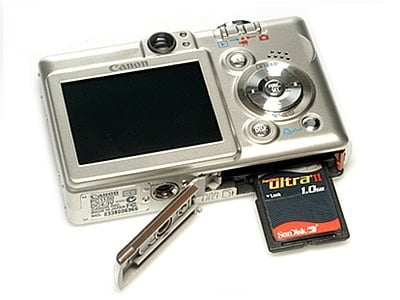
SDHC (Secure Digital High Capacity) is an SD Association format built for capacities above 2GB, and it addresses storage differently than the original SD standard that came before it. That single fact explains most of the “camera won’t see my card” reports we hear: a camera body old enough to predate the SDHC standard, or one whose firmware never added support for it, physically cannot read an SDHC card no matter how new or undamaged that card is. The card isn’t broken and the camera isn’t broken — they simply speak different generations of the same format. The first and fastest check is trying the exact same card in a second camera, a card reader plugged into a computer, or any other SDHC-capable device. If it mounts and shows its files anywhere else, the problem lives entirely on the original camera’s side, and no data was ever at risk.
A second common cause sits on the card itself rather than the camera: nearly every SD and SDHC card has a small physical switch on its left edge that locks the card to read-only. If that switch is set to “Lock,” most cameras will either refuse to write new photos, show the card as full, or in some models decline to mount it at all. Sliding that switch back to the unlocked position resolves this instantly and costs nothing — it’s worth checking before any other troubleshooting step.
Checking SDHC Compatibility and Firmware

If the card reads fine in a second device but not in your camera, compatibility is almost certainly the cause, and the fix is a short research step rather than a repair. Look up the exact camera model on the manufacturer’s support site and confirm two things: the maximum SDHC or SDXC capacity it officially supports, and whether a firmware update exists that adds or extends card support. Camera manufacturers occasionally release firmware specifically to support newer, higher-capacity cards that didn’t exist when the camera model first shipped — installing that update, when one is available, is often the entire fix. If no update exists and the camera’s specifications genuinely stop below your card’s capacity or speed class, the camera has reached a hard compatibility ceiling, and a card within its supported range is the only lasting solution.
It’s worth separating two different symptoms here, because they call for different next steps. A camera that never detects the card at all (no icon, no capacity shown, an immediate “insert card” prompt) points toward a compatibility or contact problem. A camera that detects the card but then shows an error reading or writing to it — a “card error,” a stalled write, or corrupted-looking thumbnails — points more toward a card-side issue, which is covered below.
Formatting an SDHC Card the Safe Way
If compatibility and the lock switch both check out and the camera still won’t recognize the card, some cameras will offer to format it. Before you accept that prompt, understand what it does: formatting erases every photo and file currently on the card so the camera can start it fresh. If the card mounts empty or is a spare with nothing you need on it, formatting through the camera’s own menu (not through a computer) is the safest way to prepare an SDHC card for that specific camera, because it writes the file-system structure the camera itself expects. If the card holds photos you haven’t backed up anywhere else, do not format it — move to the recovery evaluation below first, since formatting can overwrite the very data a chip-off read would otherwise recover intact.
When the Card Itself Has Actually Failed

The checks above rule out the far more common camera-side causes. What’s left, once a card fails to mount in every device you try it in — not just the original camera — is a genuine card-side failure: a controller fault, corroded or damaged contact pins, or a card that reports 0 bytes free everywhere it’s tried. This is a smaller share of the “camera won’t read my card” reports we see, but it’s the point where further troubleshooting on your end stops helping and can start hurting, because every additional insert-and-retry cycle risks further wear on already-damaged contacts. A card in this state often shows the same symptom on a phone, a laptop’s built-in reader and a USB card reader alike — three different pieces of hardware agreeing the card is unreadable is a much stronger signal than one camera disagreeing with it.
It also helps to note exactly when the card stopped working, because that detail matters for the evaluation: a card that failed mid-write (pulled out while the camera was still saving a photo, or the battery died mid-save) tends to have file-system damage that raw NAND extraction cleanly reverses, while a card that failed after being dropped, submerged or exposed to a static shock more often has physical damage to the controller or the contact pins themselves. Neither situation changes the recovery method, but knowing which one applies helps set expectations before the card is even opened for evaluation.
Video corruption on the card itself is a related but separate problem from what this page covers — if your SDHC or SD card shows playable-looking files that won’t open or play back correctly, that’s a file-repair situation with its own process, covered in repairing corrupted SD card video files.
How Chip-Off Recovery Reads the Card Directly
Because a standard SDHC card carries no processor-bound encryption key tying its NAND chip to a separate device, the recovery path is direct once a genuine card-side failure is confirmed. We start by looking at the card for free, then follow the same data recovery process as any SDHC case. When the card’s controller or contacts have failed — the situation that stops it from mounting anywhere — we free the NAND chip from the card’s substrate and read it directly on specialized hardware, bypassing the failed controller and contacts entirely, then rebuild the file system from the raw data recovered. That’s chip-off recovery, and for a standard SDHC camera card it’s the correct, direct method: the memory and the data on it are the same physical component, with no separate lock standing between them. This is exactly the recovery gap a general camera or electronics repair shop can’t close — reading a NAND chip directly requires desoldering and chip-reading equipment a camera-repair counter simply doesn’t stock.
| SDHC Camera Card Symptoms & What They Usually Mean | ||
|---|---|---|
| What you see | Likely cause | Fix |
| Camera says “insert card” with a card inserted | Camera/firmware doesn’t support SDHC, or contacts need cleaning | ✓ Try 2nd device, check firmware |
| Card mounts read-only or shows full | Physical lock switch set to Lock | ✓ Slide switch to unlock |
| Works in a reader, not in this camera | Camera-specific compatibility ceiling | ✓ Firmware update or supported card |
| Card fails in every device tried | Genuine controller or contact failure | ✓ Chip-off recovery |
| Photos play/open corrupted, card mounts fine | File-level video/photo corruption, not a card fault | ✓ File repair, not chip-off |
What Our Customers Say
Frequently Asked Questions
Recovery Services for Every Storage Device Class
An unreadable SDHC camera card isn’t the only device eProvided recovers — we cover every storage class from one lab: memory card data recovery (SD, SDHC, microSD, CompactFlash, Memory Stick and more, every brand from SanDisk to ADATA), USB flash drive recovery, professional hard drive recovery (Seagate, Western Digital, Toshiba, mechanical and logical failures), and SSD data recovery (Samsung, Crucial, WD, NVMe and SATA, firmware repair and original-controller revival). See all our data recovery services →
More Memory Card Recovery Guides
- How a card actually fails, physically.
- Top 5 causes of camera card corruption — the most common ways a camera card gets damaged.
- Accidentally deleted or reformatted a card? What actually happens next.
Once your photos are safe, a second copy made the same day is the cheapest insurance against the next camera-card headache.
Recover Files from an SDHC Camera Card
Camera won’t recognize the card, or it fails to mount anywhere — our engineers will confirm what’s recoverable during a free evaluation. No obligation, confidential.
Start My Free Evaluationor call (866) 857-5950 now
Related Recovery Services
A camera that won’t read an SDHC card isn’t the only device eProvided recovers — these recovery services get the data back from every storage class in one lab: