
What Causes SSD Drive Failure?
Most SSD failures are the controller or its firmware, not the memory. Cells do wear — a few thousand program/erase cycles on consumer TLC, measured to the JEDEC endurance standard — but a drive that vanishes from BIOS overnight has usually lost its controller. eProvided reads the NAND directly.
“An SSD rarely dies slowly. It works perfectly on Monday and is invisible on Tuesday, because the controller went, not the memory.” — Bruce Cullen, founder, eProvided

SSD Drive Failure, M.2 Disk Failures, NVMe & Tips.
Solid state drives certainly can encounter failures, just like any storage device. However, eProvided delivers proven solid state drive recovery services to tackle these challenges head-on. For over 27+ years, we’ve been helping clients successfully retrieve their lost files. Often, SSD drive failure stems from issues with surface-mount components. Simply put, SSDs lack moving parts, making them quieter and more efficient. Our skilled SSD data recovery engineers specialize in pulling back your important files, photos, and videos. Additionally, solid state drives deliver speedy, power-saving, and reliable storage options. That said, failures do happen from time to time. What triggers a hard drive to fail? In general, Solid State Drives (SSDs) serve as modern replacements for old-school hard disk drives. For example, knowing the typical SSD problems can save you headaches down the line. In short, this page offers SSD tips for those chasing quick storage solutions. Unexpected SSD drive failure might strike, but our experts focus on salvaging your critical data. Got questions? Reach eProvided at (866) 857-5950.
Why pour money into a Solid State Drive (SSD)? One key perk is the blazing speed, particularly in an SSD RAID 5 setup. At eProvided, we utilize RAID 5 arrays to quickly recover lost SSD files. When considering an SSD, prioritize speed and low power use. Indeed, solid state drives can fail, so always prepare a backup plan to shield your data from surprises or catastrophes. eProvided SSD data recovery provides a dependable file retrieval option for those facing trouble. We keep our solid state drive recovery costs competitive. Competitors often demand over three grand for SSD failure recovery – that’s excessive for fixing drive issues.
At eProvided, our solid state data recovery pricing stays well below the industry norm. Affordable solid state drive recovery matters. We shine in the data recovery field with prices that won’t empty your pockets. While rivals charge an arm and a leg, we opt for a wallet-friendly approach. We make SSD recovery available to all. So, we not only rescue your vital files but also spare your budget from sky-high fees. It’s like hiring a data superhero at a sidekick’s rate!
What leads to SSD failure? Ensure your firmware is up-to-date. Ongoing reports of SanDisk Extreme SSD failures have raised alarms in the tech world. This issue surfaced back in May 2023, highlighting reliability concerns with these devices. SanDisk is known for quality SSDs, yet sudden breakdowns have users questioning their longevity and performance. A firmware update exists for certain models, though not universally. Has your SanDisk Extreme SSD given out? Let us know – we’re here to assist with M.2 disk failure recovery. Despite fixes, some users report persistent problems in 2025.
Consumers are curious: [Read more: 4GBs bandwidth on SSD disks]
Recover SSD Data.
M.2 SSD tech has skyrocketed in popularity through 2023-2025, with demand matching its growth. These drives boast remarkable speeds. They’re engineered for top-tier data storage in low-power gadgets. The M.2 standard emerged from the PCI Special Interest Group and SATA-IO collaboration. As such, M.2 backs PCI Express (PCIe), Wi-Fi, USB, and Serial ATA (SATA).
M.2 SSDs lead the pack in performance! Therefore, interest in M.2 Solid State Drives keeps climbing. Let’s explore them and their link to solid state data recovery. With immense capability comes heightened risk of data loss? Like any drive, M.2 SSDs aren’t invincible to crashes, corruption, or unintended deletes. And when trouble hits, the loss feels amplified due to priceless data at stake. For drives that have gone completely dead, our dead SSD recovery page covers the full Lab process and recovery checklist.

M.2 SSDs are compact, speedy, and energy-efficient. Solid state data recovery goes quickly on these modern devices. Thus, opting for SSDs means swifter file retrieval when problems arise. Be sure to reach out to SSD drive recovery specialists if your drive goes unrecognized. We recover SSD data regardless of the root cause. SSDs operate differently: M.2 SSDs rely on intricate controllers and interfaces that baffle recovery beginners. But eProvided’s team holds the key – advanced tools tailored to decode these systems and extract your essential info.
Solid State Drive Form Factors Brief Overview.
Key note: these are just typical specifications; actual capacities and dimensions may vary depending on the SSD manufacturer.
- PCI-Express SSDs are a premium option. These SSDs have a higher price tag. They are renowned for their lightning-fast data transfers. This form factor excels in high-performance roles, often found in top-tier desktops and servers. They come in many capacities. Many of these drives stretch up to 16TB. We effectively recover data from failed PCIe SSDs.
- M.2: The M.2 form factor is a newer, smaller form factor that is becoming quite popular in laptops and desktops. It is available in a variety of lengths, including 2280, 2260, and 2242. SSD form factors are quite popular. M.2 SSDs are comparable to mSATA. Likewise, they are bare-circuit mini-boards. There are both SATA and PCI-E variants. Usually 22 mm wide and 30–110 mm long. Also, extended-size M.2 drives can encompass more NAND chips. So, larger capacities than their shorter counterparts. Our NVMe data recovery handles M.2 failures expertly.
- NVMe (Non-Volatile Memory Express) is a host controller interface and data storage protocol. Manufactured to quicken the transfer of files on systems and SSDs. Hence, this takes place over a PC’s lightning-speed (PCIE) bus system. NVM Express machines are part of burst buffer storage in fast supercomputers.
- A Solid State Module (SSM) resides in a Dual In-Line Memory Module (DIMM). This form factor may use a standard HDD interface such as SATA.
- 2.5 SSD—the most affordable and most familiar is the 2.5″ SSD. They’re used in desktop PC’s. Thus, they have a lightweight shell. The 2.5″ form factor is a traditional form factor that’s still widely used in desktops & servers. It is available in a variety of capacities, up to 4TB.
- mSATA SSD, also known as Mini-SATA—These Solid State Disks are much smaller than the 2.5. mSATA takes advantage of “Advanced Technology Attachment” (ATA) commands. The commands allow for the movement and transfer of data. mSATA-based SSD storage drives are smaller than a credit card.
- 3.5″: The 3.5″ form factor is a larger form factor that is typically used in desktops and servers. It is available in a variety of capacities, up to 18TB.
- U.2: The U.2 form factor is a high-performance form factor. This factor is typically used in high-end desktops and servers. It is available in a variety of capacities, up to 16TB.
Compare Solid State Drive Form Factors.
eProvided SSD Form Factor Comparison Chart of the Different SSD Form Factors.
| Factor | Dimension (mm) | Capacity (GB) |
|---|---|---|
| M.2 2280 | 22x80x3.81 | <= 2TB |
| M.2 2260 | 22x60x3.81 | <=1TB |
| M.2 2242 | 22x42x3.81 | <=512GB |
| 2.5″ | 69.85×100.2×7 | <=4TB |
| 3.5″ | 101.6×146.9×9.5 | <=18TB |
| U.2 | 80x22x2.38 | <=16TB |
| PCIe | 30x80x2.2 | <=16TB |
When choosing an appropriate SSD, consider the form factor, capacity, and performance requirements of your setup.
Solid State Drives come in many layouts. However, eProvided.Com SSD drive recovery services recovers data from all SSD form factors.
HDD Drives vs. SSD Drives? Exploring SSD Data Recovery and SSD Problems.
Traditional hard drives long dominated storage in computers and laptops. Essentially, HDDs feature metal platters coated magnetically to hold data. A read/write arm accesses info as the disk rotates. However, SSD problems differ greatly. Issues often trace to faulty controllers or damaged circuits. For instance, fuses might blow, or controller chips corrupt. These elements spark common SSD troubles.
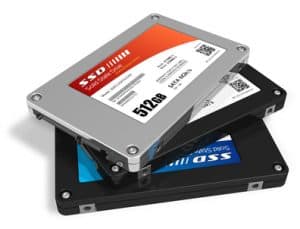
Set of solid state drives (SSD)
The array of surface-mount parts in SSDs frequently causes problems. An SSD packs multiple NAND flash memory chips. For example, NAND wafers connect through a controller chip on SSDs. In essence, these wafers store data statically, without motion. If the tech becomes unresponsive or corrupted, SSD data recovery remains viable.
Stay informed on SSD drive failure via our blog. So, watch for upcoming updates.
Why did my Solid State Drive Fail? SSD Drive Failure. Causes to an SSD not being Recognized.
SSDs fail abruptly at times, despite their overall dependability. Click for SSD data recovery! Various factors prompt Solid State Drive breakdowns.
Beyond SSD failure, we offer recovery for damaged SSDs, too. Common failures include those we’ll cover next.
SSD breakdowns happen due to several culprits. File system glitches, OS errors, and bad blocks signal potential failure. If your system won’t start or the drive crawls, data loss looms. Regularly monitor your SSD’s health for better recovery odds.
Physical defects in the SSD, like poor solder joints leading to broken or oxidized connections, can cause issues. Defective parts may trigger NAND flash memory failures, making the drive glitch. Our professional SSD drive recovery revives unrecognized or physically harmed drives. Additionally, heat buildup, power surges, and firmware bugs contribute to failures. Don’t overlook wear-leveling problems or garbage collection errors in advanced SSDs.

SSD Drive Failure Photo
SSD Data Corruption can Cause a Drive to Fail. Thus, Leading to Loss of Data.
Factors like bad sectors, viruses, short circuits, and corrupt files cause Solid State Drive failures. Faulty wiring heightens SSD failure risk.
We often see corruption in SSDs, NVMe, and PCIe drives from heavy drops, water exposure, or electrical shorts. Overall, SSDs are tough, yet not bulletproof. Sudden jolts can wreck them. Liquids spell disaster for these drives. Imperfect solder joints and lead-free tech have flaws. Moreover, eProvided pinpoints frequent SSD failures. Typically, solder breaks and connector issues top the list of SSD failure signs. Our SSD drive recovery team brings over 27+ years of hands-on experience. With that expertise, we recover your files, photos, and videos securely.
Ever peeked inside an SSD board’s layers? They’re intricate, packed with NAND wafers. How are NAND chips created? SSD recovery involves NAND extraction. Data lives in these chips – a crash could wipe it out. But don’t worry; we handle NAND flash degradation and controller chip failures with precision.
SSD Firmware Upgrades Fail, Causing a Drive to Stop Working.
Do SSDs fail? Absolutely. What if SSD failure hits you now? Turning to SSD drive recovery services opens doors to reclaiming files. Solid state drive failure rates have dropped over the last decade, cutting down on “Solid State Drive problems.” Better circuits and controllers drive this progress.
SSDs offer tremendous value with high capacity, fast access, quiet operation, and durability. If yours fails, our expert SSD drive recovery ensures data retrieval without compromise. We know your data’s worth, aiming to avoid any loss in recovery. Of course, backups are smart insurance.
The Value of Routine Backups. We design our solid-state drive recovery to address SSD failures. Backups provide essential redundancy, guarding against sudden data loss or controller breakdowns.
Ready to get your files back? Start your recovery today.
Have a plan for SSD drive failure. Call eProvided Toll-Free (866) 857-5950
Success Stories and Testimonials in SSD Recovery.
Industry-wide, SSD data recovery success rates range from 78% to 96%, depending on the specific case. At eProvided, we achieve high marks through specialized techniques. For instance, our founder Bruce Cullen spearheaded the recovery of NASA’s Helios mission data from water-soaked CompactFlash cards after a Pacific crash and weeks underwater. He also fixed a NAND glitch on the Mars Rover, ensuring vital data reached Earth. We’ve consulted on SSD use for Mars missions and worked on the Nancy Grace Roman Telescope.
Our clients rave about us. Richard S. shared, “Bruce and his crew recovered pictures from my corrupted micro SD card. I highly recommend this company – they never give up.” From Yelp, 2025.
Nora A. said, “Recovered my data from a failed computer. Very knowledgeable and reasonably priced.” Yelp, 2025.
Karen Fig noted, “Saved over 500 images from a corrupted compact flash card. Flawless service!” Trustpilot, 2014.
We prioritize privacy, handling all recoveries in-house with strict security. Thousands of satisfied customers, including NASA projects, attest to our trustworthiness. For more data recovery insights, visit our Reddit community.
Curious about SSD failure details? Explore this resource.
Don’t let SSD issues stress you – we recover data fast and affordably. Ready to reclaim your files? Start your recovery today.
Written by Bruce Cullen, a certified data recovery specialist with 27+ years at eProvided, renowned for key recoveries in NASA missions like Helios and assisting the Mars Rover when it broke down due to a data glitch.