
Recovery case story · 8 GB SDHC card from 2009
Recovering Photos From a Corrupted SD Card: How AI Helped Save a Whole Vacation
- 352 bad spots mapped to the photos they hit
- Retries aimed only at photos that were hurt
- Chip-off kept as the last resort, not the first
- 98% success rate since 1999
Can you recover photos from a corrupted SD card?
Often, yes. On this card, 1,191 of 1,245 photos were intact after the first pass, and 1,201 were intact at the end. For the rest, we used AI SD card recovery: our own software works out which photos each bad spot touches, goes back for only those spots, and logs every choice for a specialist to check.
Source: eProvided lab case notes, October 2026. Customer details removed.
A customer came home from a trip abroad with every photo of it on one SD card, and the card had started to fail. The camera showed errors. A computer would hang when the card went in. This is how we got those photos back, and a look at how we work now. We wrote our own AI software for the slow, careful part of a damaged memory card recovery, so it runs around the clock without a person clicking through every retry. Here is what it does, and what it never does.
The first pass read 99.7% of the card and skipped every error. About 22 MB was missing, in 352 small holes. We mapped each hole to the photo it sat in: 54 of 1,245 photos were hit. Our AI software then went back for those holes only, again and again, in different ways.
- The Card and the Trip
- Why SD Cards Fail: What Happens Inside the Flash
- Pass One: Take Everything That Reads Easily
- Mapping 352 Holes to 1,245 Photos
- Going Back for the Holes
- What the AI Actually Does
- How We Fix Corrupted JPEG Files
- When the Card Itself Gives Up
- How It Ended
- What to Do With a Failing SD Card
- What Our Customers Say
- Frequently Asked Questions
- Related Recovery Services
The Card and the Trip
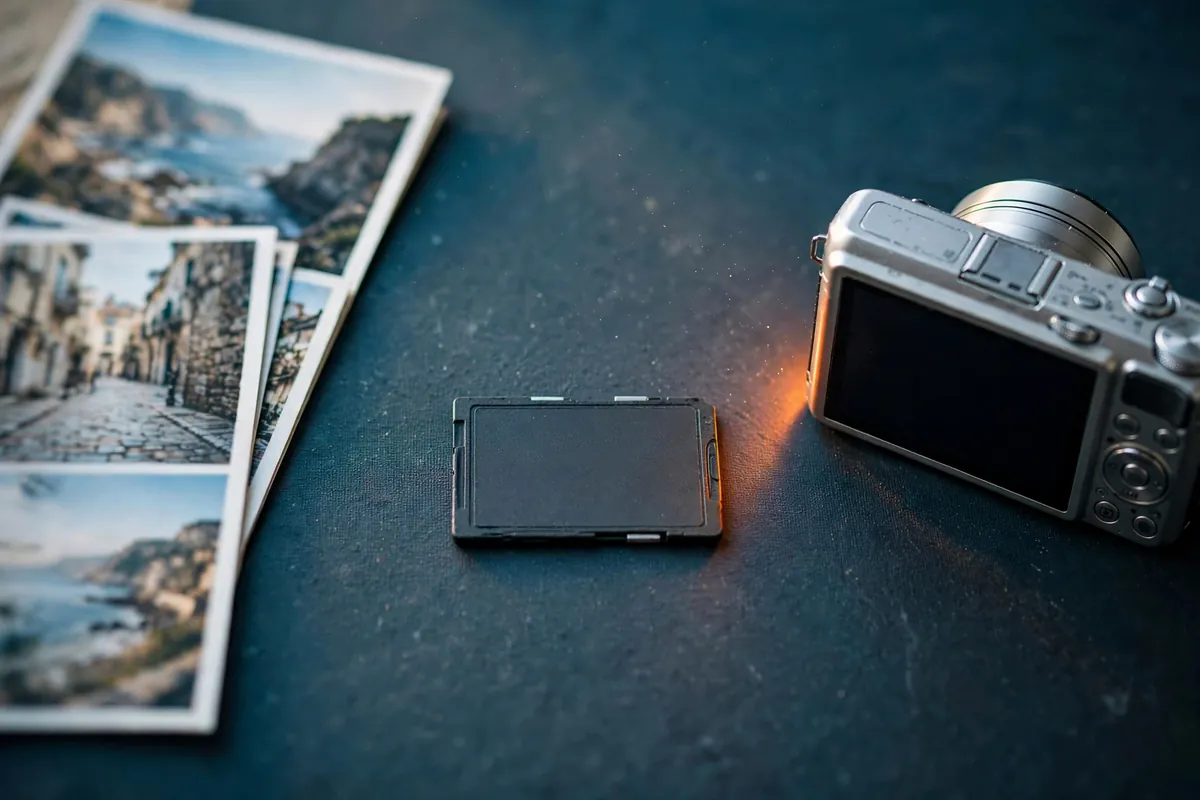
The card was an 8 GB SDHC card made in 2009, and it was nearly full. It held one long trip abroad, start to finish, in three camera folders.
The symptoms were classic for a card that is wearing out, not broken. In a normal reader a card like this freezes the computer, then Windows offers to format it. Never click “yes” to that: a format writes over the file system on flash that is already struggling. Read the risks of DIY recovery software.
Cards from that era were built for far lighter use than a long trip’s worth of photos, and flash wears with use. Nothing about this card was unusual, and nothing about it was the owner’s fault. Our rule with any failing card is the same: take one careful copy, then do all the work on the copy. The card itself is read as few times as possible, because every read of a weak page can make it a little weaker.
Why SD Cards Fail: What Happens Inside the Flash

An SD card is two things in one tiny package: NAND flash memory, which holds the data, and a small controller, which talks to your camera and hides all the messy parts of flash behind a simple list of 512-byte sectors. Most failures come from the flash wearing out, and the controller then reacting badly to it.
Cells Leak and Wear
Each flash cell stores data as a charge trapped in an insulated layer, and the controller reads a bit by comparing the cell’s voltage with a threshold. Every erase and rewrite (a program/erase cycle) damages that layer a little, and flash is rated for a limited number of them. A worn cell leaks charge faster, so data that was perfect when written drifts toward the wrong side of the threshold. Heat and time make it worse. That is retention loss, and a card this old is a prime candidate.
Reading Can Disturb Neighbors
Reading one page puts a small voltage on the other pages in its block. Over many reads, that nudges neighboring cells. This is read disturb, and an old card with tired cells has little margin for it.
Where the Error Comes From
Every flash page carries error-correcting code (ECC). A few wrong bits are normal, and the controller fixes them silently. When a page has more bad bits than the ECC can correct, the controller returns an error instead of data, and your computer reports a “media error” on that sector. The data is not gone. It is too blurry to read with confidence on that attempt.
Why the Card Hangs
Before giving up on a weak page, the controller retries. That takes time, and a normal reader expects a quick answer, so it times out, resets the card and tries again. With a few hundred weak pages, that loop is why Windows freezes for minutes and then calls the card unformatted.
Pass One: Take Everything That Reads Easily
We never fight a bad zone on the first pass. We read the card with lab equipment that can step past a bad sector without hanging, and the card answered normally when it started up, so its controller was alive. A dead controller is a different job.
The first pass skipped every error and took everything that read easily. That is the right trade: get the easy 99% safely, then come back. When it finished, 99.71% of the card was copied. About 21.7 MB was missing, scattered in 352 separate holes. Nothing from a later attempt ever overwrites a good read.
Mapping 352 Holes to 1,245 Photos
Most recovery attempts skip this step. On this job it changed everything. A list of bad sectors means nothing to a customer; a list of damaged photos does. So we read the file system from our image and asked, for every hole, which file it lands in.
The card used FAT32, the standard file system on SDHC cards. FAT32 keeps a table that chains each file’s pieces together and a directory with each file’s name and size. The file system knows which pieces belong to which photo, so every hole gets a name.
The card held 1,245 photos. 1,191 did not touch a single hole and were complete straight away. Only 54 had missing sectors, and because the card was nearly full, almost every bad sector sat inside one of them. The retry list shrank from the whole 8 GB card to a few hundred small ranges, all inside real pictures.
Going Back for the Holes

A weak page is not fixed. Whether the controller can correct it depends on the read conditions, the controller’s state and the card’s temperature, so a sector that failed once can read on a later try. We came at the holes from several angles.
So our software goes back to each hole many times, and never the same way twice in a row. It never asks the same question the same way twice. Each attempt tends to win back different sectors, and every success is merged into one master copy.
The first test on the largest hole brought back 54% of it in one attempt. Another zone came back to about 90%. The card would give up more with patience. The catch is time: every bad sector makes the controller retry and time out. That is the part we handed to software.
What the AI Actually Does

This is the part we are proudest of. It is what AI data recovery means in our lab. The imaging on this job was driven by AI software we built in-house. It does not guess at your photos or invent data. It does what a careful technician does at the imaging station, without getting tired at three in the morning.
After every attempt it knows exactly which photos are still incomplete and decides what is worth trying next, or when to stop and hand a zone to a person. A specialist stays in charge. Every decision is logged so we can check it, and anything that could stress the card or change hardware goes to a person first.
Retries that would take a technician days of clicking run through the night, aimed only at the 54 photos that matter.
How We Fix Corrupted JPEG Files

For any photo that still has a gap after the retries, we repair the file itself. A corrupted JPEG is usually a complete file with one piece missing, not a lost one.
A JPEG starts with a header made of markers: the image size, the tables used to compress it, and usually an EXIF block with the camera settings. Most cameras also tuck a small preview of the whole photo inside that header, and some store a larger preview as well. After the header comes the picture itself, compressed into one long stream of variable-length codes. Each code depends on the ones before it. If 4 KB in the middle goes missing, the decoder loses its place and everything after the gap turns into gray smear or shifted, wrong-colored blocks. That is the half-gray photo many people have seen after a card error.
There are a few ways back. Some files carry small signposts in the data stream, so decoding can pick up again after a gap and the damage stays a thin band. Where they are missing, we find where the stream makes sense again and correct the picture after it. And the embedded preview, stored at the start of the file far from most holes, is a real, original copy of that moment, just smaller.
One rule here is absolute. Anything we fill in, whether a patched band or an upscaled preview, is labeled as a reconstruction in the delivery. We never pass a repaired guess off as the original data.
When the Card Itself Gives Up
If the controller still cannot read a zone after every retry, the next step is to stop asking it. For SD cards, chip-off and direct NAND reading is the correct method, and it is one of our core strengths. A standard SD card has no encryption key locked to a separate chip, so the raw flash, read directly and rebuilt in the lab, holds the real data. Many cards are monolithic, with the controller and flash sealed in one package, so “chip-off” on those means reading the flash through test points on the board. Our chip-off NAND flash recovery page explains that work in detail.
On this job, chip-off stayed the last resort. Reading through the card’s own controller gives its error correction a fair chance first and leaves the card whole. The hole-to-photo map tells us exactly which holes are worth going direct for.
How It Ended

The case is finished. The card held 1,245 photos. 1,201 came straight off the card intact. The other 44 were repaired. For those 44, 97.8% of the picture data is original, recovered from the card, and 2.2% was rebuilt. Every rebuilt area is labeled as a reconstruction, so nobody mistakes it for the original.
The 1,191 photos that were intact after the first pass were ready for the customer before the retries even started, so the trip was never all-or-nothing. Every outcome is different, and no lab can promise a result before the card has been tested, which is why we evaluate first, free, and quote before any work begins.
What the customer receives matters as much as what we recover. Photos that came straight off the card are delivered as they were read, untouched. A photo that needed repair is marked as repaired, so nobody mistakes a rebuilt band for the original. A trip is made of many small moments, and the person who took them should always know which ones are exactly as the camera saw them.
What to Do With a Failing SD Card
Do This First
- Stop using the card and keep it out of the camera
- Store it somewhere cool and dry
- Note what happened: errors, freezes, a drop or water
- Get a free evaluation before trying recovery tools
DON’T Do
- Don’t format it, even when Windows asks
- Don’t run repair or check-disk tools on it
- Don’t keep plugging it in to “see if it works now”
- Don’t take new photos on it

The safest way to fix a corrupted SD card is not to fix it at all: copy the data off first. Every scan of a failing card reads weak pages again, and some get worse. If you want to compare this case with other common failures, read our guide to camera card data corruption, or see what we do for a physically broken SD card. When the card holds photos you cannot replace, our professional photo recovery service covers every camera and card type. Start a free evaluation, get a firm quote first, and our policy is No Data, No Data Recovery Fee. See how our pricing works, or call (866) 857-5950. Our lab is in Las Vegas, and we recover data for customers worldwide.
A few small habits also help before anything goes wrong. Copy the photos off a card during the trip, not only after it, so the card is never the only home for a long trip. Retire cards that are many years old from important jobs. And when the camera shows an error, stop shooting right then: the next photo you take can land on the very sectors that were still readable.
What Our Customers Say
Frequently Asked Questions
Related Recovery Services
More on getting photos and video back from cards and flash media: