
CD · DVD · Blu-ray · CD-R/RW · DVD-R/RW · M-DISC · Scratched & Unfinalized Discs
CD, DVD & Blu-ray Data Recovery — Scratched, Unreadable & Unfinalized Optical Discs Recovered
Can scratched or unreadable discs really be recovered?
Often, yes. Scratched, unfinalized and unreadable CDs, DVDs and Blu-rays are frequently recoverable: we resurface the disc, read it on specialized drives at greatly reduced speed, and rebuild the files. Odds fall for cracked, snapped or badly rotted discs, and a free evaluation tells you honestly where yours stands.
“The data is still etched into the recording layer. A consumer drive just gives up before it finds it.” — Bruce Cullen, founder, eProvided
CD data recovery, DVD data recovery, and Blu-ray data recovery is the engineering process of extracting lost or inaccessible files from a scratched, corrupted, unfinalized, or physically damaged optical disc — CD, DVD, Blu-ray, and M-DISC alike. When a normal drive gives up on a disc, the data is usually still etched into the recording layer. eProvided reads those discs on specialized drives in our Las Vegas lab at greatly reduced speed, leverages the disc’s own error correction, and rebuilds the file system — recovering scratched CD and DVD data others declare gone — and when the disc held photos, they can often be recovered too. Call (866) 857-5950 or start your free evaluation.
If a CD, DVD, or Blu-ray disc has gone unreadable — scratched, cracked, reading as blank, or stuck on a recording your burner could never close — stop retrying it in a consumer drive. Whether it is a scratched music CD, a camcorder mini-DVD, an unfinalized data disc, or an old archive disc with signs of disc rot, eProvided’s lab has been recovering optical media since 1999.
Why trust eProvided? We were featured in Popular Mechanics magazine, and our work has been used by NASA. Every case follows the same flow: a free evaluation, a firm quote, and a simple promise. The odds depend on the damage, so this page is plain about which failures usually come back and which often do not, and it shows real cases with both outcomes. See our federal & aerospace work on the company page.
- What is optical disc recovery
- Disc types we recover — CD, DVD, Blu-ray, M-DISC
- Why optical discs fail
- Unfinalized & blank-reading discs
- How eProvided recovers optical discs
- Disc failure types comparison
- Real optical disc cases from our records
- What to do — and what not to do
- Our optical disc recovery process
- Optical disc recovery near me — worldwide
- What does recovery cost
- Customer reviews
- Optical disc recovery FAQ
- Further reading
- Other devices we recover
What Is Optical Disc Recovery — and Why Does Data Loss Happen?
 Enlarge
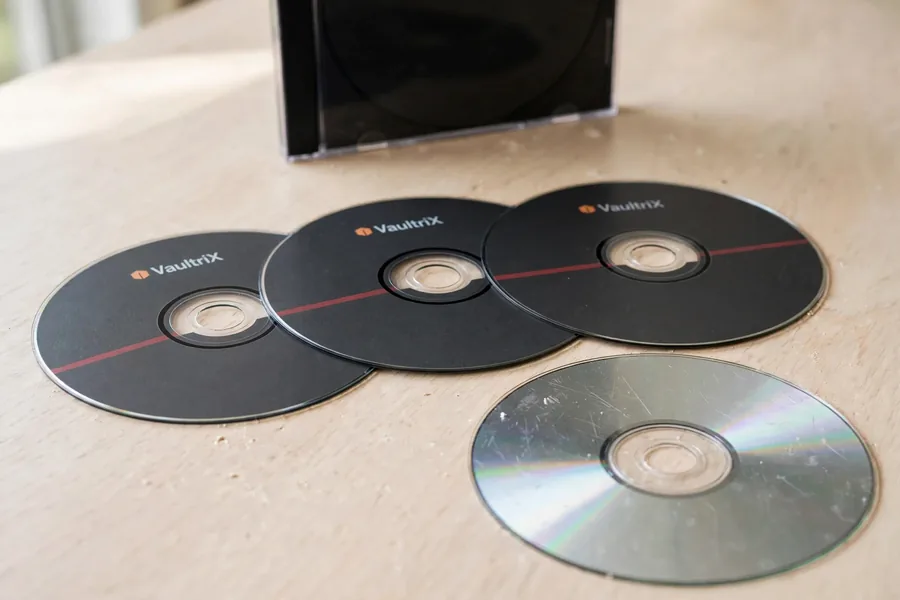
Optical disc recovery is the process of extracting lost or inaccessible data from a CD, DVD, Blu-ray, or M-DISC that a normal drive can no longer read. Unlike a thumb drive or SD card, an optical disc stores data as microscopic pits and lands — or, on recordable discs, as marks burned into an organic dye layer — that a laser reads back as ones and zeros. When a disc is scratched, corroded, cracked, or was never properly closed by the burner, a consumer drive simply throws read errors or reports the disc as blank. The data, in most cases, is still physically on the disc; the challenge is reading past the damage.
That is the gap eProvided fills. We read troubled discs on specialized optical drives at greatly reduced speed, force multi-pass read-retry on the sectors a desktop drive gives up on, and lean on the error-correction codes built into every disc. Where consumer software stalls, our engineers extract raw sectors, reconstruct an image, and rebuild the file system. As on a failed hard drive, the structure can be damaged while the underlying data survives.
We recover scratched and unreadable music CDs, software and backup data discs, burned DVDs of home video, camcorder mini-DVDs, photo archives, and long-term M-DISC archival media. Recovered files are returned to you by instant email download link or on a USB flash drive or external drive. For the photos pulled off your discs, that same recovery work applies in depth.
Disc Scratched, Cracked, or Reading as Blank? Let Us Look.
Free evaluation on every case — CD, DVD, Blu-ray, M-DISC, or unfinalized discs, any brand, any format.
Get My Free EvaluationOr call (866) 857-5950
Disc Types We Recover — CD, DVD, Blu-ray & M-DISC
Optical media spans three decades of formats, and eProvided handles them all. Each disc family stores data a little differently — pressed pits on a factory disc, burned dye on a recordable, or a phase-change layer on a rewritable — and each has its own failure tendencies and recovery methods. We routinely recover from the full range below, including dual-layer and triple/quad-layer discs, the tiny mini-DVDs used in camcorders, and the flash-based media that replaced them on modern devices.
| Optical Disc Types eProvided Recovers | ||
|---|---|---|
| Disc Family | Formats Within It | Typical Recovery Notes |
| CD | CD-ROM (pressed), CD-R, CD-RW | Data layer sits just under the label; label-side damage is often worse than read-side. Strong CIRC error correction. |
| DVD | DVD-ROM, DVD-R, DVD+R, DVD-RW, DVD+RW, DVD-RAM, dual-layer DVD±R DL | Two bonded halves; data sits mid-disc. Adhesive failure and dye fade are common. Dual-layer adds a layer-break to rebuild. |
| Blu-ray | BD-ROM, BD-R, BD-RE, BDXL triple/quad-layer | Data layer very close to the read surface with a hard-coat. RS-PC plus extra error correction; multi-layer BDXL is rebuilt layer by layer. |
| M-DISC (archival) | M-DISC DVD & Blu-ray | Inorganic recording layer resists rot; failures are usually scratches, cracks, or bad burns rather than dye fade. |
| Mini-DVD / camcorder discs | 8 cm DVD-R/RW, DVD+R/RW | Frequently unfinalized by the camcorder — we read the raw lead-in and close the disc in software. Results vary widely, as the real cases below show. |
No matter the brand — Verbatim, Sony, Samsung, TDK, Maxell, Memorex, Philips, or unbranded burner stock — the recording physics are the same, and so is our approach: read the disc on the right hardware, correct what we can with the disc’s own codes, and reconstruct the rest. Mini-DVDs from Sony, Panasonic, Hitachi, and Canon camcorders are an everyday case for our lab, especially when the camera failed to finalize the disc.
Why Do Optical Discs Fail? The Real Causes Engineers See
 Enlarge
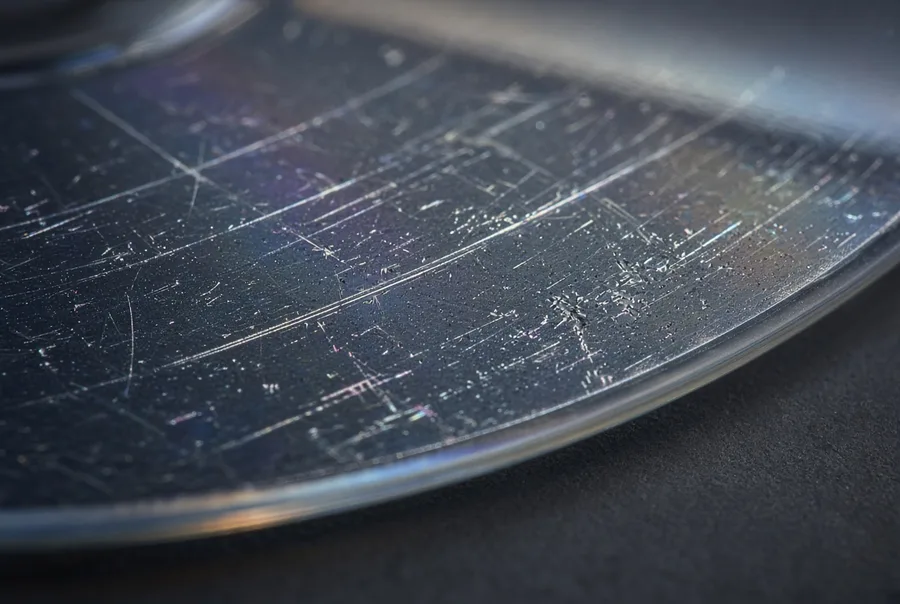
Understanding why optical discs fail tells you what not to do once a disc stops reading — and sets realistic expectations before you ship it. The plastic on these discs warps or bends from heat and cold, the recording layers degrade with age, and burner sessions go wrong in predictable ways. The causes we see most, with the odds that usually go with each:
- Surface scratches and scuffs. Gouges on the read (shiny) side scatter the laser so it cannot track the data. This is the most recoverable cause, since controlled professional resurfacing removes the scratch without touching the data layer underneath.
- Disc rot (oxidation, bronzing, laser rot). Corrosion eats the aluminum reflective layer over years, leaving the laser nothing to reflect off. On a CD that layer sits right under a thin lacquer, while a DVD has plastic over its reflective layer, so DVDs resist disc rot better than CDs do. Severe rot lowers the odds, but we still attempt it.
- Delamination and adhesive failure. The bonded layers of a DVD or Blu-ray separate, or the label and reflective film peels away, destroying readability in the affected zone.
- Dye-layer degradation. The organic dye holding burned data on CD-R and DVD-R fades with UV light, heat, and humidity, and cheap or unbranded blanks fail fastest.
- Bad or interrupted burns. A buffer underrun, power loss, or flaky drive mid-write leaves an incomplete or corrupt disc.
- Unfinalized discs and un-closed sessions. The burner never wrote a proper table of contents and lead-out, so a normal drive sees a blank disc even though data is there. Often recoverable, though not every one is, as the cases below show.
- Cracked or snapped discs. Hairline cracks running outward from the center hub, or a fully snapped disc, carry lower odds, but partial recovery is sometimes possible.
- Label-side damage. On a CD the data layer sits directly under the label, so a scratch, sticker, or solvent there is often more destructive than a read-side scratch and much harder to recover from.
One rule our engineers live by: stop spinning a failing disc. Repeated reads in a struggling consumer drive, and a drive that grabs and re-grabs a warped or cracked disc, can add fresh scratches and worsen the damage every time. Power down, set the disc aside flat and cool, and let a lab read it once, correctly.
Unfinalized Discs & Discs That Read as Blank
 Enlarge
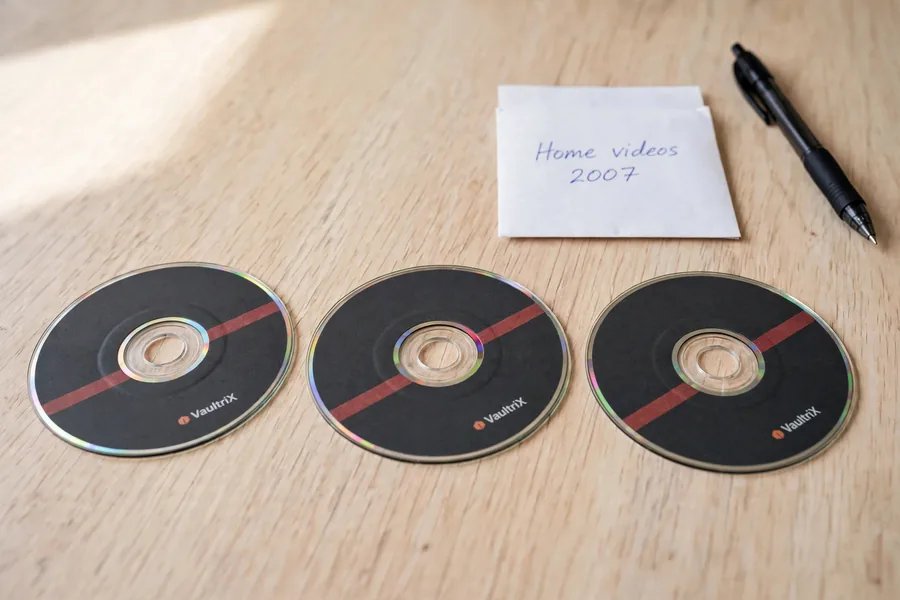
One of the most frustrating optical failures is the disc that reads as completely blank when you know you burned files to it. This often means the disc was never finalized: the recorder wrote your data but never closed the session, so it never laid down the readable table of contents (TOC) and lead-out that a normal drive looks for. With no TOC, a desktop drive reports an empty disc. The data may be fully intact — it is just invisible to standard hardware.
Camcorder mini-DVDs are the classic example. When a camcorder’s battery dies mid-recording, the disc is ejected before finalizing, or the camera itself fails, you are left with footage that will not play in the camera or any DVD player. eProvided reads the raw lead-in and data area directly, reconstructs the missing TOC, closes the disc in software, and rebuilds the file system — turning a “blank” disc back into your video when the recorded data is intact. The same approach applies to un-closed data CDs and DVDs from any burning application that quit before finalizing. If the camera’s own “repair disc” routine or a finalize attempt has already changed the disc, the odds drop, which is why you should not run those routines on a disc you cannot replace.
How Does eProvided Recover Data from a Damaged Optical Disc?
 Enlarge
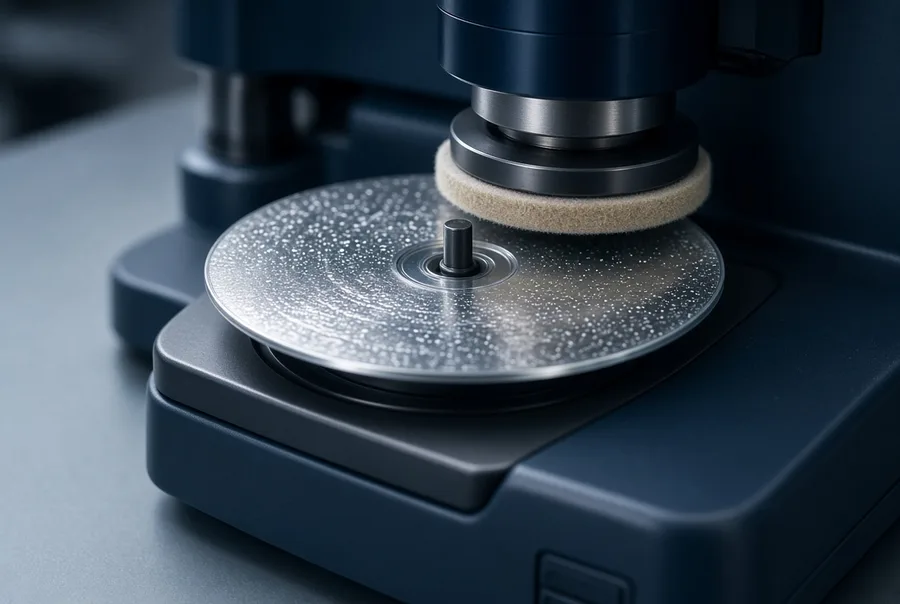
Our recovery process is methodical, not guesswork. Over 27+ years we have built the hardware library and the techniques to read discs that consumer drives and free software abandon. Here is how a typical CD, DVD, or Blu-ray recovery unfolds in our lab.
- Free evaluation and diagnosis. We inspect the disc under magnification, identify the failure category (scratch, rot, delamination, dye fade, bad burn, unfinalized, or crack), and tell you honestly what we expect to recover, at no cost.
- Controlled resurfacing, when read-side scratches are the problem. We professionally polish and resurface the disc to clear the scratch path without cutting into the thin data layer underneath, which alone restores many “dead” discs.
- Low-speed, multi-pass reading. We mount the disc on specialized optical drives for slow, repeated reads, giving the laser the best chance to recover marginal sectors through aggressive read-retry.
- Raw sector extraction and error correction. We pull data at the raw sector and sub-channel level rather than relying on the file system, then apply the disc’s built-in error-correction codes (CIRC Reed-Solomon on CD, RS-PC on DVD) and combine multiple reads of each sector to rebuild bytes a single-pass consumer drive could never resolve.
- Image and file-system rebuild. For un-closed sessions we read the raw lead-in, reconstruct the missing table of contents, and close the image in software. We assemble a full disc image, extract the file system (ISO 9660 or UDF), and verify and list the recovered files for you.
- Return. Your recovered data goes back to you on a USB flash drive or external drive, or by instant email download link. The same layered approach is documented in our data recovery process guide.
Physically broken discs and severe disc rot carry lower odds — there is only so much a laser can read off a snapped or corroded surface — but eProvided still attempts them, and a partial recovery can save what matters most. We never run free or pay-per-recovery software on your disc the way DIY guides suggest; those programs can do more harm than good, and on optical media there is no substitute for the right hardware and a careful read.
Optical Disc Failure Types: What We Recover From
Across CDs, DVDs, Blu-ray, and M-DISC, optical failures fall into a handful of repeatable patterns. Each one has a matching recovery method our engineers apply regularly, and an outlook that ranges from good to poor.
| Optical Disc Failure Type Comparison | |||
|---|---|---|---|
| Failure Type | Common Cause | Recovery Method | Typical Outlook |
| Read-side scratches | Handling, stacking, abrasion | Professional resurfacing + low-speed read | Good |
| Unfinalized / un-closed session | Camcorder or burner quit before finalizing | Raw lead-in read + TOC rebuild | Good when the data was written; poor if the disc was changed |
| Logical / file-system corruption | Bad burn, interrupted write | Raw sector extraction + ISO/UDF rebuild | Good |
| Dye-layer fade (CD-R/DVD-R) | UV, heat, humidity, cheap blanks | Multi-pass error-corrected reads | Moderate |
| Disc rot / oxidation | Aging reflective layer corrosion | Aggressive read-retry + error correction | Moderate to poor |
| Delamination / adhesive failure | Layer separation, label peel | Stabilize + partial layer reads | Variable |
| Cracked or snapped disc | Impact, hub-crack, flexing | Careful low-speed partial reads | Poor to moderate; still attempted |
Even a “poor outlook” disc is worth a free evaluation, because a partial recovery sometimes returns the exact files that mattered. The only way to know is to let our engineers read it.
Don’t Wait — Disc Rot and Scratches Get Worse.
Free evaluation, then a firm quote — used by NASA & the U.S. government.
Get My Free EvaluationOr call (866) 857-5950
Real Optical Disc Cases From Our Records
Four of the many optical discs we have handled, in the customers’ own words from the evaluation form, with what happened. Two came back and two did not. Case IDs and dates are real; names are left out.
“DVD-R of home movies. The file structure is readable with standard BUP, IFO, and VOB files. The DVD is not playable by any player and no files can be read or copied.”
Case 2VJ6NT, December 2018. Recovered. The lab’s note on December 29, 2018 records success recovering the home videos.
“Sony Camcorder (DCR-DVD403 NTSC) claims the drive was finalized. However, neither disc will be read on my mac and the drive just spins indefinitely before recognizing it as a ‘blank disc.’”
Case KYFU2T, July 2020. Recovered. The first, basic attempt failed, the customer approved an advanced recovery, and the lab recorded a success on August 18, 2020.
“Blu-ray Disc of our wedding cracked during a move. Would like to recover the wedding video to either a new Blu-ray Disc or flash drive.”
Case YKHB9U, August 2020. Not recovered. The lab tried a direct data extraction from the disc, and on September 22, 2020 the note records that it produced no data because the disc was too badly damaged. The original disc went back to the customer.
“I tried to finalize an old DVD-RW. It was left unfinalized, so I tried to finalize it so I could convert it to a video file. The recording device is a Sony handycam.”
Case FAMM9W, September 2022. Not recovered. By the time the disc reached the lab, the lab’s November 2022 note says the mini disc had too much damage, and the customer’s own finalize attempt may have changed what was on the disc, which is why we advise against it. Do not run “repair disc” or finalize routines on a disc you cannot replace.
What to Do — and What NOT to Do — With a Failing Disc
 Enlarge
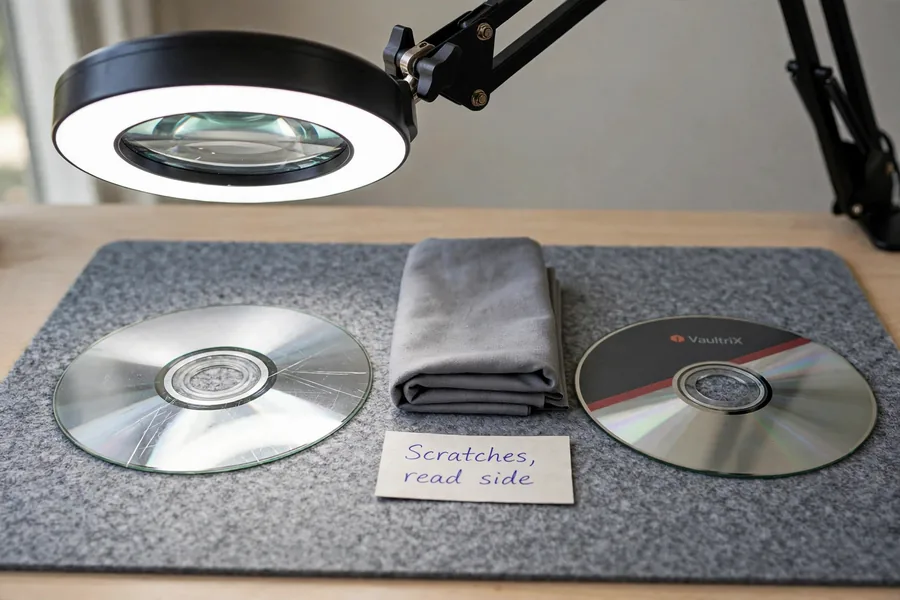
The choices you make before a disc reaches a lab matter enormously. A few minutes of the wrong handling can turn a routine recovery into a difficult one. Five rules cover most of it, and each comes with its reason:
- Stop retrying the disc in a consumer drive. Repeated reads, and a drive that keeps grabbing a warped or cracked disc, can add scratches and worsen the damage with every spin.
- Do not apply heat, tape, or “scratch repair” pastes. Toothpaste, consumer polishing kits, and DIY buffing risk cutting into the thin data layer and can make professional resurfacing impossible.
- Do not run a camcorder’s “repair disc” or finalize routine on a disc you cannot replace. Those routines write to the disc and can change the footage you want back.
- Do not peel a delaminating disc or separate bonded layers. That destroys data that could otherwise be read.
- Do not skip the careful handling. Hold the disc by its edges and the center hub only, never touch the read surface, never write on or sticker the label side of a CD, and store it flat and cool in a clean case, out of sunlight, so warping and dye fade do not advance. NIST publishes a public care and handling guide for CDs and DVDs if you want a second source.
Skip recovery software as well: free and paid optical “repair” programs frequently do more harm than good. In short, the less you do to a failing disc after the first sign of trouble, the better your odds. Set it aside and let our lab read it once, on the right hardware, rather than running DIY repair tools yourself.
Our Optical Disc Recovery Process: Step by Step
 Enlarge
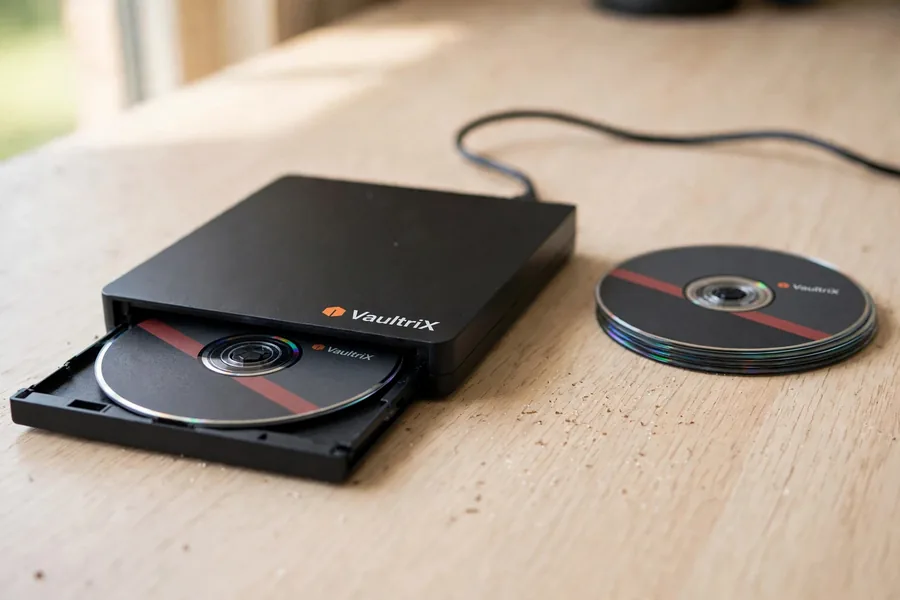
What happens after you send in a damaged disc, from start to finish:
- Submit your disc — fill out our free evaluation form and ship your CD, DVD, or Blu-ray to our Las Vegas lab using any carrier you like.
- Free diagnostic evaluation & quote — our engineers inspect the disc, identify the failure type, and send you a clear explanation and a firm quote before any work begins. There is no cost and no obligation.
- Lab recovery — the resurfacing, low-speed reads and file-system rebuild described above.
- Verify & file listing — we confirm the recovered files open and send you a complete listing before payment.
- Secure return — your recovered data is returned on a USB flash drive or external drive, or by instant email download link, and your original disc can come back to you too.
Optical discs take longer than flash media. The readers scan and rescan damaged surfaces, so cases we have worked ran from a day or two to many weeks, and a few hard discs took longer. The quote email gives the expected time for yours, and you receive updates from the engineers actually working your disc — no black box, no surprises.
Optical Disc Recovery Near Me — One Las Vegas Lab, Worldwide Reach
Searching for “optical disc recovery near me” or “scratched CD recovery near me” rarely needs a local storefront, because a tracked envelope reaches us from anywhere. eProvided serves customers across the United States and around the world through secure shipping to our lab, with the same free evaluation and no-fee guarantee no matter where the disc ships from. Ship the disc by any carrier you choose with tracking, and we diagnose it at no cost before any work begins. Send your disc to eProvided · 9527 Knopfler Ln, Las Vegas, NV 89148 · (866) 857-5950, and your recovered data comes back on a new drive or by secure download.
What Does CD, DVD & Blu-ray Recovery Cost?
The honest answer is that it depends on the disc, the failure type, and how much work is required to read past the damage. What does not depend on anything is the evaluation — that is always free — and our No Data, No Data Recovery Fee guarantee means you pay only if we actually recover your files. Your exact quote comes after the free evaluation, once our engineers have read and diagnosed the disc, and it is firm before any work begins. Our pricing page explains what a quote covers and how the no-fee promise works. When you are ready, start your free evaluation now.
What Our Customers Say
For more reviews, read all 67 verified reviews on Trustpilot. These reviews are about flash media rather than discs; the optical results are in the cases above.
Frequently Asked Questions About Optical Disc Recovery
Q: Can you recover data from a scratched CD or DVD?
Often, yes — scratched discs are among the more recoverable cases. Read-side scratches scatter the laser but usually do not destroy the data layer underneath. We professionally resurface the disc to clear the scratch path, then read it at greatly reduced speed with multi-pass, error-corrected reads. (Label-side scratches on a CD are harder, since the data layer sits just under the label.)
Q: Can you recover an unfinalized or un-closed disc?
Often, yes, when the footage or files were actually written. An unfinalized disc can hold all your data but no table of contents or lead-out, so a normal drive reports it as blank. We read the raw lead-in directly, reconstruct the missing TOC, close the disc in software, and rebuild the file system. If a repair routine already changed the recording, the odds drop.
Q: My disc reads as blank or has “disc rot” — is the data gone?
Not necessarily. A blank-reading disc is most often unfinalized rather than erased. Disc rot (oxidation of the reflective layer) is harder: severe rot lowers the odds because the laser has less to reflect off, but we still attempt it with aggressive read-retry and error correction, and partial recoveries happen. The free evaluation tells you honestly what is readable.
Q: Are pressed discs easier to recover than CD-R/DVD-R?
Often, yes. A pressed (factory) CD or DVD stores data as physical pits stamped into the disc, which resist fading. Recordable CD-R and DVD-R store data in an organic dye that fades over time with UV, heat, and humidity — so old or cheaply made recordable discs are more likely to degrade. Either way, our multi-pass error-corrected reads give the best possible chance.
Q: Can you recover a cracked or broken disc?
Sometimes, but the odds are lower. Hairline cracks and even snapped discs give the laser less to track, and our records include cracked discs that did not come back. A partial recovery can still return the files that matter most. Do not tape or glue the disc; ship it as-is and let us evaluate it for free.
Q: How long does optical disc recovery take, and what does it cost?
Optical cases take longer than flash media because the readers scan and rescan damaged surfaces; ours have run from a day or two to many weeks. The evaluation is always free, you get a firm quote before any work, and you pay only if we recover your data. The pricing page explains what a quote covers.
Q: How is my recovered data returned?
Your choice. We return recovered files on a USB flash drive or external drive, or by instant email download link, which gets your data back to you faster than shipping. We verify and list the recovered files first so you can confirm everything before payment, and your original disc can come back to you as well.
Q: Do you recover Blu-ray discs and camcorder mini-DVDs?
Yes to both. We recover BD-ROM, BD-R, BD-RE, and multi-layer BDXL Blu-ray discs, as well as the 8 cm mini-DVDs used in camcorders, which often arrive unfinalized because the camera failed to close the disc. We read the raw data, rebuild the TOC, and reconstruct your footage and files where the data is intact.
Q: Why does my disc play on one drive but not another?
Drives differ in laser strength, tracking and error handling, so one may read a marginal disc that another rejects. Each struggling read can add wear. If the disc plays in one machine, copy it once, right away, to a safe place, and stop there.
Q: Should I copy the files off before sending the disc?
Only if the disc still reads cleanly. One careful copy to a hard drive can end the problem. If the drive stalls, skips or reports errors, stop, send the disc as it is, and tell us on the form what you tried.
Q: How should I pack a disc for shipping?
Put the disc in a jewel case or paper sleeve so nothing touches the read surface, then wrap the case in padding inside a small box or padded mailer. Keep it flat, away from heat, and never tape the disc itself. Once you submit the evaluation form, we send shipping instructions right away.
Q: Will you return my original disc?
Yes, if you want it. When a case ends without a result, we ask whether you want the disc shipped back or recycled, and a return shipping charge can apply; the case notes tell you before anything ships. Recovered files are listed for you to approve before you pay.
Q: What if another company already tried and failed?
That is common, and we still read the disc ourselves. A previous attempt can have added scratches, so tell us what was done. Results vary: one LightScribe case (9X3T9K, August 2026) that two other companies had failed was also not recovered here. We say so plainly after the evaluation rather than promise a result.
Ready to Recover Your Disc?
Free evaluation, firm quote, then recovery. Recovering scratched, unfinalized & unreadable optical discs since 1999.
Get My Free EvaluationOr call (866) 857-5950
Further Reading: Optical Disc & Data Recovery Guides
- how CDs & DVDs get recovered — what goes wrong on optical media and how recovery works.
- Digital image recovery service — rebuilding photos and video pulled from your discs.
- Recovering data from water-damaged voice recorders — flash-based audio recovery.
- Used by NASA and government agencies — the work behind our reputation.
- eProvided data recovery blog — guides, tips, and recovery case studies.
eProvided’s CD data recovery, DVD recovery, and Blu-ray recovery are part of our full lineup of Related Recovery Services — we recover optical discs, flash cards, USB drives, SSDs, hard drives, and smartphones from one lab. The cross-sell cards below link straight to each device’s dedicated page.
Other Devices We Recover
Lost data on more than a disc? eProvided recovers every storage class from one lab — from a dead USB flash drive to a cracked hard drive. Choose your device: