
Used by NASA · the FBI · the U.S. Navy · Since 1999
SSD Drive Failure: What Actually Causes an SSD to Stop Working
- No Data, No Data Recovery Fee
- Original-controller revival — our specialty
- 27+ years of recovery experience
- NVMe, M.2, SATA & external SSDs
What Causes an SSD to Fail?
The controller causes almost every SSD failure, not the memory. That small processor manages every read and write, and on drives made since about 2015 it also holds the only key that unlocks the data — so when it dies, the NAND chips underneath are usually still intact but unreadable until that exact controller runs again.
“An SSD rarely dies slowly. It works Monday and is invisible Tuesday, because the controller went, not the memory.” — Bruce Cullen, founder, eProvided
An SSD that suddenly disappears from a computer looks alarming because there is no warning sound — no clicking, no grinding, just a drive that was there yesterday and is gone today. After 27+ years running SSD data recovery on NVMe, M.2, SATA and external drives from every major brand, we can tell you exactly what fails inside an SSD, why SSD drive failure looks so different from a dying hard drive, which warning signs are real, and the honest recovery path once the controller stops responding.
An SSD almost never fails because the NAND memory wore out — it fails because the small controller chip that manages every read and write stops working, from a power surge, a firmware fault, heat, or simple age. Recovery on modern drives therefore starts with reviving the drive’s own original controller. Only on older or verified non-encrypting drives does reading the memory directly (chip-off) apply.
Do RIGHT NOW
- Stop using the drive the moment it disappears from File Explorer, Disk Management, or BIOS
- Check whether it shows up in BIOS/UEFI at all, even if the OS won’t boot from it
- Note what happened right before it failed (power cut, firmware update, drop, overheating)
- Check whether the files were also backed up anywhere else before assuming they’re gone
DON’T Do
- Don’t keep power-cycling a drive that refuses to be detected — every retry burns time you don’t get back
- Don’t run chkdsk, a repair utility, or reformat a drive with data you still need
- Don’t open, reflow, or reheat the drive yourself — that’s a lab job, not a DIY one (the full list, with reasons, is below)
- Don’t assume a "0 bytes" or "not initialized" reading means the files are erased
Already dealing with a failed SSD? Start a free evaluation and we'll diagnose the controller, or call (866) 857-5950 to talk it through.
- What Actually Causes an SSD to Fail
- SSD Failure Symptoms: Which Part Failed and What to Do First
- Why a Failed SSD Can’t Be Chip-Off Recovered Like a USB Drive
- SSD Failure vs. Hard Drive Failure: Why the Signs Differ
- M.2 and NVMe SSD Failure: What’s Different
- How Long Does an SSD Last? What TBW Means
- Can SMART or CrystalDiskInfo Warn You?
- What NOT to Do After an SSD Fails
- Protect Your Data Before Your SSD Fails
- Real SSD Failure Cases From Our Records
- What Our Customers Say
- Frequently Asked Questions
- Recover Files from a Failed SSD
- Related Recovery Services
What Actually Causes an SSD to Fail
 Enlarge
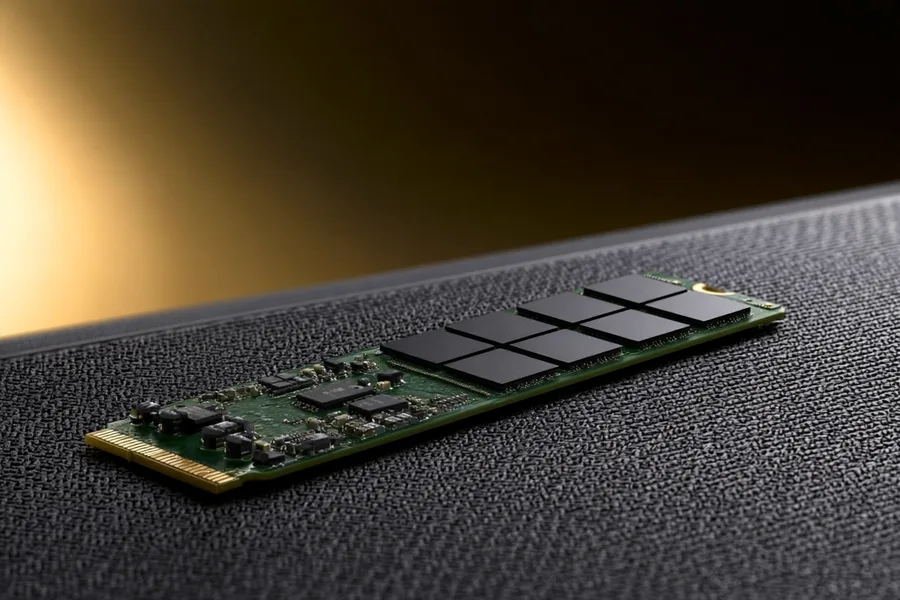
Why do SSDs fail? Most often through SSD controller failure, a firmware fault or a power event, and only rarely because the memory wore out. Every solid state drive is built around the same three pieces: one or more NAND flash memory chips that store the data, a controller chip that decides where every file is written and how it is retrieved, and a printed circuit board connecting them to the host computer. Of those three, the NAND chips are the toughest part — flash memory is rated for thousands of write cycles per cell, and wear-leveling firmware spreads writes evenly across the whole drive, so outright memory wear-out is rare outside sustained enterprise workloads. The controller is the part that actually gives out: a power surge or unclean shutdown during a firmware write, a static discharge, an early manufacturing defect, heat buildup in a cramped M.2 slot, or simple age all target that one small processor, not the memory beside it.
Firmware corruption runs a close second cause. An interrupted firmware update can leave the controller unable to read its own mapping tables even though every byte on the NAND chips is still exactly where it was written. Solid state drive failure has physical causes too, especially on portable and external SSDs — a dropped enclosure can crack a solder joint, and liquid exposure can short the board before it ever reaches the chips. Across every brand we see — Samsung, WD, Crucial, SanDisk, Kingston, and drives built on Micron memory — the pattern repeats: the controller and board fail far more often than the flash memory itself, which is why diagnosing an SSD failure starts with the controller, not the memory. This isn’t new territory for our lab: the same chip-and-controller expertise recovered NASA’s Helios mission data from water-soaked CompactFlash cards after a Pacific crash, decades before SSDs existed in their current form.
SSD Failure Symptoms: Which Part Failed and What to Do First
 Enlarge
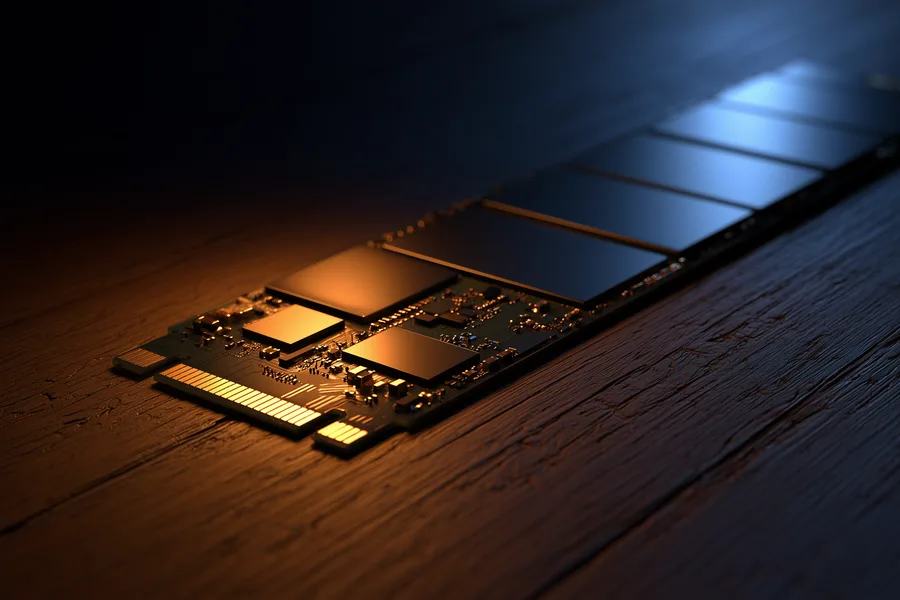
When an SSD is failing, it usually shows one of a few patterns. Match what you see to the likely failing layer, then take only the first safe step. A physical failure means something electrical or mechanical broke: a burned-out controller, a cracked solder joint, corrosion from liquid, or a board that no longer powers on. A logical failure means the drive powers up, and may even appear in BIOS, but firmware or file-system damage keeps the operating system from reading it. The two call for different handling, which is why a lab separates them before it does anything else. The layers below are the likeliest cause, not a diagnosis; only a lab can confirm which part failed.
Every step in the last column follows one rule: avoid anything that writes to the drive or stresses it. Each power-up is another chance for a weak controller to fail for good, so when two steps seem equal, choose the one that touches the drive less. Write down the exact error text and what happened just before the failure, such as a power cut, an update or a drop. Those details help a lab judge the layer faster.
| SSD Symptom, Likely Failed Layer, and the First Safe Step | ||
|---|---|---|
| What you see | Likely layer | First safe step |
| Not in BIOS or UEFI at all | Controller or power circuit | Try one other port or cable, once. If it is still missing, power off and stop. |
| Shows 0 GB or a tiny size | Firmware (some drives report 0 GB after a firmware fault) | Do not initialize, partition or format. Power off. |
| Read-only, will not save files | Worn memory or protective firmware (some drives go read-only near end of life) | Copy the most important files first, then stop using the drive. |
| Very slow, freezes during copies | Weak memory cells or firmware | Copy key files once, most important first. Run no repair tools. |
| Vanishes when warm, returns when cool | Controller or power circuit (heat-related) | Shut down. Do not keep cooling it and retrying. |
| Shows RAW, asks to format, or “not initialized” | File-system or mapping-table damage (logical) | Click Cancel. Do not format, initialize or run CHKDSK. |
Why a Failed SSD Can’t Be Chip-Off Recovered Like a USB Drive
 Enlarge
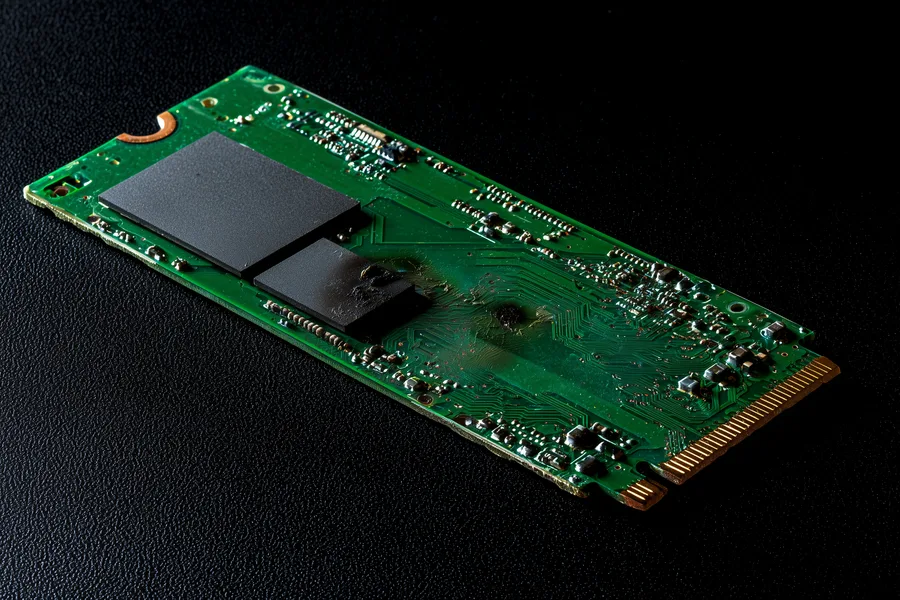
A broken USB stick or SD card is usually fixed by lifting the memory chip off the board and reading it directly, because those devices carry no separate lock — the memory and the data on it are the same component. A modern SSD is different. On most drives made since roughly 2015, the controller wraps every byte it writes in a key that is fused into its own silicon and never leaves it. Pull the NAND chips off that kind of SSD and read them on their own, and what comes back is scrambled, unreadable noise — not because the data is damaged, but because the one thing able to unscramble it was never on the memory chip to begin with. A donor controller of the identical model does not solve this either: it derives its own key from its own fuses, so a straight swap still returns ciphertext.
The honest recovery path for a genuinely dead, encrypted SSD is repairing the original controller — reviving the exact chip that holds the exact key — through board-level micro-soldering repair and firmware reconstruction. If that controller is physically destroyed beyond repair, a donor-board transplant moving the surviving components to matching donor hardware may still be possible, but it is far more involved than the confident chip-off numbers quoted for a simple USB stick or SD card. The one exception: SSDs old enough, or specifically verified, to have controllers that never encrypted in the first place — there, and only there, reading the memory chips directly can still apply. We check which situation a drive is in before naming a method, every time, as part of the free evaluation. Our NAND chip technology guide covers how the memory itself is built and where reading it directly genuinely applies.
SSD Failure vs. Hard Drive Failure: Why the Signs Differ
 Enlarge
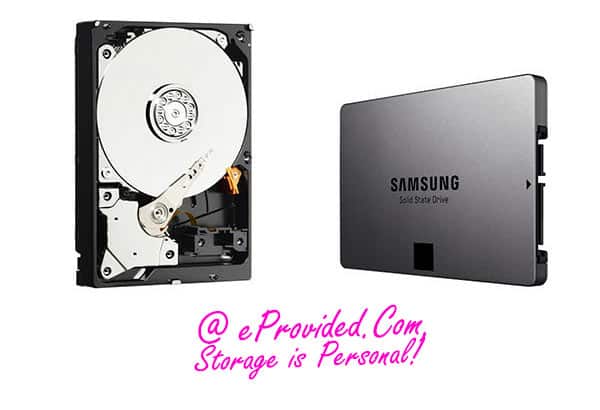
A failing mechanical hard drive usually announces itself — clicking, grinding, or a slow, audible spin-up that gets worse over days or weeks; why hard drives fail covers the mechanical side. An SSD has no platters and no read/write arm, so it gives none of those warnings. So can an SSD fail without warning? Yes, and it often does, because its most common fault is an electronic event in the controller or firmware, not gradual wear. A failing SSD may still give hints. Watch for a drive that suddenly stops appearing in BIOS or Disk Management, files that turn corrupted or unreadable without warning, performance that slows dramatically despite plenty of free space, or the system throwing "disk not initialized" or "file system requires repair" errors it never showed before. Frequent crashes or blue screens during read/write-heavy tasks are another common sign. Because none of these look like the failure pattern most people associate with a dying hard drive, an SSD drive failure is often mistaken for a software problem right up until the drive stops responding entirely. That is why stopping early, and getting a free evaluation, matters more with an SSD than with a mechanical drive.
M.2 and NVMe SSD Failure: What’s Different
 Enlarge
M.2 and NVMe drives fail through the same controller-and-firmware mechanisms as any other SSD, but two things make them look different on the bench. First, they are almost always soldered or tightly seated inside a laptop, so testing on a second computer usually means an external NVMe enclosure rather than swapping a cable. Second, because the controller sits directly on top of the NAND and everything runs over the fast PCIe bus, one failed component tends to take the whole drive down at once — there is rarely a gradual slowdown to notice first, just a drive that vanishes from BIOS between one boot and the next. When an SSD vanishes from BIOS, see what “NAND flash not detected” means. That is also often a firmware or mapping-table problem on a controller that is still perfectly good underneath, not proof of physical damage, which is why it is worth a free evaluation before assuming the worst. Whatever the interface, the same principle applies: on an encrypted modern M.2 or NVMe drive, that controller is the only thing that can unscramble the files stored beside it.
| Common SSD Failure Causes & What Actually Happens | ||
|---|---|---|
| What happened | What it usually affects | Recovery outlook |
| Power surge or unclean shutdown | Controller chip — NAND memory usually intact | ✓ Often, via controller revival |
| Interrupted firmware update | Controller's mapping tables, not the stored data itself | ✓ Often, via firmware repair |
| Drops or connector damage (external/portable SSDs) | Solder joints, USB bridge, or board connections | ✓ Often, via board-level repair |
| Shows RAW or "0 bytes" | File-system or FTL mapping corruption; NAND cells usually untouched | ✓ Often, through the original controller |
| Controller physically destroyed | The one component holding the encryption key on modern drives | ⚠ Case-by-case — donor transplant, evaluated first |
How Long Does an SSD Last? What TBW Means
There is no single answer, because lifespan depends on how much data you write and on whether the controller, firmware and power supply stay healthy. The maker’s TBW figure, terabytes written, rates wear only: the host data the drive is rated to absorb at a standard workload while still meeting its error and retention limits (the method behind it is JEDEC’s JESD218 endurance standard). It is a rating, not a countdown.
Two TBW myths cause bad decisions:
- Myth: the drive dies the day it reaches its TBW figure. Not so. In its guide to its enterprise SATA SSDs, Lenovo explains that TBW is the most writing the maker can guarantee and that reaching it does not cause immediate failure. What happens after that varies by product; some drives switch to read-only mode at end of life.
- Myth: a drive far below its TBW figure is safe. TBW counts only writes. A power surge, an interrupted firmware update, heat or a controller defect can end a drive at any wear level, which is why this guide starts with the controller.
If you are weighing an SSD against a hard drive, SSD pros and cons covers the reliability trade-offs. To see where your own drive stands, find its TBW on the maker’s spec sheet, then compare it with the wear estimate in the drive’s SMART report, covered next.
Can SMART or CrystalDiskInfo Warn You Before an SSD Fails?
Often, but not always. SMART is the health report a drive keeps about itself, and free tools such as CrystalDiskInfo or smartctl display it. Wear, spare-capacity and read-only warnings deserve action the same day. But a clean report is no guarantee: a controller or firmware fault can arrive with no SMART warning at all, and a 2024 USENIX paper notes that failure prediction built on SMART data alone has limits.
On an NVMe drive, four fields matter most. Intel’s own SMART attribute reference describes them:
| Reading an NVMe SSD’s SMART Report | ||
|---|---|---|
| SMART field | What it reports | How to read it |
| Critical Warning | Flags for low spare capacity, temperature over the limit, degraded reliability, read-only mode and failed backup power | Any flag set means copy your files now. The read-only flag means the drive is refusing new writes. |
| Available Spare | Remaining spare capacity as a percentage, starting at 100 and falling | Intel lists the warning threshold as 10%. Below it, plan to replace the drive. |
| Percentage Used | An estimate of how much of the rated endurance is consumed; it can exceed 100 | At 100 the estimated endurance is used up. Per Intel, that may not mean the drive has failed. |
| Temperature | The drive’s current temperature | Check it if the drive drops out under load or after it warms up. |
SATA SSDs report different attribute names and numbers by maker, and Intel notes that attributes vary by drive. Run these tools only on a drive that still works. A drive that is vanishing should be powered off, not polled.
What NOT to Do After an SSD Fails
The first hour after a failure often decides more than the failure itself. These five habits do the most harm, and each comes with its reason.
- Do not initialize, partition or format the drive, or reinstall Windows onto it. A new file system writes to the drive, and the TRIM command can then tell the SSD that the old blocks are free to erase. Microsoft documents that Windows sends such hints for previously used sectors.
- Do not run CHKDSK or repair utilities. They write to a drive that is already unstable and can scramble the file system or mapping data.
- Do not keep power-cycling it, and do not use a freezer or heat gun. Each retry stresses a failing controller or power circuit, and heat or moisture adds new damage.
- Do not flash firmware or run “revive” tools. A failed or wrong firmware write can lock a drive that a lab could otherwise have read.
- Do not swap the circuit board or controller from another drive. On modern SSDs the controller holds the key to the data, so a swapped part returns scrambled data. Lab work depends on the drive’s original controller.
Protect Your Data Before Your SSD Fails
An SSD gives almost no audible warning before its controller fails, so the safest habit is to treat any single drive as temporary storage, not the only copy of anything that matters. A simple rule works for most people: keep three copies, on two kinds of storage, with one copy off-site, such as a cloud service. Then a failed Samsung, WD, Crucial, SanDisk or Kingston SSD costs a replacement drive, not lost work or irreplaceable files. Check the drive’s SMART health report now and then with the manufacturer’s own tool, and treat a falling spare-capacity number or a read-only warning as the signal to copy everything. If your SSD has already failed and no second copy exists, that is exactly the case a free evaluation is for. It does not require the drive to be detected first.
Real SSD Failure Cases From Our Records
These are a few of the many SSDs we have handled since 1999, taken from our own case records and dated from 2024 to 2026. Every quote is the customer’s own wording, copied from the form they filled in when they sent the drive. Names and contact details are removed. Outcomes ranged from full recovery to nothing, and we tell each one as it happened. No lab can promise a result before it has examined the drive. If your drive has only gone missing and you have not touched it yet, our guide to fixing a dead SSD lists the safe checks.
M.2 NVMe drive that an external reader could not see, February 2025
On the form, this customer described the failure like this:
“M.2 Device failed while in computer, preventing booting. Tried external reader, device was not accessible.”
When a second computer or an enclosure cannot see the drive either, the fault often points to the controller or firmware, not to Windows. Our record shows the lab sent the customer a list of recoverable files in March 2025, and the data was recovered.
SSD that showed 0.0 GB in BIOS after the computer slept, August 2024
This customer wrote:
“Computer went to sleep mid day … and never woke up. When I accessed the BIOS, I was presented with ‘No Boot Drive’ and the drive size would display 0.0 or 512Gbs depending on each BIOS boot.”
A size that flips between zero and the real capacity is the 0 GB row in the symptom table above. In September 2024 our record shows a success recovering the data.
256 GB SATA SSD that “just stopped working,” March 2026
A business client wrote on our form:
“The SSD just stopped working.”
Our first assessment recorded failed circuits and a failed controller, and the drive was badly damaged. It took about a month, but our record shows the data was recovered in April 2026.
NVMe boot drive that was “no longer recognized,” May 2026
This customer wrote:
“I have an NVMe drive that is ‘no longer recognized’ when trying to boot in the PC it’s been in all it’s life.”
Not every drive comes back. In June 2026 our evaluation found that degrading memory chips had corrupted the firmware, the drive’s internal operating system that it needs to reach user data. No data was recovered from this drive.
M.2 drive pulled and tried in a USB adapter, February 2025
This customer wrote:
“PC just died and when rebooted it said it had no boot drive. I pulled the m.2 and put it in a usb interface and still see nothing.”
In March 2025 the lab tried to pull data directly out of the drive. It produced no data, because the damage was too severe, so this drive was not recovered.
Portable 2 TB SSD that “ejected unexpectedly,” October 2024
This customer, who kept a photo library on the drive, wrote:
“On October 1, 2024, I plugged it in to upload more files and it said it ejected unexpectedly. … We have run Linux on it and it shows Hardware Error.”
This controller was new to the lab. Our notes said it would take two to three months to work out how the controller stores data, and we then kept waiting on firmware updates. About six months later, in April 2025, the customer chose to cancel. Some new controllers take months, and a drive can end without a result.
What Our Customers Say
Frequently Asked Questions
Recovery Services for Every Storage Device Class
A failed SSD isn’t the only device eProvided recovers — we cover every storage class from one lab: hard drive data recovery (Seagate, Western Digital, Toshiba mechanical and logical failures), NAND flash chip-off recovery, and USB flash drive recovery. See all our data recovery services →
More on SSDs
- 2026 SSD technology news — the latest controller, firmware and reliability developments we track.
Once your files are safe, keeping a second copy the same day is the single best way to make sure the next SSD failure costs a replacement drive, not lost work.
Recover Files from a Failed SSD
Vanished from BIOS, showing 0 bytes, or completely dead — our engineers will confirm what’s recoverable from your SSD during a free evaluation. No obligation, confidential.
Start My Free Evaluationor call (866) 857-5950 now
Related Recovery Services
A failed SSD isn’t the only device eProvided recovers — these recovery services get the data back from every storage class in one lab: