Used by NASA · the FBI · the U.S. Navy · Since 1999
Samsung Netbook: Solar Innovation, Hard Drive vs eMMC Storage, and What Happens When It Fails
- No Data, No Data Recovery Fee
- Free, confidential evaluation
- 4.9 / 5 on Trustpilot (67 reviews)
- Worldwide lab recovery
Samsung’s NC215S netbook made headlines not for its storage, but for its battery: a built-in solar panel in the lid that could top up the charge in an afternoon of sunlight. Its storage was ordinary. NotebookCheck lists a 250 or 320 GB, 5,400 rpm hard drive for the NC215S, and the earlier Samsung NC10 shipped with a 160 GB, 5,400 rpm hard drive. So for these models a failed netbook is a hard-drive recovery case. Soldered eMMC flash shows up on later Samsung portables such as the Chromebook Series 3 (XE303C12), and it changes what recovery looks like: eMMC cannot be swapped into a working system, so when the board or the module fails, recovering the data requires specialist board-level work that most labs are not equipped to perform.
eProvided has been recovering data from soldered flash storage since this class of device first appeared, using the same techniques behind our recovery of failed SSDs and BGA-level extraction work. The architecture changed; the underlying NAND has not. Hard-drive netbooks follow the drive path described below.
Can Data Be Recovered from a Failed Samsung Netbook?
Often, yes. It depends on the storage. The Samsung NC215S and NC10 used 5,400 rpm hard drives, which a lab can read or repair. Samsung’s XE303C12 Chromebook uses soldered eMMC, where a lab repairs the board first or reads the chip at pad level. The damage decides the result, so no one can promise it in advance.
“Soldered storage looks permanent, but the NAND cells inside are the same ones we read on every other flash device. The package is different, not the data.” — Bruce Cullen, founder, eProvided
- The Samsung NC215S — First Solar Netbook
- What Storage Samsung Netbooks Actually Used
- Why eMMC Changes How Recovery Works
- Common Failure Modes for Samsung Netbooks
- Symptom Guide: What You See and What to Do First
- What Not to Do
- How eProvided Recovers Netbook Storage
- Real Netbook and Laptop Cases
- Customer Reviews
- Frequently Asked Questions
- Data Recovery for Every Device We Handle
The Samsung NC215S — First Solar Netbook
 Enlarge
Samsung Electronics announced the NC215S in June 2011, a netbook with a solar panel in the lid. The 10.1-inch ultraportable ran on an Intel Atom processor at 1.66 GHz (a dual-core N570 or a single-core N455, depending on the model), Intel GMA 3150 graphics, 1 GB of RAM, and a 250 or 320 GB hard drive, according to NotebookCheck’s launch report. The design highlight was a solar panel in the lid that adds about one hour of use for every two hours in the sun, on top of a battery rated for up to 14.5 hours.
The same report lists a matte 10.1-inch display at 1,024 x 600 pixels, Windows 7 Starter, a VGA output, three USB 2.0 ports and a 4-in-1 card reader. The battery was a six-cell, 40 Wh pack, and the case measured 259 x 179.5 x 35.8 mm. Samsung had already announced the model for Africa, and the Russian launch was planned for August 2011 at 13,999 rubles, about 348 euros at the time.
What Storage Samsung Netbooks Actually Used
 Enlarge
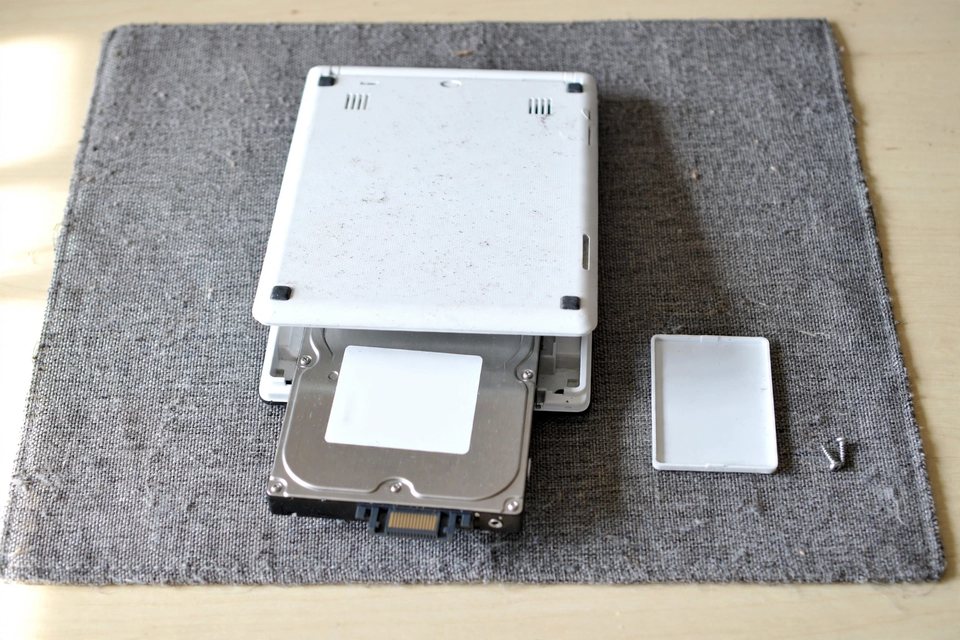
The published specs are clear for the two models most people ask about. MobileRead’s spec list gives the NC10 a 160 GB, 5,400 rpm hard drive, and NotebookCheck gives the NC215S a 250 or 320 GB, 5,400 rpm hard drive. eMMC is a different design. eMMC (embedded MultiMediaCard) packages the NAND flash controller and memory into a single BGA component that is reflowed onto the board during manufacturing — permanently, from the user’s perspective. Samsung used it in later portables such as the 11.6-inch Chromebook Series 3 (XE303C12), which NotebookCheck lists with 16 GB of eMMC flash.
A netbook whose hard drive was swapped for an SSD, or any model with an mSATA or M.2 SSD, has removable storage that is recoverable via our standard SSD recovery process. The critical question when a Samsung netbook fails is which storage type is inside, because the recovery path is completely different for each.
| Samsung Models and the Storage Their Published Specs List | ||
|---|---|---|
| Model | Storage in the spec sheet | Which path below |
| NC10 | 160 GB, 5,400 rpm hard drive | Hard drive |
| NC215S | 250 or 320 GB, 5,400 rpm hard drive | Hard drive |
| Chromebook Series 3 (XE303C12) | 16 GB eMMC flash | eMMC |
| Netbook Storage Types and Their Recovery Paths | ||
|---|---|---|
| Storage | How It Mounts | Recovery Path |
| Laptop-size HDD | Removable, seated in a standard bay (Seagate, Toshiba, WD and other laptop drives) | Standard hard drive recovery — board and controller repair first (original board or a matched donor board); platter and head work only in a controlled lab environment |
| mSATA / M.2 SSD | Removable, screwed to the motherboard (Samsung, Crucial and other mSATA or M.2 SATA or NVMe SSDs) | Standard SSD recovery — firmware repair and original-controller revival |
| eMMC module | Soldered BGA component, not removable | Board-level repair on the original board first; if that fails, we read the chip directly and can reverse its data scrambling |
Why eMMC Changes How Recovery Works
This section applies to models with soldered eMMC, such as the XE303C12, not to the hard-drive netbooks above.
 Enlarge
A removable hard drive or SSD can be pulled from a dead system and connected to a working one to read its contents — a technique so simple that many users attempt it themselves before calling a recovery lab. eMMC cannot be moved. It is physically part of the motherboard, and a board that will not power on takes the eMMC with it.
Recovering data from a dead eMMC follows two steps in a fixed order. First, we try to repair the original board so it powers on and talks to the eMMC normally. That is the least invasive path, so it comes first. If the repair fails, we read the eMMC chip directly: the package comes off the board, and we read it at the pad level (the same family of work as our NAND flash data recovery). A direct read returns data in the scrambled form the chip stores it in, because the controller normally scrambles and reorders it. When damage leaves chip-level reading as the only option, we reverse that scrambling and rebuild the files from the raw data. This takes microscope work, precise soldering or pad access, and knowledge of the specific eMMC controller. The damage decides the result, so no lab can promise it in advance.
Most consumer eMMC modules do not apply hardware-level encryption, so the data inside can be rebuilt once the chip is read. The situation is different only if the operating system (such as Windows with BitLocker) encrypted the volume — in that case, the recovery key is needed separately.
Common Failure Modes for Samsung Netbooks
Samsung netbooks fail in ways that span both the board and the storage:
 Enlarge
The most common presentation is a dead board — the device won’t power on at all, from a blown power regulator, a failed charging circuit, or a shorted component. If the storage itself is intact, data recovery is possible even if the board is beyond economical repair. Physical damage — drops, water exposure, cracked boards — is common in portable devices. A hard drive that took a knock while spinning can lose a head or scrape a platter, while an eMMC package often survives impacts that kill the board because it is small and solidly reflowed. Firmware or NAND wear shows up when an eMMC module has exhausted its write endurance and begins generating read errors before the board shows any other symptoms, most visible as slow performance, random reboots, or a device that boots to a recovery screen with no warning. And a corrupted file system that survives a reinstall attempt can indicate early eMMC wear or controller-level failure rather than a simple OS problem — don’t reinstall the OS on a device showing these signs without backing up first.
Symptom Guide: What You See, What It Usually Means, and What to Do First
The table matches a symptom to the layer most likely at fault. Treat it as a first guess: only a bench check confirms the real fault.
| Netbook Symptom, Likely Layer, and the First Safe Step | |||
|---|---|---|---|
| What you see | Layer most likely at fault | Is the data at risk? | First safe step |
| Black screen, no lights, no fan sound | Charger, battery or main board | ✓ Storage often fine | Try a known-good charger once. If nothing changes, stop pressing the power button and ask for an evaluation. |
| Powers on, then “no boot device” or the drive is missing in BIOS | Drive not detected: connector, drive board, or the drive itself | ⚠ Depends on the cause | Do not reinstall Windows. Stop after one check and request an evaluation. |
| Clicking, ticking or repeated spin-up sounds | Hard drive heads or platters | ⚠ Surface can be scraped on every power-up | Power it off now and leave it off. |
| Boots only to BIOS, a recovery screen, or a Windows Starter loop | Operating system or file system, with the drive often readable | ✓ Files often present but fragile | Do not reset or reinstall. Image the drive before any repair. |
| Slow, freezing, random reboots, then the storage vanishes | Failing drive, or worn eMMC on flash models | ⚠ Gets worse with use | Copy the most important files once, to another drive. If errors appear, stop. |
| Liquid spilled or the netbook fell | Board damage, corrosion or a knocked drive | ⚠ Powering on adds damage | Do not power it on. Let it dry and send it for evaluation. |
What Not to Do With a Netbook That Will Not Boot
 Enlarge
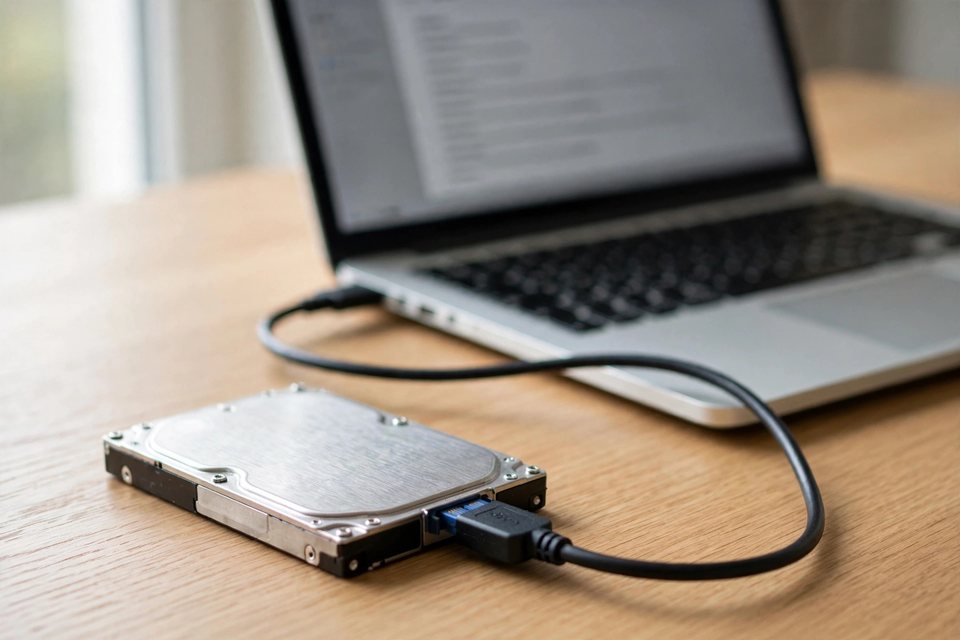
- Do not reinstall or reset Windows. It writes over the drive and can erase the files you want.
- Do not run CHKDSK or repair tools on a drive that clicks or reads slowly. They force a weak drive to read everything, and that can finish it off.
- Do not keep power-cycling a clicking drive. Each spin-up can scrape the platter surface a little more; our hard drive recovery tips cover the rest.
- Do not open a hard drive. A speck of dust on a platter can cause a head crash, which is why drive opening is lab work.
- Do not clone a failing drive again and again with free software. Each full read stresses it; in lab practice, one careful image is safer than several attempts.
How eProvided Recovers Netbook Storage
Every Samsung netbook case follows the same diagnostic-first process:
 Enlarge
- Free evaluation — Our engineers identify the storage type (HDD, mSATA/M.2 SSD, or eMMC), inspect the board, and give a firm price before any work begins. No Data, No Data Recovery Fee.
- Board assessment — If the board shows signs of recoverable damage (a blown fuse, a failed charging IC), board-level repair is attempted first — getting the board to power up is the least invasive path to the eMMC.
- Storage-level access — For a hard-drive netbook, the drive comes out of the netbook and is repaired or read on the bench: board work first, and head or platter work only when the fault is mechanical. For eMMC models, when board repair is not possible or practical, the eMMC BGA package is accessed at the pad level and the NAND die is read directly. For mSATA/M.2 SSD models, the drive is moved to a working system or connected via a test rig for original-controller revival.
- Reconstruction — The raw data is rebuilt into a working file structure, accounting for the eMMC controller’s wear-leveling and bad-block tables.
- Verification & delivery — Recovered files are verified and delivered on new media or a secure download.
Our lab follows strict confidentiality protocols on every case. Start your case when you are ready, or see all our recovery services.
Real Netbook and Small-Laptop Cases From Our Records
The cases below are from our own records, between 2010 and 2021. The quotes are what the owners typed into the form, with names and contact details taken out. None of them involves a Samsung, so read them as patterns: a netbook drive that would not boot, two USB sticks hit by the same kind of fall, and two laptop hard drives. Some ended well and some did not.
Netbook that would not boot, September 2010 (quote declined)
Case XLX0YL. The owner wrote:
“My son deleted a critical file from my Acer Aspire One netbook; the SSD still works, however, the system won’t boot up and the only option is to reformat the system.”
The owner did the right thing by not reformatting and by taking the drive out. After the evaluation the record shows a basic recovery had failed and an advanced one was needed. The owner declined it because of cost, and the device went back, so no recovery was attempted.
USB stick plugged into a netbook that fell, February 2013 (recovered)
Case 7ZL1AQ. The owner described it this way:
“The netbook fell to the floor while the JumpDrive was attached to the USB port.”
The stick’s plastic housing broke and its connector bent. The record shows we recovered the data within days of the drive arriving, and the files went back to the owner. A drive that is knocked while it is plugged in takes the blow at the connector, not only the netbook, and how damage decides the odds.
Flash drive in a netbook that fell, April 2013 (not recovered)
Case WE2QN7. The form said:
“My netbook fell down whilst the USB was connected. It doesn’t work since.”
This one went the other way. The note records physical damage and too much corruption in the memory chip, so recovery was not possible and the drive was recycled. Two similar falls, two different results, which is why nobody can promise an outcome before the device is on the bench.
Laptop hard drive that clicked, February 2018 (not recovered)
Case 3XAS2V. The owner wrote:
“Laptop Crashed. I extracted hard drive and attempt to access from another computer. Clicking and does not show up in Windows.”
The drive was opened in the lab. The note records a severe head crash onto the platters, with too much damage to stream any data out. A clicking drive is the case where every extra power-up costs something, and it is the reason the symptom table above says to switch it off.
Old laptop hard drive with an I/O error, January 2021 (recovered)
Case J3BEJ2. The owner wrote:
“When I plugged in the internal hard drive to my current desktop, it says that theres an I/O device error.”
The drive was ten years old. The record says the data was in bad shape and the work was slow, and about three months after the form the note reads that we had a success recovering the data. Age and slow progress do not rule a drive out, and our notes on failing hard drives explain why some take months.
Whatever the device, the first move is the same: stop, and have the drive checked before the next power-up. Our guide to SSD failure covers the flash side of that advice.
Samsung Netbook Won’t Power On? The Data May Still Be There.
The storage inside often survives a board failure. Free, confidential evaluation — no obligation, no recovery fee if we come up empty.
Start My Free Evaluationor call (866) 857-5950 now
What Our Customers Say
Frequently Asked Questions
Still unsure how flash storage differs from a hard drive? Our article on NAND flash in laptops and tablets explains it.
Samsung Netbook Won’t Power On? The Data May Still Be There.
The drive or chip inside can outlive a dead motherboard. Send it in for a free look and a firm quote before any work starts.
Start My Free Evaluationor call (866) 857-5950 now
Recovery Services for Every Storage Type
Whether it’s a netbook eMMC module, an SSD, or a hard drive, eProvided recovers it from one lab: