Used by NASA · the FBI · the U.S. Navy · Since 1999
Reformatted Data: Recovering Files from Hard Drives
- No Data, No Data Recovery Fee
- Free, confidential evaluation
- 4.9 / 5 on Trustpilot (67 reviews)
- Worldwide lab recovery
All hard drives must be formatted before a computer can use them. Proper formatting writes the essential directory structure to the disk so files and folders can be added when needed, and many computer users reformat their drives from time to time to clear out old data. Reformatting flash drives and other storage devices can get confusing, though, and wiping the wrong drive by mistake causes the loss of important files. The good news is that reformatted data is often still there.
Can You Recover Data from a Reformatted Drive?
Often, yes. A quick format on a hard drive, USB drive or SD card replaces the directory structure but leaves most file data in place until new data overwrites it. Stop using the drive immediately. eProvided recovers reformatted drives with a 98% average success rate. SSDs are harder, because TRIM erases freed blocks.
“Each reformat and reinstall writes over a little more. The first format is forgiving; the fifth rarely is.” — Bruce Cullen, founder, eProvided
- Reformatted Your Drive by Accident?
- Expert Recovery Specialists Recover Reformatted Data
- What a Reformat Changes on a Hard Drive
- What Survives Each Kind of Wipe
- After a Windows Reinstall or Reset
- Reformatted SSDs and TRIM
- Phones After a Factory Reset
- Recovery Software or a Lab
- What Not to Do After a Reformat
- Recovering Data Across Multiple Devices
- Today’s Storage Options
- Reformatted Drives From Our Case Files
- Customer Reviews
- Frequently Asked Questions
- Get a Free Evaluation
- Recovery Services for Every Storage Device Class
Reformatted Your Drive by Accident?

Have you ever reformatted your drive by accident? Perhaps you confused one hard drive for another, or believed you had backed up your important files when you hadn’t. It leaves you frustrated and angry, and wondering how you could possibly get those files back.
Whether a year’s worth of schoolwork sits on the wiped drive, or documents for the office, or media you won’t find anywhere else, it feels like a terrible mistake. There is a way out. Recovery solutions exist that can retrieve those important files. Many people are tempted to start from scratch and save new data to the reformatted drive they believe is empty. That is one of the biggest mistakes you can make, because the reformatted data you care about may still be recoverable.
This page covers computer drives: internal and external hard drives, SSDs, computers that were reinstalled, and phones that were reset. The answer is different for each, and some of the answers are no. We say which ones, so you can decide before you spend anything.
Expert Recovery Specialists Recover Reformatted Data
When a hard drive has been reformatted, you must avoid writing new data to it. New writes overwrite data that could otherwise be restored, and the drive places new files wherever it finds free space, including over the files you believe are gone. USB flash drives, microSD cards and memory sticks behave the same way.
Two device types behave differently, and it is worth knowing before you act:
- SSDs — after a format, the operating system sends a TRIM command, and the SSD controller erases the freed blocks in the background. Unplug a reformatted SSD right away; the longer it stays powered, the less remains. See reformatted SSDs and TRIM below.
- Smartphones — a factory reset on a modern encrypted phone destroys the encryption key, so the old data cannot be decrypted afterward. A reset phone is not the same as a reformatted hard drive. See phones after a factory reset below.
At eProvided, we are data recovery experts with 27+ years of success since 1999. We help customers worldwide get back files they believed were lost: essays you thought you’d have to rewrite, pictures you want to share again, or the novel you dreaded writing from scratch. Our experienced team knows today’s storage devices and uses proven techniques and current technology to recover data. We have a 98% average success rate, which means we find your files the majority of the time.
What a Reformat Changes on a Hard Drive
 Enlarge
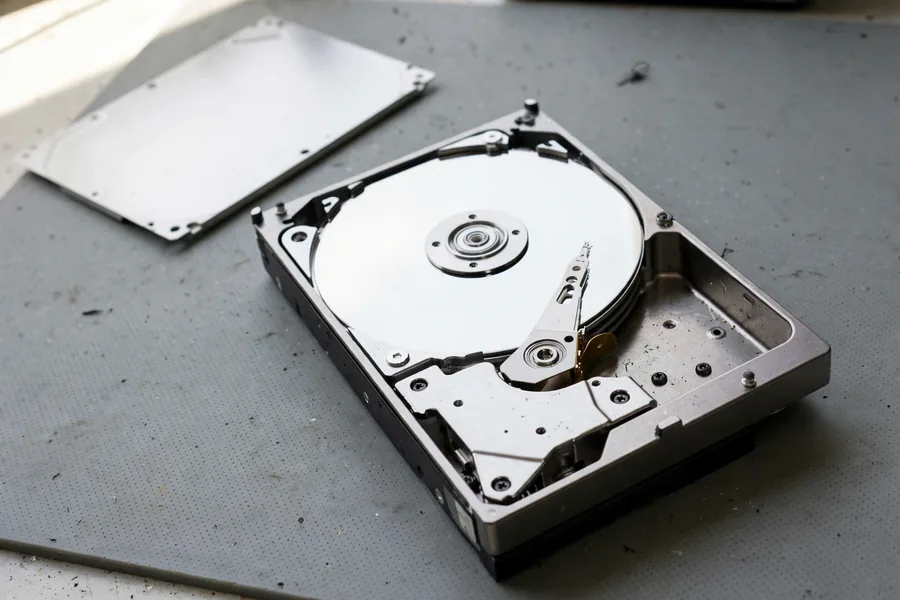
A hard drive keeps two kinds of information. The first is your files, stored as magnetic patterns on the platters. The second is a set of maps: the partition table, which says where each partition begins and ends, and the file system’s index, which records every file name, folder and the blocks each file occupies. A reformat builds a new, empty map. It has no reason to visit every block and wipe it. That is why formatting a two-terabyte drive can finish in seconds, and why the old files are often still there to find.
Microsoft’s documentation backs this up. A quick format, it says, deletes the file table and the root directory of the volume and does not scan the disk for bad sectors. The files themselves are not touched.
A full format is different. From Windows Vista onward, Microsoft documents that a full format writes zeros across the whole disk. Zeros over your files cannot be undone by software or by a lab, so a finished full format is the one hard-drive case where the honest answer is usually no. On a large drive a full format runs for hours, so a format that took seconds was almost certainly a quick one.
On a Mac, Disk Utility’s Erase builds a new file system. Apple’s guide says erasing a volume erases all the files on it, so treat it as a real format and stop.
The type of file system matters a little. Wikipedia’s entry on disk formatting notes that formatting with a different file system than before can overwrite data the old one would have left alone. A drive that moved from one file system to another is a slightly harder case than a drive that kept the same one. Harder is not lost.
What Survives Each Kind of Wipe
Most people do not choose a format from a menu. They click through a prompt, a reinstall or a reset, and later find the files gone. The table matches what you did with what usually happens to the old data.
| Reformatted Data: What You Did and What Usually Survives | ||
|---|---|---|
| What you did | What usually happens to the old data | Best next step |
| Quick format of a hard drive | The file index is replaced. The file data is usually still on the platters. | Stop writing. Scan read-only to another drive, or get an evaluation. |
| Full format on Windows Vista or later | Zeros are written across the whole disk. | Usually not recoverable by anyone. |
| Deleted partition, or “Unallocated” or RAW in Disk Management | Often only the map is damaged. The files are usually intact. | Do not create a new partition or format. Scan or call us. |
| Windows reinstalled over the old system | New system files overwrite part of the drive. Some old data may survive outside that area. | Shut the PC down now. Every hour of use writes more. |
| Reset this PC, Remove everything | Files are removed. The Clean data setting also cleans the drive, so far less survives with it. | Stop using the PC. Note whether Clean data was on. |
| Disk wiping tool or secure erase | Overwritten on purpose, so nothing is meant to remain. | Usually not recoverable. |
| Any format or reset of an SSD | TRIM may have told the drive to erase the freed blocks. | Unplug at once. If TRIM ran, usually not recoverable. |
| Factory reset of a modern phone | The encryption key is discarded, so what remains is scrambled. | Check backups first. Usually not recoverable without one. |
After a Windows Reinstall or Reset
 Enlarge
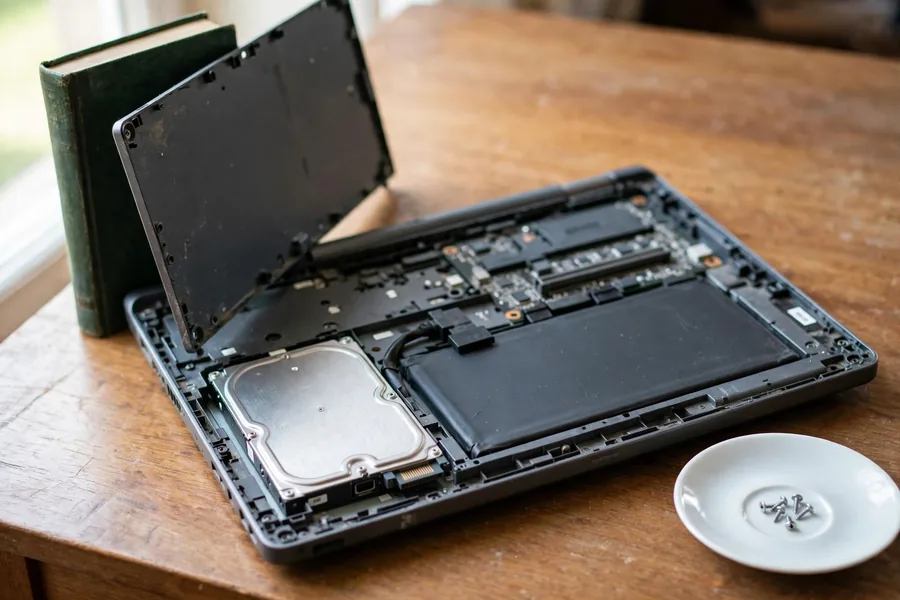
A reinstall is the most common way a working computer loses its files. For a clean install, Microsoft’s reinstall steps tell you to delete the partitions on the system disk, and then Windows writes a fresh copy onto the same drive, which is tens of gigabytes of new data. Whatever those new files land on is overwritten. Whatever sits elsewhere on the drive may survive, until the new system starts writing again with updates, downloads, browser caches and temporary files.
That makes time the deciding factor. A computer shut down within minutes of finishing the install is a good case. A computer used normally for two weeks is a hard one, and a backup restored on top of it makes it harder still. If you have an older backup and the reinstall just erased newer files, do not restore the backup onto the drive yet. Restoring writes its own files over the very space the newer ones occupied.
Reset This PC: Which Option Did You Choose?
Windows offers a reset that keeps your files and one that removes everything, and the two do very different things to the drive. According to Microsoft’s reset guide, Keep my files reinstalls Windows and leaves your personal files alone. Remove everything reinstalls Windows and removes your files, apps and settings. Its Clean data setting goes a step further and cleans the drive, which Microsoft says makes it harder for other people to recover your files. So a reset without Clean data leaves more behind than one with it. Note which you chose, and stop using the computer. If the drive also clicks, grinds or will not spin up, that is a hardware fault on top of the reset, and our hard drive data recovery guide explains what happens next.
Deleted or Damaged Partition
If Disk Management shows a black Unallocated bar where your drive used to be, or the drive shows as RAW, the files are often untouched. Only the map to them is gone. The risky step is the one Windows offers: it invites you to create a new volume and format it. Do not accept it. A scan that reads the drive without writing to it can often find the old partition, and a lab can do the same on a drive that also has hardware trouble.
Formatted the Wrong Drive?
Stop writing to it. Get a free, confidential evaluation before trying any recovery software.
Start My Free Evaluationor call (866) 857-5950 now
Reformatted SSDs and TRIM
 Enlarge
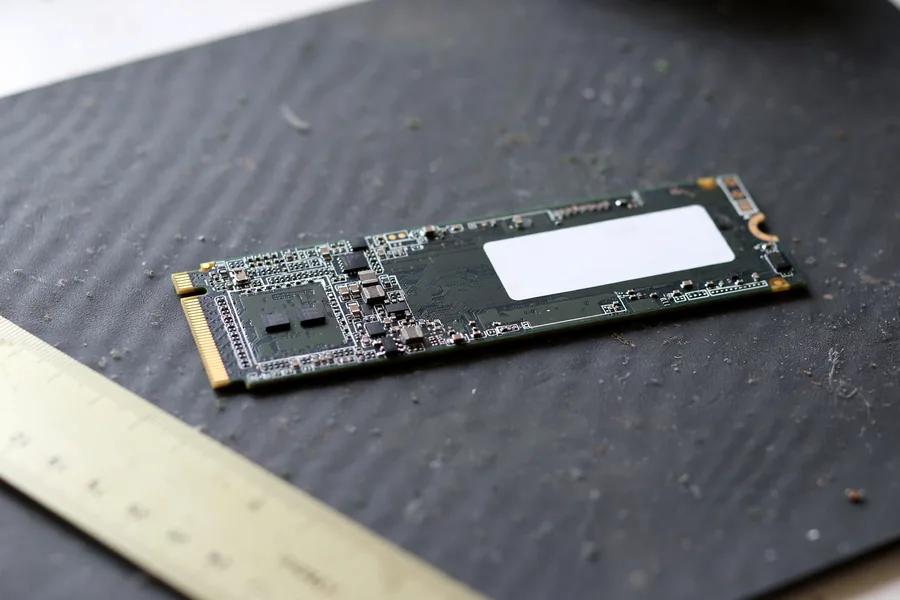
An SSD cannot overwrite data in place. It has to erase a block of memory before it writes to it, and erasing is slow. To stay fast, the operating system sends the drive a TRIM command that lists the blocks no longer in use, and the drive erases them in the background. After a format, those blocks can include every file you had. Wikipedia’s entry on TRIM says that once a drive has done this, recovering deleted data can be difficult or impossible, depending on the drive’s firmware. Windows exposes the setting as a delete notification, which you can check with the fsutil behavior command.
Here is the plain answer. If TRIM ran, the drive itself has erased those blocks, and no software and no lab can read data that no longer exists. Reading the memory chips directly does not change that, because erased cells hold nothing to read. We will not tell you chip-level work can bring back a reformatted SSD, because for modern SSDs it cannot.
There is still a chance in some cases. If you unplugged the drive within moments of the format, TRIM may not have finished. Some setups never pass TRIM at all: the same Wikipedia entry says most hardware RAID does not implement it, and that Windows does not TRIM exFAT or FAT32 volumes. The only way to know is to have the drive examined without powering it for long. So unplug it now, and do not leave it running while you decide.
A dead SSD is a separate problem from a reformatted one. If your SSD stopped working and was not wiped, our lab can often revive the original controller and read it. See our guide to SSD failure, and the SSD data recovery service in the list of services at the end of this page.
Phones After a Factory Reset
 Enlarge
Phones are the hardest case on this page, and the answer is usually no. Modern phones encrypt the user data by default. The key that opens it is kept in secure hardware, not in the memory chip, and a factory reset discards that key. What remains in memory is scrambled, so reading the chip returns scrambled data. Apple’s security guide says that erasing the key renders all files cryptographically inaccessible, and Android requires file-based encryption on every device that launched with Android 10 or later. Encryption has been normal on iPhones since the 3GS in 2009 and on most Android phones since about 2015.
That does not mean you are out of options. Work through these before you give up:
- Backups. Check Google, iCloud and the maker’s own cloud before anything else. Many resets are followed by an automatic restore offer that people dismiss.
- A memory card. If the phone saved photos to a microSD card, the card is a separate device. Remove it. Cards, including monolithic microSDs, are covered in the related recovery help further down this page.
- A phone that was not reset but will not turn on. This is a different job, and it is one we do. A board-level repair on the original board, or a donor-board transplant that moves the processor and the memory together, can bring the original phone back to life so it can decrypt its own data.
- A very old phone. Phones from before encryption became standard are a real exception. Tell us the model and the year.
If you forgot the passcode, do not reset the phone. Our forgotten phone password guide explains the safer path. For phones in general, see cell phone data recovery services. If you have already reset a modern phone and have no backup, call us before you ship anything. We will tell you honestly whether it is worth sending.
Recovery Software or a Lab
Software on a Healthy, Reformatted Hard Drive
If the drive is healthy, was quick-formatted, and nothing new has been written, recovery software can work. Because the format replaced the file index, the software has no list of your files to follow. It reads the drive and looks for the signature at the start of each file type. The documentation for the free tool PhotoRec explains that a file’s name, date and location are lost with that metadata, so it searches for known file headers instead. Fragmented files may not come back whole.
Expect photos and documents to return under generic names, without folders. Install the software on a different drive, scan the reformatted drive without writing to it, and save every recovered file to a third drive with enough free space. Use the reformatted drive as a source only.
When a Reformatted Drive Belongs in a Lab
Send the drive to a lab, not to a download page, in these cases:
- The drive clicks, beeps, disconnects, freezes or gets hot, before or after the format.
- The scan stops partway, runs for days, or reports a huge number of bad sectors.
- Software returned only some of your files, or the files it returned will not open.
- The drive was encrypted, or is a RAID member or a very large drive that you cannot copy.
Some computers encrypt the internal drive by default. If yours did, keep the recovery key somewhere safe, because a wiped encrypted drive cannot be read without it. At our lab, engineers read what the format left behind without writing to the drive, then tell you what can come back before you decide anything. The evaluation is free, and you can start one with the form at the top of this page.
What Not to Do After a Reformat
These five habits turn a recoverable drive into a hard case. Each has a one-line reason.
- Do not install recovery software onto the reformatted drive, because the installer writes files into the same space your old files occupy.
- Do not run chkdsk, a disk repair or an “initialize disk” prompt, because each one writes changes to the drive.
- Do not format again to see what happens, because every format rewrites the start of the drive where the maps live.
- Do not keep using a reinstalled computer, because updates, downloads and caches add writes every hour.
- Do not leave a reformatted SSD powered on, because TRIM works in the background and every minute can erase more.
If someone has already done one of these, tell us when you submit the case. It changes where the engineer starts.
A quick format on a hard drive rewrites only the directory structure. The file contents stay on the platters until new data lands on top of them, which is why the first rule after an accidental format is to stop writing to the drive.
Recovering Data Across Multiple Devices
eProvided recovers data from reformatted hard drives, and we also service USB drives and memory cards, including files you may have corrupted by accident. Many of us use computers, tablets, SSDs and smartphones every day. Digital data plays a big role in our lives: it is not just homework and business material stored on computers, it is everything. Knowing how reformatted data behaves on damaged or misused drives helps you act correctly, and remember who to call when disaster strikes.
Many of us understand the importance of backing up data to other locations, yet many still keep every file in one place. If your disk is reformatted without your knowledge, or becomes damaged, you risk losing it all. Call us before making matters worse.
Today’s Storage Options
There are many storage options available. External USB drives, SD cards (SDXC, SDHC and microSDXC) and USB sticks are all popular today. Cloud storage such as Google Drive, OneDrive and Dropbox is a popular option for consumers, letting people save and share data quickly and safely. Another technique is to email important files to yourself so you can reach them in case of corruption. We use Dropbox.
At eProvided, we keep costs competitive and efficient: whichever files you fear are lost, and whatever your budget, we will do everything we can to help. Speak with an adviser through our Live Chat, or call (866) 857-5950.
Become our partner: file recovery and repair shops can join the eProvided partner program.
Related recovery help: microSD card data recovery, including monolithic microSDs, and all data recovery services.
Do
- Stop using a drive the moment you realize it was reformatted
- Unplug a reformatted SSD right away to limit TRIM erasing
- Keep a second copy of important files in the cloud or on another drive
DON’T Do
- Don’t save new files to a reformatted drive “because it is empty now”
- Don’t install recovery software onto the same drive you want to recover
- Don’t run a full format or a wipe tool to “start over”
Reformatted Drives From Our Case Files
 Enlarge
The cases below come from our own files, dated 2011 to 2026. Each quote is what the customer typed into our case form, with names, contact details and file names taken out. Where our notes show an outcome, we report it plainly, including the drives that did not come back. Where the file holds only the form, or stops before an outcome, we say so.
Hard drive accidentally formatted, June 2016
Case KU6EBJ. The customer wrote:
“Hard drive accidentally formatted. Hoping to recover all information off the drive possible. Main concern is the music and photos … its still a new drive and has zero issues.”
This one came back. In August 2016 our record shows a success recovering the data. The customer sent a separate drive, and the lab placed the recovered files on it, which is the right way to do it: recovered files go onto a different drive, never back onto the one that was formatted.
Reformatted drive that software could not finish scanning, June 2011
Case 7L20KS. An IT department wrote:
“The end user of this hard drive decided to reformat the drive before all data was backed up … I attempted to scan drive using [recovery software]. Not able to complete scan.”
In June 2011 the lab reported no success: the drive had internal problems, and the data could not be recovered. A scan that cannot finish is often the first sign that a drive has a hardware fault as well as a format, which no software setting can fix. The customer did the right thing by stopping after two tries.
External drive that looked reformatted after a phone connection, April 2018
Case PUDCJ3. The customer wrote:
“I plugged my hard drive into my cell phone and it seems like it did a reformat. I had at least 1.5TB of data saved.”
The customer dropped the drive off in person. In April 2018 our record shows the first-pass recovery did not succeed and an advanced recovery was offered. The customer declined and collected the drive. Not every case ends in a recovery, and the customer decides each step. For more on why portable drives misbehave in the first place, see our guide to external drive failures.
Blue screen, then a reformat that wiped the computer, November 2013
Case F39265. The customer wrote:
“Got the blue screen of death. system went thru a complete reformat of the hard drive wiping out all files and software added since i purchased the computer … i have a back up file dated 11/2011 on a separate hard drive. i would like to know if you can recover all files and software before i initiate the back up file.”
Our file holds only the form for this one. The customer asked before restoring the old backup, which is the step that would have written over the newer files. That question is the right one to ask.
Formatted hard drive full of photos and video, November 2023
Case 3WED3U. The customer wrote:
“I accidentally formatted my hard drive and lost all my files … All videos and photos are JPG or raw or Mp4.”
Our file shows the customer chose an advanced recovery, and the case went into the lab queue. The notes stop before an outcome, so we do not report one. The file also records that a second drive of at least the same size was needed to hold the recovered data, a practical step worth planning for.
A 2 TB D drive that “wiped everything,” April 2026
Case 9A2UGD. The customer wrote:
“My D drive in my computer which has 2TB stopped working and wiped everything inside of it. Computer is still working fine but cannot download anything onto the d drive.”
A drive that will not accept new files at all points to a fault, not just a format. The customer dropped the drive off at the lab on April 22, 2026 and chose an advanced large-drive scan. The case sat in the lab queue and the notes hold no outcome yet.
iPhone erased during a repair attempt, January 2023
Case ME7T8N. The customer wrote:
“My smartphone froze during an update. I tried to do a firmware reinstall with itunes, but instead of just rewriting the firmware, itunes erased everything.”
Our file holds only the form, with no outcome. We include it for the lesson. On a modern iPhone, an erase that finishes discards the key to the stored data, so the answer after a completed erase is usually no. The time to stop is before the erase. Back up first, and never reinstall to fix a phone that still holds the only copy of your photos. Our iPhone data recovery guide covers the cases where an iPhone can be helped.
What Our Customers Say
Frequently Asked Questions
Lost Critical Data? We’ll Evaluate It Free.
Hard drives, SSDs, USB drives and SD cards — one lab, one free evaluation.
Start My Free Evaluationor call (866) 857-5950 now
Recovery Services for Every Storage Device Class
Formatted the wrong drive? eProvided recovers data from every storage class: