
Used by NASA · the FBI · the U.S. Navy · Since 1999
SD Card Restoration: What Actually Happens When a Card Fails
- No Data, No Data Recovery Fee
- Chip-off recovery — our specialty
- 27+ years of recovery experience
- Every brand, every capacity
Can a Damaged SD Card Be Restored?
Usually yes — a snapped, bent, cracked or unreadable SD card can be restored because the NAND memory chip inside normally survives what breaks the plastic shell and the contacts. eProvided reads that chip directly rather than repairing the card, and has done so since 1999.
“People bring us cards in two pieces and apologise. The chip does not know the card is in two pieces.” — Bruce Cullen, founder, eProvided
An SD or microSD card that stops working almost always has something wrong with the plastic shell, the metal contacts, or the file system — not the memory chip sealed inside it. After 27+ years running SD and microSD card data recovery on cards from every camera, phone and drone brand, we can tell you exactly what happens when a card “breaks,” why software tools and generalist repair shops so often fail on a card the chip still holds intact data on, and the honest recovery path when a card of yours won’t read.
Snapping, cracking, bending or corroding an SD card almost never destroys the NAND memory chip inside — it damages the shell, the contact pins, or the tiny controller wiring around the chip. Because a standard SD or microSD card carries no processor-bound encryption key, reading the NAND chip directly (chip-off recovery) recovers the data even when the card is in two pieces or shows as blank, unreadable or “not formatted.” The one exception is a card used as encrypted “adopted storage” on an Android phone (Android 10 and newer) — that encryption key lives on the phone, not the card.
Do RIGHT NOW
- Stop inserting and removing the card from readers or devices — repeated attempts can worsen damaged contact pins
- If the card is cracked or in pieces, keep every piece — the chip only needs to be intact, not the shell around it
- Note what happened right before it failed (dropped, bent, pulled out during writing, exposed to water)
- Check whether the photos or files were also synced anywhere else (cloud backup, a computer, another card) before assuming they’re gone
DON’T Do
- Don’t run chkdsk, a repair utility, or “fix” software on a card with data you need — these write to the card and can overwrite what’s recoverable
- Don’t reformat a card that shows RAW or asks to be formatted if the files matter
- Don’t try to glue, tape or physically repair a cracked card yourself — uneven pressure on the chip can crack it too
- Don’t assume a card showing “write-protected” or a blank capacity means the files are erased — both are usually controller or file-system symptoms, not data loss
Already dealing with a broken or unreadable SD card? Send it in for a free evaluation, or call (866) 857-5950 first if you want to describe the damage.
- What Actually Happens When an SD Card “Breaks”
- Physical Damage vs. Logical Failure: Two Different Problems
- Why Software Tools and Generalist Shops Can’t Recover a Broken Card
- How Chip-Off Recovery Reads the Card’s NAND Chip Directly
- Protect Your Photos Before You Need To
- What Our Customers Say
- Frequently Asked Questions
- Recover Files from a Broken SD Card
- Related Recovery Services
What Actually Happens When an SD Card “Breaks”
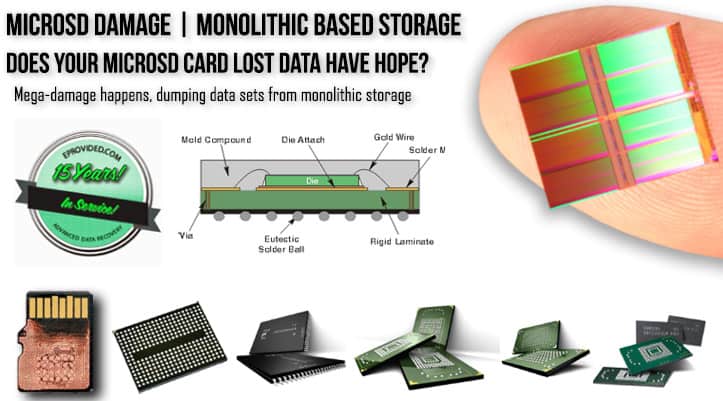
Every SD and microSD card is built the same way at its core: a NAND memory chip, a small controller, and a set of metal contact pins, all mounted on a substrate and sealed inside a plastic (SD) or even smaller plastic-and-metal (microSD) shell. When a card is dropped, bent, snapped in half, run through a washing machine, or simply stops being recognized after years of use, the damage almost always lands on the shell, the contact pins, or the controller — not the NAND chip itself, which is a solid, sealed component that tolerates far more physical abuse than the thin plastic around it. That’s the reason a card broken clean in half, a card with bent or corroded contacts, or a card a camera suddenly calls “unreadable” usually still has every photo and file sitting intact on the chip — the connection to that chip is what failed, not the data on it.
Microscopic capacity also matters here: a microSD card packs the same three components — NAND, controller, substrate — into a shell smaller than a fingernail, using monolithic construction that bonds the chip and controller into a single unit. That makes a cracked or snapped microSD card look more dramatic than a full-size SD card in the same condition, but the underlying recovery principle doesn’t change: if the chip survives, the data survives.
Physical Damage vs. Logical Failure: Two Different Problems
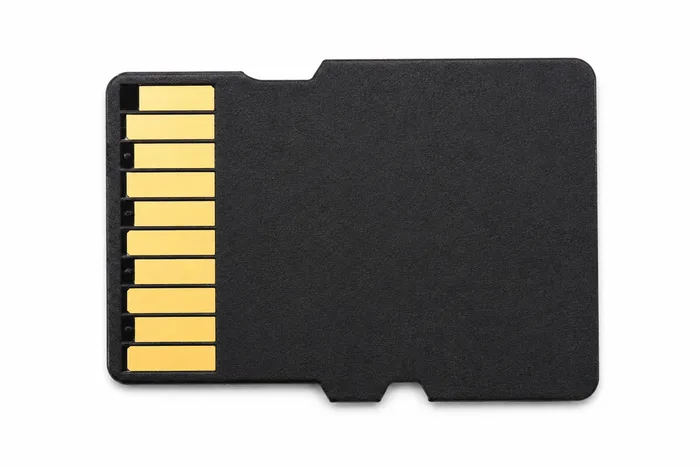
It helps to separate SD card problems into two categories, because they call for different fixes. Physical damage covers anything that changes the card’s shape or contacts — a crack, a snap, bent or corroded pins, water intrusion, or a chip that has visibly separated from its substrate. Logical failure covers everything else: the card looks physically fine but the computer or camera shows it as RAW, asks to reformat it, reports 0 bytes free, or simply won’t mount at all, usually from file-system corruption, a firmware fault in the controller, or a card that was pulled out mid-write. Both categories are recoverable in the large majority of cases we see, but they’re not interchangeable problems — a card with a cracked shell needs the chip freed from that shell before anything else happens, while a card with file-system corruption needs the raw data extracted and rebuilt without ever letting the card’s own damaged controller try to “fix itself” through a format.
Why Software Tools and Generalist Shops Can’t Recover a Broken Card
Recovery software has one hard requirement: the operating system has to be able to see the drive first. A card that’s cracked, has damaged contacts, or whose controller has failed outright never appears as a drive letter in the first place, so no software tool — free or paid — has anything to scan. That’s the exact situation a lot of people run into after trying two or three recovery programs in a row and getting nothing but error messages: the tools were never wrong about being unable to help, the card was simply never detected to begin with. A general electronics or phone repair shop runs into a related wall — they can sometimes diagnose that a card is dead, but reading a NAND chip directly requires desoldering equipment, chip-reading hardware, and NAND controller expertise that a phone-screen-and-battery shop doesn’t stock. This is exactly the gap eProvided fills: we’ve built the direct connections into SD and microSD flash memory that let us extract data through the chip itself, including from an SD card broken cleanly in half, when neither software nor a general repair shop can reach it.
How Chip-Off Recovery Reads the Card’s NAND Chip Directly
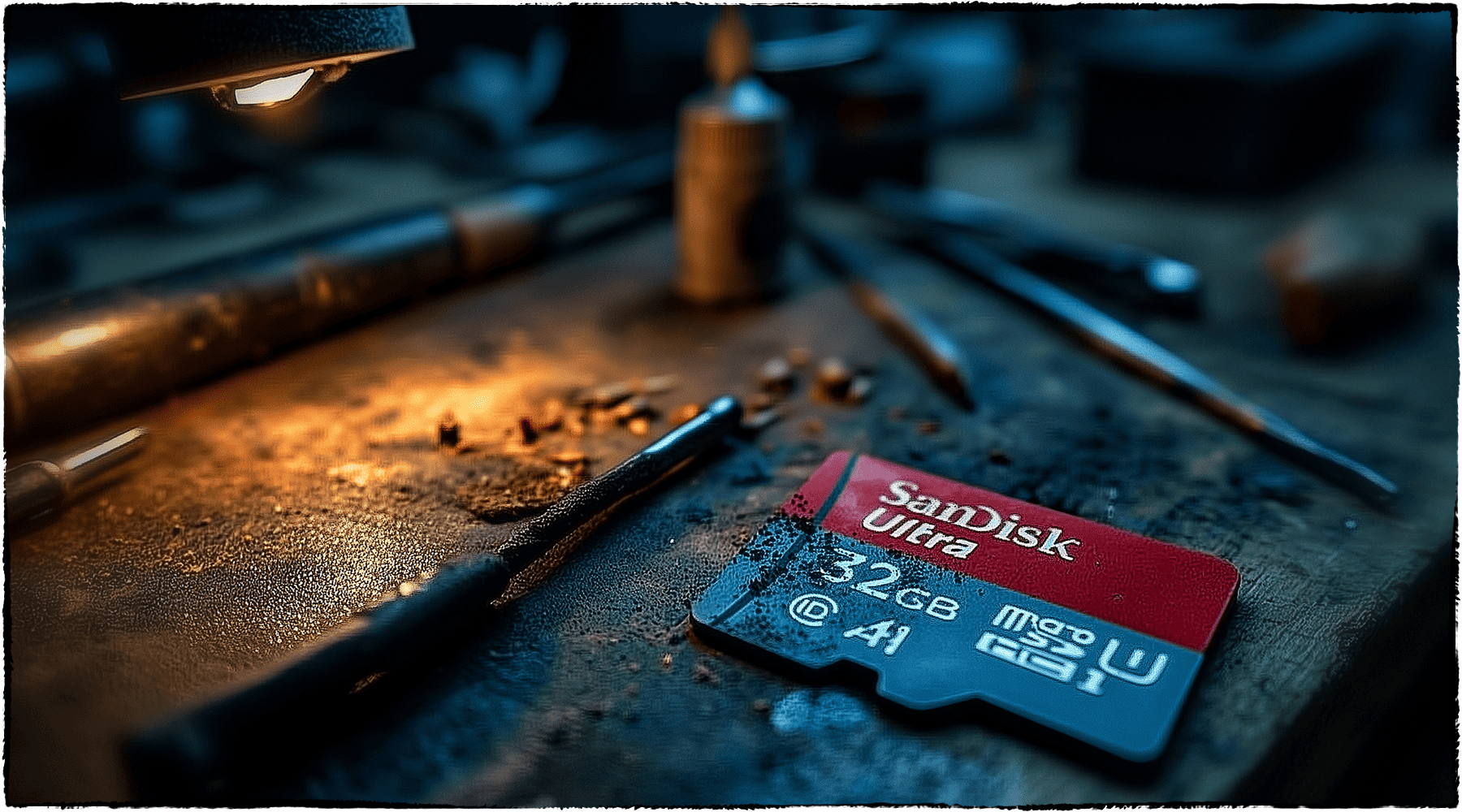
Because a standard SD or microSD card has no processor-bound encryption key tying the NAND to a separate chip, the recovery approach is direct. We start with a free look at the card itself, following the same data recovery process used on any SD or microSD case. If the contacts and controller are intact, we can sometimes read the card through its own circuitry using electronic pinout strategies. When the shell is cracked, the contacts are damaged, or the controller has failed — the most common situation on a broken card — we free the NAND chip itself from the substrate and read it directly on specialized hardware, bypassing the shell, the contacts and the controller entirely, then rebuild the file system from the raw data. That’s chip-off recovery, and it works because the memory and the data on it are the same physical component — there’s no separate lock to work around.
The one meaningful exception: if this card was set up as “adopted storage” on an Android phone running Android 10 or newer, the phone’s file-based encryption binds the decryption key to that specific phone’s hardware, not to the card. Reading the card’s chip directly in that case returns encrypted data, and the honest path is recovering through the original phone rather than the card alone — we check for this during the free evaluation. For every other use — a camera, a standalone card reader, a dashcam, a drone, a voice recorder, or a phone using the card as plain removable storage — the data on the chip is not locked this way, and chip-off recovery is the correct, direct method.
This article explains why a broken card is usually still fully recoverable and how that recovery works; if your card is already broken and you want it evaluated, that’s a separate step with its own quote and turnaround — start there when you’re ready to send it in.
| Common SD/microSD Card Failures & What Actually Breaks | ||
|---|---|---|
| What happened | What it usually affects | Data recoverable? |
| Card snapped or cracked in half | Plastic shell and substrate — NAND chip usually intact | ✓ Yes, via chip-off |
| Bent or corroded contact pins | Electrical connection to the controller, not the memory | ✓ Yes, via chip-off or pinout read |
| Shows RAW or “needs to be formatted” | File-system corruption; NAND cells usually untouched | ✓ Yes, via raw NAND read |
| Card not detected / 0 bytes free | Dead controller chip — power event or firmware failure | ✓ Yes, via chip-off |
| Water or corrosion damage | Corrosion on controller or contact pins | ✓ Usually, if caught early |
Protect Your Photos Before You Need To
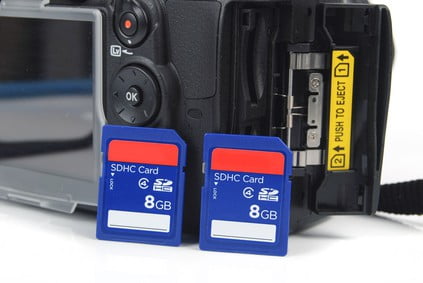
A card’s shell offers little real protection to what’s stored on it, so the safest habit — regardless of brand or capacity — is treating any single SD or microSD card as temporary storage, not the only copy of anything that matters. Copying photos and files to a second location (a cloud service, a computer, or a second card) the same day they’re captured means a cracked or corrupted SanDisk, Kingston, Samsung, Lexar or Crucial card costs you a cheap replacement, not weeks of lost memories. If your card already failed and no second copy exists, that’s exactly the case a free evaluation is for — it doesn’t require the card to read or even be in one piece first. A simple habit that helps: set your camera or phone to auto-upload to cloud storage whenever it’s connected to Wi-Fi, so the backup happens without you having to remember it every time. It's also worth choosing a reputable SD card brand for the same reason a backup matters — a well-made card fails less often, but no card is immune to a drop, a crack, or years of write cycles.
What Our Customers Say
Frequently Asked Questions
Recovery Services for Every Storage Device Class
A broken SD card isn’t the only device eProvided recovers — we cover every storage class from one lab: hard drive data recovery (Seagate, Western Digital, Toshiba mechanical and logical failures), broken memory card recovery (SD, CompactFlash and more) and USB flash drive recovery. See all our data recovery services →
More SD & MicroSD Card Recovery Guides
- A card that stopped mounting entirely — what that usually means.
- SD card recovery techniques — the general approaches worth trying before you send a card in.
- Lost pictures on an SD card — recovering photos specifically after accidental deletion or formatting.
Once your files are safe, copying them to a second location the same day is the single best way to make sure the next cracked card is an inexpensive replacement, not a recovery case.
Recover Files from a Broken SD Card
Cracked, snapped, unreadable, or showing RAW — our engineers will confirm what’s recoverable from your SD or microSD card during a free evaluation. No obligation, confidential.
Start My Free Evaluationor call (866) 857-5950 now
Related Recovery Services
A dead SD or microSD card isn’t the only device eProvided recovers — these recovery services get the data back from every storage class in one lab: