
Used by NASA · the FBI · the U.S. Navy · Since 1999
NASA, Data Recovery Consumers
- No Data, No Data Recovery Fee
- Recovered NASA Helios mission data
- SSDs & hard drives
- Free evaluation, no obligation
Why Does NASA Use Professional Data Recovery Services?
Because mission data on flash, SSDs and other media cannot be captured twice. Vacuum, radiation and extreme heat and cold stress storage far past consumer limits. eProvided recovered the data from NASA’s Helios prototype after its Pacific crash, and the lab has worked since 1999.
“Some data only happens once. You can rebuild a spacecraft, but you can’t fly the same mission twice.” — Bruce Cullen, founder, eProvided
NASA runs some of the most expensive data-collection programs on Earth, and every one of them ends up stored on a drive. When that drive fails, the data is often a one-time capture: a flight that crashed, a test that cannot be repeated, a simulation that took months. That is why a space agency needs outside SSD data recovery expertise, and why eProvided has done this work for NASA and other U.S. government agencies.
NASA uses hard drives and SSDs in nearly every system that stores data, and both fail. SSDs are fast and have no moving parts, but surges, static, sudden power loss and cell wear can still kill them, and recovering one is harder than recovering a hard drive. eProvided recovered NASA’s Helios mission data and brings the same care to every consumer drive.
- NASA & Data Recovery
- The History of the Hard Disk Drive
- The Problem with SSDs and File Recovery
- SSD Stopped Showing Up?
- NASA’s Need for Data Recovery
- What NASA’s Own Reports Say
- NASA and SSD Drives
- Warning Signs on Your Own Drive
- Real SSD Cases
- What NOT to Do
- What Our Customers Say
- Frequently Asked Questions
- Get a Free Evaluation
- Related Recovery Services
NASA & Data Recovery

The National Aeronautics and Space Administration (NASA) has driven a large share of the technology we use today. Its innovations over the last several decades have made everyday life better, from the adjustable smoke detectors it helped improve to protective coatings. NASA also relies on a great deal of off-the-shelf technology in its missions. It doesn’t have to reinvent the wheel when an existing device already performs the task, though it often improves those devices along the way.
A good example is the everyday hard disk drive. NASA uses hard drives, and now SSDs, in almost every system that needs onboard storage. The more drives an organization runs, the more drive failures it sees, and that is why NASA needs data recovery services like any other large user of storage, only with far more at stake per drive.
The History of the Hard Disk Drive
The first storage media used by computing machines were massive, room-filling magnetic disk drives. They were developed as an intermediate step between random access memory, which was expensive, and tape drives, which were cheap. The hard disk drive shrank along with computers, and the price per megabyte fell with it. Thanks to advances in technology, the cost of these drives has dropped while capacity has grown exponentially.
Hard disk drives are built from platters, with a read/write head that reaches the individual sectors where information has been written. Solid-state drives (SSDs) have gained popularity because of their superior performance, and unlike traditional hard drives, SSDs have no moving parts. That makes them resistant to damage from vibration and jolts. If you’re looking to fix a dead SSD, it’s important to understand the potential causes and the solutions available. NASA has recognized the value of SSDs for upcoming missions and embraced the technology for their journey forward. However, SSDs bring their own set of problems.
The Problem with SSDs and File Recovery
SSDs are generally better than HDDs at storage in one respect: they are faster and reach data far quicker than a hard drive can. It is a common misconception that SSD data is safer than HDD data. It isn’t. Because of the way SSDs are built, some failures hit them harder than hard drives. Sudden electromagnetic surges, static electricity, unexpected power loss and electrical charges nearby can all spell disaster, and you can see at once why that is a problem for NASA. Flash storage also has a limited number of write cycles per cell, and when those run out, storing data becomes difficult or impossible.
The NVMe interface plays a role too. Combine NVMe with the M.2 form factor and you get a blazing-fast drive that is easy to install and has a nearly invisible footprint. Recovery from those drives is intricate work, so it takes a team that handles it every day. At eProvided, our experienced technicians and specialized equipment handle NVMe data recovery in house. Most modern NVMe drives encrypt their data with a key inside the controller, so the job usually starts with reviving that original controller. Many things can go wrong, and each one has to be diagnosed before any data is touched.
On an SSD, when a block becomes worn and can no longer hold data, its contents move to the next available block. As bad blocks mount, the drive eventually reaches a point where it can no longer save data, and the data already on the SSD needs recovery. Firmware updates that improve the drive’s error-correcting code (ECC) can extend its life, but they cannot reverse wear that has already happened.
SSD Stopped Showing Up?
Power it off and leave it off. Each restart on a failing SSD gives its firmware another chance to shuffle or trim what’s left, so let us evaluate it first.
Start My Free SSD Evaluationor call (866) 857-5950
NASA’s Need for Data Recovery
NASA has ambitious plans for the coming years, including a possible crewed mission to Mars within the next couple of decades. Projects like that require huge amounts of data processing and storage to solve problems before they happen, and NASA cannot afford to lose that data. Simulation systems can take months or years to generate enough usable results to reach a consensus. This is where data recovery comes in.
eProvided’s own record shows what that looks like in practice. Our lab recovered the mission data from NASA’s Helios prototype after it crashed into the Pacific, and we recovered pre-launch data for the DAVINCI Venus mission. NASA has also called founder Bruce Cullen directly regarding a NAND data-transmission glitch on the Mars rover, a case that made national news, and eProvided was also contacted about data storage for the Nancy Grace Roman Space Telescope program. As NASA keeps adding SSDs to its programs, the need for someone who can recover them when the inevitable happens only grows. Drives that never fail would be wonderful, but that technology is still a long way off. The author note below links to our full NASA and government record.
What NASA’s Own Reports Say About Failing Memory
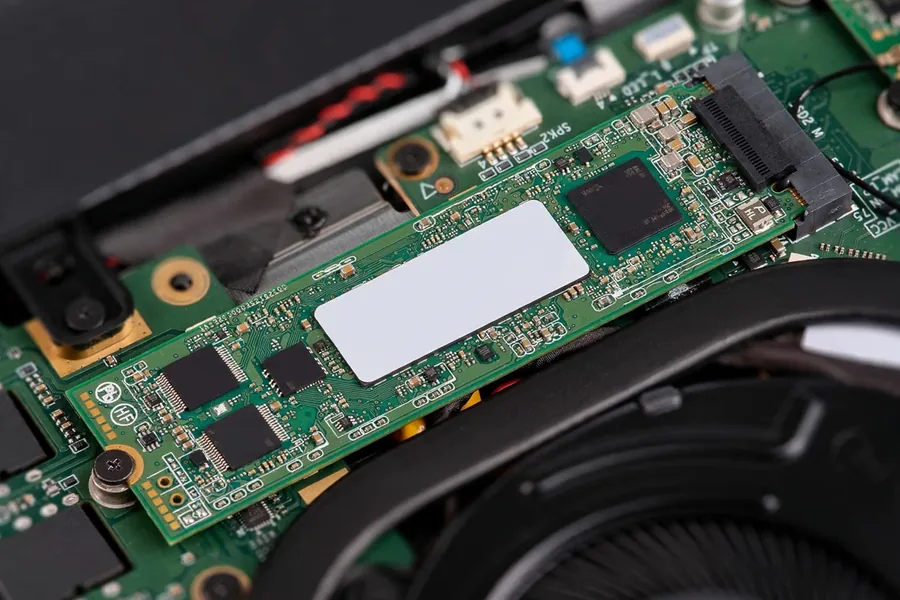 Enlarge
NASA publishes honest accounts of its hardware problems, and they read a lot like a consumer’s bad week. They also teach the same lesson: an SSD rarely dies without warning signs, and the right response to the signs is to protect the data first. The table below lists what NASA’s own pages say. The rover and Voyager entries are NASA’s public reports, not eProvided cases, and the Helios entry is the crash whose data our lab recovered. Two things stand out in those reports. First, the fix NASA chose was never to keep pushing the memory. The team marked the weak areas to be avoided and worked around them. Second, the team had a record of the resets before it acted. A home drive leaves a similar record in its health data and in how often the computer hangs, and that record is worth saving before anything on the drive is rewritten.
| Storage Problems in NASA’s Own Public Reports | |||
|---|---|---|---|
| Mission | What happened | What NASA said | Source |
| Opportunity rover, 2014 | Computer resets grew more frequent | NASA’s Mars Exploration Rover project manager named worn-out flash cells as the leading suspect, and the team reformatted the rover’s flash memory, which clears it and flags bad cells to be avoided. | JPL, August 2014 |
| Opportunity rover, 2015 | Flash memory problems continued | After three months without flash, the team reformatted the flash banks again. New software avoids one of the seven banks, because some of the earlier problems were traced to it. | JPL, March 2015 |
| Voyager 1, 2023–2024 | Unreadable data sent to Earth | Engineers traced the fault to a small portion of corrupted memory in one onboard computer. They suspect one chip stopped working, from an energetic particle or from wearing out after 46 years. | NASA Science, April 2024 |
| Helios Prototype, 2003 | Solar aircraft fell into the Pacific | The aircraft failed structurally on June 26, 2003, during a flight from the Navy’s Pacific Missile Range Facility on Kauai. The investigation board blamed an unpredicted sensitivity to turbulence after configuration changes. | NASA, September 2004 |
Two points carry over to your own drive. First, NASA says flash memory keeps its data without power, but individual cells can wear out from repeated use, and that is the same flash inside every consumer SSD, USB stick and memory card. Second, the Voyager engineers said they were optimistic they could make the computer run without the unusable memory, which is possible only because the rest of that computer still works. A consumer SSD whose controller has stopped is in a different position: the data may still be in the flash chips, but nothing can reach it until a lab gets the original controller working again.
NASA and SSD Drives
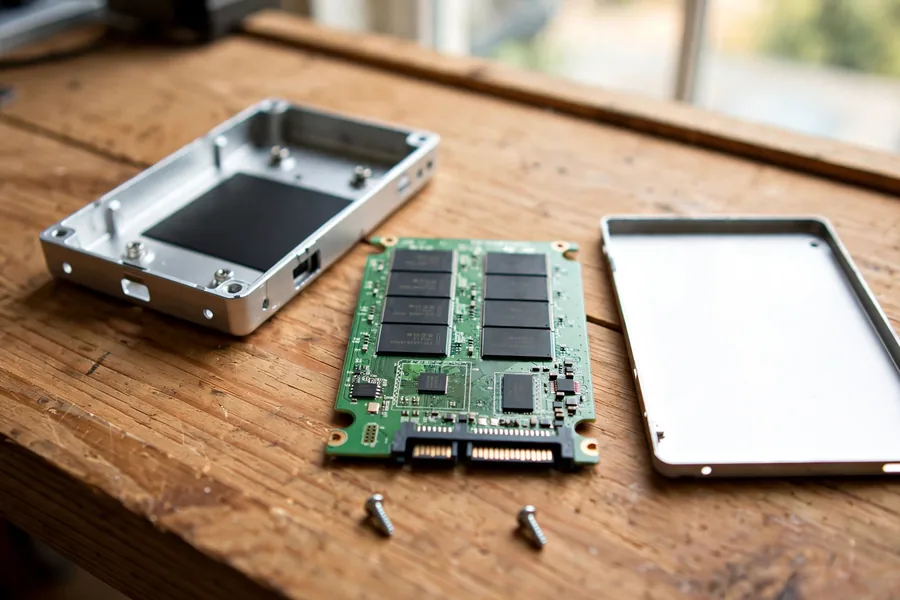 Enlarge
Overall, NASA is dedicated to using the best available technology to get the best results. That includes state-of-the-art drives for its data, even knowing those drives may fail. That is where eProvided data recovery and other experts come in, with dedicated methods for both SSDs and HDDs. It’s true that data recovery from an SSD is harder than from an HDD, which is exactly why it takes experienced engineers to reach the most difficult data. Everyone needs data recovery sooner or later, even NASA. A failed SSD often looks like a dead drive and is not one. The stored data can still be there when the controller that reads it has stopped answering, which is why the first rule is the same for a laptop owner and a mission team: stop, power down and ask a lab before trying anything else.
The lesson for everyone else is the same one NASA learned: a drive that holds something you can’t recreate deserves a backup, and a failed one deserves a lab before it gets another power cycle.
Warning Signs on Your Own Drive
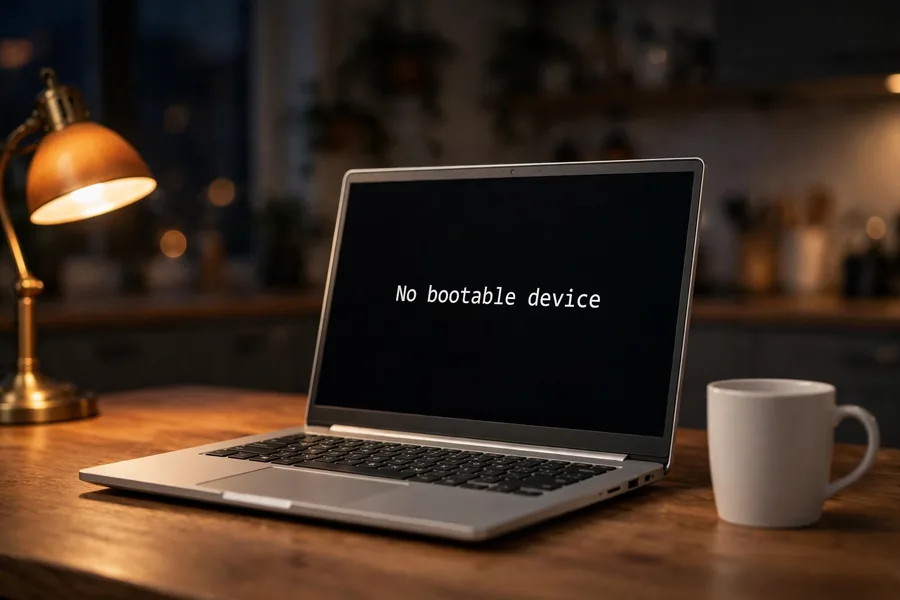 Enlarge
NASA’s engineers watched the resets pile up before they acted. You can do the same with your own drive. The table maps what you see to the likely cause and the safest first move. Treat it as a guide to what to stop doing, not a repair manual. Notice that most rows end the same way: power off and wait. A failing drive can often still be read for a limited time, and every restart, scan or reinstall spends part of it. Clicking is the one sign that needs no table at all, because a hard drive that clicks is already damaging itself. For solid-state drives the signs are quieter: freezes that grow more frequent, a drive that is there one day and gone the next, or a size that suddenly reads wrong. None of these signs repairs itself, and none improves with another restart. A few minutes spent checking this table before pressing any key costs nothing, while one more restart on a drive that is already failing can cost the very files you were trying to save.
| Failing SSD or Hard Drive: Sign, Likely Cause, First Move | ||
|---|---|---|
| What you see | Likely cause | Safest first move |
| Freezes or restarts that get more frequent | Worn flash cells, bad sectors or a weakening controller | Copy what matters now, then stop writing to the drive. |
| Computer says “no boot drive” but the drive shows in BIOS | Corrupted firmware or a damaged mapping table | Power off. Do not reinstall Windows over it. |
| Drive reports 0 MB or the wrong size | Controller or firmware fault | Power off and leave it off until a lab has evaluated it. |
| Drive does not appear anywhere, even in an M.2 enclosure | Power, controller or board fault | Stop trying adapters. Each attempt is another power-up. |
| Trouble began after a power cut or surge | Electrical damage to the controller or power circuit | Leave it unplugged. See our power surge data loss guide. |
| Hard drive clicks, beeps or grinds | Head or platter damage | Power off at once. See hard drive data recovery for what happens next. |
Real SSD Cases: What Came Back and What Did Not
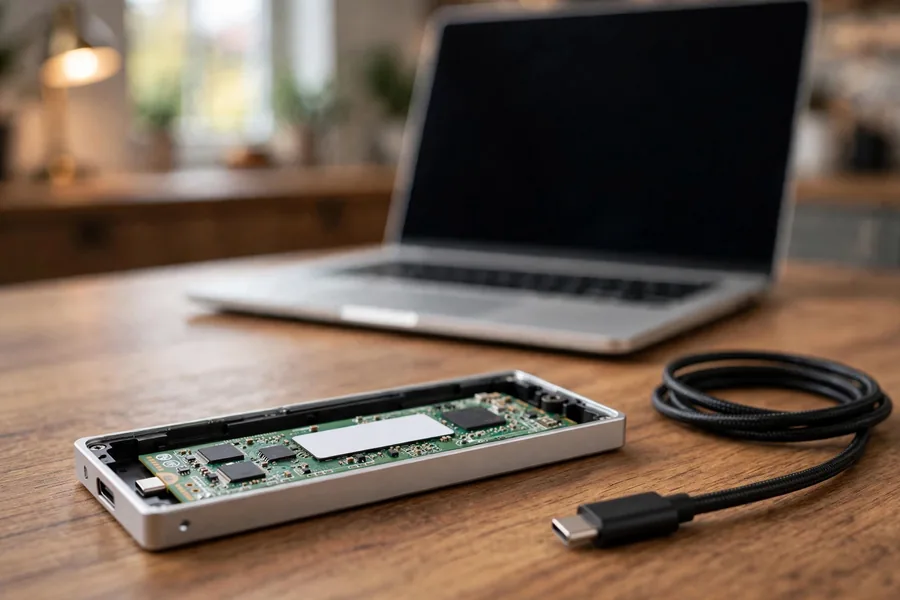 Enlarge
NASA stores mission data on the same kinds of drives as everyone else, and so do our customers. Four of our own SSD files follow. Each quote is the customer’s wording from the order form, trimmed of names and brands, and each outcome is taken from the lab’s written note.
An NVMe drive that failed inside the computer, February 2025
Case 7A6XUV. The customer wrote:
“M.2 Device failed while in computer, preventing booting. Tried external reader, device was not accessible.”
The lab’s note of March 13, 2025 records a success and a file list for the customer to approve. A drive that no reader can see is not always a lost drive.
A building power failure and a BitLocker drive, March 2025
Case D7TBDG. The customer wrote:
“Building electricity failure caused PC boot failure.”
The form named a Samsung M.2 drive and asked for a user data folder. On March 28, 2025 the lab recorded a success, and the recovered data went back to the customer in April 2025, still encrypted with BitLocker. Recovery returns your data as it was, so keep your encryption password safe.
A boot drive that vanished, May 2026
Case 6EC5GN. The customer wrote:
“I have an NVMe drive that is ‘no longer recognized’ when trying to boot in the PC it’s been in all it’s life.”
The lab’s evaluation of June 3, 2026 found that degrading NAND chips had corrupted the drive’s firmware, the internal operating system needed to reach user data, and the data was not recovered. It is the same wear NASA described on Opportunity, at consumer scale, and it shows why a backup beats any recovery.
A PC that died with no boot drive, February 2025
Case MJKEKM. The customer wrote:
“PC just died and when rebooted it said it had no boot drive. I pulled the m.2 and put it in a usb interface and still see nothing.”
In a note of March 19, 2025 the lab reported that it put the SSD through a direct internal data extraction attempt and that the attempt produced no data streams, because the device had too much damage. Not every SSD case ends with files on a drive.
What NOT to Do With a Failing Drive
 Enlarge
- Do not keep rebooting a drive that vanishes. Each power-up gives a weak drive another chance to get worse, and in NASA’s reports the resets only grew more frequent.
- Do not reinstall Windows over it. An install writes across the drive, and the files you want may sit in the space it overwrites.
- Do not keep swapping adapters. In case MJKEKM the owner moved the drive to a USB reader, and the drive still gave nothing.
- Do not run “repair” software on an SSD that is not detected. Software works through the controller, and a drive with corrupted firmware, as in case 6EC5GN, needs a lab.
- Do not treat reformatting as a fix. NASA reformatted Opportunity’s flash to flag bad cells and carry on, but a reformat erases the file list you need to get your data back.
What Our Customers Say
Frequently Asked Questions
Get Mission-Grade Care for Your Drive
The lab that recovered NASA’s Helios data will look at your failed SSD or hard drive and tell you what can come back before any work begins.
Start My Free Evaluationor call (866) 857-5950 now
Recovery Across Every Storage Class
Beyond SSDs, the same bench runs hard drive recovery for Seagate, Western Digital, Toshiba and HGST drives and NAND flash chip-off recovery for unencrypted flash. Small media gets the same attention, from USB flash drive data recovery to microSD cards, and a camera or phone card follows the same path through our memory card data recovery service. SSD work covers Samsung, WD and Crucial NVMe and SATA drives. If your drive is not on this list, the full range of services is on one page, browse all data recovery services.
Related Recovery Services
The drives NASA depends on are the same kinds we recover for everyone else: