Used by NASA · the FBI · the U.S. Navy · Since 1999 · 98% Success Rate
Flash Memory Storage Technology: What’s New and What’s Next
- No Data, No Data Recovery Fee
- 27+ years of recovery experience
- Every device, every brand
- Free evaluation, no obligation
What Is New in Flash Memory Storage?
The biggest recent flash memory advances are 3D NAND stacks now past 280 layers, QLC cells, PCIe 5.0 NVMe drives rated near 14,800 MB/s, UFS 4.0 phone storage and 1.5TB microSD cards. Density raises capacity but lowers write endurance, so high-capacity flash can wear out sooner. Backups matter more than ever.
“Flash keeps getting denser and cheaper. Denser chips also mean each one holds more to lose.” — Bruce Cullen, founder, eProvided
Flash memory keeps doing the impossible: more storage in the same tiny card, faster drives in the same slot, and phones that shoot 4K video all day. Here’s what’s new in flash storage, what a 1TB or 1.5TB card actually holds, and what the jump in density means when flash drive problems show up.
Flash storage is moving to taller 3D NAND stacks with QLC cells, PCIe 5.0 NVMe drives rated near 14,800 MB/s, UFS 4.0 in phones and 1.5TB microSD cards. More density means more capacity but lower write endurance. Unencrypted cards and USB sticks can be recovered by reading the NAND directly; SSDs and phones encrypt their flash, so they are recovered through the original controller or board.
Do RIGHT NOW
- Back up a large card before it fills
- Buy name-brand cards from authorized retailers
- Replace cards that throw errors
- Stop using a card the moment photos go missing
DON’T Do
- Don’t store a year of photos only on one card
- Don’t format a card that suddenly reads as blank
- Don’t fill high-density flash to the last megabyte
- Don’t assume SSD recovery works like card recovery
- We All Need Space
- What Is New in Flash Memory Storage?
- From 1TB to 1.5TB microSD
- The Ideal Add-On for Smartphones and Tablets
- Phone Backup Apps Come and Go
- Flash Memory Pricing and Availability
- Why Denser Flash Wears Differently
- How New Flash Storage Fails
- What Real Flash Cases Look Like
- What 1TB Holds, At a Glance
- What Our Customers Say
- Frequently Asked Questions
- Get a Free Evaluation
- Related Recovery Services
We All Need Space

Memory storage for our data is a constantly growing need. As files capture greater detail, they grow in size, and as data gets bigger, our need for higher-capacity memory grows with it. Consumers see more flash memory storage options every year, and storage device makers keep delivering them.
One of the biggest complaints among smartphone users is total storage space. Between high-quality photos, 4K video and apps, internal flash memory is often used up before we are ready to upgrade the phone. The common fix is a memory card add-on such as an SD or microSD card, which gives users an affordable way to expand storage without paying to replace a phone that may only be a few months old.
Flash is the storage of the present, not just the future. The rest of this guide covers what changed in the last two years, what a 1TB or 1.5TB card really holds, why denser flash wears differently, and what to do when one of these devices fails.
What Is New in Flash Memory Storage Technology?
 Enlarge
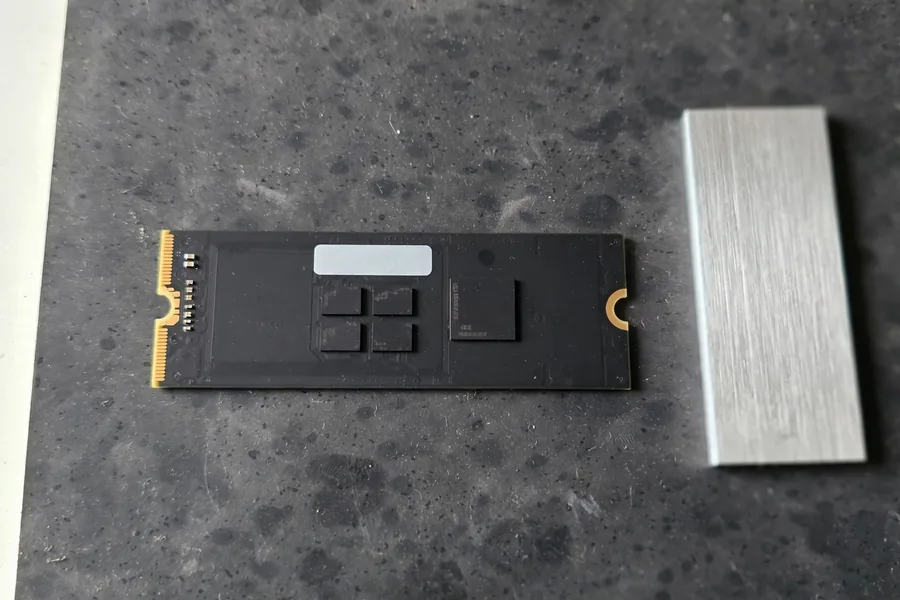
Flash makers keep stacking more layers of memory cells on each chip. Samsung began mass producing 286-layer NAND in April 2024 and, as of mid-2026 reports, it is still Samsung’s most advanced commercial NAND, while Kioxia sells 218-layer NAND and was targeting sample shipments of a 332-layer generation for summer 2026. SK hynix is reported to be aiming for mass production of 375-layer NAND by the end of this year (TrendForce, June 2026). More layers on the same chip means more capacity in the same card or drive.
Speed has moved just as fast. Samsung rates its 9100 PRO PCIe 5.0 NVMe drive at up to 14,800 MB/s sequential read, a peak figure under ideal conditions rather than a promise for every file (Samsung product page). On the phone side, current flagships use UFS 4.0 storage, and the standards body JEDEC has announced UFS 5.0, which targets sequential read and write speeds of up to 10.8 GB/s (JEDEC announcement). A standard on paper is not a phone in your pocket, so expect UFS 5.0 devices later.
Density comes from storing more bits in each cell. TLC cells hold three bits, QLC cells hold four, and the next step, PLC, would hold five. Each extra bit leaves less margin between the stored voltage levels, so denser cells tolerate fewer writes. The recovery method depends on the device: memory cards, USB sticks and monolith devices store data unencrypted, so eProvided performs chip-level NAND flash chip-off recovery on them. Modern NVMe SSDs and smartphones encrypt their flash with a key held in the controller or processor, so they are recovered by reviving or repairing the original hardware instead.
Flash Storage in 2026, At a Glance
| What Is New, and What It Means If the Device Fails | ||
|---|---|---|
| Flash format | What is new (sourced) | How recovery works |
| microSD and SD cards | SanDisk sells a 1.5TB Ultra microSDXC UHS-I card rated up to 150MB/s, up from the 1TB card of 2019. | Unencrypted media: the memory chip can be read directly, so chip-off is the standard path. |
| USB flash drives | Large sticks and USB SSDs now reach 1TB and beyond. | A true flash stick is read at the chip. A USB SSD is built like an SSD, with a controller, so it follows the SSD path. |
| NVMe SSDs | PCIe 5.0 drives rated up to 14,800MB/s (Samsung 9100 PRO). | The controller holds the encryption key, so a lab revives the original controller. A donor controller does not work. |
| Phones and tablets | UFS 4.0 in flagships, UFS 5.0 announced by JEDEC. | Internal storage is bound to the phone’s processor, so the route is board-level repair or a donor board with processor and NAND moved together. |
| Enterprise SSDs | Kioxia’s LC9 reaches 245.76TB using QLC NAND. | Handled case by case after a free evaluation. |
From the 1TB microSDXC Card to 1.5TB
 Enlarge
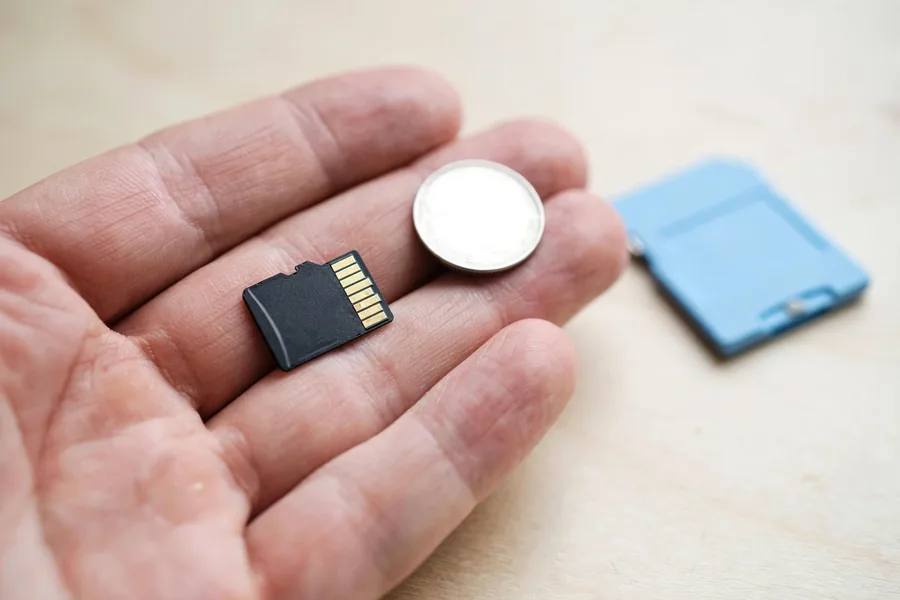
SanDisk introduced what it billed as the world’s highest-capacity microSDXC memory card in 2019, at 1TB. The first microSD cards held about 128MB, so a 1TB card holds roughly 8,000 times as much in a card the same size. SanDisk has since moved the top of its microSD line to 1.5TB: its store lists a 1.5TB Ultra microSDXC UHS-I card with read speeds up to 150MB/s.
Just how big is 1TB of file storage? A card this size can hold about 17,000 hours of audio, or about 30 hours of 4K video. That’s not all — it can also store:
- 150,000 MP3 songs
- 300,000 photos (10 megapixels) as high-quality JPEGs
- 250 movies (1080p video)
- 40 Blu-ray movies
- 250,000 iTunes songs (4MB)
A super-sized card reshapes the way everyday photographers and users interact with their gadgets. It also means a single cracked or corrupted card can now take an entire year of photos with it, which is why a backup habit matters more as capacities climb.
The Ideal Memory Add-On for Smartphones and Tablets
High-capacity microSD cards suit Android phones and tablets, and they are ideal for video, the largest type of media on our mobile devices. Check your phone’s manual first: some phones have no card slot, and some Android versions can format a card as internal storage, which ties that card to that one phone. micro SD card recovery services are available if your card becomes cracked or damaged.
Flash Card Cracked, Corrupt or Unreadable?
The bigger the card, the more it holds. Get a free, confidential evaluation before you format or throw it out.
Start My Free Evaluationor call (866) 857-5950 now
Phone Backup Apps Come and Go
When the 1TB card launched, it came with SanDisk’s Memory Zone app, which made it easy to view and back up a phone’s internal memory to the card. SanDisk has since announced that, starting April 2025, there are no updates or support for Memory Zone 1.0 v4 (SanDisk forum notice). The lesson is practical: an app that copies your photos to a card today may stop being updated tomorrow, so check where your backup actually lives and open one file from it every few months.
Cell phone accidents happen too, and when they do, cellphone data recovery becomes necessary. For a modern phone that means board-level repair, because its internal storage is encrypted to the phone’s own processor. A copy on a card, a computer or a cloud account is what makes that conversation easy.
Flash Memory Pricing and Availability
Capacity is not getting cheaper this year. TrendForce forecasts that NAND flash contract prices will rise 15–20% quarter over quarter in the fourth quarter of 2026, driven by AI demand, and it notes that PC brands are cutting the SSD capacity of mainstream models to hold costs down (TrendForce, 30 September 2026). Retail card and drive prices move with those contract prices and with each seller, so we quote none here. The practical point: do not stretch one old, full card because a replacement feels expensive. A second card costs far less than recovering a lost one.
Why Denser Flash Wears Differently
 Enlarge
Each time a flash cell is written, the cell wears a little. Makers rate endurance in drive writes per day (DWPD) or terabytes written (TBW), not in raw cycles. Kioxia’s 245.76TB LC9 enterprise drive, built on eighth-generation QLC NAND, is rated up to 0.3 DWPD, which means about 0.3 of the drive’s full capacity can be rewritten every day through its warranty (StorageReview). That is plenty for a data center that mostly reads, and a good reminder that capacity and endurance trade against each other.
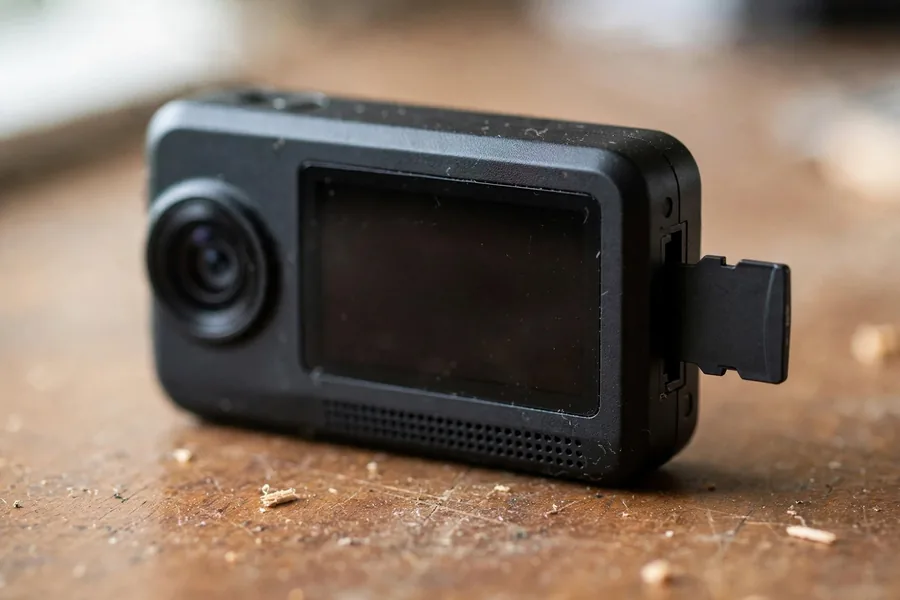
For a card in a dashcam or action camera, the pattern is the opposite: constant overwriting. That is why makers sell high-endurance cards for that job. Whatever you buy, treat flash as a consumable. Replace cards that begin to throw errors, and keep a second copy of anything you cannot shoot again.
How New Flash Storage Fails
| Symptom Decoder: What You See and What It Usually Means | ||
|---|---|---|
| What you see | Likely cause | Safest next move |
| Card works, then the phone no longer recognizes it | Corrupted file system, or a failing card | Stop writing to it and keep it out of the phone; get a free evaluation. |
| “Format this card” prompt | The file system is damaged; the photos may still be on the chips | Do not accept the prompt. |
| Card shows 0 bytes or the wrong capacity | Controller or file-table fault, or a card that is not what the label says | Stop using it and make no copies onto it. |
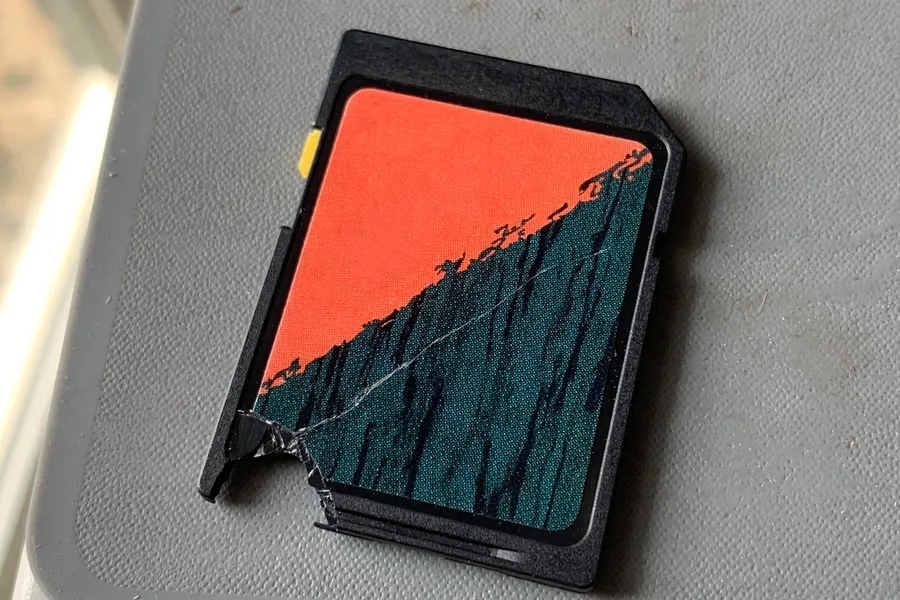
| Visible crack, bend or missing corner | Physical damage to the board or the chip | Place it in a small case and send it in as it is. |
| SSD or USB SSD vanishes after a freeze | Controller or firmware fault | Power it down and do not keep reconnecting it; the controller holds the key to the data. |
| Card gets hot in a reader | Electrical fault inside the card | Unplug it at once. |
What Not to Do When Flash Storage Fails
 Enlarge
- Do not format to “fix” it. Formatting rewrites the file tables and can shrink what a lab can read.
- Do not keep shooting or saving on the card. New files can land on the space the lost ones used.
- Do not run recovery software on a card that is hot, cracked or cut out mid-write. It stresses a weak card and cannot repair damaged hardware.
- Do not assume an SSD is like a card. Its controller holds the key, so cutting out the chip alone gives nothing readable.
- Do not trust a single copy. A card holding a year of photos in one place is one drop away from losing all of them.
What Real Flash Cases Look Like
 Enlarge
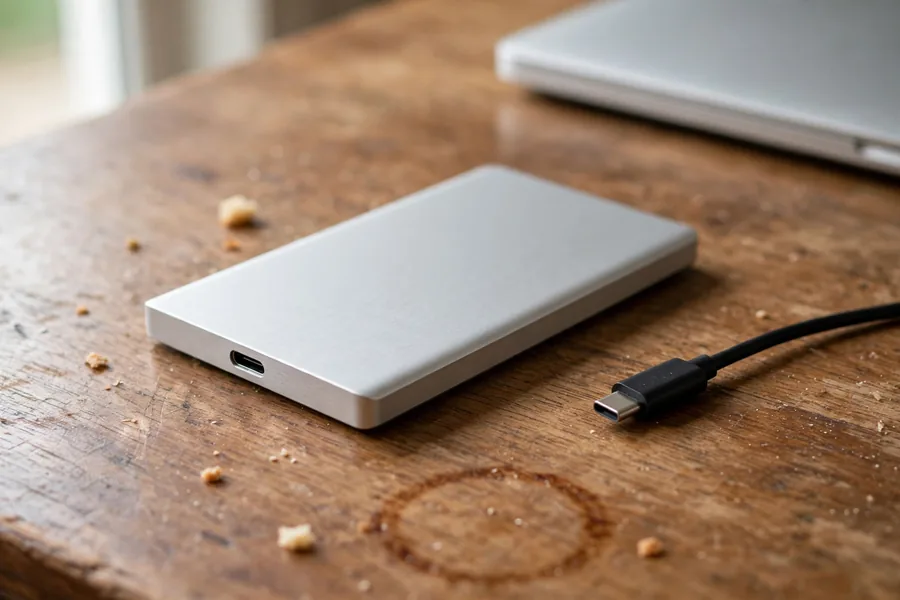
Capacity headlines are easy to read. Real order forms show what happens when a big card or drive stops working. Each quote below comes from a customer’s form, shortened and stripped of names. We picked a mix on purpose: some devices gave up their data, and some cases ended without a result.
A 1TB card and a phone that stopped seeing it, January 2024
Case AME8B6. The owner bought a 1TB generic microSD card for a Samsung phone and wrote:
“I inserted this in my Samsung Galaxy A12 phone and then moved about 7 GB of photos from internal storage to the SD card. Within one hour, the phone would no longer recognize the card and the photos are not accessible.”
Recovered. The lab notes record a success within a week of the card arriving. The photos had been moved, not copied, so the card held the only copy.
A dashcam card taken out too soon, May 2026
Case F8FVXU. The owner wrote about a 64GB microSD card:
“My 64GB MicroSD may have been corrupted from pulling the drive out of my dashcam before properly shutting down the device.”
Recovered. The notes show the first, basic attempt failed and the owner chose an advanced recovery; the lab recorded a success a day after it went into the queue, and the recovered video was delivered.
A 1TB USB SSD that vanished after a freeze, February 2022
Case ZVYKA4. The owner described a drive less than six months old:
“Just stopped working. Was in Win10 explorer working on 3D printing project when it froze. Restarted computer and NO SSD.”
No recovery result. The basic attempt failed, the owner declined the advanced quote, and the drive went back to its owner. A new drive is not a safe drive.
A high-endurance card that stopped loading, December 2024
Case C75NMJ. The owner used a Samsung Pro Endurance card in a dash cam and wrote:
“It seemed to be fine until I took it out to review files and it wouldn’t load on several different readers.”
The owner also noticed a small chip at the end of the card, away from the copper pads, probably from pressing a fingernail while removing it. The case never moved past the form, so there is no outcome to report.
What 1TB of Flash Storage Holds, At a Glance
| What a 1TB microSD Card Can Hold | |
|---|---|
| Content Type | Approximate Capacity |
| Audio | 17,000 hours |
| 4K video | 30 hours |
| MP3 songs | 150,000 |
| 10MP JPEG photos | 300,000 |
| 1080p movies | 250 |
| Blu-ray movies | 40 |
What Our Customers Say
Frequently Asked Questions
More USB & Flash Drive Recovery Guides
- USB flash drive recovery — our main USB & flash drive recovery service.
- 10 flash drive recovery tips
- Flash drive recovery service problems
- Recover a USB flash drive
- Repairing a damaged USB
- SanDisk flash drive recovery
When New Flash Storage Fails
Bigger, denser flash still fails, and the right recovery depends on the device. Cards and sticks without encryption go to memory card data recovery, microSD card data recovery, USB flash drive data recovery or, when the chip has to be read on its own, NAND flash chip-off recovery. A PCIe 5.0 NVMe drive is a different animal — its controller encrypts the flash, so the SSD data recovery service revives the original controller instead. And the spinning disks many of us still archive to are covered by professional hard drive data recovery. If your device is not in this list, tell us what happened on the free evaluation form and we will point you to the right service from our full list of data recovery services.
Flash keeps getting bigger and faster. The one thing that hasn’t changed: when it fails, the first move is to stop using it.
Flash Storage Failed? Get a Free Evaluation
microSD, SD, USB stick or SSD — tell us what failed and we’ll confirm what can be recovered, free and confidential, before any work begins.
Start My Free Evaluationor call (866) 857-5950 now
Related Recovery Services
When new flash storage fails, these services get the data back: