
Used by NASA · the FBI · the U.S. Navy · Since 1999 · 98% Success Rate
SanDisk Data Recovery: SSD, Flash Drive & Memory Card
- No Data, No Data Recovery Fee
- Controller revival for SSDs, chip-off for flash media
- 27+ years of recovery experience
- Every SanDisk product line
Can eProvided Recover a Failed SanDisk Device?
Usually yes, but the method depends on which SanDisk product it is. Memory cards, CompactFlash and USB flash drives store data unencrypted on the chip, so reading that chip directly (chip-off) gets the files back. SanDisk SSDs are different — the controller scrambles everything it writes, so the real path is reviving that original controller, not pulling the NAND chips.
“SanDisk makes three completely different kinds of storage under one name. Treat them the same way and you'll get it wrong on one of the three.” — Bruce Cullen, founder, eProvided
SanDisk sells three genuinely different kinds of storage under one brand name: memory cards and CompactFlash, USB flash drives, and solid-state drives. After 27+ years reviving an SSD original controller alongside flash-media and memory-card recovery on every SanDisk product line, we can tell you exactly why those three categories fail differently — and, more importantly, why the recovery method that works on one of them will not work on another.
SanDisk memory cards, CompactFlash and USB flash drives store data unencrypted on the memory chip itself, so eProvided reads that chip directly (chip-off recovery) when the card or drive won’t mount. SanDisk SSDs work differently — the drive’s own controller scrambles everything it writes with a key that lives inside that controller chip, so pulling the NAND off an SSD returns unreadable noise. The correct path there is reviving the original controller, not desoldering memory.
Do RIGHT NOW
- Stop powering the device on and off repeatedly — every extra cycle on a failing controller risks more damage
- Note which SanDisk product you have (memory card, CompactFlash, USB flash drive, or a portable/internal SSD) — the recovery path is different for each
- If it's a card or drive with a cracked shell or snapped connector, keep every piece
- Check whether the files were also synced anywhere else before assuming they're gone
DON’T Do
- Don’t run chkdsk, a repair utility, or "fix" software on a device with data you need — these write to the media and can overwrite what's recoverable
- Don’t assume an SSD that "won't mount" is a chip-off job — treating an SSD like a flash drive is the single most common mistake we see other shops make
- Don’t reformat a card or drive that asks to be formatted if the files matter
- Don’t keep using a SanDisk Extreme Portable SSD showing corruption after the 2023 firmware issue — every write risks more damage
Already dealing with a failed SanDisk device? Send it in for a free evaluation, or call (866) 857-5950 and tell us the model and what happened.
- What Makes SanDisk Storage Different, and Why One Method Won’t Fit All Three
- SanDisk Memory Cards and CompactFlash: The Direct Chip-Off Path
- SanDisk USB Flash Drives: Water, Bent Ports and Snapped Connectors
- SanDisk SSDs: Why Chip-Off Doesn’t Work Here, and What Does
- WD My Passport SSD: The Same Controller-First Approach
- Protect Your Files Before You Need To
- What Our Customers Say
- Frequently Asked Questions
- Recover Files from a Failed SanDisk Device
- Related Recovery Services
What Makes SanDisk Storage Different, and Why One Method Won’t Fit All Three
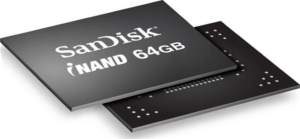
SanDisk builds some of its smallest, highest-capacity products — certain microSD cards and the embedded iNAND modules used inside phones and tablets — as a monolith, meaning the NAND memory and the controller are fused into a single sealed package with no legs to lift and no chip to unplug. On these, eProvided opens the sealed package itself and reads the memory directly with proprietary tools, a specialty we've built since 1999 across every monolithic storage design, not just SanDisk's own. “On a monolith there are no legs to lift. You have to find the read points yourself, and they move from model to model,” says Bruce Cullen, eProvided's founder. That same distinction — is the memory a separate, removable chip, or is it fused to its controller, or does the controller hold an encryption key of its own — is exactly what decides which of the three SanDisk product categories below applies to your specific device, and it's the first thing we determine during a free evaluation.
SanDisk Memory Cards and CompactFlash: The Direct Chip-Off Path
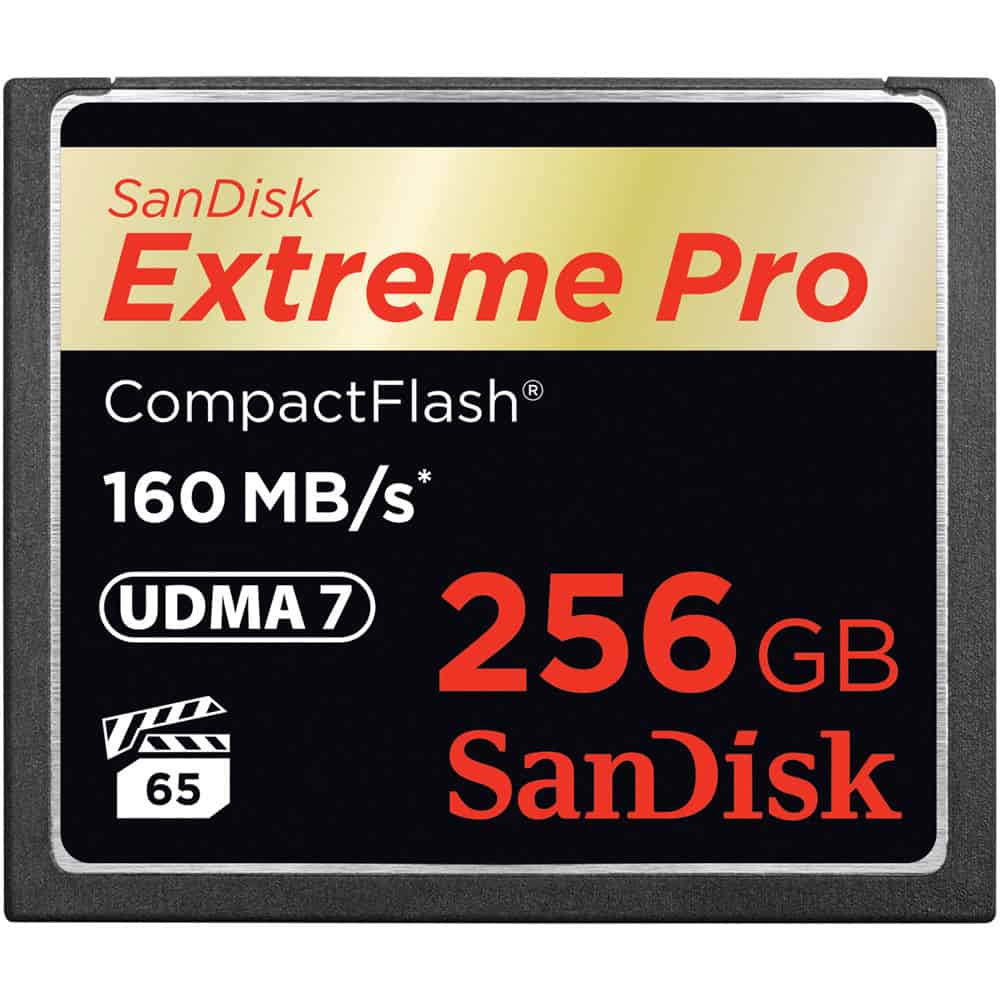
Don’t panic — a damaged SanDisk card’s photos are usually still there. SanDisk SD, microSD and CompactFlash cards store data unencrypted on a standard NAND chip, with no processor-bound key tying that memory to any other piece of silicon. That means a SanDisk card or CF card that's been dropped, cracked, run through a wash, or simply stops being recognized after years in a camera almost always still has its files intact on the chip — the shell, the contact pins, or the card's own tiny controller failed, not the memory. Wedding and event photographers send us SanDisk CompactFlash cards that a camera suddenly calls unreadable mid-shoot; in the large majority of those cases the card is cracked or corroded at the contacts, and the NAND chip inside comes out clean. The one exception worth knowing: a SanDisk card set up as encrypted "adopted storage" on an Android phone running Android 10 or newer binds its key to that specific phone, not the card — the same device-bound encryption risk that changes the approach on any hardware-encrypted flash media, and we check for it during the free evaluation. Our recovery process reads that chip directly — chip-off or, on a monolithic microSD, opening the sealed package — bypassing the damaged shell and controller entirely, then rebuilds the file system in software until the images and files reappear.
SanDisk USB Flash Drives: Water, Bent Ports and Snapped Connectors
SanDisk pushes hard on USB flash drive speed — the Cruzer and Extreme lines post read/write numbers that were unheard of a decade ago — but a faster interface doesn't make the drive any more failure-resistant. We receive thousands of SanDisk USB drives every year for the same handful of reasons: water damage, a bent or snapped connector, a controller that simply stops responding, or, on some models, a dog that got to it before anyone else did. Like SanDisk's cards, most retail USB flash drives use standard NAND with no processor-bound encryption tying the memory to separate silicon, so the recovery approach is the same direct one: free the memory chip and read it, then rebuild the file system in software. This is the exact class of recovery work most general electronics shops can't take on — reading NAND directly requires desoldering equipment and chip-level hardware a phone-screen-and-battery counter doesn't stock. If you want to avoid a repeat trip, this rundown of USB flash drive recovery approaches covers the habits that prevent most of what lands on our bench.
SanDisk SSDs: Why Chip-Off Doesn’t Work Here, and What Does
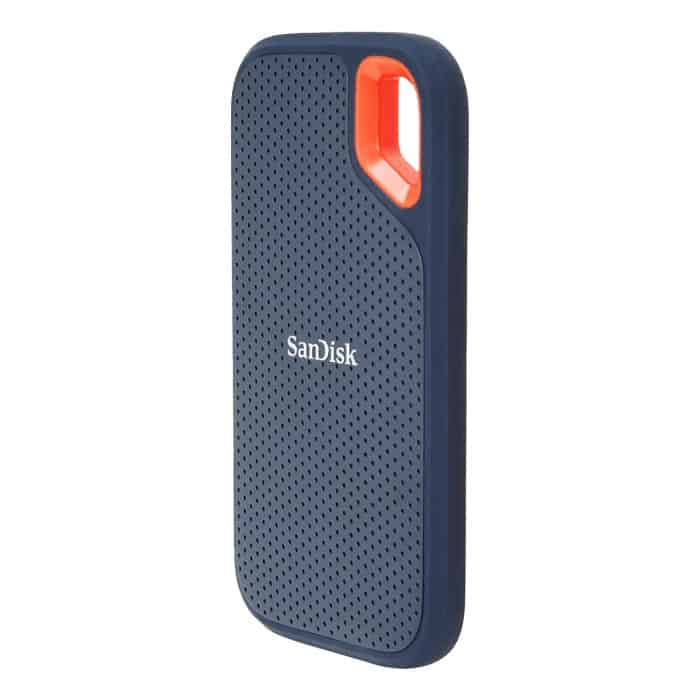
This is the one place where a SanDisk product needs a completely different answer than the two categories above, and it's worth being direct about it: the SanDisk Extreme Portable SSD and every modern SanDisk internal SSD scramble everything they write with a key that lives inside the drive's own controller chip and never leaves it. Pull the NAND chips off the board and read them on a programmer — the same move that works on a memory card or flash drive — and you get encrypted noise, not files. The real recovery path on a SanDisk SSD is bringing the drive's own original controller back to life, not extracting its memory.
The most common failure we see on the SanDisk Extreme Portable SSD is the USB-C connector snapping off the board after a drop — the small connector takes the hit, the drive looks dead, but the controller and the NAND behind it are usually undamaged. There's also the 2023 firmware issue: SanDisk shipped an update for the 2TB and 4TB Extreme Portable SSD V2 that corrupted file systems mid-use, and we still see those drives arrive every week. In both cases the fix runs through the drive's own controller — repairing the connection to it, or correcting the corrupted file-system state it manages — because that controller is the only thing that can decrypt what's stored underneath it. If your SanDisk Extreme Portable SSD shows up as unrecognized, throws corrupted files, or won't mount, stop using it immediately; every additional power cycle risks the controller further, and the controller is the one part of the recovery you can't work around.
WD My Passport SSD: The Same Controller-First Approach
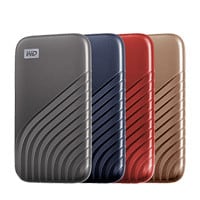
We cover the WD My Passport SSD here because customers frequently ask us the exact same question about it, and the underlying physics is identical to the SanDisk Extreme's: a capable NVMe controller inside, protected by a USB-C bridge chip on the outside that's just as fragile as SanDisk's own connector. The My Passport SSD ships in 500GB, 1TB, 2TB and 4TB capacities with read/write speeds around 1,050/1,000 MBps, and every one of those capacities routes its encryption through that same controller. We see two failure modes most often on the My Passport — a snapped connector from a desk drop, and a logic-board short from a power surge that takes out the bridge chip without touching the NAND behind it. Either way, the data survives on the memory in most cases, but reading it requires reviving or bypassing that original controller, exactly as with the SanDisk Extreme above, not lifting the memory chips off the board. Customers who bring us both a SanDisk and a WD drive from the same household are often surprised to learn the recovery approach is the same brand to brand — it's the controller architecture that decides the method, not the logo on the case.
| SanDisk Failures by Product Type & the Correct Recovery Path | ||
|---|---|---|
| Device | What usually failed | Correct recovery method |
| SD / microSD card, cracked or corroded | Shell or contact pins; NAND chip usually intact | ✓ Chip-off / monolithic extraction |
| CompactFlash, unreadable mid-shoot | Contact pins or card controller | ✓ Chip-off, direct NAND read |
| USB flash drive, water or bent port | Connector or drive controller; NAND usually undamaged | ✓ Chip-off, direct NAND read |
| Extreme Portable SSD, snapped USB-C | External bridge connector; controller/NAND undamaged | ⚠ Original controller revival — NOT chip-off |
| Extreme Portable SSD V2, 2023 firmware corruption | File-system state managed by the controller | ⚠ Original controller revival — NOT chip-off |
| My Passport SSD, logic-board short | USB-C bridge chip or logic board | ⚠ Original controller revival — NOT chip-off |
Protect Your Files Before You Need To
Whether it's a card, a flash drive or an SSD, the fastest recovery is the one you never need — the same habits covered in our guide to protecting a damaged microSD card apply to every SanDisk product on this page. A single SanDisk device of any kind should be treated as temporary storage, never the only copy of anything that matters — a premium SanDisk Extreme PRO SSD fails the same way an inexpensive memory card can, just for a different underlying reason. Copying files to a second location (cloud storage, a computer, or a second card or drive) the same day they're captured means a cracked card or a firmware-corrupted SSD costs a replacement, not weeks of lost work. If your device has already failed and no second copy exists, that's exactly what a free evaluation is for — it doesn't require the device to power on or mount first. It's also worth checking for known firmware issues on any drive you own, the way SanDisk's own 2023 Extreme Portable SSD V2 update turned into one; a five-minute search before you update firmware on anything storing files you can't lose is cheap insurance. And regardless of brand or capacity, an SSD nearing the end of its rated write-endurance benefits from the same habit as a memory card: a second copy made well before the drive starts throwing errors costs nothing but a few minutes.
What Our Customers Say
Frequently Asked Questions
Recovery Services for Every Storage Device Class
A failed SanDisk device isn’t the only thing eProvided recovers — we cover every storage class from one lab: SSD data recovery (Samsung, Western Digital and Crucial NVMe/SATA drives, using the same controller-first approach as the SanDisk and My Passport SSDs above), USB flash drive recovery, NAND flash chip-off recovery, memory card and CompactFlash recovery, and hard drive recovery for Seagate, Western Digital and Toshiba mechanical and logical failures. See all our data recovery services →
More SanDisk & Flash Media Recovery Guides
- SanDisk flash drive data recovery — a closer look at SanDisk-specific USB flash drive failures.
- Broken SD card recovery — what to check when a card won’t mount, before you ship it.
- SSD drive recovery and NAND chip technology — how modern SSD controllers change the recovery approach.
Whichever SanDisk product failed on you, the same rule holds: know which of the three categories it falls into before anyone attempts a fix, because the right method for one is the wrong method for another.
Recover Files from a Failed SanDisk Device
Card, USB flash drive, or SSD — our engineers will confirm what’s recoverable and the correct method for your specific SanDisk device during a free evaluation. No obligation, confidential.
Start My Free Evaluationor call (866) 857-5950 now
Related Recovery Services
A failed SanDisk device isn’t the only thing eProvided recovers — these recovery services get the data back from every storage class in one lab: