
Used by NASA · the FBI · the U.S. Navy · Since 1999
How Long Do SD Cards Last? Lifespan, Failure Rate, and What a Scorched Card Tells You
- Written by a 27-year data recovery specialist
- Real wear numbers with a named source
- What to do on set when a card fails
- If a card has failed, we evaluate it free
How Long Do SD Cards Last?
Most SD cards last several years of normal use. Consumer cards use flash memory rated for roughly 1,000 to 3,000 program/erase cycles, according to Transcend, a flash maker. Heat, power faults, fake cards and pulling a card mid-write end many cards far sooner. Failure varies by brand, model and workload.
“A card rarely dies of old age. It dies of one bad moment.” — Bruce Cullen, founder, eProvided
A card that works on Monday can be dead by Friday. That is the part nobody plans for. For a wedding photographer, a DIT on a film set or a videographer shooting an event that happens once, the question “how long do SD cards last” is really a question about risk. This guide gives the plain numbers, shows what shortens a card’s life and explains why cards get hot. It also walks through a real bench example: a card with a scorched patch on top, and why the burn on the outside does not tell you what happened inside. If you shoot for a living, read the last sections before your next job. And if a card has already failed, our micro SD card data recovery team can tell you what is realistic.
Most SD cards survive years of normal use, but lifespan depends on write cycles, heat and power quality more than on age. Buy from authorized sellers, keep cards cool, never pull one mid-write, retire busy cards on a schedule and copy footage off the same day. If a card fails, stop using it. Reformatting or retrying can overwrite what a lab could still read.
Already holding a card that will not read? A broken memory card can still hold your files, so stop using it and find out free what is recoverable » or call (866) 857-5950.
- How Long Do SD Cards Last?
- How Long Do Micro SD Cards Last?
- SD Card Failure Rate
- What Kills an SD Card Early
- Do SD Cards Go Bad?
- Why Does My SD Card Get Hot?
- The Scorched Card
- How a Lab Checks a Scorched Card
- When a Card Fails on Set
- What About High-Speed Pro Cards?
- Why Choose eProvided
- What Our Customers Say
- Frequently Asked Questions
- Related Articles
- Get a Free Evaluation
- Related Recovery Services
How Long Do SD Cards Last? Lifespan by Card Type
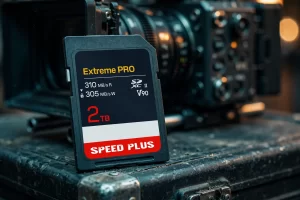
SD cards do not have an expiry date. They wear out by use. Flash memory stores data in cells, and every write and erase slightly wears a cell. The number of write-and-erase passes a cell can take is called its program/erase (P/E) cycle rating.
How Flash Wear Works
Transcend, a flash maker, lists typical ratings of about 1,000 P/E cycles for TLC flash and 3,000 for MLC flash, and rates its own 96-layer 3D TLC at an average of 3,000. It also notes that the figure varies by flash type, test setup and manufacturing process. Treat any single number as a range, not a promise.
A controller on the card spreads writes across all the cells. This is called wear leveling. It lets a card take roughly as many full-card rewrites as its cycle rating. In theory, a 128 GB card rated at 1,000 cycles could absorb about 128 TB of writes. Real life is lower, because the controller also moves data around inside the card.
| SD Card Types and What Limits Their Life | ||
|---|---|---|
| Card type | Typical use | What limits its life |
| SD / SDHC (older, small) | Photos, basic video | Age of the design; small capacity means more wear per cell |
| SDXC UHS-I | Everyday photo and 1080p/4K video | Write cycles on TLC flash; heat on long clips |
| SDXC UHS-II (V60/V90) | Cinema and burst photo; A-cam and B-cam cards | Heat from sustained writes at 150 to 300 MB/s; controller stress |
| microSD | Drones, action cams, dash cams, phones | Heat in small enclosures; constant overwriting in loop recording |
| High-speed pro cards (NVMe class) | High-bitrate RAW and cinema cameras | Heat from sustained writes; NVMe-class controller; cost of failure |
How Many Years Is That?
How many years that adds up to depends on how hard you use the card. A card that holds occasional family photos is written to rarely, so it is far from its cycle limit, and age or damage usually ends it first. A card that is filled and erased every shoot day uses its cycles much faster: at one full rewrite a day, a card rated for 1,000 cycles reaches that rating in under three years (1,000 rewrites at one a day is about 2.7 years). That is the rating, not a failure date, but it shows why busy cards wear out first. Our guide to the different types and speeds of SD cards shows which card class suits which job.
When Should You Replace an SD Card?
When should you replace an SD card? Set the rule before the shoot, not after a failure. Write the first-use date on the card sleeve and log the jobs it works. Replace the card after a set number of heavy shoot days, or at the first slow write or card error, whichever comes first. Do the same after a heat event, a hard drop or a power loss mid-write: copy everything off, then retire the card or test its full capacity before it goes on a paid job. A cheap card is not the risk. A lost day of footage is.
How Long Do Micro SD Cards Last?
MicroSD cards last about as long as full-size cards, with one catch. They hold the same kind of flash in a smaller shell, and they live in drones, action cameras, dash cams and phones. Those devices are small, warm and often lose power with no warning.
Dash cams and security cameras write in a non-stop loop. They use up write cycles much faster than a camera that shoots a few hundred photos. Makers sell “high endurance” microSD cards for this reason. If you fly a drone or run an action cam for work, use a card sold for sustained video, replace it on a schedule and test it in a reader before an important job. For what the labels on the card mean, see our guide to the micro SD class rating and speed rating.
One more point for phone users. A microSD set up as internal storage in a phone is encrypted with a key held by the phone, so reading the flash directly returns scrambled data. Recovery options differ in that case, so say so when you ask for an evaluation.
SD Card Failure Rate: What the Numbers Can and Cannot Say
Nobody publishes one reliable SD card failure rate. Makers do not release field data by model, and reviews test small samples. Any site that quotes a single percentage is guessing.
What we can say from the bench is this: many failed cards we see did not wear out. They were hit by one event. A card pulled mid-write, a heat event, a power fault in the camera, a counterfeit card with a fake capacity, or a bent or cracked shell. Wear-out is real, but it is slower and usually gives warning first, such as slow writes or read errors.
The practical rule for working crews is to treat every card as a part that will fail at an unknown time. Plan for it with two cards or two cameras on any event that cannot be repeated.
What Kills an SD Card Early
Most cards that fail early were hit by one event, not by age. These are the main causes we see.
- Heat. Sustained 4K and 6K writes warm the controller and the flash. Heat shortens how long cells hold their charge and, past a limit, damages parts. Cards in a closed slot, in direct sun or in a hot bag are at risk.
- Short circuits and power faults. A failing camera battery or a damaged slot can send a spike or a short through the card’s contacts. The controller is usually the first chip hit.
- Fake or counterfeit cards. A fake card reports a large capacity but holds far less. It writes fine until it passes its real size, then overwrites older footage. Buy from authorized sellers and test new cards with a full-capacity write and read check.
- Power loss mid-write. Pulling a card, or a battery dying, while the controller updates its map can corrupt the card’s file table.
- Rough handling. Bent cards, dirty or corroded contacts and liquid.
- Heavy overwriting. Constant loop recording on a card not built for it.
Our guide on how to protect SD cards and micro SD cards covers the daily care habits in more detail. This page stays on lifespan and failure.
Do SD Cards Go Bad?
Yes. They go bad in two ways, and the signs differ.
Slow wear. Writes get slower, files fail to save, the camera shows card errors or the card reports less space than it should. This usually builds over weeks. It is a signal to copy everything off and retire the card.
Sudden failure. The card is not detected, shows the wrong size, or shows as RAW or unformatted. The cause is often the controller, a power event or a damaged contact. The data may still sit in the flash, which is why you should stop using the card. Our write-up on broken SD card recovery explains what happens next.
A card that “still works” after a scare is not proven safe. Heat or a short can leave a card working for days, then fail.
Why Does My SD Card Get Hot?
Warm is normal. Writing data takes power, and power makes heat. The controller and the flash warm up most during sustained writes: 4K or 6K video, RAW bursts and long takes in a slot with no airflow. A card in a small camera body in summer sun can run hotter than the maker’s test setup.
A card too hot to hold comfortably is a warning. Common causes:
- High-bitrate video on a card that is slow for the job, so the controller works flat out.
- A closed, warm camera slot, or a camera left on in a hot car or bag.
- A fault in the card or the camera’s power supply, such as a short.
- A counterfeit or failing card.
What to do: let the camera rest between long takes when you can, shade it, use a card rated for the bitrate and swap cards at breaks. If a card is too hot to hold, power down, let it cool and copy the footage off before you do anything else with it.
The Scorched Card: Outside Burn or Inside Failure?
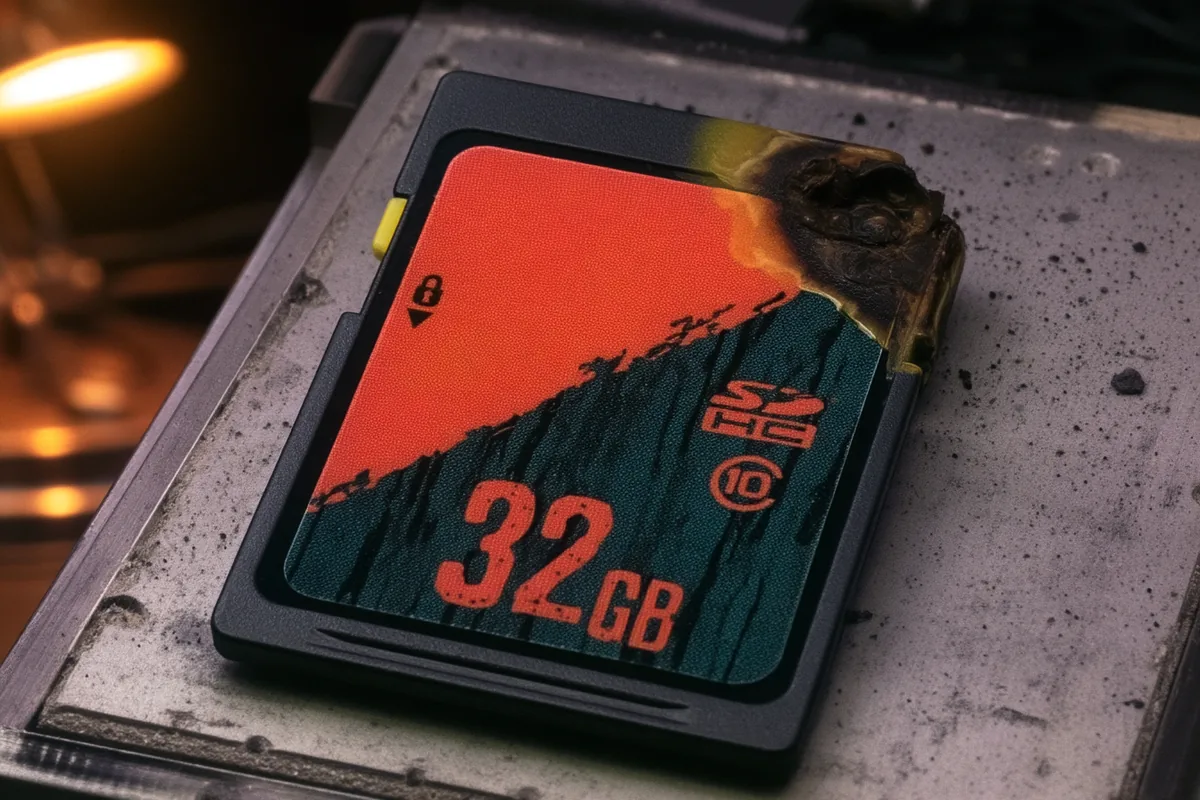
Here is the bench case behind this article. A memory card came out of a professional camera with a dark, scorched patch on top. The owner asked one thing: did the heat reach the memory inside, or only the plastic?
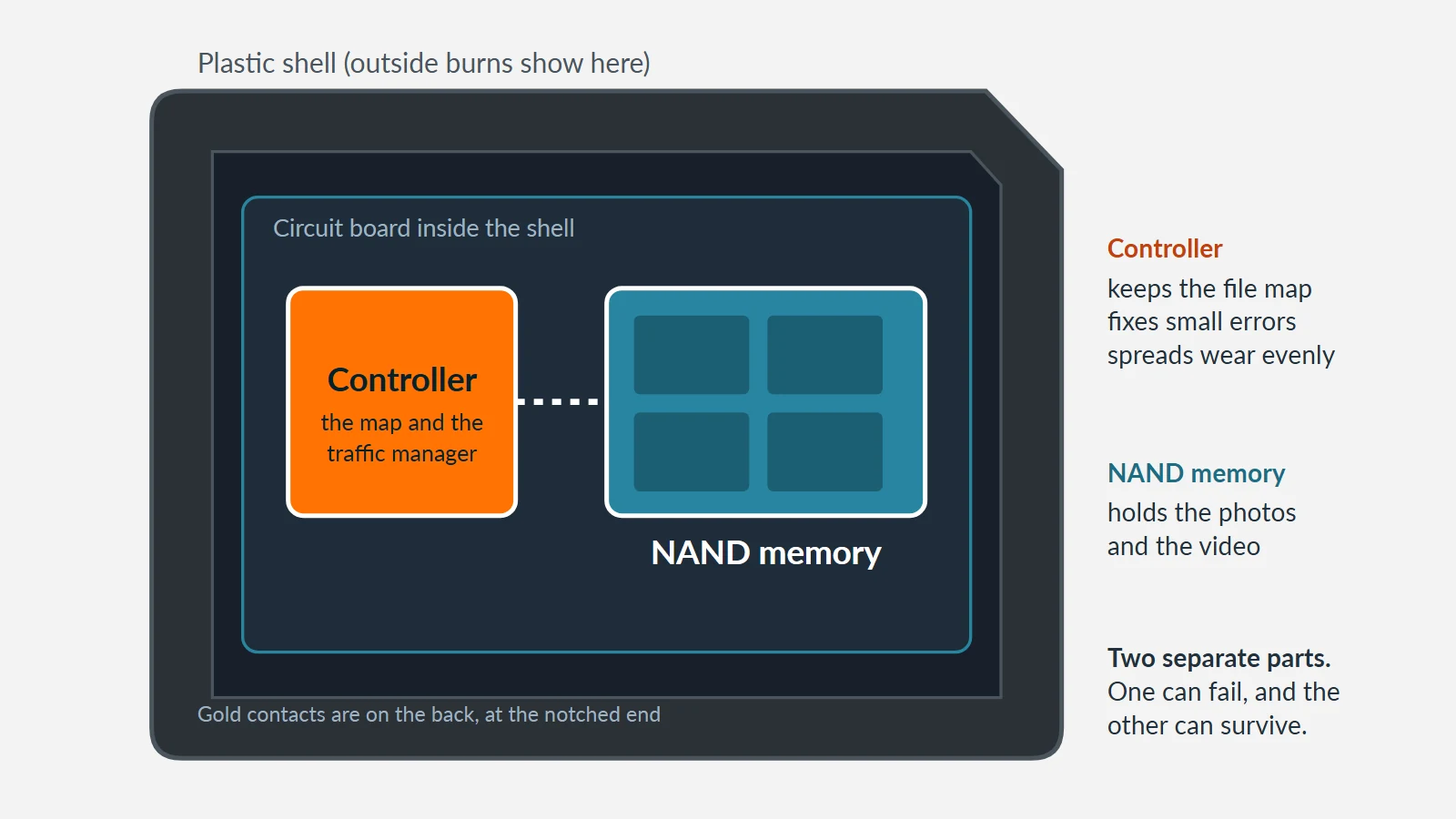
The outside alone cannot answer that. A card is a small system with three layers: a plastic shell, a circuit board with a controller chip, and NAND flash memory chips. Many microSD and newer SD cards are monolithic: the controller and the flash are sealed in one package, which changes how a lab can reach the data.
Three Layers: Shell, Controller and NAND
 Enlarge
- The shell is molded plastic. It slows heat but does not stop it. A scorch tells you heat reached the outside. It does not tell you how far it went.
- The controller is a small processor. It keeps the map from file names to flash locations, spreads wear across the chip, corrects small errors and often handles scrambling of the stored data. It is usually the busiest chip on the board, so a short or surge often hits it first.
- The NAND flash holds the data itself. Cells keep a charge, so the data stays when power is off.
Why the Outside Is a Poor Guide
Why the outside is a poor guide: heat travels through the board’s copper traces, not just through air. Plastic and silicon fail at different temperatures. The shell hides the underside and the far corner. And electrical damage, such as a lifted bond wire or a broken map, looks perfect under a lamp.
| Outside Burn vs. Internal Failure | ||
|---|---|---|
| Question | Outside burn only | Internal failure |
| Where heat starts | Outside, then soaks in | Inside the card, at a chip or contact |
| Typical marks | Discoloration, softened label, scorch on top | Bulge, crack, popped part, dark spot away from the top |
| Likely part hit first | Shell, then chips if the dose is high | Controller, or one block of NAND |
| What the card does | Often works, sometimes with errors | Often not detected, or wrong capacity |
| What it tells you | Heat was involved; chips may be fine | Something failed on the board; test each chip |
What the Damage Can Tell You
 Enlarge
A bulged, cracked or popped package points to a fault inside. A scorch on a flat, clean package is more often outside heat. Neither sign is a verdict.
Controller, NAND or Both
If the controller dies and the NAND survives, the card is often not recognized, but the data may still sit in the flash. What is missing is the map and the logic to reach it. A lab may read the flash chips directly with its own equipment and try to rebuild the map. This is slow work and it is not guaranteed.
If the NAND is damaged and the controller survives, the card shows its capacity, but some blocks return errors. The result depends on how many blocks are bad and where they sit.
If both fail, some files may come back in pieces and others may not. An honest lab says so.
How a Lab Checks a Scorched Card
 Enlarge
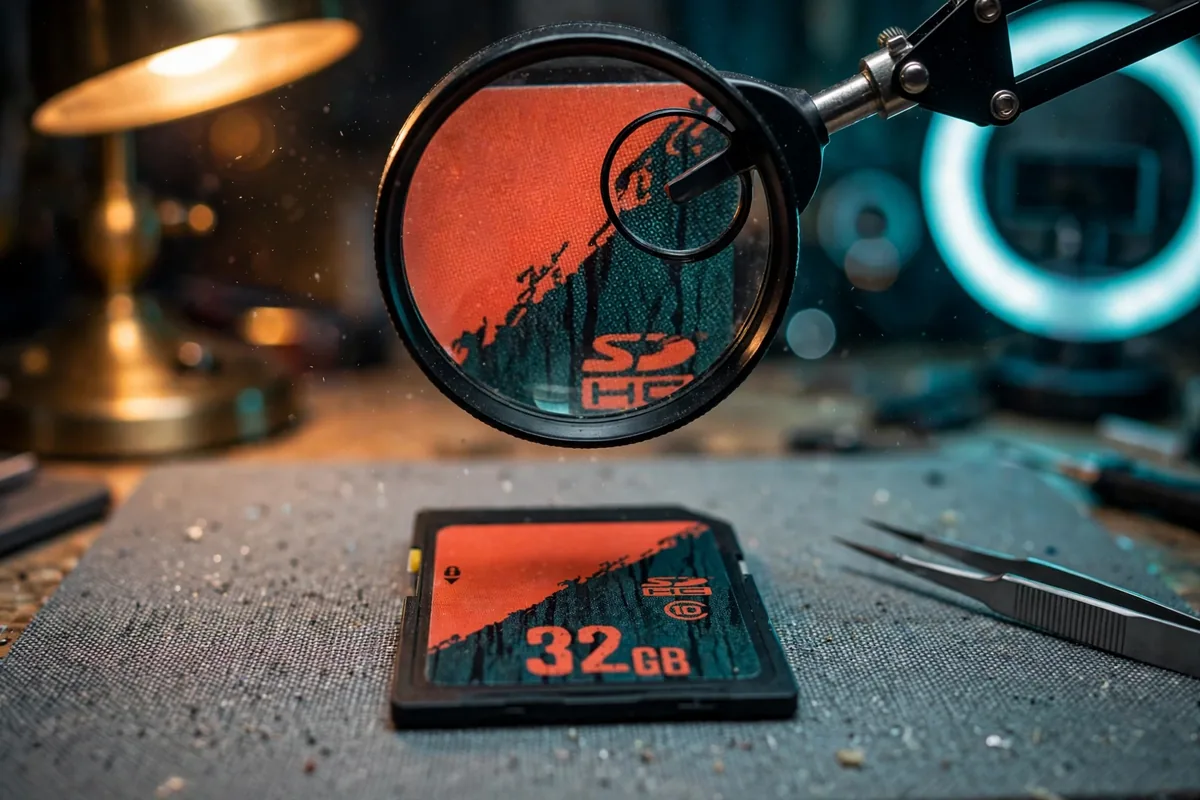
A careful check follows the same order every time, so nothing is assumed:
- Record the card as received. Photograph the top, bottom, edges and contacts. Note what a reader reports.
- Inspect under magnification for cracks, softened plastic, discoloration and lifted parts.
- Check the contacts and power path before any memory test.
- Test the controller on its own.
- Test the memory on its own, block by block where the design allows.
- Choose the method from the results. Some cards can be read directly once the flash is reachable. Some cannot. No method is promised to return any file.
- Report before changing anything.
Reading the flash chip directly is a core method for us on SD and microSD cards, and our NAND flash and chip-off recovery page explains the process. Whether it applies depends on the card, and we never promise a result.
What a DIT or Wedding Shooter Does When a Card Fails
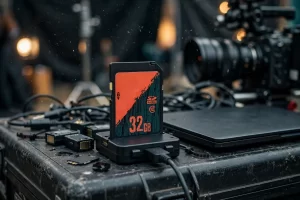
On set or at a wedding, the first move decides the outcome.
- Stop. Do not reformat, “repair” or retry the card in several readers. Each attempt can change what a lab could read.
- Swap in the backup card and keep shooting. A-cam and B-cam rolls should not share one card batch or one reader chain.
- Write down what happened: heat, a battery warning, a drop, an error message and the last clip shot.
- Keep the card in a padded case, away from heat and magnets. Do not clean it or open it.
- Skip recovery software on a burnt or overheated card. Software reads through the controller, and a damaged controller can return nothing, or the software can write to the card and overwrite what a lab could still read.
- Call before shipping. A free evaluation tells you what is realistic for that card.
For prevention, offload and verify the same day, keep two copies before formatting, retire cards on a schedule, label cards and track their jobs, and buy only from authorized sellers.
What About High-Speed Pro Cards?
High-speed pro cards sit in cinema and high-end stills bodies. They write fast, so they run hot, and the stakes per card are high. They fail in the same ways as SD cards: heat, power faults, damaged contacts and controller faults. For these cards, the first rules are the same: stop using the card, keep it cool and padded, and have it evaluated before any repair attempt. The right route depends on the card’s design, which an evaluation establishes. NVMe-class controllers may scramble or encrypt stored data, so a direct flash read is not always an option.
Why Choose eProvided
eProvided SD & microSD card evaluation, in one sentence: the same lab that explains how cards fail looks at the card when one does.
eProvided has worked on SD and microSD cards since the format first appeared, which is why this guide sticks to what we see at the bench. Every case starts with a free evaluation and the “No Data, No Data Recovery Fee” guarantee, whether the card holds family photos or work tied to NASA, the FBI or the U.S. Navy. See the full range of data recovery services.
What Our Customers Say
Frequently Asked Questions
This article describes in general how SD cards age and how scorched cards are assessed. Every card is different, and no result is certain until the card is examined. Nothing here promises recovery of any card.
Related Articles
If your problem is files that will not open rather than a card that will not mount, read about the top causes of camera card data corruption. For care habits, the protect-your-cards guide linked above is the place to start.
Card Failed or Scorched? Get a Free Evaluation
A scorched, overheated or dead card is not always lost. We test the controller and the flash and tell you plainly what is realistic.
Start My Free Evaluationor call (866) 857-5950 now
Recovery Services for Every Memory Card & Storage Device
eProvided recovers other storage devices from the same lab: