
Used by NASA · the FBI · the U.S. Navy · Since 1999 · 98% Success Rate
What Makes a USB 3.0 Flash Drive Fast — and Why Speed Doesn’t Protect Your Data
- No Data, No Data Recovery Fee
- Chip-off recovery — our specialty
- 27+ years of recovery experience
- Every brand, every capacity
Does a faster USB 3.0 flash drive fail less often?
No. A USB 3.0 interface and a strong controller make a flash drive faster to use — they don’t make it more resistant to drops, static or power surges. Because these drives hold no processor-bound encryption key, the honest fix when one dies is component-level chip-off recovery, reading the raw NAND directly.
“Speed is a transfer-rate spec, not a durability spec. We’ve pulled data off dead high-speed drives from every major brand — the interface never changes how we recover it.” — Bruce Cullen, founder, eProvided
A USB 3.0 flash drive — like Silicon Power’s Mobile X31, a dual-interface drive built around a SuperSpeed USB 3.0 connector and COB (chip-on-board) construction — moves files faster than an older USB 2.0 stick, but the parts that make it fast are not the parts that keep your data safe. After 27+ years running USB flash drive data recovery on drives from every speed class and every brand, we can tell you exactly what makes a flash drive fast, why that speed adds a few failure risks of its own, and the honest recovery path when a high-speed drive stops responding.
A fast USB 3.0 flash drive combines a SuperSpeed USB 3.0 interface, a capable controller chip and quality NAND memory — none of which make the drive tougher against drops, static discharge, power surges or ordinary wear. Standard consumer flash drives (including high-speed ones) carry no processor-bound encryption key, so when one dies, chip-off recovery — reading the NAND chip directly, independent of the failed controller — is the correct, reliable method. The one exception is a hardware-encrypted drive (IronKey-class), where the encryption key lives inside the controller itself and changes the recovery approach.
Do RIGHT NOW
- Stop plugging and unplugging a drive that’s not being recognized — repeated insertion can worsen a failing connector
- Note what changed right before it failed (dropped, unplugged during a transfer, plugged into a different port)
- If it’s warm or was recently exposed to static, let it sit and cool before trying again
- Check whether the files were also copied anywhere else (cloud, another drive, a computer) before assuming they’re gone
DON’T Do
- Don’t run chkdsk, a repair utility, or “fix” tools on a drive with data you need — these write to the drive and can overwrite what’s recoverable
- Don’t reformat a drive that shows RAW or asks to be formatted if the files matter
- Don’t try to reflow or reheat the connector yourself — heat applied unevenly can crack the NAND package underneath
- Don’t assume a “lifetime warranty” replaces your files — it replaces the drive, not the data on it
Already dealing with a dead high-speed flash drive? A free evaluation tells you what's still on the chip, or call (866) 857-5950 to talk it through first.
What Makes a Fast USB 3.0 Flash Drive?
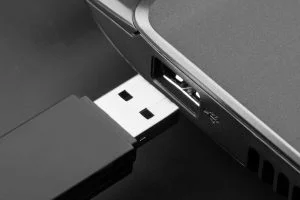
A fast flash drive is really three components working together: the USB interface, the controller chip, and the NAND memory itself. The USB 3.0 (SuperSpeed) interface raises the theoretical transfer ceiling well above USB 2.0, but the drive only reaches that ceiling if the controller chip inside can read and write NAND cells quickly enough to keep up, and if the NAND itself is a faster-grade type rather than the cheapest available die. Silicon Power’s Mobile X31, for example, pairs a dual-interface design — a USB 3.0 connector on one end and a micro-USB connector on the other — with COB (chip-on-board) construction, which mounts the NAND and controller directly onto the circuit board rather than in separate housings. That construction is about durability and compactness, not raw speed, but it’s a good example of how “fast” drives usually bundle several engineering choices into one product rather than relying on a single spec.
None of this changes what your data actually depends on: the NAND chip is still where every photo, document and file physically lives, and the controller is still the single point of failure between that chip and the USB port. A drive with a newer interface and a stronger controller transfers files faster while everything works — it doesn’t change what happens the moment something stops working.
Speed vs. Durability: Two Different Specs
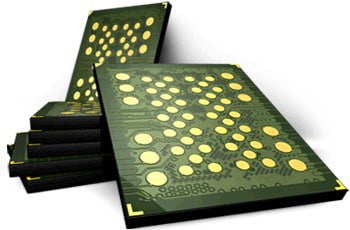
It’s an easy assumption to make — a drive marketed as tougher and faster, with a metal-and-plastic body, a swivel cap protecting the connector, and a lifetime warranty, feels like it should also be more failure-resistant. Speed and physical durability are genuinely separate engineering goals, though, and a drive can be excellent at one without being especially strong at the other. A swivel cap or a reinforced housing protects the connector and the outside of the drive from drops and dust; it does nothing for the controller chip or NAND cells sealed inside, which fail from causes that have nothing to do with the housing — static discharge, a power surge from a bad USB port, firmware corruption, or ordinary write-cycle wear on the NAND cells themselves. A lifetime warranty, similarly, replaces a defective drive; it has no way to recover the files that were on it, because warranties cover the hardware, not the data.
Why Fast Flash Drives Still Fail
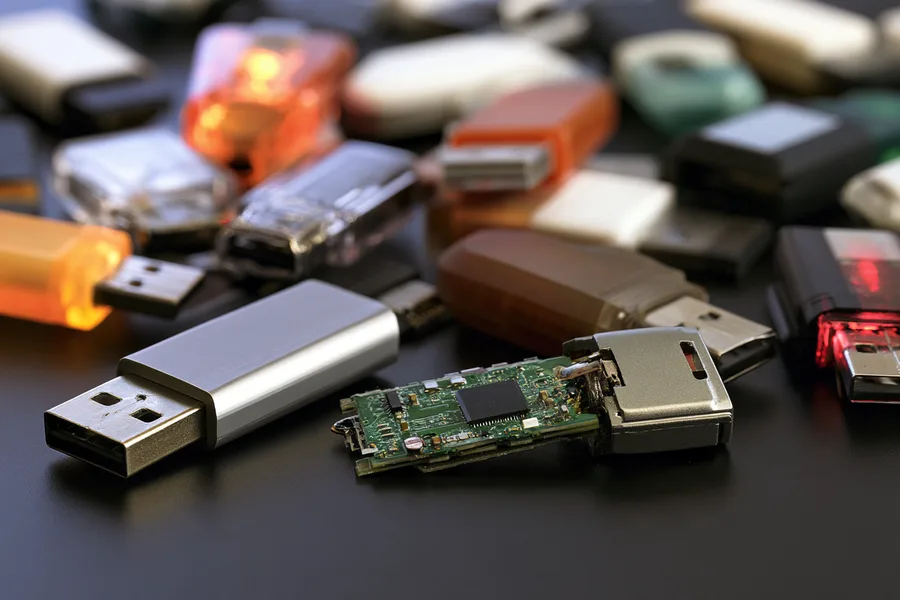
The failure patterns we see on high-speed USB 3.0 drives are, almost without exception, the same patterns we see on any flash drive — the interface speed doesn’t change what breaks. A dead controller is the single most common cause: the chip that manages reads and writes to the NAND stops responding, usually from a power event (a surge, an improper ejection during a write, or a failing USB port on the host device) or from firmware corruption. A broken or bent connector is next — a USB 3.0 connector has more pins packed into the same footprint as older connectors, and repeated insertion stress or a drop while plugged in can crack the solder joints holding it to the board. Water and corrosion affect fast drives exactly as they affect slower ones. And logical corruption — a drive suddenly showing as RAW or asking to be formatted — happens on high-speed drives just as often as anywhere else, because it’s a file-system problem, not a speed problem. The table below breaks down what we see most often on this class of drive and what it actually affects.
| Common Fast Flash Drive Failures & What Actually Breaks | ||
|---|---|---|
| What happened | What it usually affects | Data recoverable? |
| Drive not detected / no lights | Dead controller chip — power event or firmware failure | ✓ Yes, via chip-off |
| Bent or broken connector | Cracked solder joints on the USB 3.0 connector | ✓ Yes, board-level rework |
| Shows RAW or “needs to be formatted” | File-system corruption; NAND cells usually untouched | ✓ Yes, via raw NAND read |
| Water or corrosion damage | Corrosion on controller or connector pins | ✓ Usually, if caught early |
| NAND package physically damaged | Cracked or delaminated chip — rare, often from crushing | • Evaluated case by case |
How Chip-Off Recovery Gets the Data Back

Because a standard USB 3.0 flash drive has no processor-bound encryption key tying the NAND to a separate chip, the recovery approach is more direct than it is on a device like a modern iPad or iPhone. We start every case with a free look at the drive, using the same data recovery process for any high-speed flash drive. If the controller still functions, we can sometimes read the drive through its own circuitry. When the controller is dead — the most common failure on this class of drive — we desolder the NAND chip itself and read it directly on specialized hardware, bypassing the failed controller entirely and rebuilding the file system from the raw data. That’s chip-off recovery, and it works precisely because the memory and the key needed to read it are the same component — there’s no separate Secure Enclave-style lock to work around. The one meaningful exception is a hardware-encrypted drive (IronKey and similar security-focused brands), where the encryption key is generated and held inside the controller chip itself; those drives require a different approach, and we evaluate that possibility during the free evaluation before any work begins.
This article explains why a fast flash drive fails no differently than any other and how recovery works; if your drive is already dead and you want it evaluated, that’s a separate step with its own quote and turnaround — start there when you’re ready to send it in.
Back Up Before You Need To
A flash drive’s speed says nothing about how long it will last, so the safest habit — regardless of which brand or interface you use — is treating any single flash drive as temporary storage, not the only copy of anything that matters. Copying files to a second location (a cloud service, an external hard drive, or a second flash drive) the same day they’re created means a dead controller on a SanDisk, Kingston, Samsung or Crucial drive costs you a cheap replacement drive, not weeks of work. If your drive already failed and no second copy exists, that’s exactly the case a free evaluation is for — it doesn’t require the drive to power on or be detected first. A simple habit that helps: set a recurring reminder to copy anything new off a flash drive at the end of each week, rather than waiting until the drive is full or a project wraps up. Cloud sync tools can automate this for folders you use often, so the backup happens without you having to remember it every time.
What Our Customers Say
Frequently Asked Questions
Recovery Services for Every Storage Device Class
A dead flash drive isn’t the only device eProvided recovers — we cover every storage class from one lab: hard drive data recovery (Seagate, Western Digital, Toshiba mechanical and logical failures), memory card recovery (SD, microSD, CompactFlash) and SSD data recovery (NVMe and SATA). See all our data recovery services →
More USB & Flash Drive Recovery Guides
- Recover a corrupted or RAW flash drive — the DIY steps worth trying before sending a drive in for recovery.
- 10 tips to prevent flash drive damage — simple habits that keep the next drive from failing early.
- Fix a USB device that isn’t recognized — what a “not recognized” error means and what to try first.
Once your files are safe, copying them to a second location the same day is the single best way to make sure the next dead controller is an inexpensive replacement, not a recovery case.
Recover Files from a Failed Flash Drive
Not detected, showing RAW, or a broken connector — our engineers will confirm what’s recoverable from your flash drive during a free evaluation. No obligation, confidential.
Start My Free Evaluationor call (866) 857-5950 now
Related Recovery Services
A dead high-speed flash drive isn’t the only device eProvided recovers — these recovery services get the data back from every storage class in one lab: