
Used by NASA · the FBI · the U.S. Navy · Since 1999
Bumped Your USB Drive? What Actually Happens Next
- No Data, No Data Recovery Fee
- Chip-off recovery — our specialty
- 27+ years of recovery experience
- Every brand, every capacity
I Bumped My USB Drive — Is My Data Gone?
Usually not. If the drive was idle when bumped, your files are almost certainly fine. If it was actively writing, the interruption can corrupt that file — and a hard enough knock can shear the connector or crack a solder joint, needing chip-off recovery to read the NAND chip directly.
“The bump itself almost never touches the memory chip. It’s always the connection — electrical or physical — that breaks.” — Bruce Cullen, founder, eProvided
You’re working at your desk, you reach down to scratch an itch or grab a dropped pen, and your elbow catches the USB drive still plugged into your laptop. That single moment — not a drop, not a crush, just a knock while it’s in the port — is one of the most common ways people lose data from a USB flash drive, and it’s also one of the most misunderstood. What happens next depends entirely on one fact most people never think to check: was the drive actively writing a file at that exact instant, or just sitting there? After 27+ years recovering data from USB drives of every brand and size, we can walk through both outcomes honestly, because they call for genuinely different fixes.
Bumping a USB drive that’s idle in the port almost never causes data loss — the connection barely flickers and nothing was mid-write to interrupt. Bumping it WHILE it’s actively saving a file is a different story: a brief disconnect during a write can corrupt that file or the drive’s file system, and a harder knock can physically shear the connector or crack a solder joint on the board. The first case is a logical, file-system-level fix; the second needs chip-off recovery to read the NAND chip directly, bypassing the broken connection entirely.
Do RIGHT NOW
- Stop copying or saving new files to the drive immediately — further writes can overwrite what’s still recoverable
- Note whether a file transfer or save was actually in progress when the bump happened
- If the drive still lights up and mounts, copy off whatever you can read to a different drive right away
- If the connector looks bent, loose, or the drive won’t seat fully in a port anymore, stop trying to force it in
DON’T Do
- Don’t run chkdsk or a disk-repair utility on a drive that shows corruption right after a bump — it can overwrite recoverable data while “fixing” the file system
- Don’t keep plugging and unplugging a drive with a loose or bent connector — each attempt risks finishing the job of shearing it off
- Don’t assume a drive that stops being detected after a bump is destroyed — the NAND chip inside almost always survives a knock that breaks the connector
- Don’t try to resolder a snapped connector yourself — uneven heat or pressure can crack the chip’s own solder joints next to it
Already dealing with a USB drive that stopped working after a bump? You can find out for free what’s recoverable » or call (866) 857-5950 to talk it through first.
- If It Wasn’t Writing: Why an Idle Bump Usually Costs You Nothing
- If It WAS Writing: How an Interrupted Write Corrupts Files
- When the Bump Is Hard Enough: Connector and Solder-Joint Damage
- How Each Case Gets Recovered
- Protect Your Work Before the Next Bump
- What Our Customers Say
- Frequently Asked Questions
- Recover Files from a Bumped USB Drive
- Related Recovery Services
If It Wasn’t Writing: Why an Idle Bump Usually Costs You Nothing

When a USB drive is just sitting in a port — no file open, nothing copying, no save in progress — the drive and the computer aren’t actively exchanging data at that instant. A knock or nudge might cause a brief electrical flicker on the connection, and in rare cases the operating system will show a “device disconnected” notification, but there’s nothing being written that the flicker could corrupt. This is why most people who bump a USB drive never notice anything wrong afterward: the files already saved to the drive were finished being written before the bump happened, and a completed write is a stable, closed operation that a momentary disconnect can’t unravel. The one thing worth checking is whether the drive still mounts normally and shows its expected files and free space — if it does, no further action is needed beyond continuing to eject it safely in the future. A quick flicker also won’t trigger the file-system checks Windows or macOS sometimes run after a true disconnect-and-reconnect cycle, since the operating system never lost track of the drive long enough to consider it removed. If you want extra peace of mind after any bump, plugging the drive into a different computer and confirming every file opens cleanly takes a minute and settles the question for good, rather than wondering every time you plug it back in.
If It WAS Writing: How an Interrupted Write Corrupts Files

The moment a bump actually matters is when the drive is in the middle of writing: saving a document, copying a folder over, or a background sync mid-transfer. A knock at that instant can momentarily break the electrical connection, and the drive’s controller has no way to finish a write it never received the rest of. Depending on exactly what was being written, the result ranges from one corrupted file (the document you were saving lands with garbled or missing content) to a corrupted file-system table that makes the whole drive show up as “RAW” or ask to be reformatted, even though most of the other files on it are completely untouched. This is a logical failure, not a physical one — the connector, the controller, and the NAND chip are all intact; only the data structure describing where files live got interrupted partway through being updated. Recovering from this case means reading the raw NAND contents and rebuilding the file-system structure around them, which is a very different job from opening the drive’s case.
When the Bump Is Hard Enough: Connector and Solder-Joint Damage

A soft bump only risks the write in progress. A hard one — enough force to visibly loosen, bend, or snap the connector — is a physical failure on top of, or instead of, a logical one. The USB connector is soldered to a small circuit board that also holds the controller and the NAND memory chip; a sharp sideways or downward force at the connector transfers stress into those solder joints, and something has to give. Most often it’s the connector itself shearing off the board, or one of the joints around it cracking, which stops the drive from making any electrical connection at all — it simply won’t be detected, no matter which port you try. For a broader look at how different physical accidents damage a flash drive — drops, crushing, being run over — see our guide on recovering flash drives from bad-luck damage; this page focuses specifically on the bump-while-plugged-in case. In almost every one of these cases, the NAND chip a few millimeters away from the break is completely undamaged, because the connector and its solder joints absorb the force first.
How Each Case Gets Recovered

Because a standard USB flash drive carries no processor-bound encryption key, both outcomes above are recoverable, but not the same way. Our full data recovery process starts with a free evaluation to identify which one happened to your drive. An interrupted-write case, where the connector and controller are electrically fine, is recovered by reading the drive’s raw NAND contents through its own working circuitry and rebuilding the file-system structure — no disassembly needed. A sheared-connector or cracked-solder-joint case, where the drive can’t be detected in any port, needs the NAND chip freed from the board and read directly on chip-reading hardware — that’s chip-off recovery, and it works because the memory chip itself is a separate, sealed component from the connector that broke. Either way, the data and the part that failed are two different things, which is exactly why a “dead” drive after a bump is so often still fully recoverable.
| Bumped-USB Scenarios & What Actually Happens | ||
|---|---|---|
| What happened | What it usually affects | Data recoverable? |
| Bumped while idle (not writing) | Momentary electrical flicker only — nothing was mid-write | ✓ Yes, usually no action needed |
| Bumped mid-write, soft knock | The file being saved, or the file-system table | ✓ Yes, via raw NAND read |
| Bumped hard, connector loosens | Connector pins misalign against the board | ✓ Yes, via chip-off or pinout read |
| Bumped hard, connector shears off | Solder joints crack; drive stops being detected entirely | ✓ Yes, via chip-off |
| Repeated bumps over time | Progressive solder-joint fatigue around the connector | ✓ Usually, via chip-off |
Protect Your Work Before the Next Bump
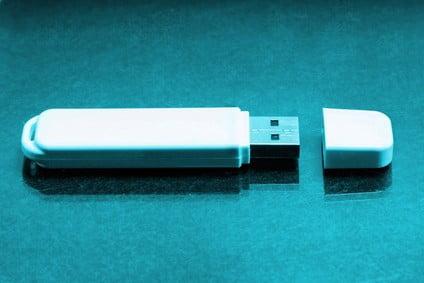
The entire risk from a bump lives in that narrow window while a file is actively being written — which means the simplest protection is shrinking that window. Save your work and let the write finish completely before reaching for anything near your desk, and use your operating system’s “safely eject” option rather than pulling the drive the moment a copy looks finished, since some transfers finish in the background after the progress bar disappears. If a USB drive sits in a laptop port you carry around daily, consider a short extension cable so the drive itself isn’t the first thing to take an impact, or move to cloud sync for files you touch constantly and keep the flash drive for less frequent transfers. None of this eliminates the connector as a physical weak point — it’s still soldered to a small board — but it removes the specific moment where a bump turns from a non-event into a corrupted file.
What Our Customers Say
Frequently Asked Questions
Recovery Services for Every Storage Device Class
A bumped USB drive isn’t the only device eProvided recovers — we cover every storage class from one lab: hard drive data recovery (Seagate, Western Digital, Toshiba mechanical and logical failures), microSD card recovery (including monolithic substrate-level work) and SSD data recovery (Samsung, WD, Crucial, NVMe and SATA). See all our data recovery services →
More USB & Flash Drive Recovery Guides
- Repairing a damaged USB — step-by-step diagnostic process for a USB drive that won’t connect.
- How to recover a USB flash drive — the general DIY-first checklist before sending a drive in.
- USB drive damage severity — how different levels of damage change recovery odds.
Once your files are safe, saving before you step away is the single best way to make sure the next bump is a non-event, not a recovery case.
Recover Files from a Bumped USB Drive
Corrupted after an interrupted write, or the connector sheared off entirely — our engineers will confirm what’s recoverable during a free evaluation. No obligation, confidential.
Start My Free Evaluationor call (866) 857-5950 now
Related Recovery Services
A bumped USB drive isn’t the only device eProvided recovers — these recovery services get the data back from every storage class in one lab: