
Used by NASA · the FBI · the U.S. Navy · Since 1999
How to Recover Deleted 4K Video From a Camera Card, Hard Drive or USB Drive
- No Data, No Data Recovery Fee
- Every storage class, one lab
- 27+ years of recovery experience
- Every brand, every capacity
Can Deleted 4K Video Be Recovered?
Usually, yes — deleting a file only removes its address from the storage device’s index; the footage stays in place until something else writes over it. The catch is that 4K video is enormous (about 110GB per hour), so it overwrites far faster than smaller files. Act before recording, formatting or copying new files to the device.
“A deleted 4K clip isn’t gone, it’s just unlisted — the danger is how much new data it takes to bury it for good.” — Bruce Cullen, founder, eProvided
Deleting a 4K clip by accident, formatting a card too soon, or losing footage in a bad copy job feels final, but it usually isn’t. Every storage device — a camera’s SD card, a hard drive, a USB flash drive — deletes a file by erasing its entry from an index, not by wiping the actual data underneath. The footage sits there, untouched, until new data happens to land in that same space. What makes 4K different from a deleted photo or document is sheer size: one hour of 4K video runs about 110GB, versus roughly 12GB for the same hour of standard-definition footage. That size difference means a deleted 4K file gets overwritten far faster than smaller files would, because it takes so much less new activity to fill the space it left behind. This guide covers what to do first, how recovery actually works on an SD or CompactFlash camera card, a hard drive, and a USB flash drive, and when the honest answer moves from software to a hardware recovery lab.
Deleted 4K video is recoverable as long as the space it occupied hasn’t been overwritten by new data — stop using the device immediately. On a card or drive that still mounts normally, file-recovery software that scans for lost file signatures often finds the clip. If the device has since failed (not detected, clicking, cracked, corroded) or the footage was overwritten before anyone caught the deletion, that becomes a hardware recovery job: chip-off for SD/CF cards and USB flash drives, mechanical/logical recovery for hard drives.
Do RIGHT NOW
- Stop recording, formatting, or copying any new files to the device the footage was on
- If it’s a camera card, remove it and set it aside rather than reinserting it into the camera
- Recover to a DIFFERENT drive — never run recovery software and save its output back onto the same device you’re recovering from
- Note roughly when the clip was deleted and how much has been recorded, copied, or saved to that device since
DON’T Do
- Don’t keep shooting more 4K footage on the same card while you decide what to do — each new clip risks overwriting the one you want back
- Don’t reformat a card or drive "just to check if it fixes it" — a quick format can overwrite the file table pointing to your footage
- Don’t run disk-repair or "optimize" tools on a drive with a deleted file you still want — some of these tools write to the drive as part of their normal operation
- Don’t assume a card or drive that suddenly won’t mount just needs a reformat — that can be a hardware failure, and formatting it forecloses a hardware recovery instead
Already dealing with deleted 4K footage or a card/drive that stopped working right after? Stop recording on it and start a free evaluation, or call (866) 857-5950 if you'd rather explain what happened.
- Why Deleted Footage Usually Still Exists
- Why 4K Video Gets Overwritten Faster Than Other Files
- Recovering Deleted 4K Video From an SD or CF Camera Card
- Recovering Deleted 4K Video From a Hard Drive
- Recovering Deleted 4K Video From a USB Flash Drive
- A Note on 4K Video Deleted From a Phone
- Protecting 4K Footage Before You Need To
- What Our Customers Say
- Frequently Asked Questions
- Recover Deleted 4K Video
- Related Recovery Services
Why Deleted Footage Usually Still Exists
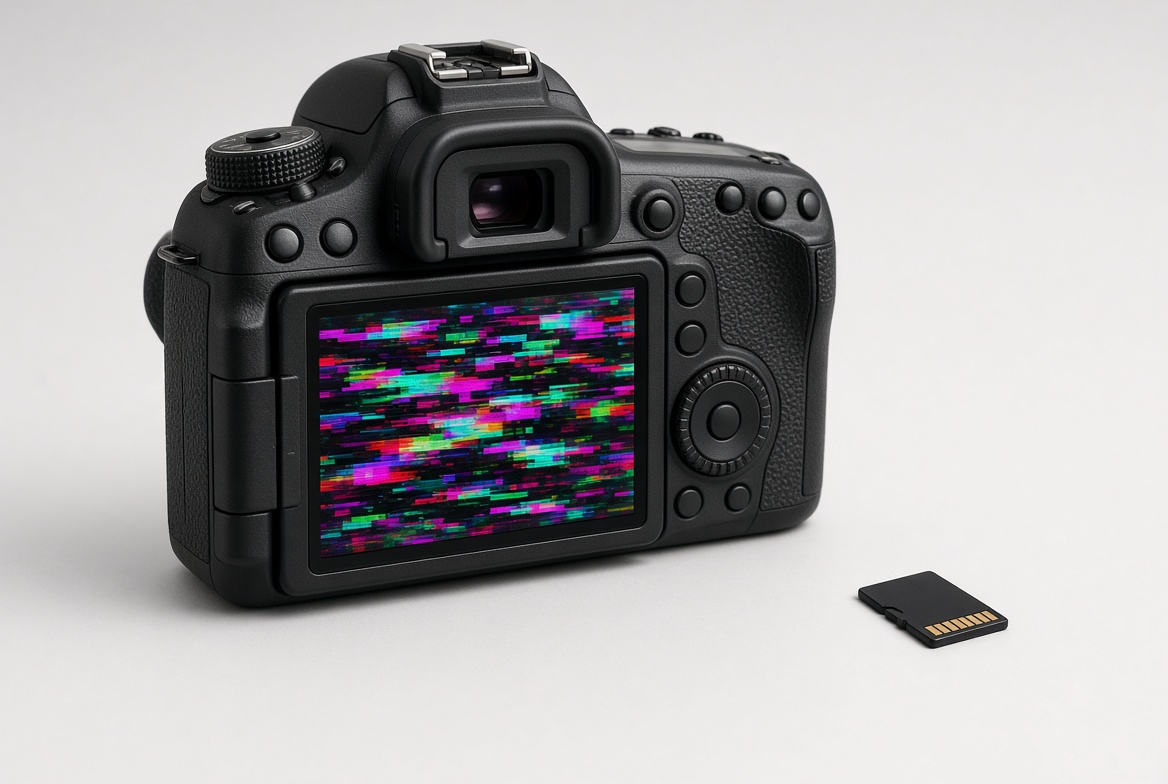
When any storage device deletes a file, in almost every case it isn’t wiping the underlying data at all — it’s removing the file’s entry from an index that tells the device where to find it. The video data itself keeps sitting in the same physical location, invisible to a normal file browser but still fully intact, right up until the device reuses that space for something new. That’s true whether the "device" is a camera’s SD card, a laptop’s internal hard drive, or a USB flash drive plugged into a desktop. The recovery question isn’t really "is it possible?" — it almost always is, immediately after a deletion — it’s "how much has happened to this device since?"
The honest caveat is that "possible" has a shrinking window, and how fast that window closes depends entirely on what happens next. Every additional photo taken, video recorded, or file copied to the same card or drive is a chance that new data lands exactly where the deleted footage used to be. Recognizing this fast and stopping new writes to the device is the single biggest factor in whether the footage comes back.
Why 4K Video Gets Overwritten Faster Than Other Files
The evolution of 4K resolution has been genuinely exciting for anyone who cares about video quality — 4K-capable cameras and phones now span a wide range of budgets, putting professional-looking footage within reach of far more people than a decade ago. But the tradeoff that comes with all those extra pixels is storage: 1 hour of 4K footage takes up roughly 110GB, against roughly 12GB for the same hour at standard definition — nearly a tenfold difference. That math matters enormously once a clip is deleted, because a device only needs a relatively small amount of new activity to overwrite a huge deleted file’s worth of space, compared to how long it would take to overwrite the same space with dozens of tiny deleted documents or photos.
In practical terms, a smaller SD card or drive shooting 4K regularly is walking a tighter line than most people realize — a card that’s filled with 4K clips and freed up again through routine shooting is exactly the kind of device where a deleted file’s recovery window closes in hours, not weeks. Larger drives dedicated purely to storing finished 4K footage (rather than actively recording more of it) hold that window open much longer, which is one more reason to keep active recording cards separate from long-term video archives.
Recovering Deleted 4K Video From an SD or CF Camera Card

A standard SD, SDHC or CompactFlash card ties no encryption key to any separate piece of silicon — the memory chip and the data on it are one and the same. That has two practical results for a deleted 4K clip. First, if the card still mounts normally on a computer, file-recovery software that scans the raw card for lost file signatures (rather than relying on the file table alone) is frequently all it takes, because the footage is physically still there for the software to find. Second, if the card has since failed — not detected, showing "needs to be formatted," cracked, or corroded — or the deleted footage has already been overwritten past what software recovery can reach, chip-off recovery is the correct next step: desoldering the NAND chip and reading its contents directly, independent of whatever condition the card’s own circuitry is in. This is honest, proven territory for cards of every brand and capacity, and it’s covered in full by our SD and microSD card recovery service.
Recovering Deleted 4K Video From a Hard Drive

Storing 4K footage long-term almost always means a hard drive, simply because of the capacity involved — a single hour at 110GB adds up fast, and drives offering multiple terabytes make that manageable in a way flash media generally doesn’t at the same price point. Standard hard drives, internal or external, aren’t encryption-bound the way a modern phone or a self-encrypting SSD can be, so a deleted 4K file on a drive that’s still spinning and detected normally is a logical recovery problem: software that reads the drive’s file system and allocation records can typically locate and rebuild it, provided nothing has overwritten that space since the deletion. If the drive itself has since failed — clicking, not spinning up, or not detected by the computer at all — that’s a mechanical or logical hardware problem, and the fix moves to the lab rather than software; chip-off is not the tool for a spinning hard drive regardless of what happened to the file on it. Our hard drive recovery service covers both the logical and mechanical sides of that, for internal and external drives alike.
Recovering Deleted 4K Video From a USB Flash Drive

USB flash drives get used less often to record 4K video directly, but they're a very common stop for transferring or backing up footage between a camera, a computer, and an archive drive — which also makes them a common place for a 4K clip to get deleted by accident during a transfer or cleanup pass. Like SD cards, a standard USB flash drive carries no key bound to separate silicon, so the same two-path logic applies: software recovery first, on a drive that still mounts and hasn’t been overwritten, and chip-off recovery when the drive has failed — a snapped connector, a dead controller, or a drive the computer simply won’t recognize — or when the deleted footage is already gone from what a normal file scan can reach. Our USB flash drive recovery service handles both sides of that in one evaluation. One detail that catches people off guard: a USB drive used purely to shuttle footage from one place to another often gets deleted from and reused within the same afternoon, so its overwrite window can close faster than a card that just sits in a camera bag between shoots. If a transfer drive is your only copy of a shoot, treating a deletion on it the same way you would a camera card — stop, don’t reuse it, get it checked — matters just as much here as anywhere else in this guide.
A Note on 4K Video Deleted From a Phone

A growing share of 4K footage is shot on a phone rather than a dedicated camera, and phones are a genuinely different case. Modern iPhones and Android phones tie their encryption key to the phone’s own processor, not to the memory chip, so a deleted video that hasn’t been overwritten is best recovered through the phone’s own recently-deleted album first — both iOS and Android hold recently-deleted photos and videos for a period before they’re gone for good. If the phone itself has failed and won’t power on or won’t connect, chip-off recovery is not the honest answer on that hardware; that becomes a board-repair or donor-transplant question instead, which our iPhone data recovery guide covers in more depth. The same overwrite-window logic from the rest of this guide still applies once a clip clears the recently-deleted album — a phone that keeps recording and taking photos in the meantime is filling its own free space, which is exactly what eventually overwrites a deleted 4K clip for good. Checking sooner rather than later costs nothing and only helps the odds.
| Deleted 4K Video Scenarios & What Actually Fixes Them | ||
|---|---|---|
| What happened | Storage device | Fix |
| Deleted recently, device still mounts fine | SD/CF card, hard drive, or USB drive | ✓ File-recovery software |
| Deleted, then more footage recorded/copied since | Any — risk of overwrite is real | ✓ Software if not yet overwritten; hardware lab if it is |
| Card not detected / won’t mount | SD/CF card or USB drive | ✓ Chip-off recovery |
| Drive clicking, not spinning, not detected | Hard drive | ✓ Mechanical/logical recovery |
| Phone won’t power on after deletion | iPhone/Android | ✓ Board repair / donor transplant |
Protecting 4K Footage Before You Need To
Because a deleted 4K file has such a short overwrite window compared to smaller files, the best defense is never needing to recover one in the first place. Copying footage off a camera card to a dedicated archive drive the same day it’s shot, rather than leaving weeks of shoots on one card, means an accidental deletion during editing or organizing costs you a copy, not the original. For long-term storage, larger hard drives — multi-terabyte drives are now common and affordable — keep active recording media separate from your finished archive, which is exactly the setup that keeps a deletion recoverable for the longest possible window. If a clip is already deleted and no second copy exists, stop using the device now and that’s exactly the case a free evaluation is for.
What Our Customers Say
Frequently Asked Questions
Recovery Services for Every Storage Device Class
Deleted 4K video isn’t the only problem eProvided solves — we cover every storage class from one lab: memory card recovery (SD, microSD, CompactFlash, all formats and brands), professional hard drive data recovery (Seagate, Western Digital, Toshiba, HGST, mechanical and logical failures), USB flash drive recovery (broken connectors, dead controllers, monolith chip-off), NAND flash chip-off recovery (BGA, TSOP and monolith package extraction), SSD data recovery (Samsung, WD, Crucial, NVMe and SATA, firmware repair and original-controller revival), and photo & video recovery for photographers and videographers. See all our data recovery services →
More Photo & Video Recovery Guides
- Repair a corrupted MOV or MP4 file — what to do when a video won’t play, not when it’s deleted.
- When a card won't mount.
- Recovering deleted photos on Android — the same overwrite logic applied to phone photos.
Once your footage is safe, copying it to a dedicated archive drive the same day it’s shot is the single best way to make sure the next accidental deletion is a two-minute recovery, not a lost project.
Recover Deleted 4K Video
Whether it’s a camera card, a hard drive, or a USB flash drive, our engineers will confirm what’s recoverable during a free evaluation. No obligation, confidential.
Start My Free Evaluationor call (866) 857-5950 now
Related Recovery Services
Deleted 4K footage isn’t the only problem eProvided solves — these recovery services cover every storage class and media type in one lab: