
Used by NASA · the FBI · the U.S. Navy · Since 1999
Data Recovery Specialists for Digital Filmmakers: Video Footage Recovery
- No Data, No Data Recovery Fee
- 27+ years of recovery experience
- Free evaluation before any commitment
- SSDs, CFexpress/SD cards, HDDs & RAID arrays
Can Lost Video Footage Be Recovered?
Yes, in most cases. Video files are large and written across storage in ways consumer software often can’t reconstruct, but a specialist who images the device first and rebuilds the file structure directly can usually retrieve footage from a failed SSD, corrupted card, or broken RAID array — provided the device stops being used immediately.
“Editors call us mid-project, not after. The footage is usually still there — the file system just can’t find it anymore.” — Bruce Cullen, founder, eProvided
Filmmaking generates massive files across cameras, editing rigs, and backup drives — and a single failed SSD, corrupted CFexpress card, or dropped external drive can put weeks or months of production footage out of reach in an instant. Video footage recovery is the specialized process of retrieving that lost, deleted, or corrupted footage from the storage it lived on, and because video containers are large and proprietary, it usually takes a data recovery specialist with lab tools rather than consumer recovery software. This guide covers how recovery actually works for each storage type filmmakers rely on — and because we run SSD data recovery for a living, the honest technical differences between them, not a one-size-fits-all answer.
Lost or corrupted video footage is usually recoverable if you stop using the affected storage immediately. The right recovery method depends entirely on the device: SD, microSD, and CFexpress camera cards can be read directly at the chip level if the card itself is physically or electronically damaged; external and internal hard drives need mechanical or platter-level work; modern SSDs and SSD-based RAID arrays need the drive’s own controller repaired or revived, not a chip pulled off the board, because the encryption key lives in that controller’s fuses, not in the memory chips. A free evaluation identifies which category your case falls into before any work begins.
Do RIGHT NOW
- Stop writing to the affected drive or card the moment you notice a problem
- Label and set aside the exact device involved — don’t swap cards or drives between machines
- Back up everything else in the project before troubleshooting the failed device
- Get a free evaluation before running repair or “fix” tools on the affected storage
DON’T Do
- Don’t keep shooting to a card or drive that’s already showing errors
- Don’t run chkdsk, disk-repair, or reformat tools on a device with footage you still need
- Don’t assume an SSD can be chip-off recovered the same way a camera card can — it can’t
- Don’t wait until the deadline is on top of you to ask whether the footage is recoverable
Deadline pressure and a failed drive don’t mix well. Get a rush evaluation started, or call (866) 857-5950 to talk timelines.
- Why Digital Filmmakers Need a Data Recovery Specialist
- Recovering Footage From SSDs and RAID Arrays
- Recovering Footage From SD, microSD & CFexpress Cards
- Recovering Footage From External and Backup Drives
- Storage Choices That Prevent the Next Failure
- Backup Habits: The 3-2-1 Rule for Production Footage
- What Our Customers Say
- Frequently Asked Questions
- Lost Footage on a Deadline?
- Recover Footage From Any Storage Device
Why Digital Filmmakers Need a Data Recovery Specialist

Video files written by modern cameras are large, proprietary, and unusually fragile when something interrupts the write — a dropped card, a drive that disconnects mid-transfer, or a RAID controller that fails during a rebuild. Consumer recovery software is built around ordinary documents and photos; it generally cannot reconstruct a partially written video container, rebuild a broken RAID set, or make sense of a camera’s proprietary file structure. A data recovery specialist instead images the raw storage first — camera card, drive, or array — and rebuilds the video file structure directly from that image, which is why professional recovery succeeds in cases consumer tools simply can’t touch. This holds true whether the edit bay is a PC workstation or an Apple/Mac-based Final Cut Pro rig — the storage device, not the editing platform, is what determines the recovery approach.
During production, footage is constantly moved between cameras, editing systems, and backup storage, and every one of those handoffs is a chance for something to go wrong: a corrupted card from a camera, a drive that fails during an overnight backup, or files overwritten during a rushed edit. Professional video footage recovery typically involves forensic imaging of the original device, reconstruction of the video file system from that image, and controlled extraction performed in a lab environment specifically to avoid making the original problem worse.
Recovering Footage From SSDs and RAID Arrays

Portable and internal SSDs are the most common failure point on modern productions, and they're also the storage type most often described incorrectly online. On a modern SSD, the controller chip wraps the drive’s encryption key in its own fuses; pulling the memory chips off the board and reading them directly — the technique that works well on camera cards — returns unreadable ciphertext on an SSD, because the key never left the controller. The honest, correct path for a failed SSD is repairing or reviving that original controller, not desoldering the memory chips, and not swapping in a donor controller either — a donor SSD controller carries its own different key and also returns ciphertext.
SSD-based RAID arrays follow the same rule per drive: each member SSD needs its own original controller working (or revived) before the array can be reassembled and the video files rebuilt across the stripe. A RAID controller failure, a dropped drive from the array, or a failed rebuild attempt are all recoverable in the large majority of cases we see, but only when the original per-drive controllers are addressed correctly rather than treated like a camera card. This applies equally to compact M.2-format SSDs inside a laptop editing rig and to full-size 2.5″ portable drives — form factor doesn’t change where the encryption key lives.
Recovering Footage From SD, microSD & CFexpress Cards
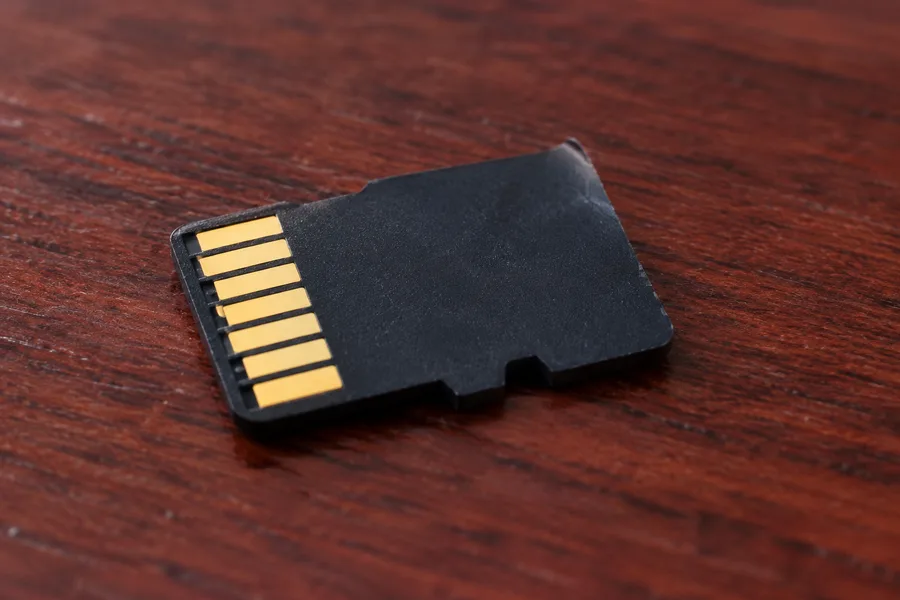
SD, microSD, and CFexpress cards work differently from SSDs in exactly the way that matters for recovery: there is no encryption key locked away in a separate controller. That means when a camera card is physically damaged, corrupted, or simply won’t mount, a data recovery specialist can read the memory directly at the chip level and reconstruct the footage from the raw data — this is the correct, reliable method for these devices, and it’s a core part of what makes camera-card recovery different from (and often more successful than) SSD recovery. This applies whether the card came from a cinema camera, a drone, or an action camera used for B-roll — and it also applies to older CompactFlash cards still in service on some legacy camera bodies.
Common camera-card failures in production environments include cards corrupted mid-write when power drops or the card is pulled too early, cards that fail after repeated heavy use in hot or dusty conditions, and cards physically damaged by drops or connector wear. In nearly all of these cases the footage itself survives on the memory chip even when the card no longer mounts on a computer or in the camera.
Recovering Footage From External and Backup Drives

Mechanical external hard drives remain a popular choice for on-set backup because of their low cost per terabyte, and they fail in mechanical ways: dropped drives can crash the read/write head into the platter, and drives left running for long backup sessions can develop bearing or motor issues. None of this involves an encryption controller the way an SSD does — recovery is a matter of accessing the platters directly, often after a controlled repair of the drive’s mechanical components, and reading the data off the magnetic surface. This is a completely different skill set from either camera-card chip-off work or SSD controller repair, which is why a lab that only knows one method struggles with mixed-format production storage.
If you’re not sure which category your failed device falls into — whether it’s truly mechanical, whether it’s an SSD in an external enclosure, or whether a RAID array is involved — a free evaluation identifies the actual storage type and failure before any recovery work or cost estimate is discussed. Our full data recovery process starts with exactly that kind of evaluation.
Storage Choices That Prevent the Next Failure
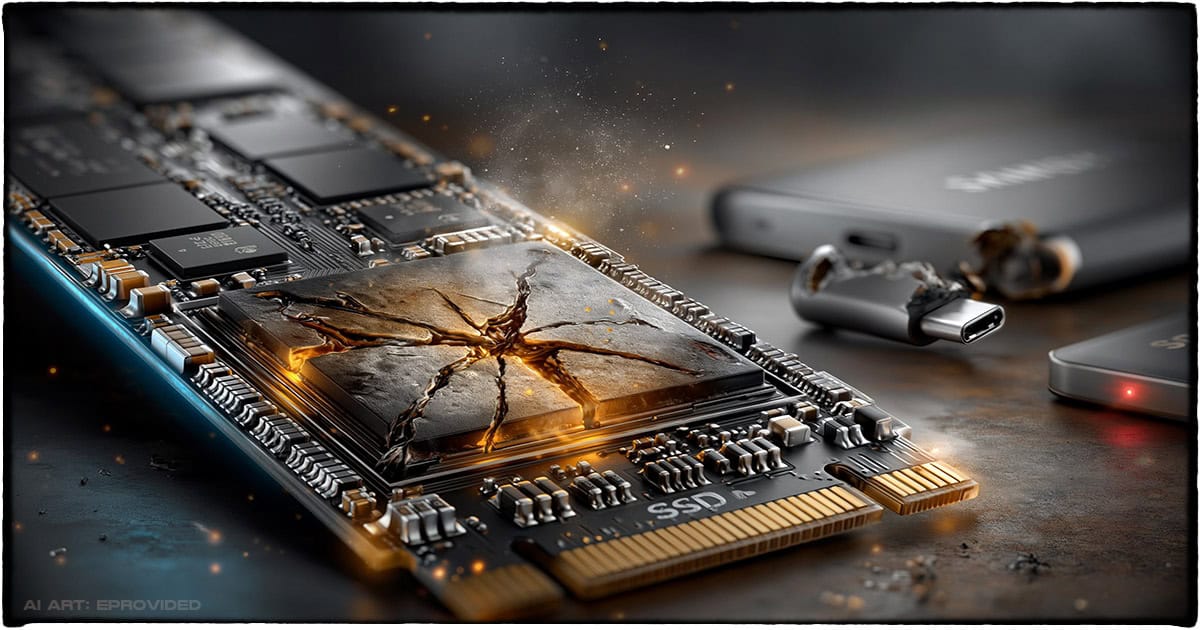
Choosing storage for a production isn’t only about speed and capacity for 4K or 8K footage — it’s also about how each option fails and how recoverable that failure is. Portable SSDs are the default choice for on-location backups because they’re fast enough to keep up with high-bitrate footage and rugged enough to survive being tossed in a camera bag between setups, but that convenience comes with the controller-dependency tradeoff covered above: a fast drive that fails is only as recoverable as its original controller. The table below summarizes the storage types most commonly involved in filmmaking data-loss cases and how each one actually behaves when something goes wrong, so you can weigh speed and convenience against what happens on the day one of these devices lets you down.
| Storage Type vs. Failure Risk vs. Recovery Path | |||
|---|---|---|---|
| Storage type | Common failure causes | Correct recovery method | Recovery outlook |
| External / internal HDD | Drops, head crashes, motor or bearing wear | Mechanical repair, platter-level imaging | ✓ Usually recoverable |
| Portable / internal SSD | Controller failure, firmware corruption, physical damage | Repair or revive the ORIGINAL controller (never chip-off) | ✓ Usually recoverable |
| SSD-based RAID array | Controller/rebuild failure, a dropped member drive | Per-drive original-controller repair, then array reassembly | ✓ Usually recoverable |
| SD / microSD / CFexpress card | Corruption mid-write, connector wear, physical damage | Chip-off / direct-chip read (no controller in the way) | ✓ Usually recoverable |
None of these options is failure-proof, which is exactly why the backup habit below matters more than the specific drive you buy.
Backup Habits: The 3-2-1 Rule for Production Footage
Storing footage on only the camera card, or only a single laptop drive, isn’t enough on any production — a single drop, theft, or hardware failure can erase an entire shoot day. The standard safeguard is the 3-2-1 rule: keep three copies of your footage, on two different types of media, with one copy stored offsite. In practice for filmmakers that usually means the original camera card, a same-day copy to an on-set backup drive, and a second copy synced or shipped somewhere off-location before the card is ever reformatted. Following this consistently doesn’t prevent hardware from failing, but it means a single failure — even an unrecoverable one — never costs you the entire project. For the broader habits that reduce data-loss risk on any device, not just production storage, see our 10 tips for keeping your data safe.
What Our Customers Say
Frequently Asked Questions
About eProvided — Data Recovery Specialists Since 1999
eProvided has recovered data since 1999 from every storage type filmmakers rely on: SSDs and NVMe drives across every controller generation, SD, microSD, and CFexpress camera cards, mechanical hard drives, and RAID arrays built from any of the above. That breadth is why we can speak honestly about the differences between them — we see all four fail, and recover from all four, every week.
Recovery Services for Every Storage Device Class
Whatever storage failed on your production, eProvided recovers from every device class in one lab: hard drive data recovery, SSD recovery, RAID reconstruction, and SD, microSD, CFexpress, and USB flash memory recovery — across drives and cards from Seagate, Western Digital, Toshiba, Samsung, Crucial, and SanDisk, among others. Brand and capacity don’t change the correct recovery method; the storage type and failure do. See all our data recovery services →
More Filmmaking & Storage Guides
- Power surge data loss — what a surge actually damages on production storage, and why it usually isn’t the data itself.
Whether the failure is a camera card, a portable SSD, or a RAID array, knowing which storage type you’re actually dealing with is the first step toward getting the footage back — and it’s free to find out.
Lost Footage on a Deadline?
Failed SSD, corrupted camera card, dropped external drive, or a broken RAID array — our specialists will confirm what’s recoverable during a free evaluation. No obligation, confidential.
Start My Free Evaluationor call (866) 857-5950 now
Recover Footage From Any Storage Device
Whatever failed on set or in the edit bay, here’s where to start: