
Used by NASA · the FBI · the U.S. Navy · Since 1999
Lost Your Pictures? Here’s the Decision to Make Next
- No Data, No Data Recovery Fee
- Free photo-recovery evaluation
- 27+ years of recovery experience
- Every brand, every capacity
My Pictures Are Missing From My SD Card — What Do I Do First?
Stop using the card immediately. If it still mounts and shows a drive letter, this is likely accidental deletion or a format — read-only recovery software is the right first step. If it won’t mount or is physically damaged, software has nothing to scan; that calls for a professional chip-off evaluation.
“The single biggest mistake is trying five programs in a row on a card that was never going to mount for any of them.” — Bruce Cullen, founder, eProvided
The moment you notice pictures are missing from an SD card, the single most important decision isn’t which recovery program to download — it’s figuring out which of two very different situations you’re actually in. A card that still shows up on your computer and simply lost files to deletion or a format is a different problem than a card that won’t mount at all, and confusing the two wastes the hours that matter most. If your card is unreadable rather than just missing files, our guide on what happens when an SD card breaks covers that physical-failure path in detail; this guide focuses on the decision itself — what to check first, and which path fits what you find.
Stop using the card the moment you notice pictures are missing — every new write risks overwriting what’s still recoverable. If the card still mounts as a drive, accidental deletion or a format is the likely cause and read-only recovery software is worth trying first. If the card won’t mount, shows 0 bytes, or is physically cracked or bent, software has nothing to scan — that’s a professional chip-off case, not a software one.
Do RIGHT NOW
- Stop taking new photos on the card and remove it from the camera or phone right away
- Check whether the card still shows up as a drive on a computer — that single fact decides your next step
- Check if the same photos exist anywhere else first — a synced phone, a cloud backup, or a computer they were already copied to
- Write down what happened right before the photos went missing (accidental delete, a format prompt, a drop, water exposure)
DON’T Do
- Don’t keep shooting new photos or video on the card “to see if it still works” — that overwrites recoverable data
- Don’t install recovery software directly onto the SD card itself — install it on your computer and save recovered files to a different drive
- Don’t run chkdsk or a “repair” utility on a card you need photos back from — repair tools write to the card
- Don’t assume a card that won’t mount means the photos are gone — it usually means the connection to the chip failed, not the data on it
Already sure your card won’t mount or is physically damaged? You can find out for free what’s recoverable » or call (866) 857-5950 to talk it through first.
- The First Thing to Do When Pictures Go Missing
- Which Situation Are You In: Deleted, Formatted, or Unreadable?
- If the Card Still Mounts: Try Recovery Software First
- If the Card Won’t Mount or Is Physically Damaged
- What to Avoid While You Decide
- What Our Customers Say
- Frequently Asked Questions
- Recover Lost Pictures from an SD Card
- Related Recovery Services
The First Thing to Do When Pictures Go Missing
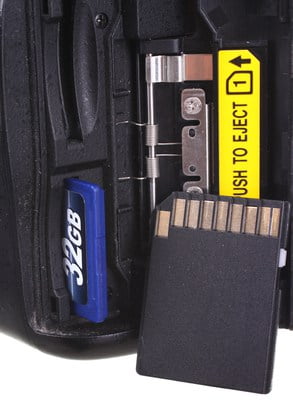
Every additional write to a card — a new photo, a video, even the operating system indexing the card — is a chance to overwrite the exact data you’re trying to get back. That’s true whether the missing pictures were deleted by accident, wiped by an unexpected format prompt, or simply vanished when the card stopped being recognized. The single highest-value action, before anything else, is removing the card from the camera or phone and setting it aside untouched. Once the card is safely out of use, the next step is a quick check that decides everything that follows: does the card still show up as a drive on a computer, or does it not appear at all?
This distinction matters because the two situations call for genuinely different tools. A card that still mounts is usually a software problem — the files were marked as deleted or the file table was reset, but the underlying data is very likely still sitting on the chip untouched. A card that won’t mount is a connection problem — the computer can’t talk to the chip at all, which means no software, free or paid, has anything to scan in the first place.
Which Situation Are You In: Deleted, Formatted, or Unreadable?

Three patterns cover almost every “my pictures are gone” case we see. Accidental deletion is exactly what it sounds like — a photo or a whole folder removed on purpose or by mistake, with the card otherwise working fine. A format, intentional or prompted, happens when a camera or computer shows a “card needs to be formatted” message and either you or the device carries it out; the card still mounts afterward, but the file table has been reset. An unreadable card is different again — the card doesn’t show up as a drive at all, shows 0 bytes of capacity, or the device reports an error before you ever get the chance to browse it. The first two situations are logical problems the NAND chip usually has nothing to do with; the third points at a connection issue between the computer and the chip — a damaged contact, a corroded pin, or a failed controller.
Physical clues make this easier to sort out quickly: a cracked, bent, or visibly damaged card is automatically in the third category regardless of what a computer says, because a card in that condition should never be forced into a reader again. For a card that’s simply unrecognized with no visible damage, our guide on broken memory card recovery walks through the exact signs that separate a logical fault from a physical one — the same logic applies whether the card in question is SD, microSD, or an older CompactFlash card from a DSLR.
If the Card Still Mounts: Try Recovery Software First
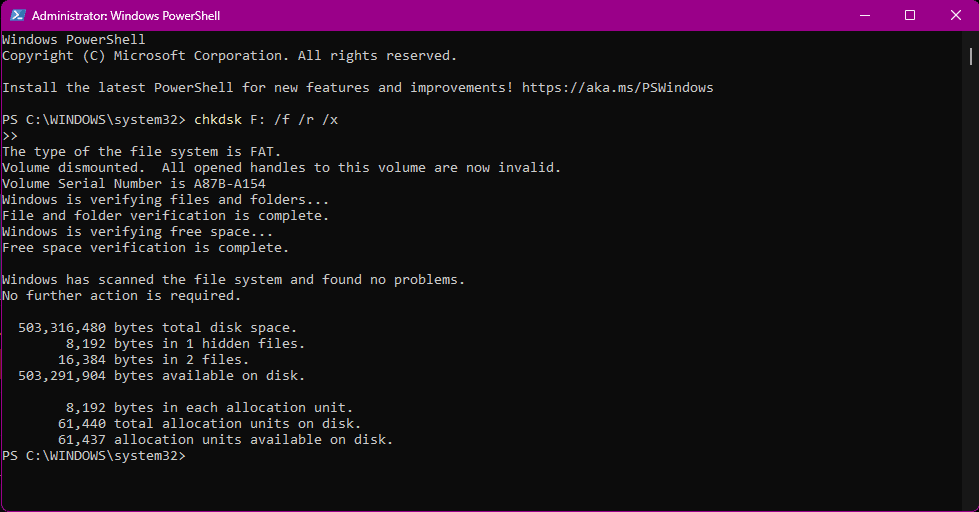
If the card still shows up as a drive letter, this is genuinely good news, and free or low-cost recovery software is worth trying before anything else. These tools work by scanning the card for the raw file signatures of deleted photos — JPEG, RAW, HEIC and video formats all leave recognizable patterns behind even after the file table entry pointing to them is gone. Install the software on your computer, never on the card itself, and always save any recovered files to a separate drive so you’re not writing back onto the card you’re recovering from. This approach handles the large majority of accidental-deletion and post-format cases cleanly, especially when the card hasn’t been used again since the photos went missing.
Software has one hard limit worth knowing up front: it can only recover what the file system can still describe well enough to reconstruct, and heavily fragmented or long-overwritten data sometimes comes back corrupted or incomplete even when files are technically “found.” If a scan turns up nothing, turns up corrupted thumbnails only, or the card stops mounting partway through a scan, that’s the signal to stop and move to professional evaluation rather than trying five more programs in a row.
If the Card Won’t Mount or Is Physically Damaged

A card that won’t mount, shows 0 bytes free, or is cracked, bent or corroded needs a different approach entirely, because the standard SD or microSD card carries no processor-bound encryption key locking its NAND memory to a separate chip elsewhere in the device. That means the data and the memory chip are effectively the same thing — when the connection between the card’s contacts and the chip fails, or the shell around the chip is physically damaged, the photos are very likely still intact on the chip itself, they’re just unreachable through the normal interface. Our NAND flash chip-off recovery process reads that chip directly on specialized lab hardware, bypassing the damaged shell, contacts, or controller entirely.
This is also the correct next step if a recovery software scan already failed on a card that does mount, but returned corrupted files or nothing at all — at that point the logical scan has told you what it can, and a deeper, chip-level evaluation picks up where software stops. A free evaluation determines which situation applies to your specific card before any recovery work or cost is quoted.
What to Avoid While You Decide

The decision above only works if the card is left alone while you make it. Popping the card back into the camera “just to check” risks a new write landing exactly where a deleted photo used to be. Trying one recovery program after another on a card that never mounted in the first place burns time without changing the outcome — the card needed a different kind of help from the start. And running any format, repair, or “fix” utility on a card holding photos you actually want back turns a recoverable situation into a much harder one, because those tools write new data to the card as part of the very process meant to help it.
| What Happened to Your Pictures & the Right Next Step | ||
|---|---|---|
| What you see | Likely cause | Recommended path |
| Photos deleted by accident, card still mounts | File table entry removed; data usually intact | ✓ Recovery software first |
| Card was formatted, still mounts | File table reset; NAND cells usually untouched | ✓ Recovery software first |
| Card won’t mount / not detected | Damaged contacts, corroded pins, or dead controller | ✓ Professional chip-off evaluation |
| Card is cracked, bent, or snapped | Shell and substrate damage — chip usually survives | ✓ Professional chip-off evaluation |
| Software scan found nothing or corrupted files | Logical scan reached its limit | ✓ Escalate to chip-level evaluation |
What Our Customers Say
Frequently Asked Questions
Recovery Services for Every Storage Device Class
Lost pictures aren’t the only thing eProvided recovers — digital image and memory-card recovery is one lane in a lab that reads NAND flash directly for every card brand — SanDisk, Kingston, Sony, Samsung, Lexar and more. The same lab also handles hard drive recovery (Seagate, Western Digital, Toshiba, mechanical and logical failures) and SSD recovery, including Crucial and other NVMe/SATA drives, if your photos were ever backed up to one of those before the card failed. See all our data recovery services →
More SD Card & Photo Recovery Guides
- Digital image recovery service — professional recovery for photos on any camera, phone or memory card.
- MicroSD card data recovery — for physically broken or monolithic microSD cards specifically.
- SD card recovery techniques — general approaches worth trying before you send a card in.
Once your pictures are safe again, copying them to a second location the same day means the next lost-photo scare costs you nothing but a few minutes.
Recover Lost Pictures from an SD Card
Deleted, formatted, or unreadable — our engineers will confirm what’s recoverable from your SD or microSD card during a free evaluation. No obligation, confidential.
Start My Free Evaluationor call (866) 857-5950 now
Related Recovery Services
Lost pictures aren’t the only thing eProvided recovers — these services get data back from every storage class in one lab: