
Used by NASA · the FBI · the U.S. Navy · Since 1999
Damaged or Bent MicroSD Card Data Recovery
- Written by a 27-year chip-level recovery engineer
- Bent, cracked, scratched or partially broken — all covered
- The exact process, step by step, no jargon
- No Data, No Data Recovery Fee if we can’t bring it back
Can a Damaged or Bent MicroSD Card Be Recovered?
Yes, in most cases. A microSD card that is bent, cracked, snapped, or scratched almost always keeps its storage die intact even when the outer casing is destroyed. eProvided exposes the die, maps its pinout, and reads it directly — recovering data with a 98% success rate even when the card looks physically unusable.
“A bent or cracked microSD card looks worse than it is — the die inside is tougher than the plastic around it. We’ve read data off cards most people assumed were finished.” — Bruce Cullen, founder, eProvided
MicroSD cards are among the most physically fragile storage devices in common use — a fingernail-sized shell holding a full storage die, easily bent in a tight card slot, snapped by a dropped phone, or cracked when forced in the wrong way round. The instinct is to assume a damaged or bent card is finished. It usually isn’t: the die inside survives far more abuse than the plastic shell around it. After 27+ years running data recovery services for damaged, bent, cracked, and snapped microSD cards — including full micro SD card data recovery service for every brand and pinout — this guide covers what actually happens when a microSD card is physically damaged, and how the data usually still comes back.
Both damaged and cracked cards land on eProvided’s bench every week, and both start the same way — stop using the card the moment it’s visibly damaged or the device stops recognizing it, rather than continuing to insert and remove it to see if it “comes back.” The steps below apply whether the card is merely damaged, cracked but intact, or split into pieces.
A damaged or bent microSD card almost always keeps its storage die intact, even when the outer shell is cracked, snapped, or scratched. eProvided exposes the die, maps its specific pinout (every manufacturer and batch differs), and reads it directly on programmer hardware — recovering data roughly 98% of the time, including cards split clean in half.
Do RIGHT NOW
- Stop trying to insert or read the card once it’s damaged or bent
- Keep any snapped or broken pieces together, taped if needed
- Note exactly how it was damaged (dropped, chewed, forced in wrong way)
- Place pieces in a small envelope or case for shipping
DON’T Do
- Don’t bend it back straight or try to press pieces together
- Don’t attempt to open the shell yourself with tools
- Don’t keep forcing a bent card into a slot to test it
- Don’t run recovery software on a physically damaged card
Worried about photos or files on a damaged, bent, or cracked microSD card? Send it in for a free evaluation before trying anything else, or call (866) 857-5950 to ask first.
- Why MicroSD Cards Get Damaged or Bent
- What Actually Happens When a Card Bends or Cracks
- The Recovery Process for Damaged & Bent Cards
- Why Pinouts Matter More on MicroSD Than Other Media
- When a Damaged MicroSD Card Can’t Be Recovered
- Why Choose eProvided
- What Our Customers Say
- Frequently Asked Questions
- Related Articles
- Recover Data from a Damaged MicroSD Card
- Related Recovery Services
Why MicroSD Cards Get Damaged or Bent
Before the recovery process makes sense, it helps to understand why microSD cards damage so easily in the first place.

A microSD card is a full storage device shrunk to the size of a fingernail: a storage die, a small controller, and a set of metal contacts, all molded into a plastic shell barely a millimeter thick. That shell is the weak point, not the electronics inside it. Cards get bent when they’re left in a wallet or pocket and sat on, cracked when forced into a slot the wrong way round or into an adapter that doesn’t fit, and snapped clean in half when a phone or camera is dropped with the card still seated. Pets chewing on a card left out, a card run through a washing machine in a jacket pocket, or a card simply crushed underfoot are all common, ordinary ways a microSD card ends up physically damaged.
None of that damage is a design flaw — it’s the tradeoff of a form factor built to be as small as possible. A physically broken micro SD card, a broken micro SD card that no longer seats in a slot, or a bent SD card that’s just slightly warped all share the same underlying reality: what matters for recovery is that the shell taking the damage is almost never where the data lives. A crack at the weakest point in the shape is a shell failure, full stop — the die itself typically sits untouched a few millimeters away. Heat is the other quiet culprit: a card left on a car dashboard in summer or inside a dashcam that bakes in the sun can soften and warp its shell over months, until one day it no longer lines up with the contacts in the slot. Drones and action cameras add vibration and hard landings to the mix, and cards that are swapped in and out of a laptop adapter every week wear their contacts faster than cards that stay seated in one device. Our tips on how to protect SD and microSD cards cover the storage and handling habits that prevent most of these. Knowing which of these happened is useful at the evaluation, so it helps to tell us how the card was last used and what it was doing when it stopped working.
What Actually Happens When a Card Bends or Cracks
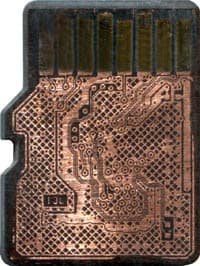
MicroSD cards are built as monolithic devices — the storage die and its contacts are one continuous unit, not several separate parts wired together. When a card bends, the plastic shell flexes and often cracks before the rigid die inside reaches its own breaking point. A scratched or worn contact surface is even less serious: the scratch affects the connector reading it, not the memory storing the data underneath. (If your card broke completely into two pieces, that specific scenario gets its own full walkthrough in our microSD card broken in half guide.)
This is the core reason a physically damaged microSD card is not automatically a lost cause. The failure most people see — a card the phone or reader no longer recognizes — happens because the connector can no longer make a clean electrical connection through the broken or bent shell, not because the stored data was destroyed. Recovering it means getting a direct read on the die itself, bypassing the damaged shell and connector entirely. Until that happens, the safest thing you can do is very little: do not straighten a bent card by hand, do not tape a cracked one back together, and do not keep pushing it into different readers to see if one will work. Each forced insertion can drag a sharp shell edge across the contact pads or flex the die a second time. Put the card and any broken pieces in a small envelope or pill bottle, keep it dry, and write down what device it came from — that is all the preparation it needs.
The Recovery Process for Damaged & Bent Cards
Recovering a damaged or bent microSD card follows a fixed sequence, not an improvised repair — the same steps run every time, whether the card is cracked, scratched, or simply too bent to seat in a reader:
| Damaged & Bent MicroSD Card Recovery — The Real Steps | ||
|---|---|---|
| Step | What happens | Why it matters |
| 1. Evaluation | Assess whether the die and pinout contacts survived the bend, crack, or snap | Determines the exact recovery path before any physical work starts — never guessed |
| 2. Exposing the die | The damaged shell is carefully opened or separated to reach the monolithic die | Bypasses the broken plastic and connector that the device was reading through |
| 3. Pinout mapping | The card’s specific contact layout is identified — this varies by brand and batch | A wrong pinout read returns garbage data, so this step is never skipped |
| 4. Direct read | The die is read directly on programmer hardware using the mapped pinout | Bypasses the damaged shell, connector, and card controller entirely |
| 5. Reconstruction & verification | Raw data is rebuilt into a file system and checked before delivery | Confirms exactly what came back intact before you pay for anything |
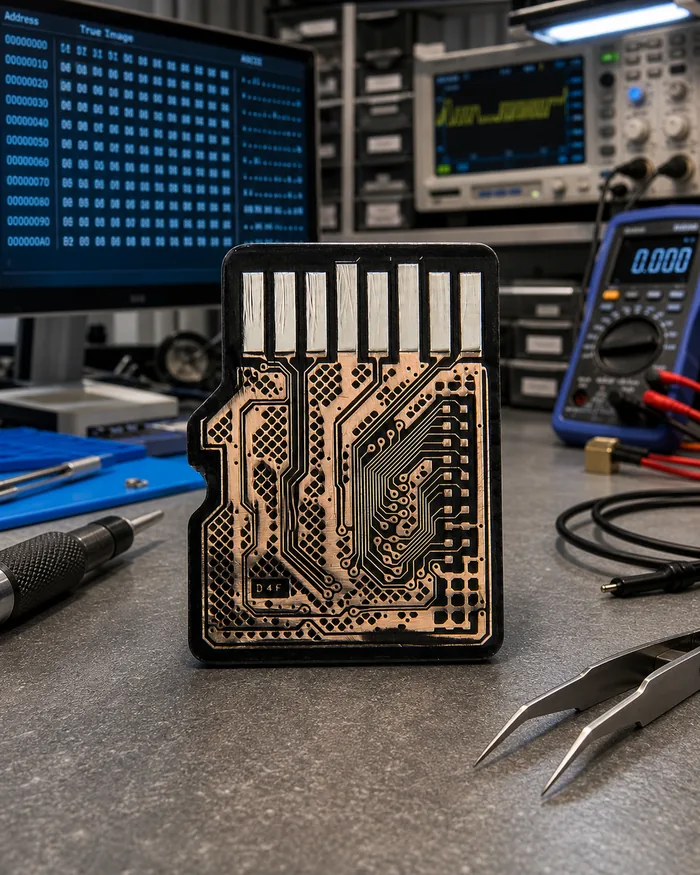
Every step above happens in-house, on hardware built for exactly this kind of monolithic recovery. Nothing about it involves guessing whether a bent or cracked card is worth attempting — the evaluation step tells us before any physical work begins, and it’s always free. The same evaluation-first approach applies across our SD card recovery service, whether the card in question is bent, cracked, corrupted, or simply unreadable.
That evaluation runs the same way on every card that comes in, whether it arrived by mail or was dropped off in person, and it never assumes the cause of the damage ahead of time — a card that was bent in a wallet, one that was chewed by a pet, and one that went through a wash cycle all get the identical die-level check before any physical work starts. Skipping that step and jumping straight into an attempted read on a bent or cracked card is exactly how an otherwise-recoverable die gets damaged for good, which is why it happens first on every case, free of charge, no matter how the card was damaged or which device it was pulled from. After the read, the recovered files are checked against their own structure — photos are opened, videos are played through, documents are parsed — so the report you receive lists what actually works rather than a raw count of file names. If some files come back partly damaged because sectors on the die were already weak, the report says so plainly, and you decide from that list whether the result is worth accepting. Nothing is charged for a recovery you decline.
Why Pinouts Matter More on MicroSD Than Other Media

A pinout is the exact layout of the electrical contacts on the card’s die — which pad carries data, which carries power, which carries the clock signal. On most storage media those layouts are standardized across the whole product line. MicroSD cards are different: because the format is so small and so many manufacturers produce them, the pinout can vary not just between brands but between production batches from the same brand. Two microSD cards bought on the same day from the same store can use different pinouts internally.
This is why generic card readers fail on a damaged card even when the die is perfectly intact — the reader assumes one pinout, and if the card’s connector is damaged enough to need a direct die read, that assumption breaks down fast. eProvided maintains a growing library of verified pinouts built from thousands of past cases, which is what makes direct-die recovery on a damaged or bent microSD card practical rather than a one-off engineering project every time. On a physically broken card like the one shown above, the pinout mapping happens directly against the exposed layer, since the connector that would normally carry that signal no longer exists in usable form.
When a Damaged MicroSD Card Can’t Be Recovered
Being upfront about limits is part of doing this correctly. On the overwhelming majority of consumer microSD cards, there is no encryption key stored anywhere but the die itself, so a direct read recovers real, usable data regardless of how badly the shell around it was bent or cracked. A small number of security-hardened microSD variants, used mainly in some enterprise or government hardware, bind their encryption key to the host device’s own controller rather than the card — on those specific cards, a direct die read alone won’t decrypt the data, and the host device itself becomes part of the recovery. For nearly every microSD card in consumer use, that caveat doesn’t apply. What does affect the odds is damage severity: if the die itself was physically shattered, burned, or exposed to a corrosive liquid long enough to eat through the contacts, the odds drop — a full evaluation determines the real condition before any work begins, at no cost. If a replacement card is needed after recovery, our microSD card speed classes guide covers how to pick one rated for the workload that damaged the original.
Why Choose eProvided
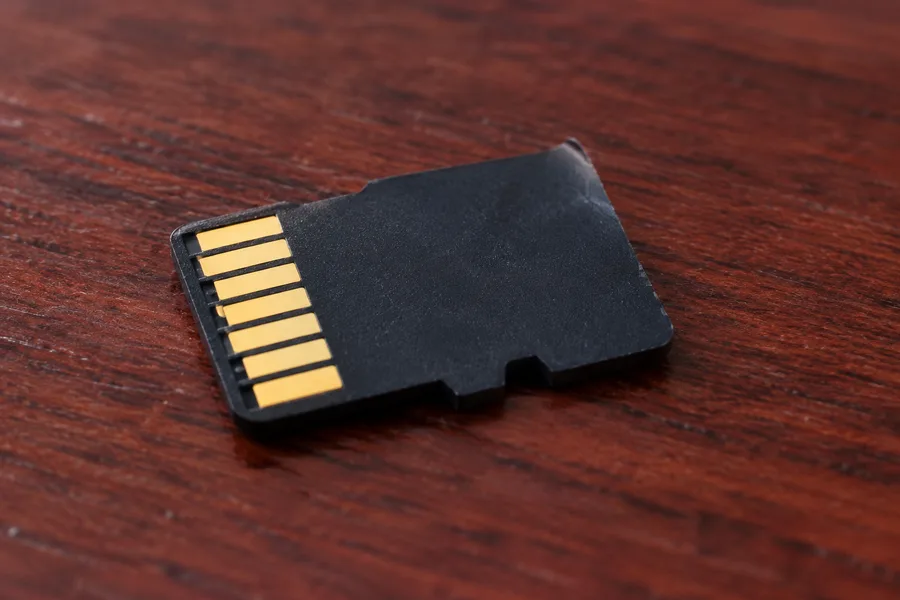
eProvided damaged microSD card recovery, in one sentence: we map the pinout, read the die directly, and never guess at the shape of the damage.
eProvided has recovered damaged, bent, cracked, and snapped microSD cards since the format first appeared, building pinout knowledge across every manufacturer and chip package on the market. The same in-house lab handles the full range of physical damage — from a lightly bent card that just won’t seat properly to a card snapped clean in half — backed by the same “No Data, No Data Recovery Fee” guarantee on every case, whether it’s a family photo card or a device tied to NASA, the FBI, or the U.S. Navy. Cards come to us from parents with years of family video, from wildlife researchers with trail-camera footage from a single season, and from drivers who need dashcam clips for an insurance claim — different stakes, the same careful process. Every case gets a named contact and a case number you can use to check progress online, and your recovered files are returned on new media, never on the damaged card itself.
What Our Customers Say
Frequently Asked Questions
Related Articles
More microSD and memory card recovery guides for further reading: if your card broke completely in half rather than just bending or cracking, our microSD card broken in half guide (linked above) walks through that specific scenario. Our broken SD card recovery guide covers full-size SD cards specifically, and the full micro SD card data recovery service page (linked above) covers what a professional evaluation involves for every brand and pinout — each covers a different angle on the same underlying recovery topic.
Recover Data from a Damaged MicroSD Card
Bent, cracked, snapped in half, or scratched — our engineers will tell you exactly what's recoverable. Free, no obligation, confidential.
Start My Free Evaluationor call (866) 857-5950 now
Recovery Services for Every Memory Card & Storage Device
Whatever kind of physical damage brought the card in, eProvided recovers it from one lab: