
Used by NASA · the FBI · the U.S. Navy · Since 1999
SanDisk Flash Drive Data Recovery: Cruzer, Ultra & Extreme USB Drives
- No Data, No Data Recovery Fee
- Every SanDisk USB line — Cruzer, Ultra, Extreme
- 27+ years of recovery experience
- Chip-off recovery in-house — our specialty
Can data be recovered from a dead or corrupted SanDisk flash drive?
Yes — most SanDisk USB flash drives (Cruzer, Ultra, Extreme) recover successfully even when the drive won’t mount, shows a corrupted file system, or has a snapped connector. The NAND memory chip inside almost always survives, and eProvided reads it directly with chip-off recovery — part of our 98% average success rate across all recovery cases.
“A SanDisk flash drive that won’t show up on a computer almost never means the data is gone — it means the controller stopped talking to the chip, not that the chip forgot what’s on it.” — Bruce Cullen, founder, eProvided
SanDisk has sold more USB flash drives than almost any other brand on earth, so it is no surprise a Cruzer, Ultra or Extreme drive eventually stops showing up, throws a file-system error, or gets bent or snapped. None of that means the files are gone. After 27+ years pulling data off flash drives of every brand, we can explain what actually happens inside a SanDisk flash drive when it fails, how chip-off flash drive recovery gets the data back, and where the SanDisk Extreme Portable SSD fits into all of this — because it is a different device, recovered a different way.
Every SanDisk USB flash drive stores your files on one small NAND memory chip soldered to a circuit board. A dead controller, a corrupted file system, a bent connector or a snapped case can all stop the drive from working — none of them touch the chip itself. Chip-off recovery removes that chip and reads it directly in a chip reader, bypassing whatever failed. This is why a SanDisk flash drive that looks completely dead on a computer is still recoverable in almost every real case we see.
Do RIGHT NOW
- Stop plugging it into different computers — each attempt risks the connector and controller further
- Note exactly what you saw: not detected, “please insert a disk,” wrong drive letter, or physical damage
- Keep any snapped or loose pieces together in a padded envelope
- Write down roughly how old the drive is and which SanDisk series it is, if you know it
DON’T Do
- Don’t run “repair” or format tools — they can overwrite the file table you’re trying to recover
- Don’t force a loose or bent connector straight
- Don’t download unfamiliar “free USB recovery” software from a random search result
- Don’t assume a cheap replacement means the old data is gone — send in the original drive first
Already holding a dead or damaged SanDisk flash drive? You can find out for free what’s recoverable » or call (866) 857-5950 to talk it through first.
- What’s Inside a SanDisk Flash Drive
- Common SanDisk Flash Drive Failures
- How eProvided Recovers SanDisk Flash Drive Data
- From SunDisk to SanDisk: A Flash Storage Pioneer
- What About the SanDisk Extreme SSD?
- What Our Customers Say
- Frequently Asked Questions
- Recover Files from a SanDisk Flash Drive
- Related Recovery Services
What’s Inside a SanDisk Flash Drive

Every SanDisk USB flash drive, from a first-generation Cruzer to a current Extreme, is built the same basic way: a plastic or metal housing, a small circuit board, and a NAND flash memory chip soldered to that board next to a tiny controller chip. The controller’s job is to manage how files are written and read; the NAND chip’s job is to actually hold them, as trapped electrical charge in a grid of memory cells. Your photos, documents and videos live entirely on that one chip — the housing, the connector, and even the controller are just the plumbing that gets you to it.
That distinction is the whole reason most SanDisk flash drive failures are recoverable. When a controller dies, corrupts its own firmware, or simply can’t agree with Windows or macOS about what’s on the drive, the chip underneath is usually untouched. eProvided’s core recovery method for these drives is chip-off recovery: the NAND chip is desoldered from the board, its contacts are cleaned, and it’s read directly in a dedicated chip reader — completely independent of the controller that failed. Standard SanDisk USB drives have no encryption key locked inside a separate security processor, so chip-off is not a last resort here; it is the correct, most direct path to the data. (The exception across the industry is hardware-encrypted drives like IronKey or Kingston DataTraveler Vault Privacy models, where a dedicated security chip holds the key separately from the NAND — if your drive is one of those, mention it when you start your evaluation.)
Common SanDisk Flash Drive Failures
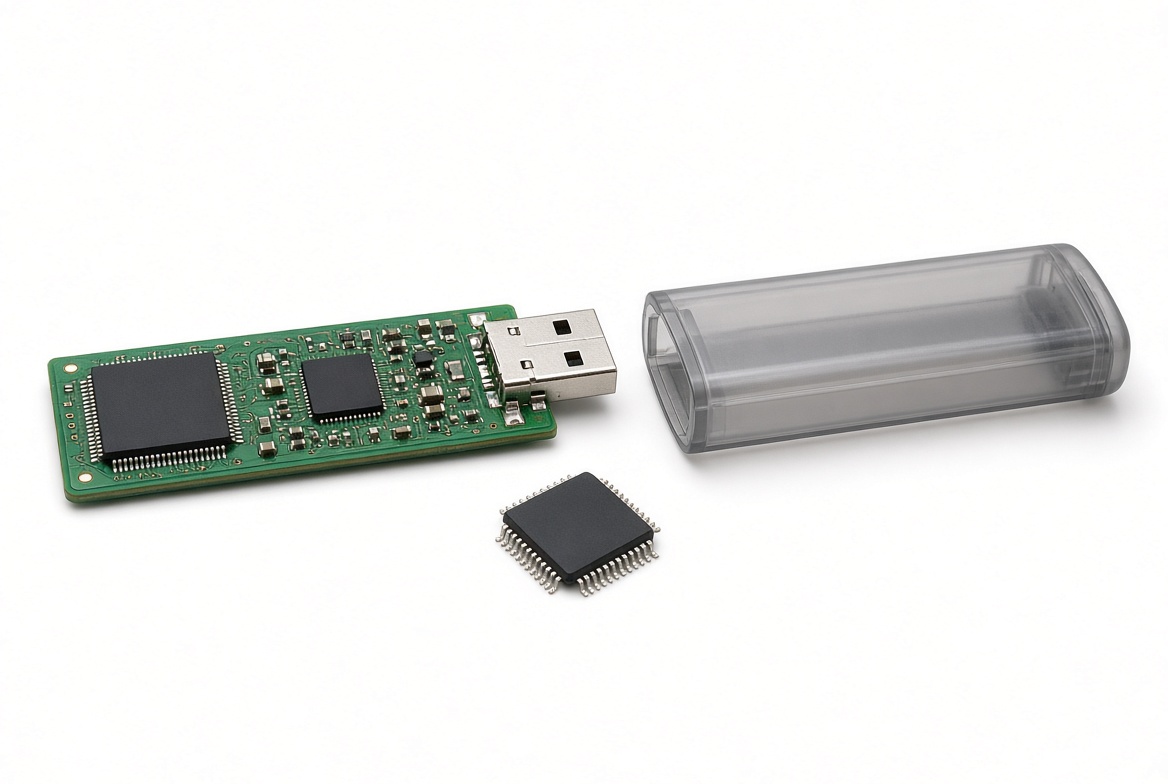
Most SanDisk flash drives that reach our lab fall into a handful of repeatable patterns, and each one damages a different part of the drive — almost never the memory chip itself. A drive that suddenly shows “please insert a disk into removable disk” usually has a corrupted file system, not a dead chip. A drive that stopped showing up at all often has a controller that quietly failed, sometimes after years of normal use. A drive with a loose or wobbly connector has a mechanical problem at the solder joints. And a counterfeit or fake SanDisk drive — more common than people expect on secondhand marketplaces — can misreport its own capacity, which looks like corruption but is really a different problem with a different fix. None of these patterns tell the whole story on their own, which is why we always confirm the actual cause on the bench rather than guessing from a symptom description alone. The table below breaks down what we see most often and how confident we are before we’ve even opened the case.
| Common SanDisk Flash Drive Failures & What Actually Breaks | ||
|---|---|---|
| What you see | What’s usually wrong | Data recoverable? |
| Drive not detected at all | Controller chip has failed or the USB interface has died | ✓ Yes, chip-off |
| “Please insert a disk” / RAW file system | File system table corrupted; chip and data are intact | ✓ Yes, chip-off |
| Connector loose, bent or snapped off | Solder joints or housing damaged; board usually fine | ✓ Yes, chip-off |
| Drive shows wrong capacity or copy errors | Often a counterfeit drive with a re-flashed controller | ⚠ Case-by-case |
| Drive gets extremely hot, then dies | Controller or power regulation failure | ✓ Usually, chip-off |
How eProvided Recovers SanDisk Flash Drive Data
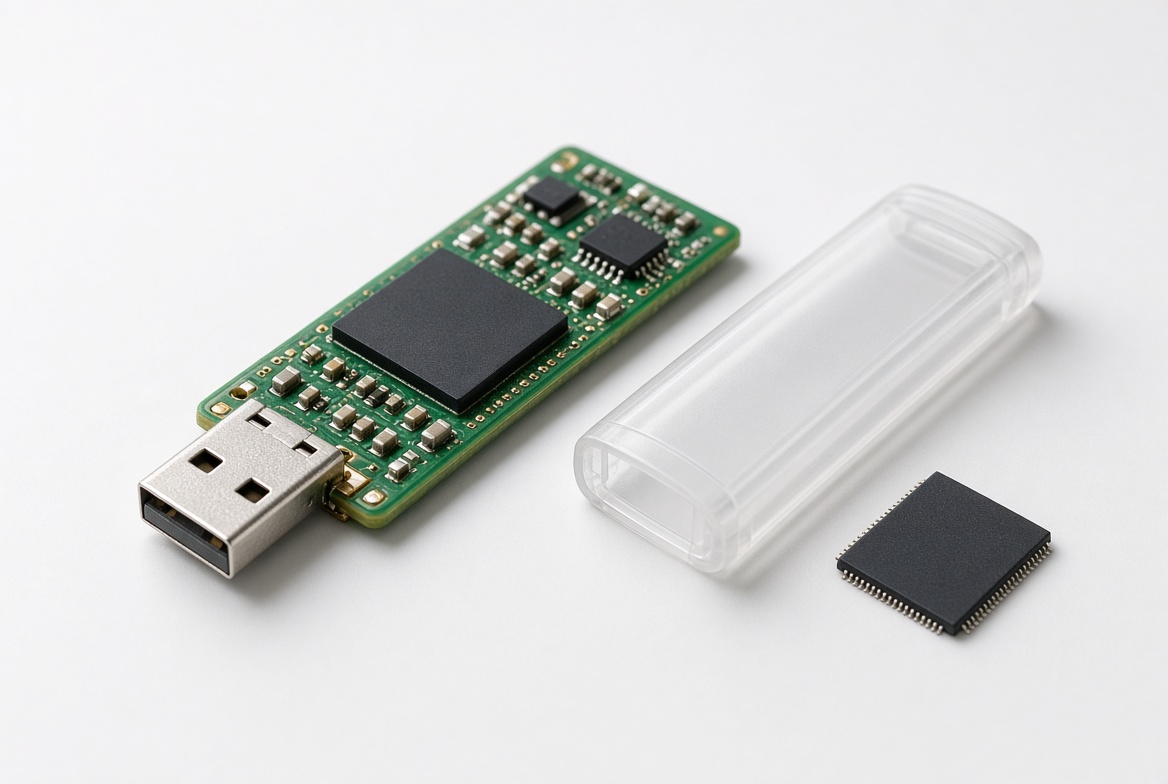
Chip-off recovery on a SanDisk flash drive follows a consistent sequence. Our full data recovery process starts with a free evaluation of your specific drive before any work begins. First, the NAND chip is desoldered from the damaged board using controlled heat, so the chip itself is never stressed mechanically. Second, the chip’s contacts are cleaned of old solder and any corrosion. Third, the chip is seated in a dedicated chip reader that dumps its raw contents directly, bypassing the housing, the connector, and the SanDisk controller entirely. Finally, that raw dump is decoded and reconstructed into your actual files and folders — a step that depends on knowing exactly how that generation of SanDisk controller organizes data on the chip, which is where 27+ years of doing this for every SanDisk series actually pays off.
Some very small or ultra-thin SanDisk drives (and most SanDisk microSD cards) are built monolithically, meaning the NAND memory and the controller are sealed together as separate dies inside one molded package instead of two chips on a board. These recover with substrate-level work rather than a straightforward desolder-and-read. Nothing about the outside of the drive tells you which construction you have, so we confirm the exact approach once the drive is opened and inspected — we’ll always tell you which method applies to your specific drive before quoting anything.
From SunDisk to SanDisk: A Flash Storage Pioneer

SanDisk’s USB drives exist because of a company that almost went by a different name entirely. Dr. Eli Harari founded SunDisk Corporation in 1988, and in 1994 the company shipped the world’s first solid-state flash memory card — aimed squarely at the emerging digital photography market. Renamed SanDisk Corporation soon after, the company kept pushing flash storage forward, and in 2000 it released one of the first USB flash drives, a product category that went on to replace the floppy disk almost entirely as the default way people carried files around — competing early on against other removable formats of that era like CompactFlash and Sony’s Memory Stick, both of which SanDisk also eventually made its own versions of.
SanDisk didn’t stop at USB drives. Over the following decade the company became one of the largest makers of SD and microSD cards on the planet, expanded into embedded flash for phones and tablets, and eventually moved into solid-state drives for laptops and desktops. In 2016, SanDisk was acquired by Western Digital, and the SanDisk brand continues today across USB flash drives, memory cards and SSDs alike — which is exactly why a page just about SanDisk USB drives has to draw a clear line around what it does and doesn’t cover: a Cruzer flash drive and a SanDisk SSD are built, and recovered, in genuinely different ways.
What About the SanDisk Extreme SSD?
If you searched for SanDisk flash drive recovery and also own a SanDisk Extreme Portable SSD, it helps to know up front that it isn’t a flash drive in the sense this page covers — it’s a full solid-state drive with its own dedicated controller, and that controller changes the recovery approach entirely. A modern SanDisk SSD controller wraps its encryption key in its own hardware, so desoldering the memory chips and reading them directly returns unreadable ciphertext, not your files. The correct, honest path for a failed SanDisk SSD is reviving or working with the drive’s original controller, not a chip-off extraction. We cover that method in full, along with SanDisk memory cards and embedded flash, on our SanDisk data recovery hub, and our general SSD data recovery service page covers the same NVMe controller-revival process across Samsung, Crucial and every other SSD brand we work with, not just SanDisk.
What Our Customers Say
Frequently Asked Questions
Once your files are back safe, a few habits keep the next SanDisk flash drive off our bench — see our flash drive care tips for what actually helps.
Recover Files from a SanDisk Flash Drive
Dead, corrupted or physically damaged — our engineers will confirm what’s recoverable from your SanDisk flash drive during a free evaluation. No obligation, confidential.
Start My Free Flash Drive Evaluationor call (866) 857-5950 now
Related Recovery Services
A failed SanDisk flash drive isn’t the only device eProvided recovers — these recovery services get the data back from every storage class in one lab: