
Used by NASA · the FBI · the U.S. Navy · Since 1999
Dropped, Bent or Run Over: Flash Drive Data Recovery After Bad Luck
- No Data, No Data Recovery Fee
- Every brand — SanDisk, Kingston, Samsung, Lexar
- 27+ years of recovery experience
- Chip-off recovery in-house — our specialty
Can a physically broken flash drive still be recovered?
Yes — a dropped, bent, snapped or run-over flash drive is usually recoverable. The NAND memory chip inside almost never breaks even when the plastic housing and USB connector do. eProvided removes the chip and reads it directly, independent of the damaged housing — part of the 98% average success rate across all our recovery cases.
“The plastic case is disposable. The chip inside it is what we actually recover — and it survives far more abuse than people expect.” — Bruce Cullen, founder, eProvided
Sometimes it really is just bad luck. The flash drive gets dropped on a tile floor, run over by a chair, bent while still plugged in, or snapped clean in half when it caught on a bag zipper. None of that is a data problem — it’s a plastic and metal problem, and the two are not the same thing. After 27+ years pulling data off flash drives that arrived in pieces, we can tell you why bad-luck damage rarely touches the actual data, how chip-off flash drive recovery works, and what to do — and not do — in the first hour after it happens.
Inside every USB flash drive is one small NAND memory chip soldered to a circuit board. The housing, the USB connector, and the board can all be destroyed while the chip itself stays intact — that chip is what actually holds your files. Chip-off recovery removes it, cleans the contacts, and reads it directly in a chip reader, bypassing the broken housing entirely. This is why physically destroyed flash drives are recovered far more often than people assume.
Do RIGHT NOW
- Stop trying to plug it in — every attempt risks the connector further
- Collect every piece, including small snapped fragments
- Keep the pieces dry and in a padded envelope or bag
- Note roughly how it broke (dropped, bent, run over, snapped)
DON’T Do
- Don’t force a bent connector straight — it can push stray voltage onto the board and damage the memory chip
- Don’t glue or tape the case back together
- Don’t try to re-solder the connector yourself
- Don’t throw away small broken pieces — the chip is tiny
Already have the broken pieces in hand? Ship them in for a free evaluation, or call (866) 857-5950 first if you want to walk through what happened.
The Anatomy of a Broken Flash Drive
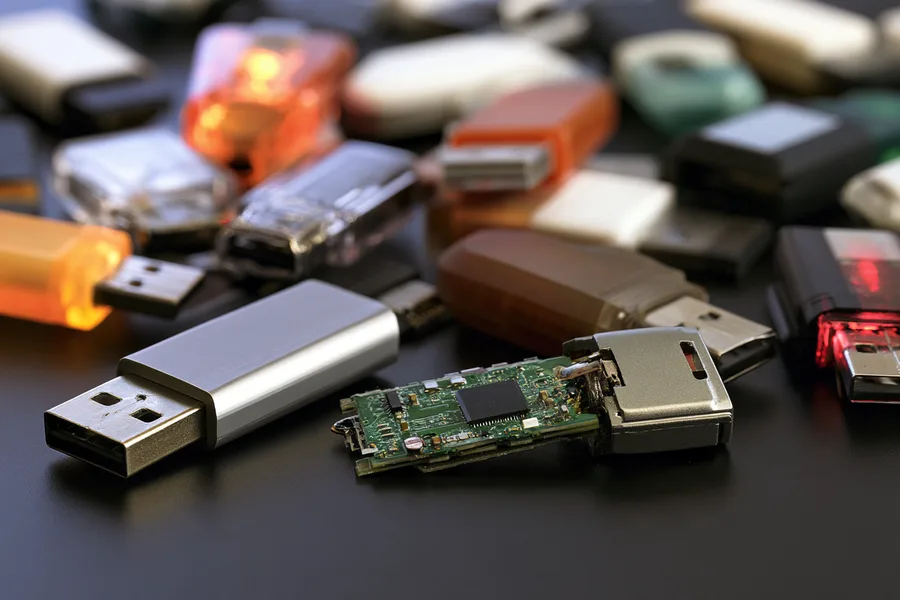
A standard USB flash drive is three parts: a plastic or metal housing, a small circuit board, and a NAND flash memory chip soldered to that board, usually alongside a tiny controller chip. The housing and connector exist to protect the board and let you plug it in — they hold none of your data. Every file you’ve ever saved lives on the NAND chip itself, as electrical charge stored in a grid of memory cells. That distinction matters enormously the moment a drive is physically damaged, because the part that breaks first — the housing, the connector, the board’s solder joints — is almost never the part your files are stored on.
This is also why eProvided’s core recovery method for flash drives is chip-off recovery: the NAND chip is desoldered from the damaged board, its contacts are cleaned, and it’s read directly in a dedicated chip reader — completely independent of whatever happened to the housing. On most USB drives, SD cards, microSD cards and similar flash media, chip-off is not a last resort; it is the correct, most direct path to the data, because a standard flash drive has no encryption key locked inside a separate processor the way a modern phone does. The exception is hardware-encrypted drives (IronKey-class, some Kingston DataTraveler Vault Privacy and Apricorn models), where the key lives in an onboard security chip separate from the NAND — chip-off there returns only ciphertext. If your drive is one of these, let us know when you send it in so the right approach is used from the start. For a standard flash drive, the chip itself holds everything needed to read it.
Common Bad-Luck Damage & What It Does
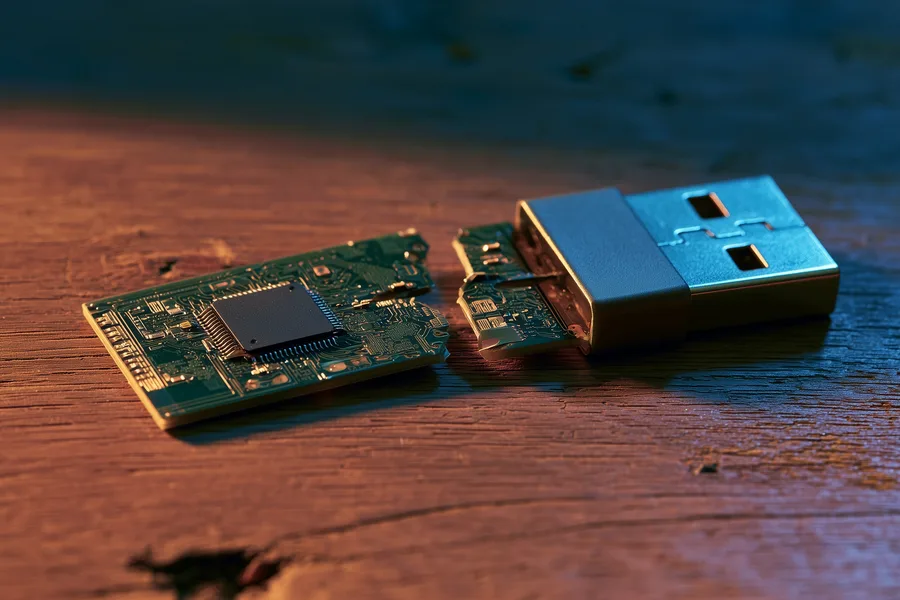
Almost every “bad luck” flash drive case we see falls into one of a handful of patterns, and each one damages a different, non-data part of the drive. A dropped drive usually cracks the housing or bends the connector pins, not the chip inside. A drive that gets bent while still plugged in flexes the whole board, which is more likely to shear a solder joint than to touch the memory cells themselves. Even the scarier-looking accidents — run over, chewed by a pet, snapped clean in half — tend to destroy the parts around the chip long before they reach it, because the housing and board absorb the force first. None of that means every case is identical: a truly crushed drive can, rarely, damage the chip’s own package, which is exactly why we look at the device itself before quoting anything. The table below breaks down the patterns we see most often, what each one actually damages, and how confident we are going in before we’ve even opened it up.
| Common Flash Drive Accidents & What Actually Breaks | ||
|---|---|---|
| What happened | What it usually damages | Data recoverable? |
| Dropped on a hard floor | Housing cracks; connector pins can bend or misalign | ✓ Yes, chip-off |
| Bent while still plugged in | Board flexes, solder joints crack or the connector shears off | ✓ Yes, chip-off |
| Run over or crushed | Housing shatters; board can snap, but the chip usually survives — it’s small and dense | ✓ Usually, chip-off |
| Snapped in half | Board splits between components; chip is on one half, intact | ✓ Usually, chip-off |
| Chewed by a pet | Housing destroyed; connector and sometimes board damaged | ✓ Usually, chip-off |
Is the Data Really Still There?

In the overwhelming majority of these cases, yes. NAND flash memory stores data as trapped electrical charge in a solid-state cell grid — there’s no moving part to knock out of alignment and no magnetic surface to scratch. A chip can survive being dropped, run over, or separated from a shattered board, because a modern NAND package is a small, dense, largely solid block of silicon. What actually determines recoverability is whether the chip’s own package cracked or the silicon die inside it was crushed (both rare, even in a visibly destroyed drive), and whether the raw dump can be decoded for that drive’s specific controller — which is where the lab work actually happens.
What lowers the odds is what happens after the break, not the break itself: a bent or misaligned connector forced repeatedly into a USB port can push stray voltage onto the board and damage the memory chip directly, or shatter a housing that was already holding cracked pieces together. Every one of those is new, avoidable damage on top of the original accident, and none of it is necessary — the chip doesn’t need the housing, the connector, or a working USB port to be read. It just needs to be found, removed cleanly, and handled somewhere that won’t make things worse before it reaches the lab. The single best move after any bad-luck flash drive damage is the same one that applies to every recovery case — stop trying to make it work, and get it evaluated before more force is applied.
How Chip-Off Flash Drive Recovery Works
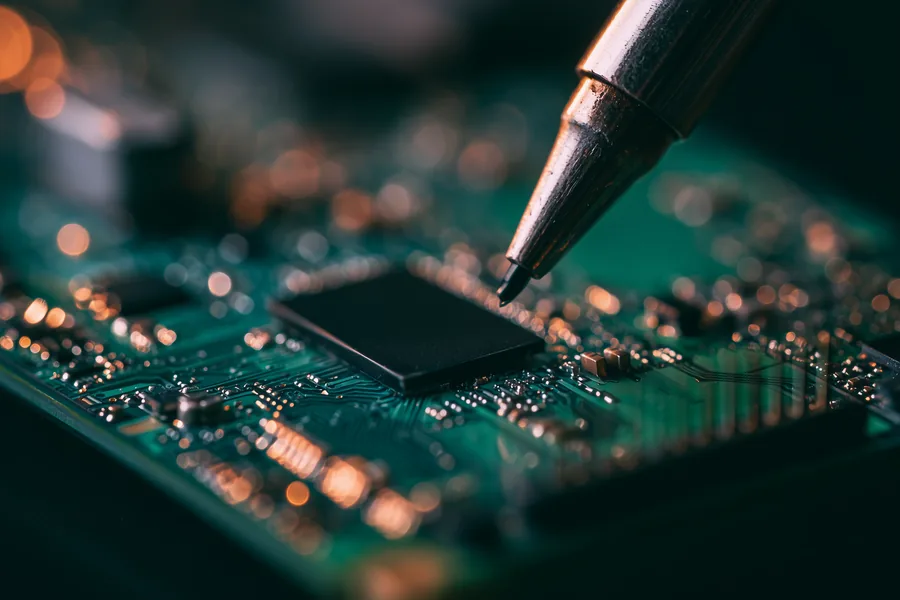
Chip-off recovery on a flash drive follows a consistent sequence in the lab. Every case starts with a free look at the drive, following the same data recovery process we use on any broken flash drive. First, the NAND chip is desoldered from its damaged board using controlled heat, so the chip itself is never stressed mechanically. Second, any old solder or corrosion on the chip's contacts gets cleaned off. Third, the chip is seated in a dedicated chip reader that dumps its raw contents directly, bypassing the housing, the connector, and the original (possibly dead) controller entirely. Finally, that raw dump is reconstructed into your actual files and folders. Because the chip is read independently of everything that broke around it, the exact way the drive was damaged — dropped, bent, run over, snapped — matters far less than whether the chip’s silicon itself survived, which it almost always does.
This article explains why bad-luck damage is usually recoverable and how the method works; if your drive is already broken and you want it evaluated, that’s a separate step with its own quote and turnaround — start there when you’re ready to send it in.
Monolithic Drives: A Different Recovery Path
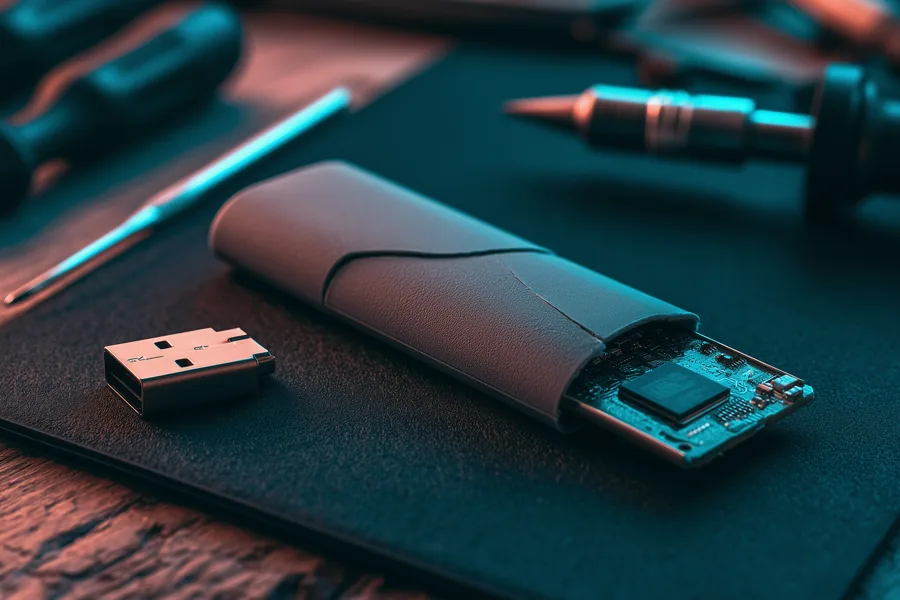
There is another flash drive design that recovers a little differently: monolithic drives, where the NAND memory and the controller sit as separate dies sealed inside one molded package, instead of being two separate chips soldered to a circuit board like the one pictured. These are common in very small or ultra-thin USB drives and in most microSD cards. A monolithic drive can still be recovered, but it requires substrate-level work rather than a straightforward desolder-and-read, because there is no separate chip to lift off the board. Nothing about the housing tells you which construction you have — a snapped connector or a cracked case looks the same on both, so the drive has to be opened and inspected before anyone can say which recovery path applies. If your drive is unusually small or thin, mention that when you start your evaluation — it changes the recovery approach, and we’ll confirm the exact path with you first. This applies whether the drive got there through a clean break, a crushing accident, or years of ordinary wear; the construction of the drive, not the story behind the damage, is what decides the technique.
What Our Customers Say
Frequently Asked Questions
Prevention beats a bad-luck accident every time. Once your files are back, our flash drive care tips cover the habits that keep the next drive off our bench.
Recover Files from a Broken Flash Drive
Dropped, bent, run over or snapped — our engineers will confirm what’s recoverable from your flash drive during a free evaluation. No obligation, confidential.
Start My Free Flash Drive Evaluationor call (866) 857-5950 now
Related Recovery Services
A broken flash drive isn’t the only device at risk. eProvided recovers every storage class from one lab — these recovery services get the data back: