
Used by NASA · the FBI · the U.S. Navy · Since 1999
USB Flash Drive Speed Explained: 2.0 vs 3.0 vs 3.1 vs 3.2
- Written by a 27-year chip-level recovery engineer
- Covers every USB generation and connector type
- No jargon — every spec defined as it appears
- No Data, No Data Recovery Fee if a drive ever fails on you
How Fast Is a USB Flash Drive?
Speed depends on the USB generation, not the drive's size. USB 2.0 tops out at 480 Mbps (about 60 MB/s in practice, often less). USB 3.0/3.1 Gen 1 reaches 5 Gbps. USB 3.1 Gen 2 and USB 3.2 Gen 2 reach 10 Gbps. Actual speed also depends on the drive's flash memory and controller, not just the port rating.
“A drive's speed rating and its reliability come from two different things — the port spec, and the NAND and controller inside. A fast port on a cheap chip is still a cheap chip.” — Bruce Cullen, founder, eProvided
Every USB flash drive on a store shelf lists a speed rating somewhere on the packaging, and almost none of it is explained in plain terms. USB 2.0, USB 3.0, USB 3.1 Gen 1, USB 3.1 Gen 2, USB 3.2 — the naming changed at least three times in the last decade, and the connector shape tells you almost nothing about which one you are holding. After 27+ years of USB flash drive recovery work — opening thousands of drives from every speed class and every major brand — we can walk through what these speed ratings actually mean, what genuinely affects a drive's real-world transfer speed, and how to choose a fast drive without falling for a spec sheet that oversells it.
USB speed is set by the port generation: 2.0 (480 Mbps), 3.0/3.1 Gen 1 (5 Gbps), 3.1 Gen 2/3.2 Gen 2 (10 Gbps), and newer 3.2 Gen 2x2/USB4 tiers (20 Gbps+). A drive only runs at its slowest link's speed — plug a USB 3.0 drive into a USB 2.0 port and it drops to USB 2.0 speed. The connector shape (Type-A vs Type-C) is a separate spec from the speed generation, so never assume one from the other.
- USB 2.0 vs 3.0 vs 3.1 vs 3.2: Speed Specs Explained
- USB Connector Types by Version
- Quality vs. Speed: What Actually Determines Real-World Performance
- How to Choose a Fast, Reliable USB Drive
- USB Flash Drive Brands: What to Actually Compare
- What Happens When a Fast USB Drive Fails
- What Our Customers Say
- Frequently Asked Questions
- More USB & Flash Drive Recovery Guides
- Related Recovery Services
USB 2.0 vs 3.0 vs 3.1 vs 3.2: Speed Specs Explained
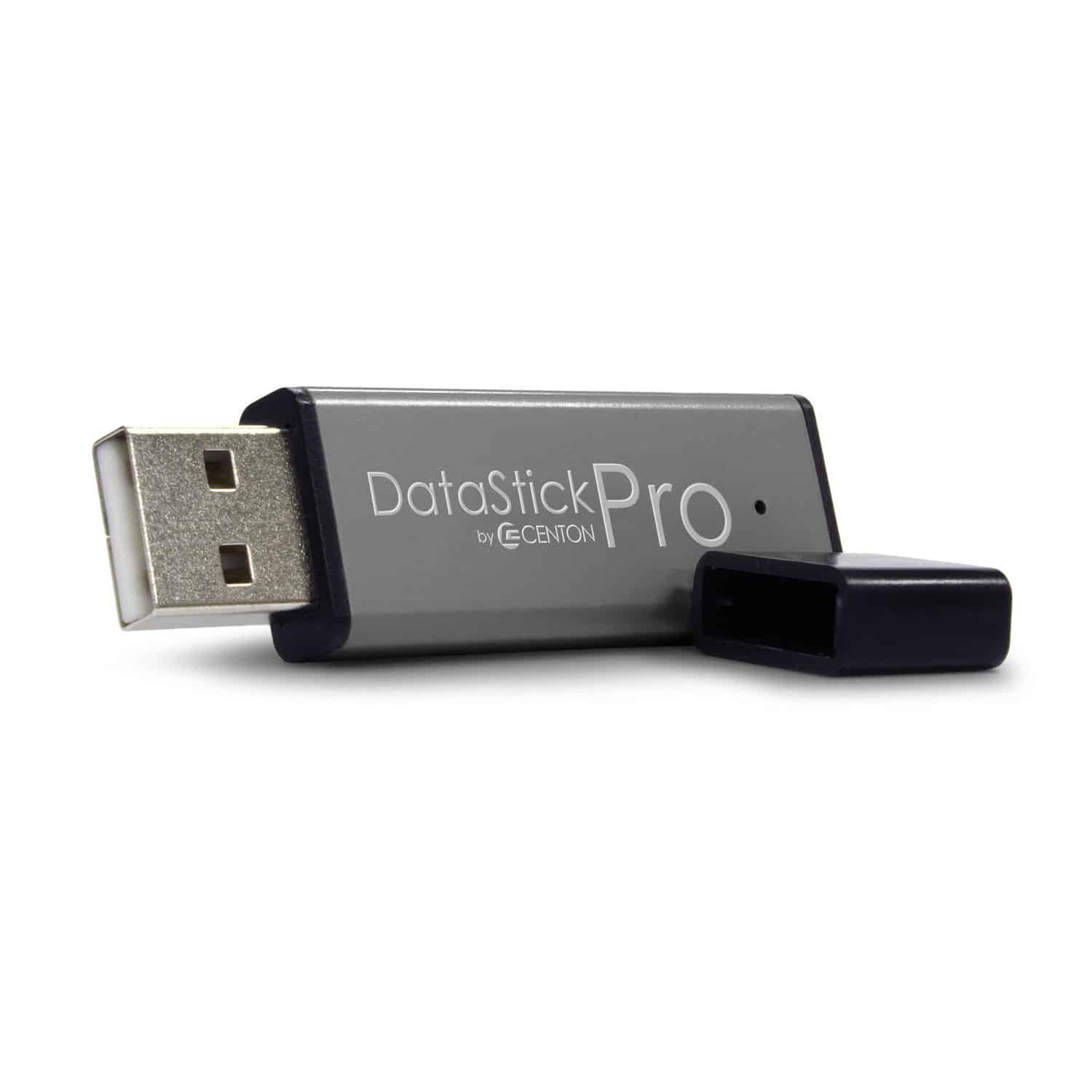
USB is short for Universal Serial Bus — the USB Implementers Forum (USB-IF) is the industry group that defines each generation's rated speed. Every USB flash drive is built around one of these speed tiers, and the tier is what actually caps how fast a transfer can go, regardless of the drive's storage capacity.
USB 2.0 is the oldest widely-used version still on the market, rated at a maximum of 480 Mbps (megabits per second) — in practice closer to 30–40 MB/s (megabytes per second) once overhead is accounted for. USB 3.0, later renamed USB 3.1 Gen 1 and then USB 3.2 Gen 1, raised that ceiling to 5 Gbps, roughly ten times the USB 2.0 rate. The USB-IF's own marketing names for these tiers are Hi-Speed (USB 2.0), SuperSpeed (5 Gbps) and SuperSpeed+ (10 Gbps and up) — the "SuperSpeed" branding is why some drives and ports carry a small "SS" icon. USB 3.1 Gen 2 (also called USB 3.2 Gen 2) doubled it again to 10 Gbps. The fastest tier most flash drives actually reach, USB 3.2 Gen 2x2, hits 20 Gbps, though very few drives on the market use even that — it shows up more often on external SSDs. (The true current ceiling, USB4 Version 2.0, is covered further down — it hasn't reached flash drives yet.) Note that the Gbps figures are bits, not bytes: divide by eight, then allow for protocol overhead, to get a realistic MB/s estimate for a file copy.
| USB Generation Speed Ratings | |
|---|---|
| USB Generation | Maximum Rated Speed |
| USB 2.0 | 480 Mbps (≈60 MB/s theoretical, often 30–40 MB/s real-world) |
| USB 3.0 / 3.1 Gen 1 / 3.2 Gen 1 | 5 Gbps |
| USB 3.1 Gen 2 / 3.2 Gen 2 | 10 Gbps |
| USB 3.2 Gen 2x2 | 20 Gbps (rare on flash drives) |
| USB4 / USB4 Version 2.0 | 40 Gbps / 80 Gbps (not yet used in flash drives) |
Two things trip people up here. First, the USB-IF has renamed USB 3.0 twice since it launched — the same 5 Gbps hardware has been marketed as "USB 3.0," "USB 3.1 Gen 1," and "USB 3.2 Gen 1" depending on when the product was labeled. Second, a rated speed is a ceiling, not a promise: your actual transfer speed depends on the slower of the two devices in the connection, plus the NAND flash chip inside the drive and the controller managing it.
What's next, as of August 2026: the USB-IF released USB4 Version 2.0 in September 2025, doubling USB4's ceiling to 80 Gbps (marketed plainly as "USB 80Gbps"), with Intel's Thunderbolt 5 as its highest-fidelity implementation. Those speeds are showing up in 2026's premium laptops, docks, and external SSDs — not yet in USB flash drives, since even USB 3.2 Gen 2's 10 Gbps ceiling already outruns what most flash memory inside a drive can sustain. Expect that to change eventually, but for now, a flash drive advertising USB4 or "80Gbps" support is effectively a labeling choice, not a real-world speed gain over a good USB 3.2 Gen 2 drive.
USB Connector Types by Version
Connector shape and speed generation are two separate specifications, and mixing them up is the single most common USB buying mistake. A Type-C connector does not automatically mean a fast drive, and a Type-A connector does not automatically mean a slow one.
| USB Generation | Common Connector(s) |
|---|---|
| USB 2.0 | Type-A, Micro-B |
| USB 3.0 / 3.1 Gen 1 | Type-A (usually blue-lined), Type-C |
| USB 3.1 Gen 2 / 3.2 Gen 2 | Type-A, Type-C |
| USB 3.2 Gen 2x2 / USB4 | Type-C only |
Type-A and Type-C ports both exist across multiple speed generations, so the only reliable way to know a drive's real speed is the printed spec on the packaging or the manufacturer's listing — never the connector shape alone. Plugging a USB 3.x drive into an older USB 2.0 port (or the reverse) works fine physically, but the connection always negotiates down to the slowest link in the chain.
Quality vs. Speed: What Actually Determines Real-World Performance

A drive's USB generation sets the ceiling, but the flash memory and controller inside set what the drive actually does day to day. Two drives with an identical "USB 3.2 Gen 2" label can perform very differently once real files are involved. The simplest way to see this for yourself is to copy the same folder to both drives and time it: a folder of a few thousand small photos exposes a weak controller far faster than one large video file does, because every small file forces the controller to update its internal map of where data sits. Free benchmark tools report both kinds of speed side by side, and the small-file number is usually the one that matches how the drive feels in daily use. Run the test with the drive at least a quarter full, since some drives slow down once their fastest free blocks are used up. The four factors below explain most of the gap you will measure.
- NAND flash quality. Cheaper drives often use lower-binned or older NAND, which can be slower to write and wears out sooner under heavy use. This is a NAND flash memory question, not a USB-generation question.
- The controller chip. The controller manages how data is written across the NAND and how wear is spread out. A weak controller can bottleneck a drive well below its USB port's rated ceiling, especially on small-file transfers rather than one large file.
- Sequential vs. random speed. Manufacturer speed ratings are almost always sequential (one large file). Copying thousands of small files — photos, documents — is a different, usually much slower, workload on the same drive.
- Sustained vs. burst speed. Some drives use a small fast cache that gives a quick burst, then drop to a slower sustained rate once the cache fills on a large transfer.
This is the real trade-off behind "quality vs. speed": a high USB generation number guarantees the connection's ceiling, not the drive's actual day-to-day behavior. The NAND and controller inside are what determine whether that ceiling is ever reached.
How to Choose a Fast, Reliable USB Drive
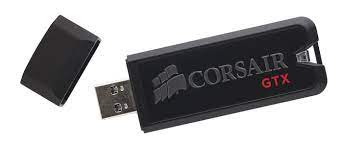
Speed rating is only half the buying decision — the other half is whether the drive survives daily use long enough for that speed to matter. A rugged metal housing like the one above costs a little more up front, but a snapped or bent connector is the single most common reason a perfectly good flash drive ends up on eProvided's bench, not a failed memory chip. Heat is the other durability factor people overlook. Small, fast drives with plastic shells can run hot during long transfers and slow themselves down to protect the memory, so a drive that tests fast for thirty seconds may settle much lower on a big backup job. The checklist below covers both sides of that decision.
- Match the port on your computer. A USB 3.x drive plugged into a USB 2.0 port runs at USB 2.0 speed — check what your laptop or desktop actually supports before paying extra for a faster drive.
- Think about your real workload. Moving a handful of large video files benefits enormously from a higher Gbps rating. Backing up documents day to day benefits far less — the bottleneck there is usually the small-file behavior described above, not the port speed.
- Check read AND write speed separately. Many listings advertise only the (usually faster) read speed. Write speed is what matters when you're copying files onto the drive, and it is often noticeably lower.
- Consider the housing and connector durability, especially for a drive that lives on a keychain. A metal or reinforced housing reduces the single most common cause of USB failure we see in the lab — a snapped or bent connector, not a failed memory chip.
- Price against capacity AND speed together, not capacity alone. A larger, slower drive and a smaller, faster one can cost the same; which one is worth it depends entirely on the workload above.
USB Flash Drive Brands: What to Actually Compare

SanDisk, Kingston, Lexar, PNY, Corsair, and Samsung all manufacture USB flash drives across every speed generation, from basic USB 2.0 sticks to USB 3.2 models. Toshiba, Western Digital, and Seagate — better known for hard drives — also sell USB flash drives, usually at the value end of the market. Every brand sells drives at multiple speed and quality tiers at once, so "which brand is fastest" is the wrong question — the right one is which specific model's advertised read/write speeds, connector compatibility, and warranty length actually match your workload, since exact pricing and lineups change too often to state reliably here. Independent reviews that publish measured write speeds on large and small files are a better guide than the box, because box figures are best-case reads. It also pays to buy from an authorized seller: counterfeit drives that report a larger capacity than the chip inside really holds are common on marketplace listings, and they silently overwrite old files once the real space runs out. A full-capacity write-and-verify test on a new drive catches a fake before any real files go on it.

One pattern worth knowing from the recovery side: a longer warranty is a genuine signal of manufacturer confidence in the NAND and controller, but it is not a data-loss guarantee — a warranty replaces a dead drive, it does not recover what was on it. That is a separate service, and it is what the NAND flash chip inside every drive actually determines. When a drive does fail, the brand on the label matters far less than how it failed: a bent connector, a dead controller, and a worn-out memory chip each call for different lab work, and the same three failures show up across every brand we see. What the brand does change is the controller family inside, which decides how the data is laid out on the chip and therefore how much reconstruction work a chip-level recovery needs. Keeping a second copy of anything important on a different device is still the only protection that does not depend on the drive at all.
What Happens When a Fast USB Drive Fails
Speed class has nothing to do with whether a drive can be recovered. Whether a drive is a decade-old USB 2.0 stick, a brand-new USB 3.2 model, or eventually one of the USB4/80 Gbps drives described above, the data is stored the same way: on a NAND flash chip behind a controller, with no other silicon holding a decryption key. That means chip-off and ISP (in-system programming) recovery — reading the memory chip directly — work on USB flash drives regardless of generation, brand, or price tier. This is different from a modern encrypted phone or SSD, where the files are locked to a separate controller or processor chip; on a plain USB flash drive, there is no such lock, which is exactly why this method is reliable here.
Most USB failures we see in the lab aren't the memory chip at all — it's a snapped or bent connector, a cracked circuit board, or a failed controller, the same physical points called out above under housing durability. If a drive's connector has physically broken off, our guide to repairing a broken USB stick covers what can and can't be fixed at home before it needs a lab. Either way, the files are very likely still intact on the chip — start a free evaluation or call (866) 857-5950 to find out what's recoverable.
A shattered outer casing looks worse than it usually is for the same reason — the connector housing is cosmetic, and cases we've handled where the shell cracked or the connector snapped clean off the drive almost always came back once the NAND chip itself was read directly, independent of how the outside looked.
What Our Customers Say
Frequently Asked Questions
More USB & Flash Drive Recovery Guides
If a drive's connector has snapped off or physically broken, our guide to repairing a broken USB stick is linked above in the failure section, and our plain-English explainer on how NAND flash memory actually works covers what's happening inside every drive mentioned on this page — both pick up where this speed comparison leaves off.
And if the reason you looked this up is that a USB flash drive of any speed or generation just stopped responding: the files are very likely still sitting on the chip. Start a free evaluation, or call (866) 857-5950 and describe what happened — No Data, No Data Recovery Fee, since 1999.
Recovery Services for Every Storage Device Class
Whatever speed class or brand a drive is, if it stops responding eProvided recovers it from one lab: