
Used by NASA · the FBI · the U.S. Navy · Since 1999 · 98% success rate
What Is NAND Flash Memory? A Plain-English Guide
- Written by a 27-year chip-level recovery engineer
- NAND is inside USB drives, SD cards, SSDs & phones
- No jargon — every term defined as it appears
- No Data, No Data Recovery Fee if a chip ever fails on you
What Is NAND Flash Memory?
NAND flash memory is the non-volatile storage chip inside USB drives, SD cards, SSDs, and smartphones. It keeps your files even with the power off by trapping electrical charge in billions of microscopic cells, each holding 1 to 4 bits. The name comes from the NOT-AND logic gate its circuits are built on.
“Every device we recover data from — flash drives, SD cards, SSDs, phones — stores that data on the same thing: a NAND chip. Understand the chip and you understand all of them.” — Bruce Cullen, founder, eProvided
Pull the plug on your computer and its RAM forgets everything in a fraction of a second. Yet the photos on your flash drive, the videos on your SD card, and the apps on your phone survive years in a drawer with no battery and no power at all. The reason is NAND flash memory — the storage technology inside virtually every portable device made since the late 1990s. After 27+ years of NAND flash data recovery work — reading these chips directly off broken devices — we can explain what NAND actually is without the engineering jargon: what the name means, how a chip with no moving parts remembers anything, why a bargain-bin flash drive and a premium laptop SSD use the same underlying technology, and what really happens on the day a NAND chip stops answering.
NAND flash memory is non-volatile storage: it holds data without power by trapping electrons in tiny insulated cells. One chip packs billions of cells, each storing 1 bit (SLC) up to 4 bits (QLC). It is the storage inside USB drives, SD cards, SSDs, and phones — cheap, fast, silent, and shock-proof, but each cell survives only a limited number of erase cycles.
- What Does NAND Stand For?
- How NAND Flash Memory Stores Files Without Power
- SLC, MLC, TLC, QLC — Bits per Cell in Plain English
- NAND vs. NOR Flash: What’s the Difference?
- Where NAND Flash Storage Shows Up in Daily Life
- How Long Does NAND Flash Memory Last?
- What Happens When a NAND Chip Fails
- Frequently Asked Questions
- Related Articles
- Related Recovery Services
What Does NAND Stand For?
NAND is not an abbreviation of storage words — the acronym comes from digital logic. A NAND gate is a “NOT-AND” circuit that outputs 0 only when all of its inputs are 1. The memory cells inside a flash chip are wired together in strings that behave the same way.
That is why engineers named the whole technology after the gate. That is the entire NAND meaning — the name describes how the cells are wired, not what they store.
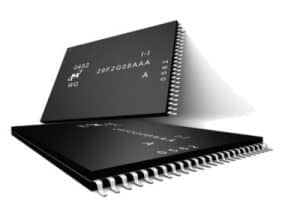
A working NAND definition in one sentence: NAND flash is solid-state, non-volatile memory that stores data as trapped electrical charge and erases it in large blocks at once. “Solid-state” means no moving parts — nothing to spin, seek, or wear out mechanically. “Non-volatile” means the data stays put when the power goes away — the opposite of your computer’s RAM, which is volatile and blanks the instant it loses power.
The “flash” half of the name is a story of its own. Flash memory was invented at Toshiba in the 1980s by Dr. Fujio Masuoka, and a colleague suggested the name because erasing the chip — wiping whole blocks in one burst — reminded him of a camera flash. NOR flash arrived first in 1984; NAND followed in 1987 and went on to win the storage war because it packed far more data into the same silicon. That density advantage is the exact reason NAND, not NOR, ended up inside nearly every USB drive, memory card, SSD, and phone made since — a trade-off decided decades ago that still shapes every device on the desk in front of you today.
How NAND Flash Memory Stores Files Without Power

Every file you own is ultimately a string of bits — 0s and 1s, eight of them to a byte. A NAND memory cell stores a bit by trapping electrons on a tiny electrically-insulated island inside a transistor. Push electrons onto the island and the cell reads as one value; drain them off and it reads as the other. Because the island is wrapped in insulation, the electrons stay trapped for years with no power at all — that trapped charge is your data.
Cells are organized like a city. Thousands of cells form a page (typically 16 KB, the smallest unit the chip can write), and hundreds of pages form a block (often 4–8 MB, the smallest unit it can erase). This is NAND’s one great quirk: it cannot overwrite data in place. To change even one byte in a full block, the drive must copy the good data elsewhere, erase the whole block in a flash, and write the new version. Every flash device you own is quietly running this shuffle in the background.
For years chips grew by shrinking cells side by side on a flat plane. Around 2013 the industry hit a wall — cells got so small they leaked — and flipped the design vertical: 3D NAND stacks layers of cells on top of each other like floors in a tower. Current drives ship with well over 200 layers, and 300-plus-layer designs are in production. That vertical stacking is why a fingernail-sized chip can now hold a terabyte.
SLC, MLC, TLC, QLC — Bits per Cell in Plain English
The alphabet soup on SSD spec sheets describes one thing: how many bits each cell holds. More bits per cell means cheaper storage but a harder-working, shorter-lived cell — the electrons must be measured at more distinct levels, which takes longer and wears the insulation faster.
- SLC (single-level cell) — 1 bit per cell. Fastest and most durable (tens of thousands of erase cycles), and the most expensive. Found in industrial gear and as small “cache” regions inside consumer drives.
- MLC (multi-level cell) — 2 bits per cell. The former consumer standard; a solid balance of endurance and cost.
- TLC (triple-level cell) — 3 bits per cell. Today’s mainstream: most SSDs, phones, and memory cards ship TLC.
- QLC (quad-level cell) — 4 bits per cell. The budget tier: highest capacity per dollar, slowest writes, fewest erase cycles.
A useful mental model: SLC is a light switch (on or off — easy to read at a glance). QLC is a dimmer that must land on one of 16 precise brightness levels every time. Both work; one is simply doing a far more delicate job with the same handful of electrons.
NAND vs. NOR Flash: What’s the Difference?
NOR flash, NAND’s older sibling, wires its cells for instant random access: a processor can jump to any byte and execute code straight from the chip. The cost is space — all that wiring means far less storage per square millimeter.
NAND wires cells in series, giving up byte-level access in exchange for density and price. It reads and writes in whole pages, like flipping through a notebook instead of pointing at one word.
The division of labor settled decades ago: NOR holds the tiny startup firmware in routers, TVs, and motherboards, while NAND holds everything big — your files, apps, photos, and operating system. When people say “flash memory” about storage, they almost always mean NAND flash technology.
Where NAND Flash Storage Shows Up in Daily Life
Look around a desk and NAND storage is everywhere, wearing different costumes:
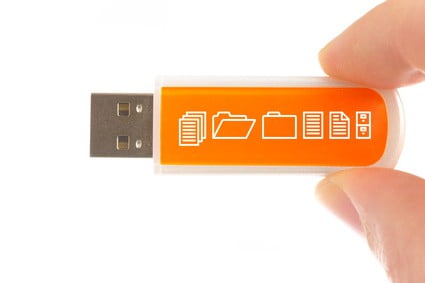
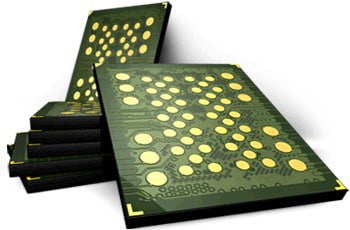
USB flash drives package a single NAND chip plus a simple controller — the most direct form the technology comes in. SD and microSD cards fuse NAND and controller into one monolithic sliver of plastic, and older formats like CompactFlash and Sony's Memory Stick were NAND in different clothes too. SSDs run several NAND flash storage chips in parallel under a powerful controller, which is why they outrun single-chip devices. Phones and tablets solder NAND to the motherboard as eMMC or UFS packages. And everything else — dashcams, drones, game consoles, smart TVs, voice recorders, even cars — runs on the same underlying memory.
The remarkable part: only a handful of manufacturers — Samsung, Kioxia, Micron, SK Hynix among them — fabricate nearly all of the world’s NAND. The chip in a bargain-bin flash drive and the chip in a flagship phone are often cousins off the same production line, separated mainly by binning, packaging, and the controller in front of them.
How Long Does NAND Flash Memory Last?

Two clocks tick on every NAND chip. The first is endurance: each erase wears the cell’s insulation a little, so cells are rated in program/erase cycles — roughly 50,000–100,000 for SLC, a few thousand for TLC, and as low as several hundred for QLC.
That sounds alarming until you factor in wear leveling: the controller deliberately spreads writes across every block on the chip so no block wears out early. For typical use, a modern drive’s cells outlive the device around them.
The second clock is retention: trapped electrons slowly leak, so a NAND device left unpowered will eventually fade — the industry benchmark set by JEDEC, the body that standardizes memory chips, is about one year of guaranteed retention at the end of a consumer drive’s rated life, and many years while the drive is young. The practical advice writes itself: flash is superb working storage and a poor decade-in-a-drawer archive. Anything irreplaceable deserves a second copy somewhere else.
Worth knowing: the memory cells are rarely what kills a device. In our lab, the part that fails is usually around the NAND — a snapped connector, a dead controller, a cracked board — while the chip itself still holds every file.
What Happens When a NAND Chip Fails
When a flash device dies, one of three things happened: the connection to it broke (bent USB tip, cracked board), the controller in front of the NAND failed, or — least often — the NAND chip itself degraded. In the first two cases the data is still sitting in the cells, unreachable only because its doorway collapsed. If a device has stopped responding entirely, our guide to the “NAND flash not detected” error walks through what those symptoms mean.
On simple devices — USB drives, SD cards, voice recorders — reading your data doesn’t depend on any other chip, so a failed board can be bypassed: the NAND chip is desoldered and read directly on programmer hardware, a process explained in our companion piece on how NAND flash recovery works. Modern SSDs and phones are different — the files are locked to the device’s own controller or processor, not to the memory chip, so honest recovery means reviving that original silicon: repairing the original board, or on phones moving the processor and memory together to a donor board. Pulling the memory chip alone recovers nothing there. Choosing the right path for each device class is the first step of every case — start a free evaluation or call (866) 857-5950, and we determine it before any work begins.
Frequently Asked Questions
Related Articles
More NAND Flash Recovery Guides for the rabbit-hole inclined: our companion piece on how NAND flash recovery works and the “NAND flash not detected” troubleshooting guide are both linked above in the failure section, and the full NAND flash data recovery service page covers what a professional evaluation involves — each picks up where this plain-English primer leaves off.
And if a device connected to your computer simply isn’t showing up at all, our guide to why a USB device is not recognized covers that specific symptom.
And if the reason you looked up “what is NAND” is that a flash drive, SD card, SSD, or phone just stopped working: the files are very likely still sitting in those cells. Send it in for a free evaluation, or call (866) 857-5950 first if you'd rather talk it through — No Data, No Data Recovery Fee, since 1999.
Recovery Services for Every Storage Device Class
Nearly every device below stores its data on NAND flash — and eProvided recovers all of them from one lab: