
Used by NASA · the FBI · the U.S. Navy · Since 1999 · 98% success rate
Data Storage Devices 101: Every Type Explained — and How Long Each One Really Lasts
- All device classes covered, HDD to UFS
- Real lifespan numbers from a recovery lab
- Written by a 27-year recovery engineer
- Updated for 2026 formats
Stand in the storage aisle of any electronics store and the choice looks endless — external drives, flash sticks, memory cards, SSDs in three shapes. The truth is simpler: everything on that shelf belongs to a handful of device classes split across two categories, primary and secondary. Our lab has spent 27+ years taking all of them apart to get data back, including microSD cards that stop being recognized. This guide covers what each class is, what phones and cameras actually use, how long each type lasts, and how to pick the right one.
Data storage devices are hardware that records and holds digital files. They fall into two categories: primary storage, which the processor accesses directly (RAM, ROM, the internal boot drive), and secondary storage, which holds everything else — external hard drives, SSDs, USB flash drives, SD and microSD cards, optical discs, tape, and network drives.
Which Data Storage Device Keeps Files Safe the Longest?
LTO tape lasts longest, holding data for about 30 years. Consumer hard drives average 3 to 5 years, recordable DVDs fade in 5 to 15 years, and SSDs wear out by terabytes written. Lifespan is a rating, not a promise, so keep three copies of important files on two device types.
“No device lasts forever. The ones that hurt are the ones holding the only copy.” — Bruce Cullen, founder, eProvided
- The Two Main Categories of Data Storage Devices
- What Are the Most Common Data Storage Devices?
- What Storage Do Phones, Tablets & Cameras Use?
- Memory Cards: SD, MicroSD & CompactFlash
- Modern Data Storage Devices in 2026
- SSD vs HDD vs Flash, Optical, Tape & Cloud
- How Long Do Storage Devices Last?
- How to Check Whether a Device Is Wearing Out
- What Storage Device Failure Looks Like
- Choosing the Right Data Storage Device
- Backing Up Storage Devices: The 3-2-1 Rule
- Real Storage Device Cases and Outcomes
- What Our Customers Say
- Frequently Asked Questions About Data Storage Devices
- Recovery Services for Every Storage Device Class
The Two Main Categories of Data Storage Devices
 Enlarge
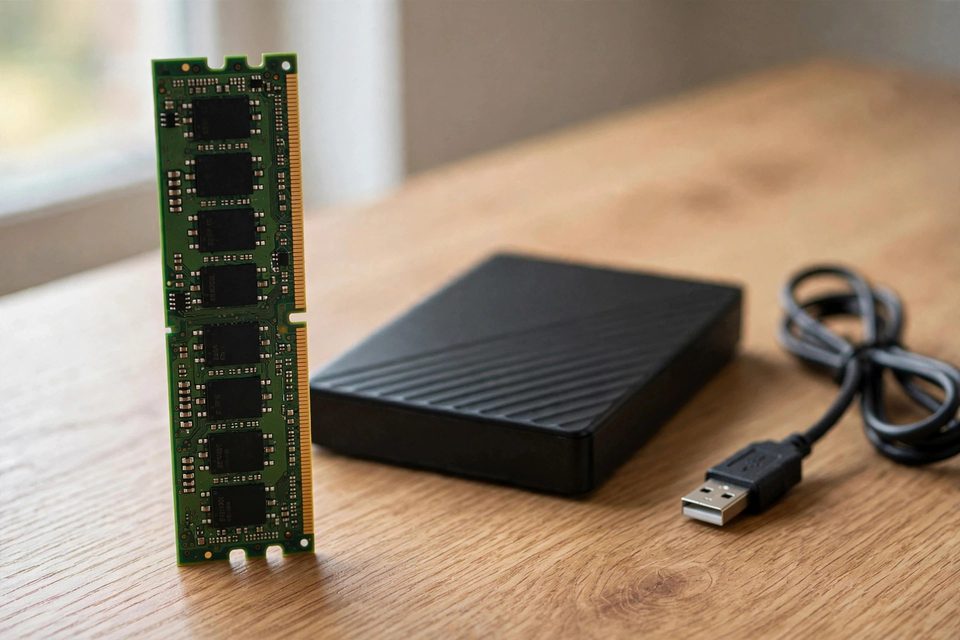
Every storage device is either primary or secondary. Primary storage is what the CPU reaches directly — RAM, ROM firmware, and the internal boot drive. Secondary storage is everything you attach, insert, or connect over a network: external drives, USB flash drives, memory cards, optical discs, tape, and NAS. Your photos and documents almost always live on secondary devices.
The line has blurred: an NVMe SSD inside a laptop is technically secondary storage yet behaves like primary. What matters in practice is persistence — RAM forgets everything when the power drops, while secondary devices — the permanent storage devices — keep your files with no power at all. That persistence is why a failed secondary device is usually still recoverable: the bits are physically there even when the device no longer mounts.
What Are the Most Common Data Storage Devices?
 Enlarge
The most common types of data storage devices are hard disk drives (HDD), solid state drives (SSD and NVMe), USB flash drives, SD and microSD memory cards, and — fading but still around — optical discs. Each stores data with a different physical mechanism: magnetic platters, NAND flash cells, or optical pits. That mechanism decides both its speed and how it eventually fails.
Hard disk drives spin magnetic platters read by a moving head — cheapest per terabyte, and still the workhorse of backup drives and NAS arrays. Solid state drives and NVMe use NAND flash chips with no moving parts, and they're the default boot drive in nearly every new computer (how SSD failure shows up). USB flash drives put a NAND chip plus controller on a stick — convenient and fragile, dropped, snapped in ports, and run through the wash more than any other device we see. SD, microSD, and CompactFlash cards provide removable NAND storage for cameras, drones, dash cams, phones, and tablets. Optical discs — CD, DVD, Blu-ray, and M-DISC — burn data as pits in a dye or inorganic layer; slow, but M-DISC remains a legitimate archival format. Magnetic tape (LTO) is the quiet giant of cold storage, and enterprises still archive on it because it sits stable for decades. And NAS and cloud-hybrid storage combine network drives with a cloud mirror — HDDs and SSDs underneath, but now a standard layer of home storage.
Underneath the long list of products, digital data storage devices use only three physical ways to hold a bit. Knowing which one a device uses explains its speed, its weak point and the way a lab approaches it when it fails.
| Types of Data Storage Media — How Each One Holds a Bit | |||
|---|---|---|---|
| Media type | How a bit is stored | Devices | What limits it |
| Magnetic | Tiny regions on a coated platter or tape are magnetized one way or the other, and a head reads the pattern | Hard disk drives, magnetic tape | Moving parts: heads, spindle motor, tape handling |
| Solid-state (flash) | Electrical charge is trapped in NAND memory cells and stays there with no power | SSDs, NVMe, USB drives, SD and microSD cards, phone storage | Cell wear from writes, the controller, the connector |
| Optical | A laser reads pits and flat areas pressed or burned into a disc layer | CD, DVD, Blu-ray, M-DISC | Scratches, sunlight, dye fade |
| Network and cloud | Not a fourth medium: the same three types, in drives you reach over a network | NAS, cloud services | Your connection, your account, someone else’s hardware |
Students meet the same three families in school courses, and this plain-language explainer from 101 Computing covers the basics if you want a second walk-through.
What Storage Do Phones, Tablets & Cameras Use?
 Enlarge
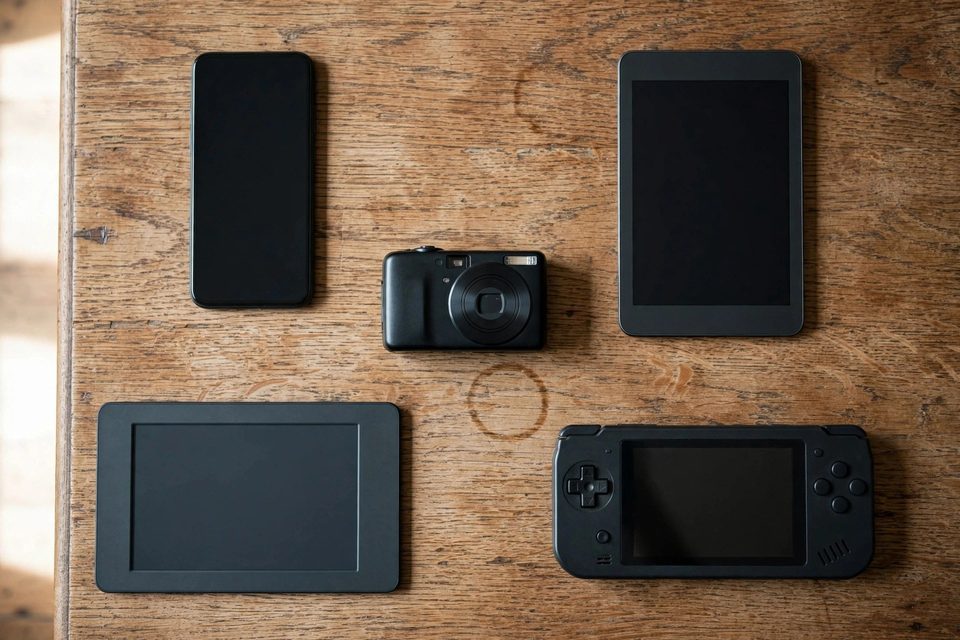
Cell phones use NAND flash memory — the same storage technology as an SSD, soldered directly to the board. Modern phones use UFS (Universal Flash Storage); older and budget models use eMMC. Digital cameras, camcorders, drones, and many tablets rely on removable flash memory cards — SD, microSD, or CompactFlash.
So if an exam question ever asks “what type of storage device are you most likely to find in a mobile phone?” — the answer is flash storage: an embedded UFS or eMMC NAND chip. No tiny hard drive; there hasn’t been one since the iPod era. The UFS 4.0 chips in flagship Samsung Galaxy and Google Pixel phones read at roughly 4,200 MB/s, blurring the line between phone storage and a laptop SSD.
The embedded design cuts both ways. NAND has no moving parts, so a dropped phone survives shocks a hard drive never would. But the chip is soldered down, so a dead phone takes its data with it — until a lab removes and reads the NAND directly. Using tablets for data storage is the same story: onboard NAND sensitive to impact, heat, and moisture, in a device that travels everywhere with you.
Memory Cards: SD, MicroSD & CompactFlash
SD cards, microSD cards, and CompactFlash are the removable flash formats. SD came first, built for early digital cameras. MicroSD shrank the same idea down for phones, drones, and action cameras. CompactFlash drives and SD cards built digital photography; retired formats like Sony’s Memory Stick still land on our bench holding twenty-year-old photo archives.
SDHC and microSDHC are the higher-capacity versions of the originals; SDXC and microSDXC go higher still, with the bus speeds photographers need for burst shooting and 4K video. Constant insertion and removal is what kills these cards — worn contacts, cracked substrates, cards snapped in a spring-loaded slot. Photographers rescuing a shoot from a corrupt card usually need digital image recovery rather than generic file tools, because camera formats fragment video across the card.
Modern Data Storage Devices in 2026
The dominant consumer formats in 2026 are M.2 NVMe SSDs, USB4 and USB-C portable drives, UFS and eMMC chips in phones and tablets, and high-capacity NAS hard drives. Cloud-hybrid storage — files mirrored between the local device and a cloud service — now ships as the default on most laptops and phones.
The extremes are worth knowing. The fastest consumer devices are PCIe Gen5 NVMe SSDs reaching about 14,000 MB/s sequential reads. The largest are 22 TB CMR hard drives from Seagate, mostly living in NAS arrays. The smallest are microSD Express cards — fingernail-sized, up to 2 TB. The cheapest per gigabyte is still the spinning hard drive; the most dependable cold-storage medium is still LTO tape.
SSD vs HDD vs Flash, Optical, Tape & Cloud: Which Is Best for What?
Solid state drives win on speed, hard drives on cost per terabyte, memory cards on size, optical discs and LTO tape on cold storage, and cloud storage on off-site safety. No class wins every row, which is why sturdy setups pair two of them instead of betting on one.
The table compares what each class does in practice. Speeds are typical sequential-read figures; small files, full drives and heat throttling all run slower.
| Storage Device Classes — Speed, Capacity & Best Use | |||
|---|---|---|---|
| Device class | Typical speed | Practical capacity | Best use |
| Hard disk drive (7,200 rpm) | About 100–250 MB/s | Up to 22 TB | Bulk archives, NAS, backups |
| SATA SSD | About 550 MB/s (the SATA III ceiling) | 250 GB–4 TB | Older laptops, game libraries |
| NVMe SSD | About 3,500 MB/s (PCIe 3.0) up to 14,000 MB/s (best PCIe 5.0 drives) | 500 GB–8 TB | Boot drive, active projects |
| USB flash drive | Tens to several hundred MB/s | 32 GB–2 TB | Moving files between computers |
| SD / microSD card | Up to 104 MB/s (UHS-I); 985 MB/s and up (SD Express, PCIe 3.0 and newer) | Up to 2 TB | Cameras, drones, dash cams, phones |
| Recordable disc | Slow: Blu-ray 1x is 4.5 MB/s | 4.7 GB (DVD) to 100 GB (BD-XL, M-DISC) | Small permanent archives |
| LTO-9 tape | Up to 400 MB/s native (full-height drive; half-height is 300) | 18 TB native per cartridge | Large cold archives, off-site copy |
| Cloud storage | Limited by your upload speed | Set by your plan | The off-site copy |
Two details save money. A SATA SSD tops out near 550 MB/s because the SATA III link is capped at 6 Gbit/s, so only an NVMe drive in a PCIe slot goes faster. And a memory card’s speed rating matters only for the job: sustained video needs a high write speed, photo storage rarely does, and our guide to SD card speed class ratings decodes the printed symbols.
Every flash row in the table — SSD, USB drive, card and phone — stores bits in NAND cells, so they share the same wear limits (how NAND flash works). Cloud is not a separate technology: it is someone else’s hard drives and SSDs behind your internet connection, which makes it a good off-site copy and a poor only copy.
How Long Do Storage Devices Last?
 Enlarge
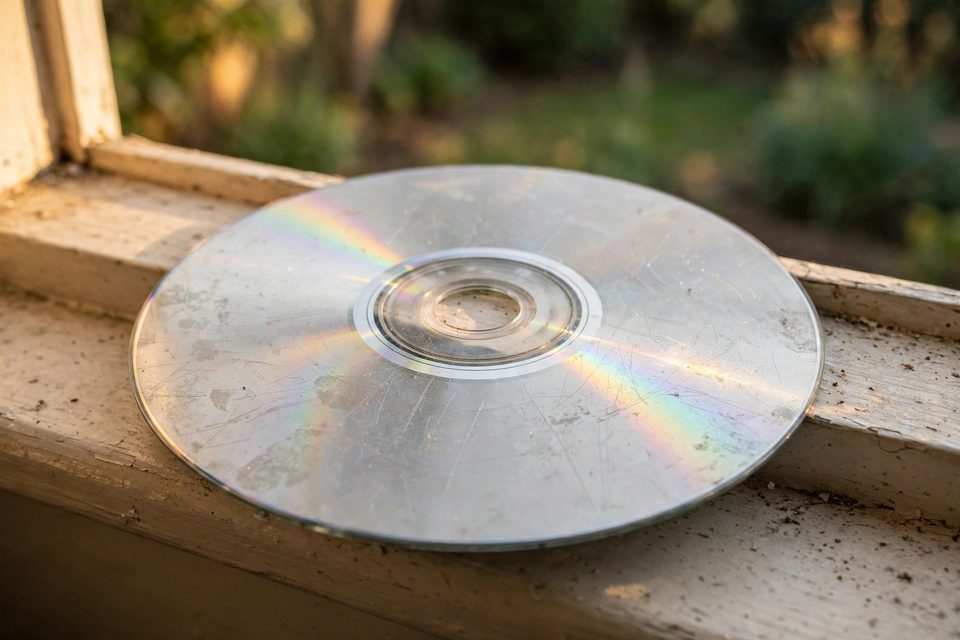
Consumer hard drives average 3–5 years, SSDs are rated in terabytes written (roughly 600–1,200 TBW for mainstream TLC models), USB drives and memory cards manage 1,000–10,000 write cycles per cell, recordable DVDs fade in 5–15 years, and LTO tape holds for 30. Those are population averages — any single device can die tomorrow.
What shortens those numbers is rarely age alone. Write volume wears out flash, drops and vibration kill hard drives, a power surge kills controllers, and sunlight and humidity attack optical dye. Storage conditions matter more than brand names.
Here is the storage device lifespan, reliability & endurance picture we see across our recovery services every week, class by class:
| Storage Device Classes — Lifespan, Failure Mode & Recoverability | |||
|---|---|---|---|
| Device class | Typical lifespan | Most common failure | Recoverable? |
| Hard disk drive (HDD) | 3–5 yrs consumer, 5–7 enterprise | Head crash, spindle motor, bad sectors | ✓ Usually |
| SSD / NVMe (TLC) | 600–1,200 TBW | Sudden controller death, FTL corruption | ✓ Original-controller revival |
| Budget SSD (QLC, DRAM-less) | 200–400 TBW | Power-loss FTL corruption | ⚠ Controller revival |
| USB flash drive | 5–10 yrs typical use | Snapped connector, controller lockup | ✓ Usually |
| SD / microSD / CompactFlash | 1,000–10,000 P/E cycles | Cracked substrate, corrupt file table | ✓ Even snapped |
| Phone / tablet (UFS, eMMC) | Life of the device | Board damage, liquid, dead device | ⚠ Board repair or donor transplant (the phone’s processor must stay involved) |
| Optical (CD-R/DVD-R, M-DISC) | 5–15 yrs dye; M-DISC centuries | Dye fade, scratched reflective layer | ⚠ Damage dependent |
| LTO tape | 30-yr archival | Tape stretch, head misalignment | ✓ Usually |
Endurance ratings predict the population, not your unit — heat, power events, and one bad drop can end any device early. That’s why the backup strategy below matters more than shopping for the “most reliable” class.
A memory card stored cold — unused and dry — can hold data for decades. Our lab routinely reads 15-year-old USB sticks via chip-off extraction. Active use is what wears NAND out: every write degrades the cells, and the controller usually dies before the flash does.
How to Check Whether a Storage Device Is Wearing Out
You can check a storage device’s health in minutes. Hard drives and SSDs report SMART data that free tools such as smartmontools or CrystalDiskInfo can read; USB drives and memory cards report nothing, so you judge them by symptoms. Copy anything irreplaceable first, and never run a repair tool on a drive that already shows errors.
Hard drives: watch reallocated and pending sectors
A hard drive keeps spare sectors and swaps one in whenever it finds a bad sector. Backblaze, which publishes failure statistics for its own drive fleet, singled out five SMART attributes as warning signs: reallocated sectors, reported uncorrectable errors, command timeouts, current pending sectors and offline uncorrectable sectors. A nonzero raw value on any of them is a reason to copy the drive now and plan its replacement.
SSDs and NVMe drives: read Percentage Used and Available Spare
NVMe drives report a Percentage Used figure and an Available Spare figure in the standard SMART log; SATA SSDs report vendor-specific wear attributes. Percentage Used counts against the maker’s endurance rating and can climb past 100 before the drive stops, so treat 80 as the planning line. SMART lowers the risk of a sudden controller death without removing it.
USB drives and memory cards: no SMART, so watch the symptoms
The warning signs are copies that stall, files that open corrupt, a drive that disconnects when you touch the cable, and a capacity that reads as zero or the wrong size. Copy the data off at the first sign. Skip full-surface test tools that write across the whole device: on a failing card, every write can overwrite the data you want back. For a stick with physical damage, how damage severity affects recovery explains what to expect.
What Storage Device Failure Looks Like
 Enlarge
Each device class announces failure differently. Hard drives usually warn you: clicking, slow reads, SMART errors. SSDs rarely do — controller death is sudden and total. USB drives fail at the connector; memory cards crack or corrupt their file tables; phones take their soldered NAND down with the board. Knowing the pattern is the heart of data storage failures and recovery: it tells you when to stop using the device.
The most damaging thing you can do to a failing device is keep writing to it — every new write can overwrite data that was still recoverable. Power it down; don’t open the case or run utilities that “fix” the disk by rewriting it.
Here is the first move for each class, and what a lab does next.
Hard drive: power it off and do not open it
Clicking, grinding or a drive that never spins up points to mechanical damage. Switch it off, because each power-up can drag a damaged head across the platters. Do not open the case: dust or a fingerprint on a platter can ruin the data. A lab can repair the board or replace the heads on a controlled bench, and success depends on how much platter surface survived. A portable drive that stopped spinning up follows the same rule.
SSD and NVMe: stop power-cycling it
A drive that vanishes from the BIOS or shows a few megabytes will not improve with restarts. Most modern SSDs encrypt their NAND with a key the controller holds, so reading the chips alone returns scrambled data. The lab path is to revive the original controller and its firmware, and that works best on a drive nobody has kept writing to.
USB drive and memory card: stop writing and keep every piece
If a connector snapped or a card cracked, keep the fragments and do not glue or re-solder anything. Most USB drives and cards store data in plain NAND with no outside key, so when the controller or connector is dead a lab can usually read the chip directly (chip-off). A drive with hardware encryption is the exception and gets judged first.
Phone and tablet: keep it powered off if it got wet
Do not charge a wet device or force restarts. Phone storage is tied to the phone’s own processor, so chip-off alone returns scrambled data. The honest paths are board-level repair on the original board, or a donor board that receives the processor and storage together.
Discs and tape: handle by the edges and do not force them
Hold a disc by its edge, wipe it from center to rim in a straight line, and keep it out of the sun. For scratched or unreadable discs, recovery depends on how much of the data layer survives, and dye-faded discs often come back only in part. Never force a jammed tape cartridge into a drive; it can stretch or snap the tape.
Many failures that reach a lab promptly can be recovered, and how a lab recovery works shows what to expect. If a storage device holding irreplaceable files has already failed, our team can evaluate it free, or call (866) 857-5950 to talk it through — No Data, No Data Recovery Fee, since 1999.
Choosing the Right Data Storage Device
The right data storage device depends on what you’re storing and how often it changes. Fast, frequently-changing data belongs on an SSD; large, slow-moving archives belong on hard drives or tape; and nothing irreplaceable belongs on only one device of any kind. Match the medium to the job:
- Operating system & applications: NVMe SSD (M.2) — 1–2 TB is the sweet spot.
- Active documents & projects: SSD for the working copy, HDD or NAS for the backup.
- Photo & video archives: external HDD as primary, a second HDD or cloud as backup, M-DISC for true archival.
- Phone & tablet daily use: the built-in UFS storage plus an off-device backup. Never trust a phone as the only copy.
- Cold archives: LTO tape at large scale, M-DISC for hundreds of gigabytes, or labeled HDDs spun up once a year.
- Game libraries: a SATA or QLC NVMe SSD from Samsung, Crucial, or Western Digital — re-downloadable data, so capacity per dollar beats endurance.
Whatever you buy, no single device — including this year’s most expensive enterprise drive — should be the only home of irreplaceable files. The next section turns that into a working backup plan.
Backing Up Storage Devices: The 3-2-1 Rule in Practice
 Enlarge
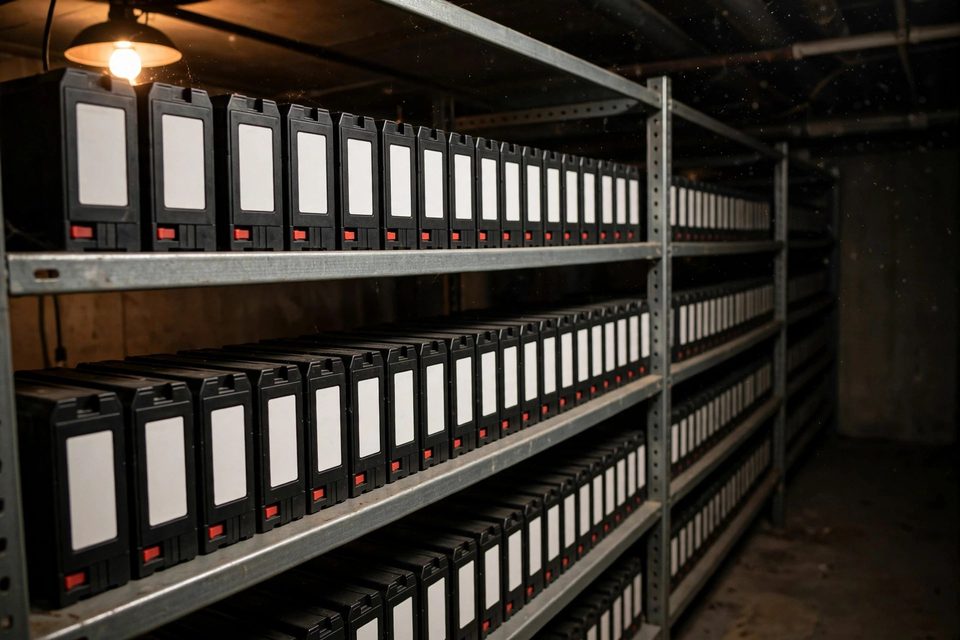
The 3-2-1 rule means three copies of your data, on two different types of storage, with one copy off-site. Photographer Peter Krogh popularized it, and it works because the failures above rarely strike two unrelated devices at once. A laptop SSD, an external hard drive and a cloud copy meet the rule.
Three real setups show how it plays out. A home user keeps photos on the laptop SSD, copies them to an external hard drive monthly, and runs a cloud backup as the off-site copy. A small office keeps files on a NAS, backs the NAS up to a drive that rotates off-site weekly, and adds a cloud copy. A studio archiving finished projects writes a second copy to LTO tape or M-DISC and stores it away from the building.
Four mistakes quietly break the rule:
- Sync is not backup. A synced folder copies a deletion, or a ransomware-encrypted file, to every device. Version history and trash windows help, but they expire.
- RAID is not backup. A mirrored pair survives one drive failing. It does not survive deletion, a power surge or a controller fault.
- Two copies in one room is one copy. Fire, theft and surges reach everything plugged into the same wall.
- Untested copies are guesses. Restore a few files from each copy twice a year, because a backup that cannot restore is not a backup.
Newer guidance extends the rule to 3-2-1-1-0: one copy offline or immutable, and zero errors on restore tests.
Real Storage Device Cases: What Customers Told Us and What Happened
Each device class fails in its own way, and the outcomes differ too. Below are a few of the many cases we have handled since 1999, one for each device type below, all from 2024. Quotes come straight from the customer’s own form entry, with names and contact details removed. Most of these devices came back. One did not, and we tell it as it happened.
Portable hard drive that quit with no warning, June 2024
The owner described the failure in our form like this:
“[The portable drive] is not recognized when plugged into any of my computers. The files are family pictures and embroidery files … The device was sitting on top of the desktop case and simply quit working, do not know why. It wasn’t dropped.”
A drive that dies sitting still, with no drop and no knock, is a common story (more in why external drives fail), and the cause cannot be told from the outside. Our record shows basic recovery failed and the customer chose advanced recovery. The lab then had the parts it needed and recovered the data. The customer received a directory list of everything recovered before the files were released.
SSD that stopped booting after a blue screen, August 2024 (not recovered)
The customer’s first message to us read:
“I left my office for a few minutes and returned to a blue screen! This is a 2 year old build … I can see the drive listed, but no ‘windows boot drive’ or whatever it says!”
It was a business computer, and the customer needed the files for the shop. The record shows the customer chose advanced recovery and that the work did not go smoothly. The lab then put the SSD through a direct internal data extraction, which tries to stream data out of the memory chips themselves. It did not produce data streams. The record says the drive was too badly degraded for any data to be recovered, so this one did not come back. A drive that still shows in the BIOS proves only that something on it still answers, not that the flash behind it can be read.
USB drive whose metal plug snapped off, July 2024
Their form entry was one line:
“Metal part of USB snapped off when I dropped my laptop.”
That is the most common way a USB drive dies, and it breaks the plug, not necessarily the memory behind it. Our record shows the customer chose advanced recovery and that the lab then had a success recovering the data.
Phone dropped in the ocean, July 2024
The phone’s owner wrote:
“Phone dropped into the ocean, sea water. Screen started flickering with green lines across the screen. Then the phone kept vibrating and restarting on itself. Eventually I think the battery died … I want my photos and videos back.”
Sea water is hard on a phone board, and the customer wrote that weeks had passed since the dunking. Our record shows the customer chose advanced recovery and that the lab then had a success recovering the data. A wet phone is judged on its board first, which is why we ask people not to keep switching it on.
What Our Customers Say
Frequently Asked Questions About Data Storage Devices
Understanding these devices is the difference between a routine swap and a real recovery decision: eProvided has read raw data off nearly every storage class ever made, up to and including NASA Helios mission data pulled from a module recovered from the Pacific. See our highest-stakes recovery work.
Recovery Services for Every Storage Device Class
If one of the devices in this guide has already failed, these are the services that get the data back: