
Used by NASA · the FBI · the U.S. Navy · Since 1999
Corrupted Flash Drive? How to Recover Data from a RAW or “Not Formatted” USB Drive
- No Data, No Data Recovery Fee
- Every brand — SanDisk, Kingston, Samsung, Lexar
- 27+ years of recovery experience
- We read the raw NAND directly — no reformatting
Can files be recovered from a corrupted flash drive?
Yes — a corrupted, RAW or “needs to be formatted” flash drive almost always has its files intact. Corruption usually means the file-system index failed, not the NAND memory underneath. eProvided reads the raw NAND directly and reconstructs the file system, without formatting the drive — part of our 98% average success rate.
“Corruption is a filing problem, not a paper problem. The pages are still in the drawer — the index card on the front is what broke.” — Bruce Cullen, founder, eProvided
Your flash drive plugs in, Windows or macOS sees it, and then instead of your files you get a message: “You need to format the disk before you can use it,” or the drive shows up as unlabeled “RAW” space with 0 bytes used. That is not the same failure as a drive that was dropped or snapped — nothing about the drive is physically broken. After 27+ years reading corrupted flash drives, we can tell you why the file system breaks far more often than the memory does, exactly what NOT to click when you see that formatting prompt, and how our flash drive data recovery service reads the raw NAND to get your files back intact.
A flash drive going RAW, showing “not formatted,” or refusing to open a folder usually means the file-allocation table or the controller’s internal mapping got corrupted — not that the NAND memory cells lost your data. eProvided images the raw NAND directly (through the drive’s own controller when it still functions, or by reading the chip directly when it doesn’t) and rebuilds the file system from that raw data, entirely separate from whatever Windows or macOS is trying to tell you to do. The single worst move is clicking “Format disk” before that raw image is taken.
Do RIGHT NOW
- Stop opening or saving to the drive the moment you see a corruption or format prompt
- Click “Cancel” on any “You need to format the disk” dialog — never “Format disk”
- Unplug the drive cleanly and set it aside untouched
- Note what you saw — RAW, 0 bytes, “not formatted,” or a folder that won’t open
DON’T Do
- Don’t run
chkdsk, Disk Utility First Aid, or any “repair drive” tool — these rewrite the file system and can overwrite recoverable data - Don’t quick-format or full-format the drive, even to “just see if it fixes itself”
- Don’t run free recovery software that writes back to the same drive
- Don’t keep reinserting the drive into different USB ports to “try again”
Already seeing a RAW or format prompt? Don't format it — get a free evaluation first, or call (866) 857-5950 to talk through what's on screen.
What’s Actually Inside a Flash Drive
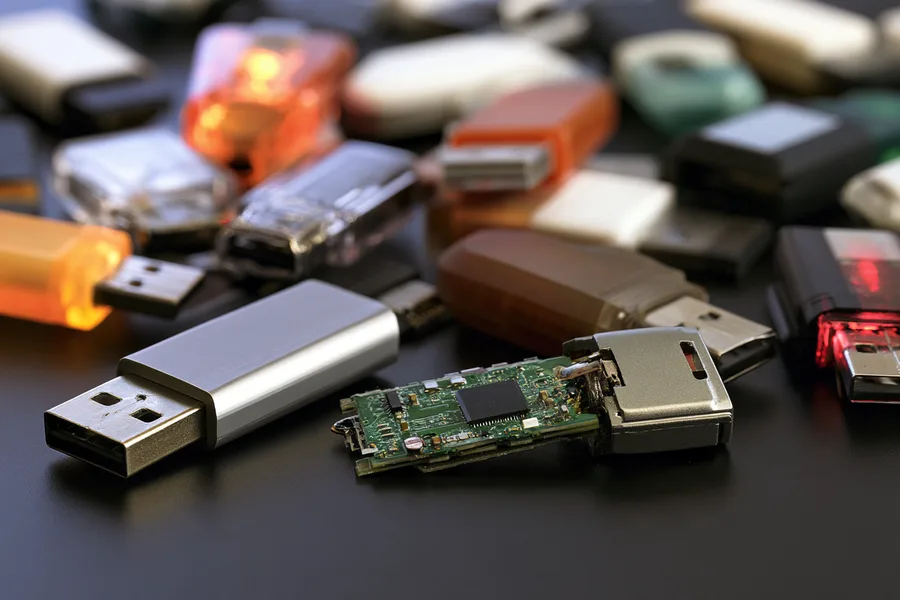
A USB flash drive stores your files as electrical charge in a grid of NAND memory cells, sitting on a small circuit board behind a tiny controller chip. But your operating system doesn’t read that grid directly — it reads a file system (usually FAT32 or exFAT) that the controller maintains as an index: which cells hold which file, in which folder, under which name. That index is a small, separate structure sitting alongside your actual data, not woven through it. When Windows shows “RAW” or asks you to format the disk, it is telling you that index is unreadable — not that the NAND cells underneath it were erased.
This distinction is why eProvided’s approach to a corrupted flash drive is different from what a “repair” tool does. A repair tool tries to rebuild the index in place, on the same drive, by writing to it — which is exactly the risk. Our recovery reads the raw NAND first, as a byte-for-byte image, before anything is reconstructed. On a standard USB flash drive there is no encryption key locked inside a separate security chip the way there is on a modern phone, so once that raw image exists, rebuilding the file system from it is a data-reconstruction problem, not a decryption problem.
Why Flash Drives Go RAW or “Not Formatted”

Most corrupted flash drives get that way from how they were disconnected, not from anything wrong with the memory. Pulling a drive out mid-write, mid-copy, or without using “Safely Remove Hardware” can interrupt the controller while it is updating the file-system index, leaving that index half-written and unreadable on the next plug-in. A drive that was used across many different computers and operating systems can also pick up a file-system table that one OS wrote in a way another OS can’t parse. Heavy write/erase cycling over years can occasionally degrade the controller’s own mapping table faster than the NAND cells it manages, and a small class of cases involve a counterfeit or mislabeled controller that reports a false, oversized capacity and corrupts the index the moment real usage exceeds the drive’s actual space. In every one of these patterns, the failure lives in the index layer the controller maintains — the underlying NAND cells are simply sitting there, unaware anything went wrong.
The table below breaks down the corruption patterns we see most often, what layer each one actually damages, and how confident we are going in before the drive is even opened.
| Common Corruption Patterns & What Actually Breaks | ||
|---|---|---|
| What you see | What it usually means | Data recoverable? |
| “You need to format the disk” | File-system index unreadable; NAND cells typically untouched | ✓ Yes, raw read |
| Drive shows as “RAW” with 0 bytes used | No recognized file system found; data still occupies cells | ✓ Yes, raw read |
| Drive letter appears but folders won’t open | Partial or interrupted index update from an unsafe removal | ✓ Yes, raw read |
| Files show 0 KB or wrong file names | Index entries corrupted, but file content usually intact | ✓ Usually, raw read |
| Drive detected, then disconnects repeatedly | Controller fault layered on top of index corruption | ✓ Usually, chip-level read |
Is the Data Really Still There?

In the overwhelming majority of corruption cases, yes. NAND flash stores your data as trapped electrical charge, independent of the index that describes it — corrupting or losing that index doesn’t erase the charge sitting in the cells. What determines recoverability is almost never “is the data there” and almost always “has anything been written over it since the corruption happened.” A flash drive that shows RAW and is then set aside untouched has its data sitting exactly where it was. A flash drive that gets formatted, reformatted, or used to save new files after showing a corruption warning starts overwriting the very cells that held the original data.
That is the real risk with a “just format it and see” instinct, or with free recovery tools that scan the drive and then write their own repair files back to it: both actions can permanently overwrite data that was, up to that point, completely intact. The single best move after any corruption warning is the same one that applies to every recovery case — stop writing to the drive, and get the raw NAND imaged before anything else touches it.
How We Read a Corrupted Flash Drive
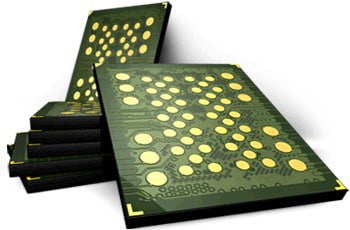
Recovering a corrupted flash drive follows a consistent sequence in the lab. Every corrupted-drive case follows the same data recovery process, starting with a free look before anything is touched. First, if the drive’s own controller still functions, we take a complete, read-only, byte-for-byte image of the raw NAND through that controller — nothing is written back to the drive. Second, if the controller itself has failed alongside the index (not just the index alone), the NAND chip is read directly in a dedicated chip reader instead, bypassing the controller entirely. Third, that raw image is analyzed to reconstruct the original file-system structure — folders, file names, and file boundaries — from data that was never actually altered. Because the imaging step happens before any rebuilding, the original corrupted drive is never at further risk once it reaches the lab.
This article explains why corruption is usually recoverable and how the process works; if your drive is already showing RAW or a format prompt and you want it evaluated, that’s a separate step with its own quote and turnaround — start there when you’re ready to send it in.
Monolithic Drives: A Different Read Path
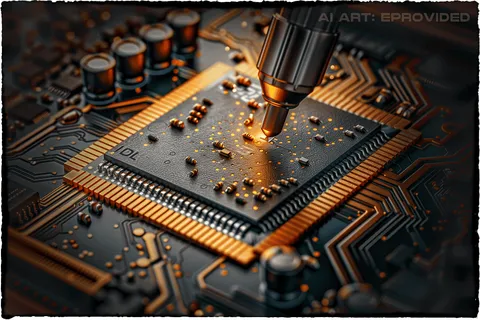
Some flash drives — usually very small or ultra-thin USB sticks, and most microSD cards — use a monolithic design, where the NAND memory and controller are sealed as separate dies inside one molded package instead of sitting as two chips on a board. Corruption behaves the same way on a monolithic drive: the file-system index can fail while the NAND cells stay intact. The difference is only in how we get to the raw data if the sealed controller itself is also misbehaving — that requires substrate-level work rather than pulling a separate chip off a board, because there is no separate chip to remove. A drive that merely shows RAW with a functioning connection usually doesn’t need that step at all; it only becomes relevant when the controller has failed alongside the index. Mention if your drive is unusually small or thin when you start your evaluation, and we’ll confirm the exact path for your device.
What Our Customers Say
Frequently Asked Questions
Once your files are back, keeping a drive from corrupting again mostly comes down to safe removal habits and not overloading it — our flash drive care tips cover the rest.
Recover Files from a Corrupted Flash Drive
RAW, “not formatted,” or files that won’t open — our engineers will confirm what’s recoverable from your flash drive during a free evaluation. No obligation, confidential.
Start My Free Flash Drive Evaluationor call (866) 857-5950 now
Related Recovery Services
A corrupted flash drive isn’t the only device that can go RAW or unreadable. eProvided recovers corrupted and physically failed drives from every major brand — including Toshiba, Crucial, Western Digital and Seagate hard drives and SSDs — from one lab. These recovery services get the data back: