
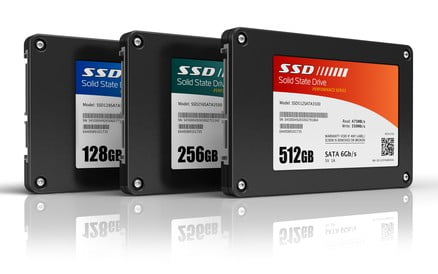
SSD Benefits in Choosing an SSD?
Solid State Drives (SSDs) represent a cutting-edge advancement in storage technology. Their predecessor, the hard disk drive (HDD), remains relevant today. Larger HDDs continue to evolve to meet storage demands in laptops and desktops. Currently, Solid State Drives command higher prices due to their elevated per-megabyte cost—often several times that of HDDs.
By April 2018, prices plummeted significantly. High-volume SSD production for consumers lagged due to sales challenges. Instead, manufacturers prioritized smaller, affordable SSDs for everyday users. Thus, consumers opt for SSDs not for bulk storage but for performance gains. They slash boot times and boost OS efficiency. As a consumer, weigh if an SSD fits your needs.
In 2019, SSD costs fell rapidly. eProvided monitors this market closely. People invest more in solid-state disks now, meaning failures sting harder. Data loss hits the wallet. Luckily, eProvided offers file recovery solutions. Discover more about eProvided’s SSD Data Recovery.
SSD Benefits: The Pros of SSDs.
SSDs excel over HDDs in key areas, starting with speed. They boot systems swiftly, slashing load times. Expect under-a-minute startups, unlike HDDs’ sluggish waits. No spinning platters or moving heads mean faster operations. This lack of mechanics also amps up durability—perfect for on-the-go use.
Solid state drives shrug off drops better than HDDs. Over time, HDD files fragment, slowing access as pieces scatter. SSDs sidestep this; file locations don’t matter. Their standout perk? Blazing speed compared to HDDs.
SSD Benefits, The Cons of SSD usage.
So why haven’t SSDs dominated? HDDs persist due to SSD drawbacks. High per-megabyte costs limit affordability for large capacities. Today, in 2025, top consumer SSDs reach 30 TB, but affordable options typically hover between 500 GB and 1 TB.
SSDs wear out faster than HDDs. Flash cells endure limited rewrites before failing, shifting to new sectors until they are exhausted. Heavy use hastens depletion. Recovering SSD data is more expensive and complex, requiring experts like eProvided. Full recovery isn’t guaranteed.
When should I use an SSD?
SSDs excel at booting, reducing startup times, and enhancing OS performance. Low-traffic boot partitions last longer. Avoid using it for portable storage with frequent rewrites, as this accelerates wear.
More rewrites mean quicker flash degradation and failure risk. SSD recovery takes time and costs more than HDDs due to complexity. Store non-critical data on SSDs. Check recent SSD deals.
Your drive choice is yours, but understanding efficiencies aids decisions. SSDs revolutionize boot and lag times, but aren’t ideal for heavy rewriting like HDDs. Consider the usage type and frequency to decide whether SSDs suit you or if you should stick with HDDs. If you need to recover from any type of data loss, feel free to contact eProvided data recovery at any time.
Recover Data from SSD
Facing SSD failure? Recovering data from an SSD is feasible with the assistance of an expert. Avoid DIY fixes that could worsen damage. Our eProvided specialists, with over 27+ years of experience in storage recovery, utilize advanced tools to extract files from failed drives. For example, we’ve salvaged critical business data from overheated SSDs. Start your case for a no-charge evaluation.
SSD Failure Recovery
SSD failure recovery addresses issues such as wear or corruption—imagine your drive throwing a tantrum after too many rewrites! Unlike HDDs, SSDs lack moving parts but still falter. Professional assistance is key; our team has successfully restored data from numerous failures, backed by a 98% success rate. SSD failure recovery is here at your fingertips. Ready to revive your SSD? Contact us today.
Solid State Drives
A solid-state drive offers significant benefits such as faster boot times and improved system performance compared to traditional hard disk drives, making it ideal for quick data access in laptops and desktops. When facing SSD failure recovery, eProvided provides a primary service that utilizes advanced techniques to retrieve lost data from damaged solid-state drives, ensuring high success rates for clients worldwide.
eProvided Review for Solid State Drives
As one Trustpilot reviewer enthused, “Had a severely corrupted SSD. eProvided retrieved the crucial documents from this solid state drive. Bruce and his team exerted significant effort in recovering our images, employing advanced SSD failure recovery techniques and image restoration to mitigate data loss and ensure the integrity of the files. Thanks, Bruce and your team. I wholeheartedly recommend this business.” (Nov 21, 2025)
Another noted, “I sent my damaged SSD to eProvided for the recovery of my essential files and cherished pictures… Their service successfully retrieved everything, and I couldn’t be happier.” (Oct 12, 2023)
A third praised, “Good service, high quality, and good communication.” (Oct 12, 2021)
eProvided has recovered data for space missions, including saltwater-damaged devices after prolonged submersion. We consulted on storage for interplanetary explorations and resolved NAND chip issues in remote operations.
Founder Bruce Cullen, a certified data recovery specialist with over 27+ years of experience at eProvided, leads with expertise in complex SSD recoveries.
Written by Bruce Cullen, Founder and Certified Data Recovery Specialist with 27+ years at eProvided. Our team guarantees privacy, secure processes, and high success rates for clients worldwide.