Used by NASA · the FBI · the U.S. Navy · Since 1999
PCI Type NAND Outperforms the Fastest Drives
- No Data, No Data Recovery Fee
- 27+ years of recovery experience
- NVMe, M.2 & SATA SSDs
How Does PCIe NVMe NAND Flash Outperform Traditional Drives?
NVMe skips the SATA bottleneck and talks to the CPU over PCIe lanes. A PCIe 3.0 NVMe drive reads sequential data at 3,500 MB/s or more, while SATA tops out near 550 MB/s. A spinning hard drive is slower still, because a mechanical head must travel to every file.
Source: published PCIe 3.0 NVMe and SATA III interface limits, as summarized by the eProvided recovery lab.
According to Computer Weekly, PCIe SSD technology is simply the latest stage of the solid state drive revolution. That revolution matters because it is moving us away from spinning hard drives and toward storage that is faster, cooler and far more energy efficient. This article explains where the speed comes from, what it buys you, and what changes for data recovery when one of these very fast drives stops responding.
PCIe NAND plugs straight into the motherboard and moves data across many parallel channels at once, so it leaves both hard drives and SATA SSDs behind. It is quieter, cooler, tougher against shock and cheaper per unit of work. The tradeoff: modern NVMe controllers encrypt what they write to the flash chips, so a failed drive is recovered by getting its own controller working again, not by reading the chips on their own.
Has your NVMe or M.2 drive vanished from BIOS, or started freezing the whole machine? A free evaluation tells you what can still be read before anything is written to it.
- The SSD Revolution: Faster, Lighter, Energy Efficient
- PCIe SSD: The Outperformer
- Benefits of SSD Drives
- Hard Drive vs. SATA SSD vs. PCIe NVMe
- PCIe Generations and NVMe: Where the Extra Speed Comes From
- Fast Drives Run Hot: Thermal Throttling
- Traditional Hard Drives Are Going the Way of Snail Mail
- When a PCIe SSD Fails
- Symptom Decoder: What a Failing Fast Drive Looks Like
- What NOT to Do After a Fast Drive Fails
- Real NVMe Cases From Our Records
- What Our Customers Say
- Frequently Asked Questions
- Get a Free SSD Evaluation
- Related Recovery Services
The SSD Revolution: Faster, Lighter & Energy Efficient

Side by side, the traditional hard drive does not and cannot hold a candle to solid state drives. A hard drive is built from moving mechanical parts: spinning platters and a read/write head on an arm. That makes it loud, it runs hot, it puts a real load on the rest of the computer, and it only reaches some data quickly. Anything that sits far from where the head happens to be costs extra time to fetch.
An SSD has no moving parts at all. It stores data on NAND flash chips, runs nearly silent and cool, takes strain off the rest of the system, and reaches any block of data in roughly the same short time no matter where that block lives. For anyone who wants more productivity and better performance while saving on electricity, an SSD is the obvious upgrade, and it fits in laptops and desktops alike.
The first SSDs still used the SATA connection that was designed for hard drives. That link was a hand-me-down, and it quickly became the limit on how fast the flash inside could deliver data. PCIe drives remove that limit, which is where the next jump in speed came from.
PCIe SSD: The Outperformer
Unlike other drives, PCIe type NAND technology plugs directly into the computer’s motherboard. It beats even the fastest conventional drives by raising the number of channels data can travel through at the same time. Computer Weekly’s example compared one of the fastest SATA-based SSDs of its day, made by Intel, which used a 10-channel controller, against PCIe SSDs that used 25 internal channels. More lanes in parallel is what makes these drives so well suited to buffering and caching work.
So how fast is it? Computer Weekly put PCIe SSD throughput at roughly 100 times that of traditional hard drives, with near-instant access times. Think back to dial-up internet and how slow and unresponsive it felt. Cable, and now fiber, is hundreds of times faster. The gap between a spinning hard drive and a PCIe drive is the same kind of leap.
Today that PCIe link is usually paired with the NVMe protocol, which was written for flash from the start instead of borrowed from the hard drive era. NVMe lets the drive keep thousands of requests in flight at once, and the M.2 “gum stick” form factor put that speed into thin laptops. Newer PCIe generations have kept raising the ceiling well past the 3,500 MB/s figure above. eProvided handles data recovery on NAND based solid state drives, and apart from the raw speed, this technology brings several other benefits.
Benefits of SSD Drives
Greater durability. With no mechanical parts, NAND flash mounted on a circuit board shrugs off knocks that would crash a hard drive head. The shock rating cited for these drives was up to 1500g.
Energy efficient. Hard drives draw a noticeable amount of power just to keep their platters spinning. SSDs use less wattage, so laptop batteries last longer, desktops run under less strain, and the whole machine stays cooler.
Cost-effective. Computer Weekly estimated that a single PCIe SSD could match the performance of around 100 or more hard drives. Measured as input/output operations per second for each dollar spent, that makes it the better buy for heavy workloads.
Silent operation. The lack of moving parts does more than speed up data access. It also makes the drive practically silent, whether it sits in a laptop, a notebook or a desktop, so there is no whine or clicking during a game or a movie.
Hard Drive vs. SATA SSD vs. PCIe NVMe
| How the Three Drive Types Compare | ||
|---|---|---|
| Drive type | What limits its speed | Typical sequential read |
| Spinning hard drive | Head movement and platter rotation | Far below the SATA ceiling |
| SATA SSD | The SATA interface itself | About 550 MB/s maximum |
| PCIe 3.0 NVMe SSD | Number of PCIe lanes and flash channels | 3,500 MB/s or more |
PCIe Generations and NVMe: Where the Extra Speed Comes From
 Enlarge
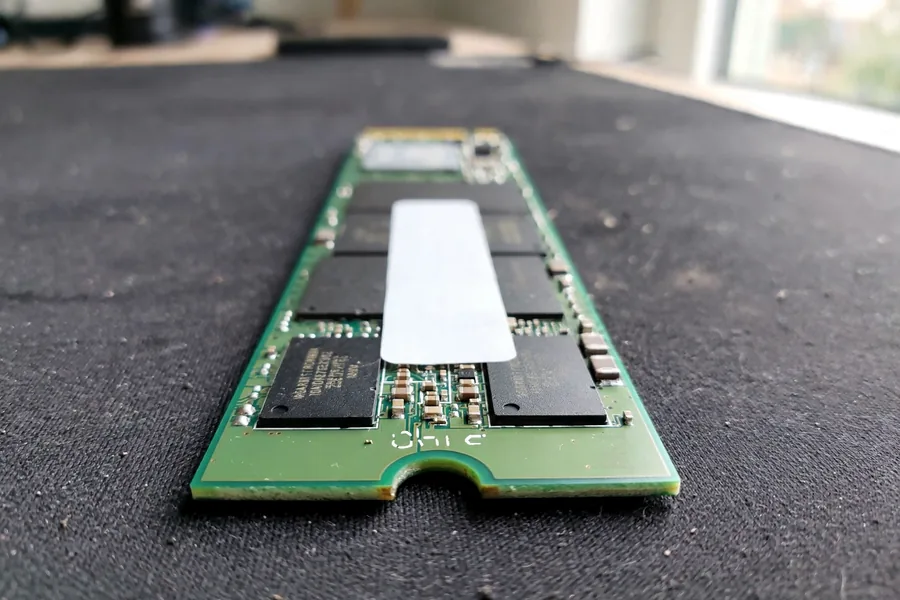
Two things set a PCIe drive apart from a SATA drive. The first is the link. An M.2 drive usually gets four PCIe lanes, and each new PCIe generation doubles what one lane can carry. The second is the protocol. The older AHCI protocol, built for hard drives, offers a single command queue that holds 32 commands. NVMe allows up to 65,535 queues with up to 65,536 commands in each, which suits flash chips that can work on many requests at the same time.
The table shows the raw ceiling of each link in one direction, taken from the PCI Express and Serial ATA reference tables. A real drive sells below its ceiling, because the controller and the flash chips set a limit of their own.
| Link Ceilings: SATA III and PCIe x4 | ||
|---|---|---|
| Link | Raw ceiling, one direction | Compared with SATA III |
| SATA III (6 Gbit/s) | 600 MB/s | 1x |
| PCIe 3.0 x4 | About 3.9 GB/s | About 6.5x |
| PCIe 4.0 x4 | About 7.9 GB/s | About 13x |
| PCIe 5.0 x4 | About 15.8 GB/s | About 26x |
Sources: the PCI Express and Serial ATA reference tables.
Fast Drives Run Hot: Thermal Throttling
 Enlarge
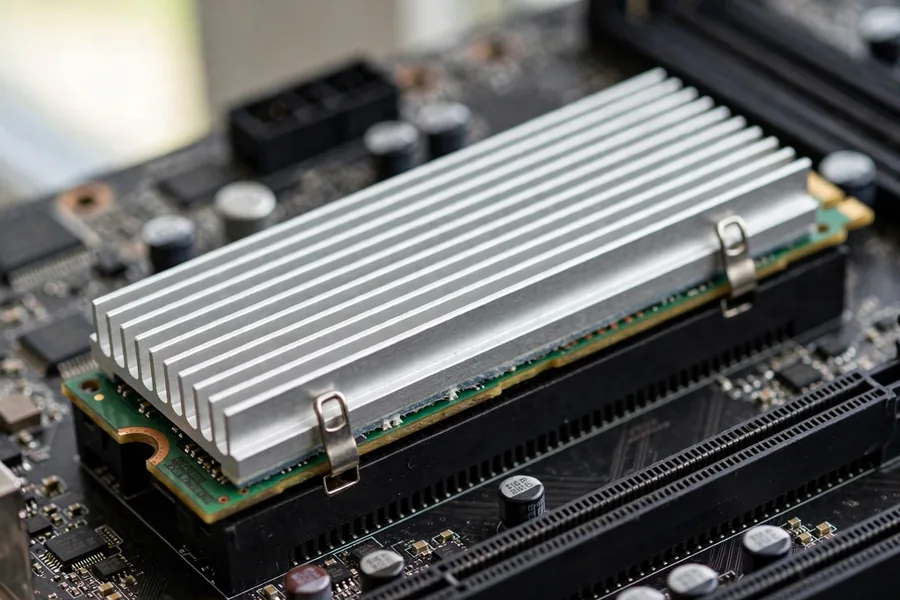
Speed makes heat. Seagate notes that during heavy work such as 4K video editing, large file transfers or gaming, an NVMe drive can climb into the 70 to 80°C range, where protective throttling may switch on. The controller then lowers speed so the drive can cool. That is a safety feature, not a fault, and it explains a common complaint: a drive that starts a long copy at full speed and then slows to a fraction of it.
A heatsink, or the thermal pad a laptop maker fits over the drive, keeps a healthy drive out of throttling. It cannot repair a drive that has already failed. If a drive disappears after a few minutes of use, do not keep powering it up to catch it while it is awake, because every extra power cycle stresses a drive that is already unstable.
Traditional Hard Drives Are Going the Way of Snail Mail
Remember when e-mail felt like the greatest thing since sliced bread? The first time we sent mail electronically it seemed like magic: click “send” and the message was already in the other person’s inbox. Almost overnight, sending a letter through the United States Postal Service felt painfully slow. That is why postal mail picked up the name “snail mail.”
In the same way, PCIe type NAND flash is moving at the speed of light and leaving traditional hard drive technology in the dust. Hard drives still make sense for cheap bulk storage and archives, but as the boot drive in a modern computer, their days are numbered.
When a PCIe SSD Fails: What Recovery Looks Like
Speed has a side effect that owners rarely hear about. Almost every current NVMe controller encrypts data before writing it to the NAND chips, using a key that lives inside the controller itself. If you desolder those chips and read them in a lab reader, you get ciphertext: scrambled data with no key to unlock it. That is why chip-off, the right method for many USB sticks and memory cards, is not the method for a modern SSD.
The honest path for a failed NVMe or SATA SSD is to bring its own controller back to a working state. That can mean repairing the drive’s circuit board, correcting the firmware so the controller boots again, or reconstructing the translation tables the controller uses to find each block of data. Once the original controller runs, it decrypts for us, and the data is imaged to a healthy drive. Swapping in a donor controller usually fails too, because the key is fused into the original chip.
What you do in the first hour matters. If the drive disappears or slows to a crawl, power it down rather than rebooting over and over, and do not run repair tools or initialize it when the operating system offers to. Every write gives the drive’s cleanup routines another chance to erase blocks that still hold your files.
Symptom Decoder: What a Failing Fast Drive Looks Like
 Enlarge
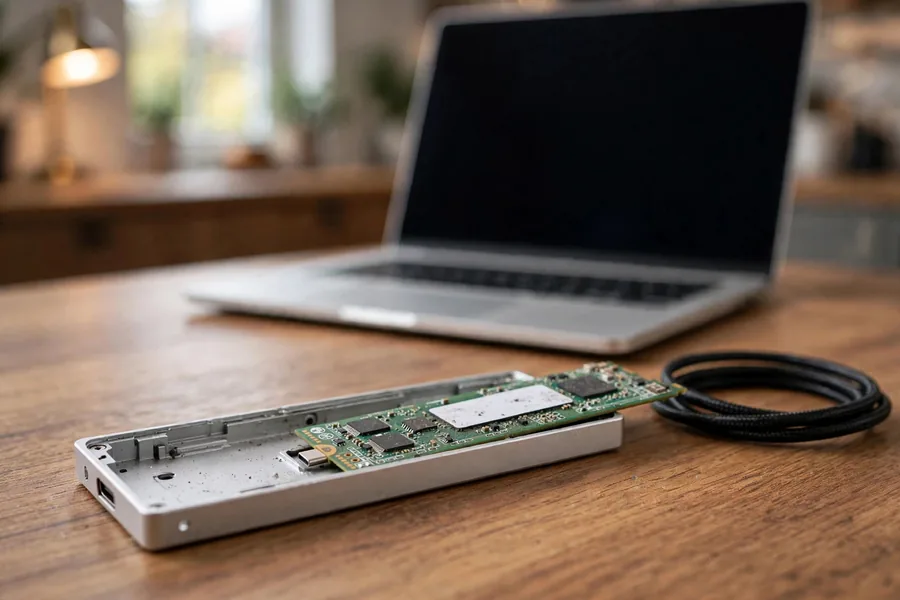
A fast drive rarely warns you with a sound. It shows a symptom, and the symptom hints at which part has trouble. The table is a guide, not a diagnosis, because only a lab evaluation can say for certain. The reason fast drives stay quiet is that nothing in them moves. A hard drive announces trouble with clicks and grinding, while an NVMe drive either answers or it does not, and the first sign is often a missing drive letter or a computer that stops finding its boot device. That is why the order of what you see matters. A drive that disappears from the system menu points at power or the controller, a drive that shows up with the wrong size points at its own tables, and a drive that only slows down points at heat or worn flash blocks. Write down which one you saw before you touch anything else. Because the table can only point, the safest habit is the same for every row: stop, power the machine down, and keep a note of what the drive did just before it stopped, since that note helps the lab more than any repair attempt would.
| Symptom Decoder for NVMe and M.2 Drives | ||
|---|---|---|
| What you see | What it usually points to | Safest first move |
| Missing from BIOS and from a USB enclosure | The controller, board or power circuit is not starting | Power down. Stop trying new slots and adapters. |
| Shows in BIOS but will not boot | Damaged boot area, file system or firmware tables | Do not reinstall Windows onto it. Boot from another drive. |
| Shows 0 bytes or the wrong size | The controller cannot read its own tables | Do not initialize or format when asked. |
| Copy crawls, then stops | Heat throttling, or weak flash blocks | Let it cool once. If it stalls again, stop copying. |
| Vanishes after a few minutes | An overheating controller or unstable power | Switch it off. Repeated retries make it worse. |
| A light on the drive or enclosure blinks an error | The drive reports a fault of its own | Note the pattern, then power down. |
What NOT to Do After a Fast Drive Fails
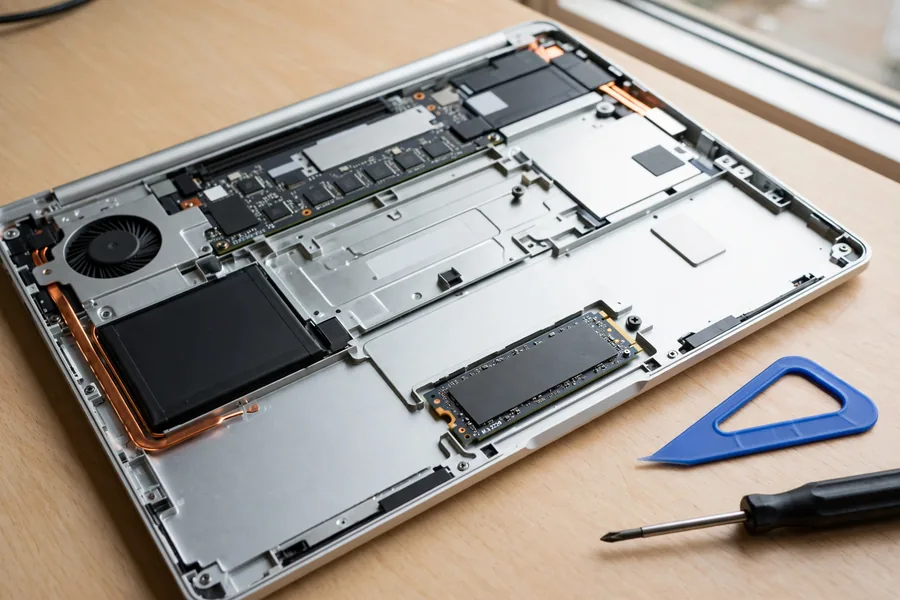 Enlarge
The first hour often decides more than the failure itself. These five habits do the most harm on a PCIe drive, and each comes with its reason.
- Do not keep rebooting to catch the drive awake. Each power cycle stresses a controller or power circuit that is already unstable.
- Do not hop between slots, adapters and cheap enclosures. Each hop adds heat and an unstable link, and a USB enclosure can drop out in the middle of a copy.
- Do not initialize, format or run repair tools when the system offers. They write to the drive and can overwrite the tables that point to your files.
- Do not run speed tests or health tools that write test files. A benchmark writes data to a drive that may be failing, and a speed test tells you nothing you can use.
- Do not swap chips or the controller from another drive. The key to the data is bound to the controller, so moved chips return scrambled data or a drive that will not start. Lab work depends on the original controller.
Real NVMe Cases From Our Records
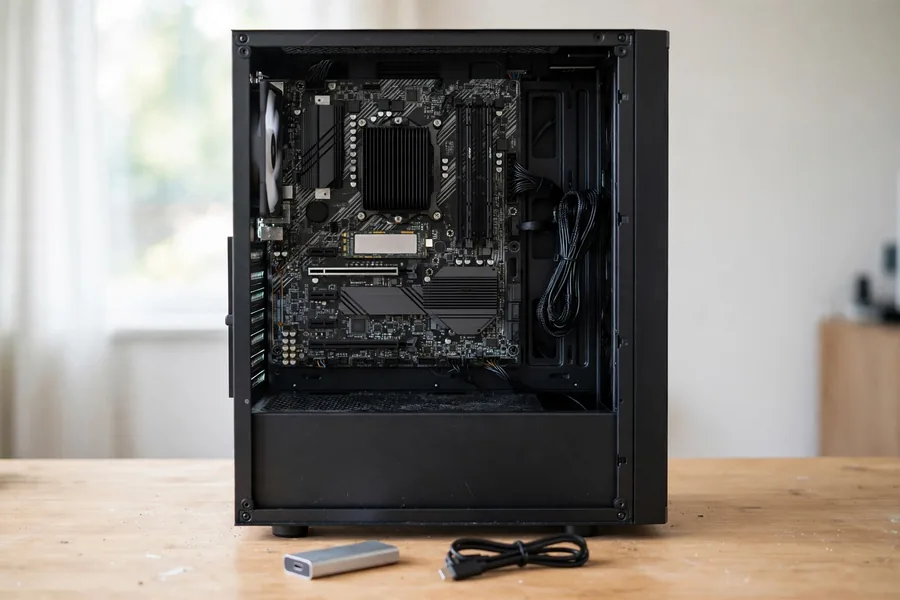 Enlarge
Four real NVMe cases follow, taken from the lab’s own files. Each quote is the customer’s own wording from the order form, with names and brands removed, and each outcome comes from the lab’s notes on that case. They end differently, and no lab can promise a result before it has examined the drive.
A power failure and a drive that would not boot, March 2025
Case D7TBDG. The owner wrote:
“Building electricity failure caused PC boot failure. Samsung 970 EVO M.2 drive. Would like to recover user data folder including Appdata folder.”
On March 28, 2025 our record shows a success: the owner approved a list of the files the lab had recovered. The data was returned to the owner encrypted with BitLocker, so the owner needed the encryption password to open it. Recovery returns the data as it was stored, and encryption the owner turned on stays on, as our guide to encrypted device recovery explains.
A USB reader that gave up after a few files, June 2025
Case HYFZR7. The owner wrote:
“It worked fine with no issues until recently when it simply failed. It went to BSOD on boot but would boot into safe mode … I bought a USB reader/adapter and was able to recover some files before it stopped being recognized as a device.”
A drive that gives up a few files and then drops out is telling you it will not last. The lab’s first, basic attempt on July 1, 2025 did not recover the data, and an advanced attempt did. On July 15, 2025 our record shows a success and a list of recovered files, and the case was finished in early August. Every minute spent copying through an adapter was a minute the drive might not have had.
A blue screen, then no boot drive, August 2024
Case G3525M. The owner of a two-year-old build wrote:
“I left my office for a few minutes and returned to a blue screen … I can see the drive listed, but no ‘windows boot drive’ or whatever it says!”
The owner approved an advanced attempt on August 14, 2024. On September 5 the lab wrote that the recovery was not going smoothly. On October 1, 2024 the lab reported that the drive was too badly degraded for any data to be recovered. It was not recovered. A drive can appear in the BIOS and still hold nothing the system can read.
An NVMe drive that stopped while running, May 2026
Case N8CPRD. The owner wrote:
“My nvme ssd 2tb random stopped while running and now I can no longer boot from it. It’s still visible from my computer bio screen, but it no longer allows me to boot from it. I’ve even tried putting in another computers that do currently run, but it still won’t let me read it.”
Our record shows that the basic evaluation did not recover the data, and that on June 2, 2026 the owner declined the advanced quote. The drive went back to the owner, and no further recovery was tried. Cases like this one are the reason we explain the options before any work begins.
What Our Customers Say
Frequently Asked Questions
Recovery Services for Every Storage Device Class
If a storage device has already failed, eProvided works on every class covered in this guide: SSD data recovery service for Samsung, WD, Crucial, NVMe and SATA drives through original-controller revival and firmware repair; professional hard drive data recovery for Seagate, Western Digital, Toshiba and HGST, mechanical and logical; NAND flash chip-off recovery for unencrypted BGA, TSOP and monolith packages; USB flash drive data recovery for broken connectors and dead controllers; memory card data recovery for SD, microSD and CompactFlash; and microSD card data recovery, including monolithic cards that need substrate-level work. Browse all data recovery services →
More NAND Flash Recovery Guides
- NAND flash technology in space: how flash storage holds up on missions.
- NAND wafers vs. monolithic storage: two very different ways flash gets packaged.
- NAND flash in tablets vs. laptops: why the same chips behave differently.
- Fastest tablets, NAND memory considered: storage speed as a buying factor.
- Power surges and drive failure: what a bad power event does to a drive.
- When to avoid SSDs: the honest tradeoffs of flash storage.
- How eProvided performs NAND flash recovery: the lab process step by step.
PCIe NAND earned its reputation as the fastest storage you can put in a computer. When one of these drives goes silent, the speed stops mattering and the controller becomes the whole story.
Fast Drive Gone Dark? Get a Free SSD Evaluation
NVMe, M.2 or SATA, detected or not, our lab checks the controller, board and firmware and tells you what is readable before you pay anything.
Start My Free SSD Evaluationor call (866) 857-5950 now
Related Recovery Services
When a fast drive fails, these services cover the SSD, hard drive and flash media it sits beside: