
Used by NASA · the FBI · the U.S. Navy · Since 1999
The Dangers of Cell Phone Memory Add-ons
- Written by a 27-year memory card recovery engineer
- Covers microSD, SDHC & SDXC add-on cards
- What actually damages them — and what doesn’t
- No Data, No Data Recovery Fee
Are Cell Phone Memory Add-on Cards Risky for Storing Important Data?
Yes — a microSD add-on card takes more abuse, heat, and careless handling than any other phone storage, and a bad removal or a drop can corrupt it in seconds, independent of how well the phone itself is holding up. eProvided has performed chip-level microSD card data recovery since 1999.
“The add-on card lives through everything the phone lives through, with none of the phone’s protection around it.” — Bruce Cullen, founder, eProvided
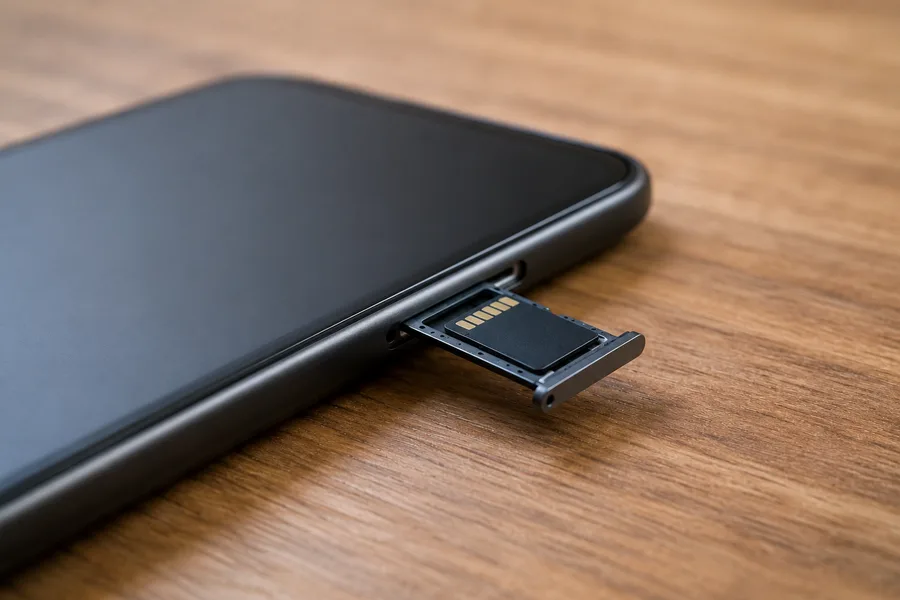
It seems like a phone can never have too much storage, which is why memory add-ons — small microSD cards slotted in to hold extra photos, videos, and apps — are one of the most popular cheap upgrades around. But that same card also introduces a failure point the phone’s own storage doesn’t have: a tiny, removable piece of hardware pulled in and out, dropped, soaked, and jostled far more than anything soldered inside the device. After 27+ years of microSD card data recovery cases, this guide covers how these add-on cards get damaged, the warning signs to watch for, and what happens when one needs professional recovery. It also explains why the card in the tray and the storage soldered inside the phone are two very different recovery problems, because mixing them up is the most common reason people give up on files that are still sitting safely on a small, removable card.
A cell phone memory add-on card is more exposed than any other part of the phone: it gets removed by hand, jarred by drops, and exposed to heat and moisture the internal chips never see. Improper removal, physical shock, and water are the three most common causes of failure. Unlike a phone’s built-in storage, a damaged microSD add-on card is a standard removable chip, so chip-level recovery works even when the card looks dead — a 98% average success rate across eProvided’s microSD cases.
Do RIGHT NOW
- Power off the phone the moment a memory card starts giving errors
- Eject the card in the phone’s settings menu before physically removing it
- Keep the card in its plastic case when not inserted, away from heat and moisture
- Stop reinserting a card that’s already showing "unreadable" or "blank card" errors
DON’T Do
- Don’t yank the card out while the phone is writing to it or powered on
- Don’t keep reformatting a card that keeps throwing errors
- Don’t bend or flex the card while removing it from a tight slot
- Don’t run recovery software repeatedly on a card with visible pinout damage
Already seeing "card not readable" on your phone? You can check free whether it’s recoverable » or call (866) 857-5950 to ask an engineer directly.
- What Is a Cell Phone Memory Add-on?
- How Memory Add-ons Get Damaged
- Signs Your Add-on Card Is Failing
- Removable Card vs. Built-In Storage — Why It Matters
- Can a Damaged Memory Add-on Be Recovered?
- Safe Habits That Protect Your Add-on Card
- Why Choose eProvided
- What Our Customers Say
- Frequently Asked Questions
- More Phone & Mobile Recovery Guides
- Related Articles
- Recover a Damaged Memory Add-on Card
- Related Recovery Services
What Is a Cell Phone Memory Add-on?
A memory add-on is simply a microSD card slotted into a phone to expand its storage beyond what came built in — and it behaves very differently from that built-in storage. It has its own controller, contacts, and failure points, so it can corrupt or fail on its own schedule while the rest of the phone keeps working fine.

Most Android phones, and a shrinking number of other devices, include a microSD card slot specifically so owners can add storage cheaply instead of paying a premium for a higher built-in capacity. The card itself is a MicroSD, MicroSDHC, or MicroSDXC chip — the same family of card used in cameras, drones, and dashcams — wrapped in a small plastic shell with gold contact pins on one edge. Once inserted, the phone treats it as extra space for photos, videos, and music, and most owners forget it’s even a separate, removable piece of hardware. That's exactly the problem: it IS separate, and it fails on its own schedule, independent of how well the phone itself is holding up. Many phones also offer to “adopt” or format the card as internal storage, which merges it with the phone’s own memory and encrypts it with a key held by that phone. A card set up this way cannot simply be moved to a computer and read, and that choice changes the recovery path, so it is worth checking the phone’s storage settings and telling us which mode the card was in.
How Memory Add-ons Get Damaged

We don’t often think about a memory add-on getting damaged, but it happens constantly on our bench. MicroSDHC and MicroSDXC cards removed incorrectly — pulled out mid-write, or pried out with a fingernail against a tight spring-loaded tray — can flex or crack the plastic shell around the gold contacts. The cards seat in one specific orientation, which makes forcing, dropping, or knocking them a real and common cause of failure, not a rare fluke.
It’s also possible for these small cards to sustain damage from inside the phone itself, without ever being removed. A waterlogged phone can short the card’s contacts the same way it shorts the motherboard, and a phone that overheats in a hot car can stress the card’s controller chip even though the phone itself survives fine. Repeatedly ejecting and reinserting the card into a computer's card reader — a normal step during recovery — adds its own wear to the same fragile contact pins over time. When a memory add-on sustains this kind of damage, the phone typically shows a "card not readable," "blank card," or "SD card damaged" message, and the files on it become inaccessible even though the phone keeps working normally. None of this damage is visible from the outside, which is why a card that looks physically fine can still fail a basic read test. Counterfeit and bargain no-name cards add one more risk: some report a far larger capacity than they really hold, and once the real space fills, new photos silently overwrite old ones. That kind of loss looks like damage but behaves differently on the bench, so buy cards from a known retailer and keep the packaging.
Signs Your Add-on Card Is Failing
These warning patterns show up in most memory-add-on cases eProvided engineers see. If more than one matches your card, stop using it and skip straight to the safe-habits section below:
- "Card not readable" or "blank SD card." The phone sees something inserted but can’t read the file system on it.
- Photos and videos that won’t open. Thumbnails load but the full file throws an error, or the gallery app crashes.
- The phone randomly ejects the card. It works, then suddenly shows "SD card removed" with the card still in place.
- Visible damage to the gold contacts. Scratches, discoloration, or bent pins after a rough removal.
- Extremely slow reads or writes. Photos take noticeably longer to save, or video recording stutters.
Each of these points to a hardware or file-system problem the phone itself can’t fix — repeatedly reformatting a card showing these signs risks overwriting the very data a lab could otherwise still recover.
Removable Card vs. Built-In Storage — Why It Matters
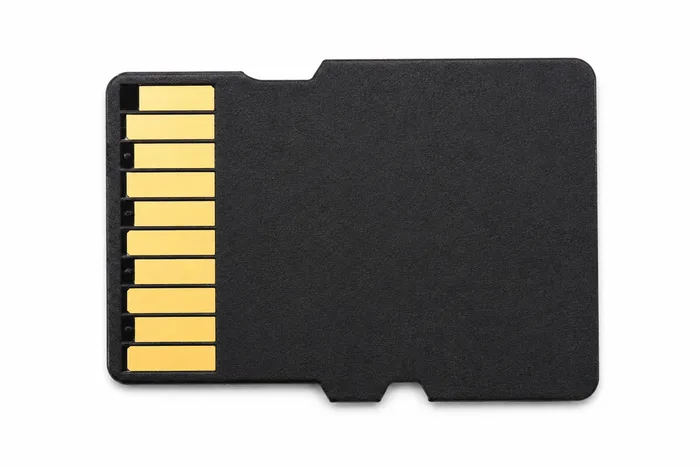
This distinction matters more than most articles about phone storage bother to explain. A memory add-on card is standard, off-the-shelf microSD hardware — the exact same kind of chip used in a camera or a laptop card reader, with no encryption key tied to your specific phone. Because nothing locks its data to your phone's processor, a damaged or corrupted microSD add-on card can be read directly, chip-level, the same way eProvided recovers standalone SD and microSD cards every day.
A phone’s own built-in storage is a completely different situation, worth being precise about rather than blurring the two together. On an iPhone (3GS and later) or a mainstream Android phone running Android 10 or newer, the internal storage chip is encrypted with a key tied to that specific phone’s own processor — file-based encryption. Pulling that internal chip and reading it directly returns scrambled, unusable data, because the key never leaves the phone’s own silicon. A phone with damaged BUILT-IN storage needs board-level repair on the original phone instead, a separate service covered on our cell phone data recovery page. The takeaway: a failed removable memory add-on is usually more straightforward to recover than most people expect.
Can a Damaged Memory Add-on Be Recovered?
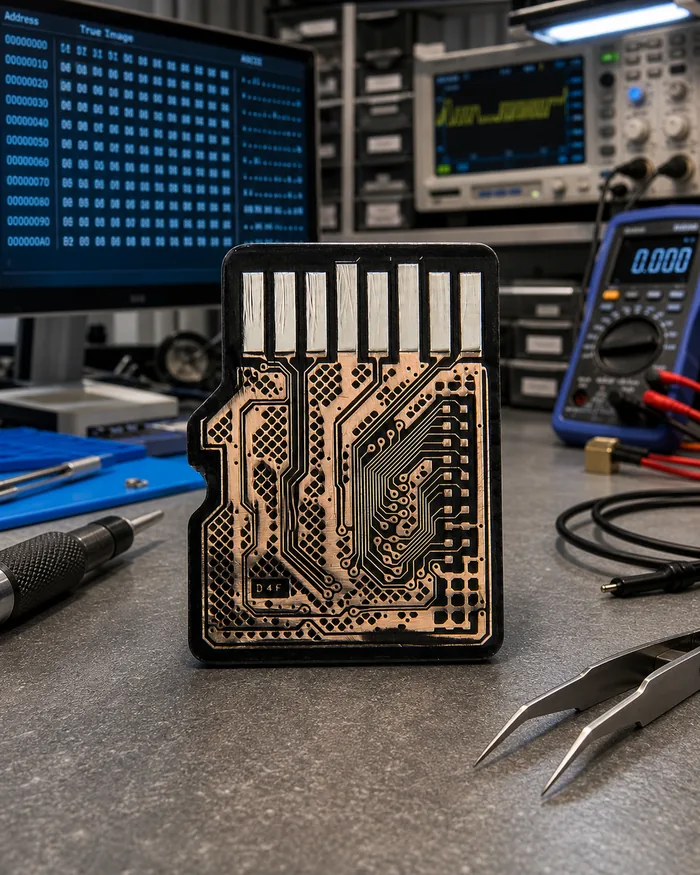
Many people assume a memory add-on this small is too fragile to repair once it’s damaged, and that a data recovery company will simply label it unrecoverable. That assumption is usually wrong. Because the card carries no phone-specific encryption, eProvided can perform a pinout-level read on the card’s contact pins when the shell is intact but scratched or corroded, or go further and read the bare NAND chip directly when the plastic housing has cracked or sheared off. Both approaches recover the actual stored files — photos, videos, documents — without needing the original phone at all. A snapped or corroded microSD add-on doesn’t behave like a standard-size SD card during recovery — the contact spacing and chip packaging differ, and generic recovery hardware often can’t handle it, which is why eProvided built pinout and chip-off techniques specifically for this small form factor. The one exception is a card that was adopted as internal storage: its contents are encrypted with a key that lives in the phone, so recovering it means the phone has to be working, or be repaired, alongside the card. For an ordinary portable-mode card, the practical steps are simple. Take the card out of the phone once it starts failing, put it in a small case or envelope, and do not run free recovery apps against it over and over — each pass reads a weakening card again and can make the damage worse. Send the card, and the phone too if the card was adopted, and our free evaluation will tell you which files are still readable before any work is approved. Results depend on the condition of the chip inside, so the evaluation report is where you get a real answer, not a guess.
Safe Habits That Protect Your Add-on Card
Most of the damage we see on memory add-on cards is preventable with a few habits that take no extra time. Always use the phone’s "eject" or "unmount SD card" option in settings before physically removing the card — this ensures the phone finishes any pending write first, the single most common cause of corruption we see. Handle the card by its edges rather than the contact pins, and never force it into or out of a tight tray.
Storage matters too. A card left loose in a pocket, bag, or glovebox picks up static, dust, and moisture a phone’s sealed internal storage never faces; keeping spare cards in their original plastic case largely eliminates that risk. Cards should also be avoided as the ONLY copy of anything irreplaceable — a simple periodic backup to cloud storage or a computer costs almost nothing next to what recovering a damaged card can cost after the fact.
Why Choose eProvided for Memory Add-on Recovery
Cell phone memory add-on recovery, in one sentence: because these cards carry no phone-specific encryption, our chip-level equipment can usually recover them even when the shell is destroyed.
eProvided has recovered damaged microSD cards since long before "memory add-on" became a common phrase, across every major card brand — SanDisk, Samsung, Kingston, PNY, Lexar, and more. Every case starts with a free evaluation, backed by the same “No Data, No Data Recovery Fee” guarantee on every memory card case.
What Our Customers Say
Frequently Asked Questions
More Phone & Mobile Recovery Guides
- our phone data recovery service — our main Phone & Mobile recovery service.
- Everything to know about iPhone recovery
- When your iPhone will not turn on
- When your iPad breaks
Related Articles
More cell phone memory card guides for further reading: how damaged microSD cards actually fail covers the physical-damage side in more depth, and our full broken memory card recovery service page (linked above under Related Recovery Services) covers what a professional evaluation involves across every card format and brand.
Recover a Damaged Memory Add-on Card
Corrupted, unreadable, or physically damaged — our engineers will tell you exactly what's recoverable from your microSD add-on card. Free, no obligation, confidential.
Check If My Card Is Recoverableor call (866) 857-5950 now
Recovery Services for Every Storage Device Class
Whatever failed on your phone’s memory card or the phone itself, eProvided recovers it from one lab: