Used by NASA · the FBI · the U.S. Navy · Since 1999 · 98% Success Rate
Flash Card File Recovery Firm eProvided, Broken USB Tips and USB Ports are Common.
- No Data, No Data Recovery Fee
- 27+ years of recovery experience
- Bent, snapped & shattered USB drives
- Free evaluation, no obligation
Can Files Be Recovered From a Broken or Bent USB Flash Drive?
Usually, yes. A snapped tip or bent USB connector breaks the link to the computer, but the files sit on the NAND memory chip inside. Engineers solder the connections or read the chip directly. About 75 percent of the cases eProvided handles come from everyday consumers.
“A snapped USB tip breaks the road to your files, not the files. We just build a new road.” — Bruce Cullen, founder, eProvided
Flash drives can survive most falls, and even a trip through the washer, but they bend out of shape easily. eProvided’s flash card recovery team has worked with consumers for 27+ years and knows what makes USB sticks fail. If your flash card breaks, whether the problem is physical or logical, contact our recovery engineers. A shattered, melted or broken USB tip doesn’t have to mean the end of your data. You’ve hit a roadblock, and we’re here to help retrieve your missing files so you can get back to your life.
The two most common USB flash drive failures we see are a bent connector and a tip that has snapped off completely. In both cases the files usually survive on the NAND memory chip. Recovery means re-soldering the broken connections or reading the chip directly with lab equipment. The biggest risk is a DIY repair: one bad solder joint or a cracked board can cost you the whole recovery. Stop using the drive and get a free evaluation.
Do RIGHT NOW
- Put the broken drive and any snapped-off pieces in a small bag together
- Back up any USB drive that still works but acts strangely
- Use a surge protector for the computer you plug drives into
- Get a free evaluation before anyone tries a repair
DON’T Do
- Don’t try to bend a connector back or glue a snapped tip on
- Don’t solder the drive yourself — one mistake can cost the whole recovery
- Don’t force a bent drive into a USB port
- Don’t keep writing to a drive that is showing errors
Broken, bent or not showing up? Start a free evaluation and our engineers will tell you what can be recovered, or call toll free, (866) 857-5950.
- The Most Common Failures on USB Flash Drives: Broken Tips and Bent USB Ports
- Data Recovery Firm eProvided Explains: Has Your USB Gone Bad?
- Which Connector Failure Do You Have?
- Is It the Drive or the USB Port?
- Bending a USB Flash Drive
- Broken Tip on a USB Flash Drive
- How to Fix a Bent USB Flash Drive
- Flash Cards: SD, microSD and CompactFlash
- What Not to Do When an SD, microSD or CF Card Fails
- eProvided Advanced Data Recovery Rescues Your Files
- The Most Common Causes of File Loss Leading to Flash Card File Recovery
- What Real Broken-Connector Cases Taught Us
- Watch: Flash Card Recovery Video
- What Our Customers Say
- Frequently Asked Questions
- Get a Free Evaluation
- Related Recovery Services
The Most Common Failures on USB Flash Drives: Broken Tips and Bent USB Ports
 Enlarge
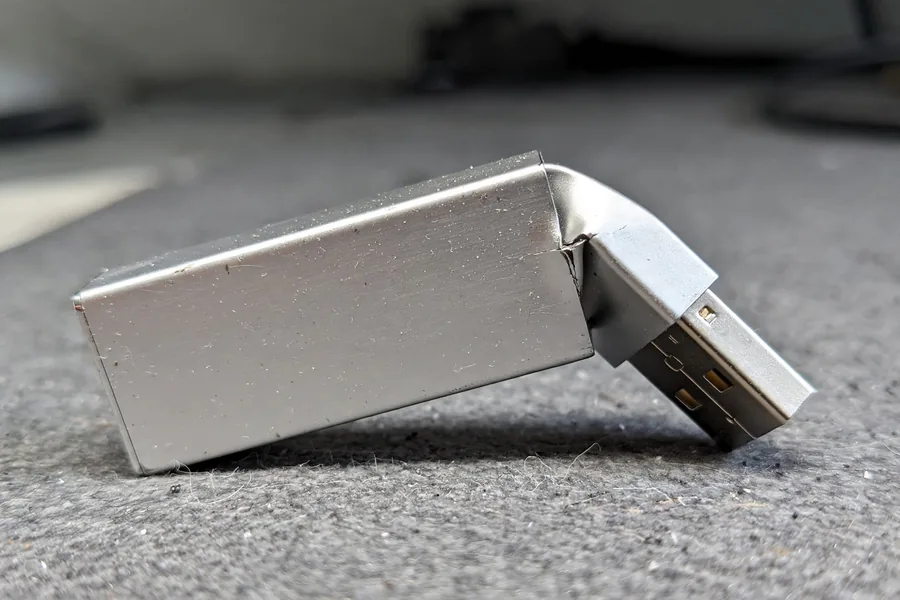
eProvided is a data recovery firm that knows what causes USB sticks to fail. Although flash drives are tough, the connector is the weak point. It sticks out of the computer, takes every bump, and bends or snaps under surprisingly little force. When that happens, the drive disappears from the computer and it looks like your files are gone. In most cases they are still sitting safely on the memory chip inside.
The plug is also the one part of the drive that wears with normal use. The USB hardware specification rates a standard connector for a minimum of 1,500 insertion and removal cycles, and a stick that lives on a key ring, in a pocket or in a laptop port that gets knocked can use those up while it is also being bent. Many sticks fail first at the joint where the metal plug meets the small circuit board, not in the memory.
Data Recovery Firm eProvided Explains: Has Your USB Gone Bad?
When a USB drive goes bad, it may have reached its read/write limit. Power surges can also damage internal circuits and put data at risk. Data loss experts retrieve data from USB file corruption, and advanced file recovery technology can save the day. Back up your files immediately if you notice warning signs. Your USB drive may appear to be working fine while a failure is right around the corner.
A USB drive broken at the port stops communicating with the computer. You can recover lost data from your broken or damaged USB stick here, starting today. eProvided handles all sorts of file recovery on damaged storage devices.
Which Connector Failure Do You Have? A Plain Decoder
The first thing you noticed tells us most of what failed. Find your symptom below. These are outlooks, not promises: only a lab can say what a drive holds after it has been inspected.
| Broken USB Flash Drive: Symptom, Cause and Lab Approach | ||
|---|---|---|
| What You See | What Probably Failed | Lab Approach |
| Plug bent slightly, drive still seats but is not recognized | Solder joints between the plug and the board are cracked | Re-solder the connections |
| Plug bent hard or shell crushed | Contacts and joints torn, sometimes the board flexed | Rebuild the connections, check the board |
| Tip snapped off completely | Connector torn from the board, pads lifted | Rebuild the connections or read the chip |
| Works only when held at an angle | One or more joints are almost broken | Re-solder, after a first careful copy if it connects |
| Housing cracked, board snapped across | Traces cut; the memory chip may or may not be hurt | Read the NAND chip directly |
| Drive got hot or smells burnt | A short, often from a damaged port or a power surge | Case by case; stop plugging it in |
| Power surge | Controller or circuit components | Read the NAND chip directly |
| Worn out (read/write limit) | Memory cells past their limit | Chip read and data rebuild |
| Phone or tablet | Board, with encrypted storage | Board repair or donor board |
Is It the Drive or the USB Port?
 Enlarge
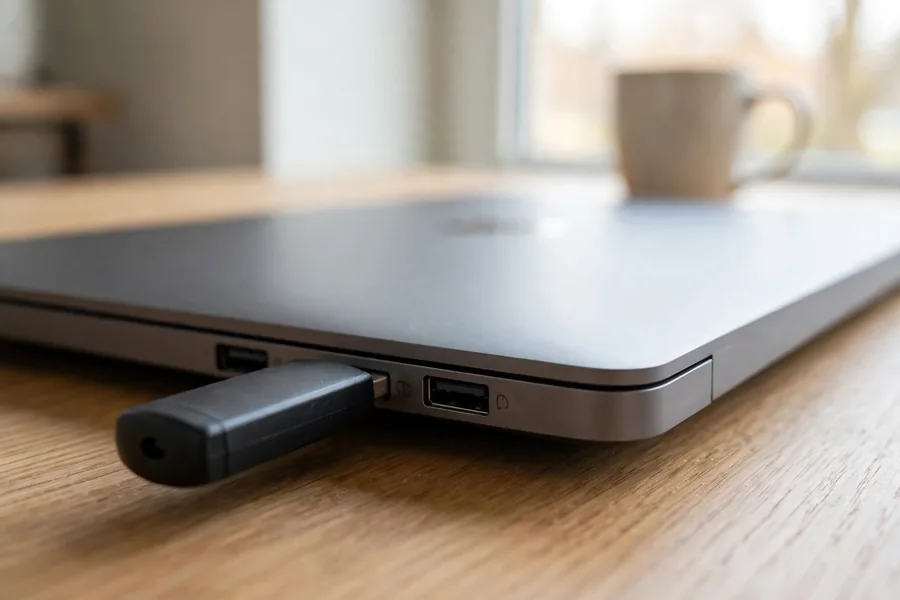
The headline of this page says USB ports are common failures, and that cuts both ways. A bent stick can damage the port it was forced into, and a worn port can stop a healthy stick from showing up. Test the port before you blame the drive, with a method that adds no stress: plug the stick straight into a different port on the same computer, without a hub or extension cable, and then try a second computer.
If the drive works somewhere else, the port or cable was the problem and your files were never at risk. If it fails everywhere, and a second stick that you know is good works in the same port, the drive itself has failed. Do this once or twice, not ten times. A drive that is bent or loose can lose its last working joint on the next push.
Bending a USB Flash Drive
Accidentally bent your thumb drive? Sitting down on the drive and bending it in your pocket is quite common. Depending on where the USB snapped, your chances of recovery are still high. You might assume USB flash card repair isn’t complicated, but it takes specialized tools and knowledge to restore files safely. If the connectors are damaged, contact experienced flash card recovery engineers. Our professionals solder connections to carefully reconnect the flash card to its connector. One mistake can cost you the whole recovery, which means slow and steady wins the race. If you have a broken USB flash drive and need your files back now, speak to one of our engineers today.
Broken Tip on a USB Flash Drive

The second most common problem is the worst. The drive was plugged into a laptop, tablet or phone that fell, and the connector separated completely from the USB drive. The files seem to have disappeared, and no matter what you do, the data looks corrupted and lost. Broken tips on memory sticks are not the end of the world. In many of these cases our engineers can get your documents back, because the memory chip that holds them is often undamaged. We can’t promise a result before the evaluation, but a snapped tip on its own is rarely the end of the data.
A tip that comes off with the housing in several pieces is a different job from a clean snap, and a drive crushed into splinters is a different job again. If the pieces are in several parts, our guide to recovering a shattered USB drive covers that case. Flash card file recovery pricing is manageable for large and small companies and consumers alike. Take a look around this blog for more recovery stories, and learn more about your choices, pricing and anything else you want to know.
How to Fix a Bent USB Flash Drive
 Enlarge
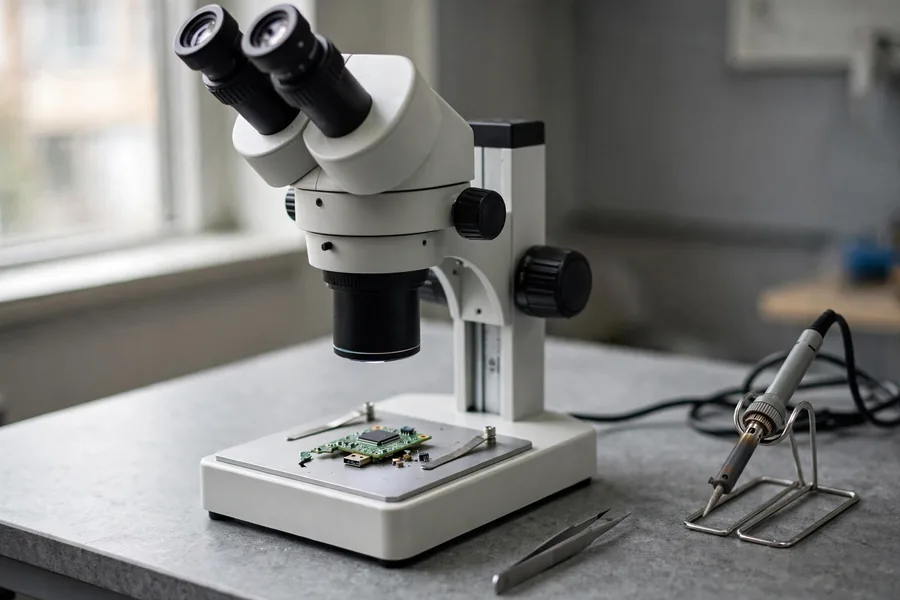
As we mentioned before, USB flash drives can bend and break at the port, causing data loss. eProvided provides a free evaluation for every case received. With competitive recovery prices and more than 27 years in business, you can rest assured your data is in good hands. Severely damaged devices are sent here every day from around the globe. Repairing broken USB flash drives is something we take pride in. Don’t attempt to repair a broken USB port yourself, because it will make a successful recovery a lot more complicated. Here is what happens to a stick that reaches our Las Vegas lab.
- Free evaluation. Start on the intake page and describe what happened. Ship the drive and every broken piece in a small bag inside a padded envelope, with tracking. Drop-off at the lab is by appointment, so call first.
- Inspection. An engineer examines the plug, pads and board under magnification and checks for heat or water damage. That tells us which row of the decoder above applies.
- Method choice. If the board and chip are sound, the engineer rebuilds the broken connections. If the pads or traces are torn, or the controller has died, the memory is read at chip level. Advanced work starts only after you opt in to a quote.
- Rebuild. The controller scrambles data as it stores it. We reverse that, rebuild the file table and open sample files to check they are intact.
- Delivery. You see what came back before the case closes, and we return your drive with the recovered files.
Flash Cards: SD, microSD and CompactFlash
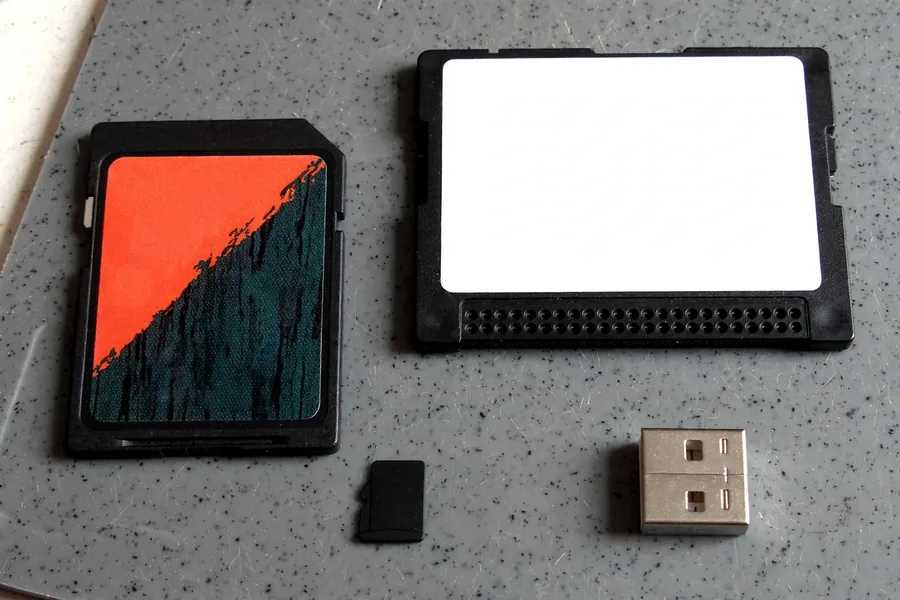 Enlarge
Our name says flash card, and the same chip sits inside every flash device, but a card breaks differently from a stick. A card has no plug to snap. Its flat gold contacts wear, or the whole card cracks or bends. Some sticks, and many microSD cards, are monolithic, with the controller and the memory sealed in one package, so there is no separate chip to lift and no board to re-solder. On USB, SD, microSD and CompactFlash media the lab reads the memory chip directly, which is chip-off recovery, and we run it on BGA, TSOP and monolith packages.
Card problems have their own decoders. For deleted, formatted or unreadable cards, read our guide to memory card recovery services, and start a free evaluation for a card that is cracked, bent or water damaged.
What Not to Do When an SD, microSD or CF Card Fails
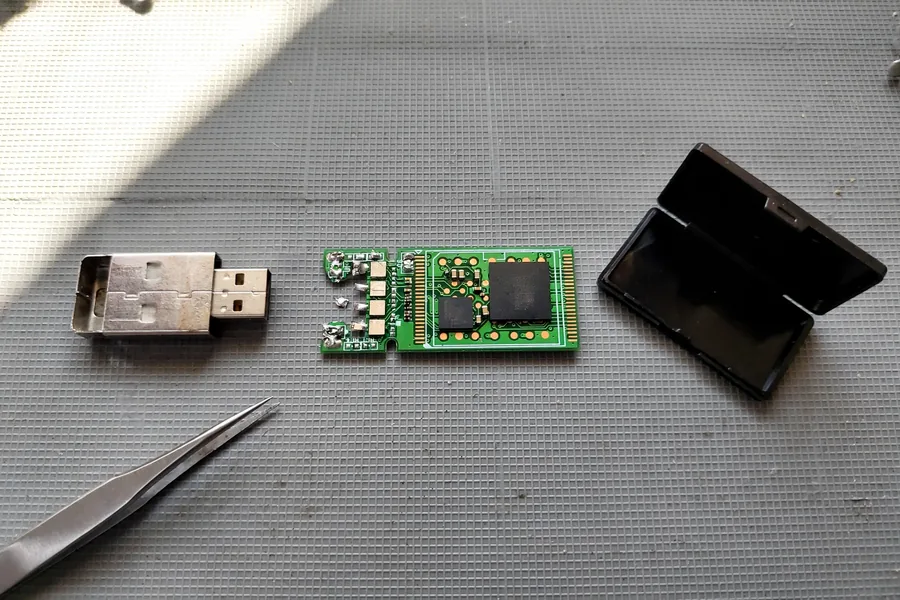 Enlarge
What you do in the first hour decides how much a lab can read later. These five habits cause the most harm, each with its reason.
- Do not bend the plug back straight. The solder joints and board traces are already cracked, and metal that is bent twice breaks where it was bent the first time.
- Do not glue or tape a snapped tip on. Glue runs into the contacts and the pads, and a taped plug presses on a board that cannot take the load.
- Do not keep plugging the drive in to check it. Each push can tear a joint that was still holding, and a short circuit can reach the memory chip.
- Do not solder it yourself. Heat applied for too long lifts the pads that carry the data, and lifted pads are far harder to rebuild than a bent plug.
- Do not accept a prompt to format the drive. If the drive connects and asks to be formatted, say no. A format rewrites the file table that points to your files.
eProvided Advanced Data Recovery Rescues Your Files
We aim to recover data and files from flash memory cards and flash card devices of every kind. Flash card file recovery company eProvided uses advanced data recovery techniques to retrieve crucial data from damaged storage media. Learn more about NAND-based USB Devices and File Recovery. eProvided was mentioned in Popular Mechanics Magazine and is the firm that recovered the NASA Helios mission data. You are in good hands. eProvided has worked with NASA on solutions for storing and retrieving files in drastic conditions. No job is too big or too small: seventy-five percent of the recovery cases we handle come from everyday consumers.
The Most Common Causes of File Loss Leading to Flash Card File Recovery
Consumers make mistakes; we all do. All in all, the most common cause is user error, and bending a storage drive by accident tops the list. On USB flash drives, SD cards and microSD cards, our recovery specialists can remove the NAND memory chips from a damaged device, read them directly, and rebuild your files from the raw data. It does not matter whether they are videos, digital images or documents.
Two exceptions matter. Phones and tablets are different. Modern smartphones encrypt their storage with a key tied to the phone’s processor, so a chip pulled from a phone gives back scrambled data. For those devices, the path is board-level repair of the original phone, or moving the processor and memory together to a donor board. Drives with built-in hardware encryption, such as sticks with a PIN keypad, can also return scrambled data from a chip read alone. The decision depends on the device, so every case starts with an evaluation.
Remember, eProvided works on every kind of digital memory device, from USB sticks to phones. If you really need your flash drive data recovered, choose a reputable company — choose eProvided. Flash card file recovery from any electronic gadget you own is handled with care. Call toll free, (866) 857-5950.
What Real Broken-Connector Cases Taught Us
A claim about recovery is easier to judge from real files. Each quote is the owner’s own wording from the intake form, with names and details removed. The results are mixed on purpose: some drives came back and some did not.
A flash drive bent by mistake, June 2022
Case 8ZAKK8. The owner wrote:
“I bent my flashdrive by mistake. When I plug it on now there is no information on it.”
Recovered. The owner opted in to advanced recovery after the free evaluation, and the notes record a success four days after the form.
A memory stick bumped with a knee, January 2016
Case TZ4ELH. The owner wrote:
“Bumped the USB memory stick with a knee. Tried to see what was broken, the USB connector and housing broke off.”
Recovered. Basic recovery failed first, and the notes record a success two days after the stick reached the lab.
A bent drive that would not read, February 2013
Case ID04UE. The owner wrote:
“Flash drive was in computer and was accidentally kicked … USB connection was bent but not severed … however, computer will not read the Flash drive.”
Recovered. Basic recovery failed, and a success followed. A connector that is bent but not severed can still stop the drive from reading.
A chewed thumb drive, 2020
Case UKZYXD. The owner wrote:
“My puppy chewed on my thumb drive.”
Not recovered. The lab note records no success because of a short between the power and ground lines. A short is the failure that a hot or smelly drive points to.
A drive that broke in half, June 2020
Case 5WMV5Z. The owner wrote:
“It is a usb drive but looking at the inside, it looks more like a flash/memory card. It broke in half when I dropped my laptop with the drive still plugged in.”
Not recovered. The lab tried a direct internal data extraction, and it produced no data streams. The notes record too much damage.
Watch: Flash Card Recovery Video
Check out our flash card recovery video below for more information.

What Our Customers Say
Frequently Asked Questions
Recovery Services for Broken Flash Media
Whatever broke, eProvided covers it: thumb drive, USB flash drive, memory card, microSD and NAND flash chip-off recovery all run in our own Las Vegas lab, next to professional hard drive data recovery for spinning drives. Solid-state media has its own bench for the SSD data recovery service, and every other service is listed on one page: browse all data recovery services →
A bent or snapped USB drive looks final, but the memory chip inside usually is not. Keep the pieces together and let an engineer look before anyone tries a repair.
Failing Card? Stop Using It
Take the card out of the camera or reader, keep it dry in a small case, and tell us what it did. We check the card and its memory chip and tell you what can be recovered, free.
Start My Free Evaluationor call (866) 857-5950 now
Related Recovery Services
For bent, snapped or dead flash media, these services cover it: