
Used by NASA · the FBI · the U.S. Navy · Since 1999
Top 5 Thumb Drives on the Market
- No Data, No Data Recovery Fee
- Free, confidential evaluation
- Worldwide lab recovery
Thumb drives remain one of today’s top choices for carrying data. They are pocket-friendly, easy to use and let you continue work or enjoy media on any compatible device, wherever you are. Here at eProvided we know a thing or two about thumb drives: as specialists in data recovery, we see how effective they are, and we also see high numbers of users storing their only copies of files on them.
What Is the Best Thumb Drive on the Market?
The Samsung Fit Plus USB 3.1 is our best thumb drive overall, with speeds up to 300 MB/s in a compact body. The Samsung Bar Plus reads up to 400 MB/s, and the Corsair Flash Voyager GTX reaches 440 MB/s for content creators. Budget picks are the Lexar JumpDrive M45 and SanDisk Cruzer CZ36.
“Buy the thumb drive you like best. Then treat it as a courier, never as the only place your files live.” — Bruce Cullen, founder, eProvided
- Why Thumb Drive Speed Still Matters
- The 5 Thumb Drives at a Glance
- 1: Samsung Fit Plus USB 3.1 128GB
- 2: Samsung Bar Plus USB 3.1 128GB
- 3: Corsair Flash Voyager GTX USB 3.1 256GB
- 4: Lexar JumpDrive M45 32GB USB 3.1
- 5: SanDisk Cruzer CZ36 USB 2.0 128GB
- When a Thumb Drive Fails
- Customer Reviews
- Frequently Asked Questions
- Recovery Services for Every Storage Device Class
Why Thumb Drive Speed Still Matters
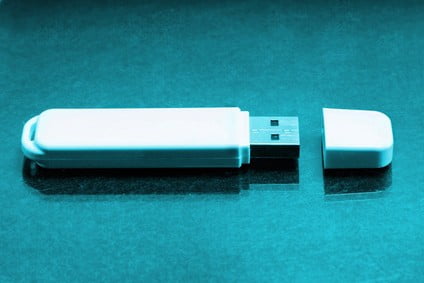
Cloud storage now offers a cheap, simple and convenient way for users to keep their data safe. To stay in the game, thumb drives have to offer high-quality performance, and today’s manufacturers are more than living up to that. Faster USB 3.1 drives move large video files in seconds rather than minutes, which is why speed is the main thing separating the drives below.
So join us as we look at the five fastest thumb drives on the market, from the best overall pick to a decent drive at a great price. Each pick below lists its interface, top rated speed and the kind of user it suits best, so you can match a drive to how you actually work. Speed ratings are the maker’s best case: real-world transfers of many small files run slower than a single large video, and an older USB 2.0 port caps every drive at a fraction of its rating. Whatever you choose, treat a thumb drive as a convenient carrier, not a safe archive for your only copy.
The 5 Thumb Drives at a Glance
| Rank | Drive | Best for | Interface | Top speed |
|---|---|---|---|---|
| 1 | Samsung Fit Plus | Best overall | USB 3.1 | Up to 300 MB/s |
| 2 | Samsung Bar Plus | Keychain use | USB 3.1 | Read up to 400 MB/s |
| 3 | Corsair Flash Voyager GTX | Fast transfers | USB 3.1 | Read/write up to 440 MB/s |
| 4 | Lexar JumpDrive M45 | Low price | USB 3.1 | Up to 250 MB/s |
| 5 | SanDisk Cruzer CZ36 | Great price | USB 2.0 | Slowest of the five |
1: Samsung Fit Plus USB 3.1 128GB — Best Thumb Drive Overall

This drive is smaller than the average USB stick and still affordable. With USB 3.1 support and data speeds up to 300 MB/s, we rate it the best thumb drive on the market. Its compact design means you worry less about bumping and damaging the drive while it is plugged in. Sizes range from 32GB to 256GB, with transfer speeds well ahead of most other thumb drives in its price range. Because it sits almost flush with the port, it suits laptops and car stereos where a longer stick would get knocked. The trade-off of a tiny body is heat: small drives warm up during long writes and can slow down to protect themselves. For everyday document and photo transfers that rarely matters, but it is worth knowing before you copy a large video library in one go.
2: Samsung Bar Plus USB 3.1 128GB — Best Keychain Thumb Drive

Samsung built this thumb drive as an upgrade to its 32GB Bar. Both the 128GB and 256GB versions read at up to 400 MB/s. With USB 3.1, you can send 4K HD video from the drive to your PC in seconds. Samsung rates it magnet-proof, waterproof, shock-proof and temperature-proof, and backs it with a 5-year limited warranty, so it is a sound choice for a drive that travels on your keys. The metal casing and keyring loop make it one of the harder drives on this list to lose or crush. A tough casing protects against drops and water, but it cannot protect the NAND chip inside from electrical faults or from being pulled out mid-write. Always eject the drive before you unplug it, even when it feels solid enough to survive anything.
3: Corsair Flash Voyager GTX USB 3.1 256GB — Best for Fast Transfers

Since the pandemic, celebrities, politicians and even medical workers have become content creators, and platforms like Instagram and TikTok make that easier than it was 10 years ago. Most USB drives today transfer at up to 250 MB/s, but this drive meets the heavier demands of content creation. It is like having the performance of an SSD in USB stick form, with read and write speeds up to 440 MB/s in 128GB, 512GB and 1TB capacities. It is also compatible with USB 3.1, 3.0 and 2.0, so it works in older ports too.
4: Lexar JumpDrive M45 32GB USB 3.1 — Best USB Drive for a Low Price

Shopping for a cost-effective USB thumb drive? The Lexar JumpDrive M45 reads and writes at up to 250 MB/s. That does not make it the fastest, but it is still faster than most budget-friendly thumb drives. Its metal finish gives it an elegant and durable protective casing, and it is backwards compatible with USB 3.0 and 2.0 devices.
The JumpDrive M45 also supports 256-bit AES encryption to protect files from unauthorized access if the drive is lost or stolen. Encryption keeps strangers out; it does not protect against corruption, deletion or a failed drive, so keep a second copy of anything important. If you use encryption, keep your password safe, because a recovery lab needs it to decrypt what it reads back.
5: SanDisk Cruzer CZ36 USB 2.0 128GB — Decent USB for a Great Price

Finding a thumb drive that is both affordable and able to handle 5GB files is hard. The SanDisk Cruzer CZ36 provides consistent, reliable performance. Larger files take longer to transfer, but it holds up through long file transfers. Its USB 2.0 interface is the downside, and it gives the slowest speed of the five drives here. For backing up documents, school work or a modest photo collection, the slower interface is rarely a problem, and the low price makes it easy to keep a second copy on a second drive. If you move large 4K video files every day, though, one of the USB 3.1 drives above will save you a lot of waiting. Treat it gently, eject it properly and never rely on it as the only home for files you cannot replace.
Dropped, Cracked or Dead Thumb Drive?
Don’t toss it. Get a free, confidential evaluation of what the chip inside still holds.
Start My Free Evaluationor call (866) 857-5950 now
When a Thumb Drive Fails
At eProvided, we recover data from any thumb drive brand, whatever damage it has sustained. Most people are tempted to toss a broken drive into the bin, and that is a big mistake: the NAND chip inside often survives a snapped connector or a dead controller, and your data may still be retrievable from it. Our team keeps developing new ways to read data from storage drives fast. If you have dropped or cracked your drive, give us a call before trying anything else.
For a full look at the process, see our thumb drive recovery service, or read more in these guides:
- Thumb drive tips to avoid damage
- Common thumb drive failure problems
- Recovering a formatted thumb drive
- microSD card data recovery — including monolithic microSDs
- Browse all data recovery services
Do
- Keep a second copy of anything stored on a thumb drive
- Eject the drive properly and wait for the light to stop before pulling it
- Store your encryption password somewhere safe if you use AES on the drive
DON’T Do
- Don’t throw away a broken thumb drive before it is evaluated
- Don’t try to re-solder a snapped connector yourself
- Don’t keep plugging in a drive that is not recognized
What Our Customers Say
Even the best drive on this list can fail after one hard knock while it is plugged in. To see how that damage happens and what it means for your files, read how a bumped USB drive loses data.
Frequently Asked Questions
Lost Critical Data? We’ll Evaluate It Free.
Thumb drives, SD cards, hard drives, SSDs and flash media — one lab, one free evaluation.
Start My Free Evaluationor call (866) 857-5950 now
Recovery Services for Every Storage Device Class
Whatever drive you buy, eProvided recovers data from every storage class when one fails: