
USB Flash Drive Data Recovery
USB Flash Drive Data Recovery & Repair Service
Yes, data can be recovered from a broken, damaged, or unrecognized USB flash drive — even when the connector is snapped off or the drive shows zero bytes. At eProvided, we specialize in USB flash drive recovery at the chip level, physically extracting data from NAND flash memory when software tools and other recovery companies have failed. Since 1999, we have recovered data from over 50,000 storage devices for clients including NASA, the FBI, and the U.S. Navy. If your flash drive is broken, corrupted, water-damaged, or simply not recognized by your computer, our free evaluation and No Data, No Data Recovery Fee guarantee means you have nothing to lose.
USB flash drives are among the most widely used portable storage devices in the world. From a 4 GB thumb drive carrying tax documents to a 2 TB high-speed USB-C drive holding architectural plans and video projects, these devices store irreplaceable data on a chip smaller than a postage stamp. When a USB flash drive fails — whether from a snapped connector, electrical surge, controller chip failure, or file system corruption — the data inside the NAND flash memory usually survives. The question is whether your recovery provider has the equipment and expertise to reach it.
eProvided averages a 98% success rate on USB flash drive recovery cases. We handle every major manufacturer — SanDisk, Kingston, Samsung, Lexar, PNY, Transcend, Corsair, Verbatim, Patriot, and dozens more. Every case begins with a free evaluation and our guarantee: No Data, No Data Recovery Fee. Call us at (866) 857-5950 or start your free evaluation online.
Table of Contents
- What Is USB Flash Drive Recovery?
- How USB Flash Drive Data Recovery Works
- Common Causes of USB Flash Drive Failure
- Types of USB Flash Drives We Recover
- USB Flash Drive Recovery: DIY Software vs Professional Service
- Broken & Physically Damaged USB Flash Drive Recovery
- Water-Damaged USB Flash Drive Recovery
- USB Flash Drive Repair Services
- USB Connector Types and Versions
- Flash Drive Brands and Recovery Compatibility
- USB Flash Drive Data Recovery Cost
- Our USB Flash Drive Recovery Process
- What Customers Say
- Frequently Asked Questions
- Related Recovery Services
Free USB Flash Drive Recovery Evaluation
Ship your drive to our lab — we diagnose the failure for free. No Data, No Data Recovery Fee.
Or call (866) 857-5950
What Is USB Flash Drive Recovery?
USB flash drive recovery is the process of extracting data from a USB flash drive that has failed due to physical damage, electrical malfunction, controller failure, or file system corruption. Unlike hard drive recovery, which deals with spinning platters and read/write heads, flash drive data recovery targets solid-state NAND flash memory chips soldered onto a small circuit board inside the drive’s housing.
Every USB flash drive contains three critical components: the USB connector (the metal plug you insert into your computer), the controller chip (a microprocessor that manages data storage and communication), and one or more NAND flash memory chips (where your actual files reside). When any of these components fail, the drive becomes inaccessible — but the data stored in the NAND chips almost always survives.
This is the fundamental principle behind professional USB data recovery: even when a flash drive is physically broken, electrically dead, or completely unrecognized by every computer you try, the NAND flash memory that holds your photos, documents, videos, and other files is usually intact. The challenge is reaching that data without the drive’s own controller, which is exactly what eProvided’s chip-level recovery process is designed to do.
At eProvided, we perform USB flash drive recovery using methods that most data recovery companies lack the equipment or training to attempt. Our NAND flash recovery techniques include physical chip-off (desoldering the NAND chip and reading it directly on programmer hardware), controller bypass (using forensic tools to communicate with the NAND through an alternate interface), and PCB-level microsoldering (repairing broken traces, connectors, and components under high-magnification microscopy). These aren’t theoretical capabilities — they’re the methods we use daily on drives that arrive at our Las Vegas lab from across the country and around the world.
USB data recovery succeeds in the vast majority of cases. The 2% of drives we cannot recover typically involve catastrophic NAND cell degradation from electrical fire, extreme heat exposure (above 150°C sustained), or irreversible physical destruction where the memory chip itself is fractured into fragments. For everything else — snapped connectors, dead controllers, water damage, RAW file systems, “please insert disk” errors, unrecognized drives, and even drives that were run over or crushed — recovery is usually possible.
How USB Flash Drive Data Recovery Works

Professional USB flash drive data recovery follows a methodical five-step process at eProvided. Each step builds on the previous one, and no work proceeds without your approval. Here is exactly what happens after your drive arrives at our lab.
Step 1: Visual Inspection and Damage Assessment
Our engineers open the drive’s housing (or examine the exposed PCB if the casing is already broken) under 40x magnification. We document every visible defect: bent or snapped USB connectors, cracked PCBs, burned components, corrosion from water or humidity, missing solder joints, and physical damage to the NAND chip package. This inspection determines the recovery path before any electrical connection is made to the drive.
Step 2: Electrical Diagnostics
If the PCB and connector appear intact, we connect the drive to our forensic workstation through a write-blocked USB interface. We check for USB enumeration (whether the host controller detects the device), current draw (a healthy drive draws 100-500mA; a shorted drive draws far more), and controller response codes. Drives that show zero enumeration proceed directly to chip-level recovery. Drives that partially enumerate may respond to firmware-level commands.
Step 3: Logical or Controller-Level Recovery
For drives with a responsive controller, we attempt to read data through the USB interface using forensic imaging tools that bypass file system errors, bad sectors, and corrupted partition tables. This approach works for drives with logical failures — accidental formatting, file deletion, RAW file system conversion, or partition table corruption — where the hardware itself still functions.
Step 4: Chip-Off NAND Recovery
When the controller is dead, the PCB is damaged beyond repair, or the connector cannot be restored, we proceed to chip-off recovery. The NAND flash memory chip is desoldered from the circuit board using a precision hot-air rework station. The chip is then placed in a specialized NAND reader/programmer that communicates directly with the memory cells, bypassing the failed controller entirely. Raw NAND data is read, then reconstructed using ECC (error-correcting code) algorithms specific to the controller and NAND architecture of your drive.
Step 5: File System Reconstruction and Delivery
After the raw NAND data is read, our software reconstructs the file system (FAT32, exFAT, NTFS, HFS+, ext4, or whatever format the drive used). Files are extracted, organized by directory structure, and verified for integrity. We provide you with a complete file listing before delivery. Recovered data is returned on a new USB drive or downloaded via our secure transfer portal.
Common Causes of USB Flash Drive Failure
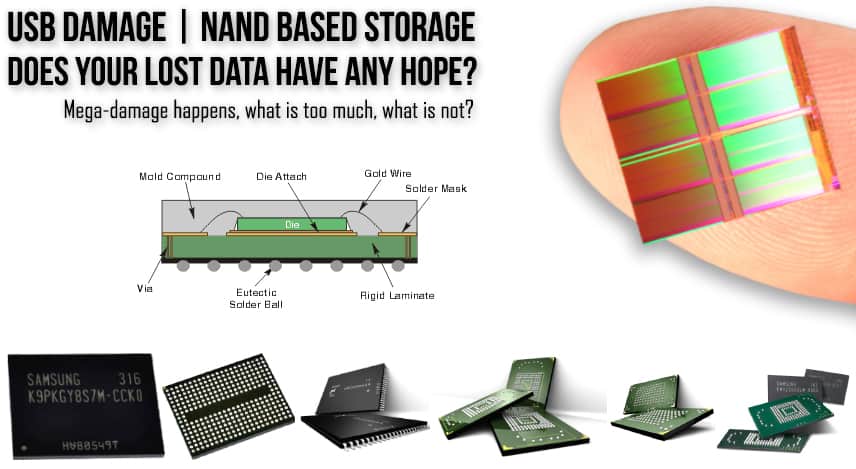
Understanding why USB flash drives fail helps explain why professional flash drive data recovery is necessary in each scenario. Here are the failure types our lab encounters most frequently, ranked by how often we see them.
Physical Damage (Bent or Snapped Connectors)
The single most common reason people contact eProvided for USB flash drive recovery is a physically broken connector. USB-A connectors are particularly vulnerable — the thin metal shell and four internal pins can bend, snap, or detach entirely if the drive is bumped while inserted in a laptop. We recover dozens of drives each month where the USB plug has separated from the PCB, severing the data lines. In most of these cases, the NAND memory is perfectly intact and a full recovery is achievable.
Controller Chip Failure
The controller chip is the brain of every USB flash drive. It manages read/write operations, wear-leveling algorithms, error correction, and USB protocol communication. When the controller fails — due to firmware corruption, electrical spike, manufacturing defect, or age-related degradation — the drive typically appears as an unrecognized USB device, shows zero capacity, reports “please insert disk,” or triggers a Windows “USB Device Not Recognized” error. The NAND memory is unaffected by controller failure, making chip-off recovery highly successful.
File System Corruption
Pulling a USB flash drive from your computer without safely ejecting can corrupt the FAT32 or exFAT file system table. The drive may show RAW format, request formatting, or display files as zero-byte placeholders. In many cases, the actual file data remains on the NAND — only the directory table that points to those files is damaged. eProvided can rebuild the file table and recover your data, usually with complete folder structures and filenames intact.
Electrical Damage (Power Surge or Short Circuit)
USB ports on laptops and desktops can deliver 5V at up to 900mA (USB 3.0). A voltage spike from a faulty USB hub, damaged cable, or malfunctioning port can fry the controller chip, voltage regulator, or ESD protection diode on the flash drive’s PCB. The NAND memory chips are protected by internal voltage clamping, so electrical damage to the controller usually leaves the data intact. Our chip-off process extracts data from the surviving NAND, bypassing the burned controller entirely.
Water and Environmental Damage
USB flash drives that go through the washing machine, fall into pools or sinks, or endure humidity exposure suffer corrosion on the PCB traces and component pads. Salt water accelerates this corrosion dramatically. However, NAND flash memory is sealed in a ceramic or plastic BGA package that resists moisture penetration. Our water-damaged USB flash drive recovery process includes ultrasonic cleaning of the PCB, trace repair under microscopy, and chip-off extraction if the board cannot be restored.
NAND Wear-Out (End of Life)
Every NAND flash cell has a finite number of write cycles (typically 3,000–10,000 for TLC, 10,000–30,000 for MLC). Drives used heavily for years can develop increasing read errors as cells degrade. Symptoms include gradually corrupting files, increasing bad sectors, and eventually complete controller lockout when the wear-leveling algorithm can no longer compensate. Professional USB data recovery can still extract data from worn NAND by applying advanced ECC correction beyond what the drive’s controller was designed to handle.
Firmware Corruption
The controller chip runs firmware stored in a small dedicated area of the NAND or in a separate SPI flash chip. If this firmware becomes corrupted — from a botched firmware update, manufacturing defect, or bit-rot — the drive may be detected by the operating system but fail to mount, show the wrong capacity, or behave erratically. Firmware-level flash drive data recovery involves reprogramming the controller with corrected firmware parameters specific to the drive’s NAND configuration, then extracting the data through normal read operations.
Types of USB Flash Drives We Recover
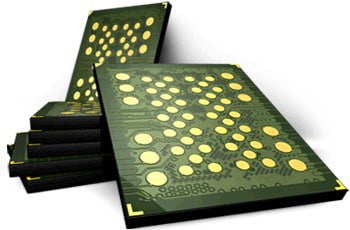
eProvided performs USB flash drive recovery on every form factor, capacity, interface type, and manufacturer. If it stores data on NAND flash and connects via USB, we can recover it.
Standard USB-A Flash Drives
The classic rectangular USB plug found on most consumer flash drives from SanDisk, Kingston, Lexar, PNY, Corsair, Transcend, Verbatim, and Patriot. Capacities from 1 GB to 1 TB. USB 2.0 and USB 3.0/3.1 variants. These are the most common drives we see in our lab, and our success rate on standard USB-A flash drives exceeds 98%.
USB-C Flash Drives
Modern flash drives with the reversible USB-C connector, designed for newer laptops, tablets, and smartphones that use USB-C ports. Some models are dual-interface (USB-A on one end, USB-C on the other). The USB-C connector is more durable than USB-A but can still fail from impact, bent pins, or connector separation. Recovery methods are identical to USB-A drives since the underlying NAND architecture is the same.
Encrypted USB Drives
Hardware-encrypted USB flash drives (IronKey, Kingston DataTraveler Vault, Apricorn Aegis) add a hardware encryption layer between the controller and NAND. Data on the NAND is encrypted at rest using AES-256. Flash drive data recovery from encrypted drives requires the correct password or PIN — without it, the data is cryptographically inaccessible by design. If you have the password but the drive is physically damaged, we can often repair or bypass the physical failure and mount the encrypted volume normally. Contact us to discuss your specific encrypted drive situation.
Ruggedized and Waterproof Drives
Shock-resistant, dustproof, and waterproof USB flash drives (Corsair Survivor, Kingston DataTraveler Max, LaCie Rugged) use reinforced housings and sealed connectors. Despite marketing claims, these drives can and do fail — especially from internal condensation, connector fatigue, or NAND wear. When they fail, the ruggedized housing must be carefully disassembled without damaging the PCB inside. Our engineers have recovered data from drives rated to MIL-STD-810G that have survived extreme conditions but suffered internal component failure.
USB Pen Drives and Promotional Drives
Ultra-thin “pen drive” form factors and custom-shaped promotional drives are typically budget-manufactured with lower-grade NAND and simpler controllers. They have higher failure rates than premium drives but are equally recoverable via chip-off. The challenge is that promotional drives often lack model number markings, making it harder to identify the controller and NAND configuration — but our database of over 15,000 controller-NAND pairings covers virtually every combination in production.
External USB Hard Drives and SSDs
External hard drives and external SSDs that connect via USB use different internal storage (spinning platters or SSD NAND arrays) but share the USB interface. If your external USB hard drive has failed, see our hard drive recovery service or SSD data recovery service. We recover data from all USB-connected storage devices regardless of the internal storage type.
USB Flash Drive Recovery: DIY Software vs Professional Service
Before paying for professional flash drive data recovery, many people try free or paid recovery software. Here is an honest comparison of when DIY works and when it doesn’t.
| Scenario | DIY Software | eProvided Professional |
|---|---|---|
| Accidentally deleted files (drive recognized) | Often works if no new data written | Higher success rate, preserves filenames and folder structure |
| Formatted drive (drive recognized) | May recover some files without names | Full file system reconstruction with original folders |
| Drive shows RAW / asks to format | Software may detect partition but miss fragmented files | Rebuild file allocation table from raw NAND data |
| Drive not recognized by computer | Cannot work — no USB enumeration | Chip-off recovery bypasses dead controller entirely |
| Broken USB connector | Cannot work — no physical connection | Connector repair or chip-off NAND extraction |
| Water / fire / crush damage | Cannot work | PCB repair, ultrasonic cleaning, chip-off recovery |
| Encrypted drive (password known) | Software may work if drive mounts | Repair physical failure, mount encrypted volume with password |
| “USB Device Not Recognized” error | Cannot work — device not mounted | Controller diagnosis + chip-off or firmware repair |
| Drive shows 0 bytes capacity | Cannot work | Controller firmware repair or chip-off |
The rule is simple: if your computer recognizes the drive and you can see it as a mounted volume (even if files appear missing), DIY software is worth trying first. If the drive is physically damaged, not recognized, shows zero capacity, or produces hardware errors, DIY software cannot help and repeated attempts can further degrade the NAND. In those cases, power off the drive immediately and contact eProvided at (866) 857-5950.
Broken & Physically Damaged USB Flash Drive Recovery

Physical damage is the number one reason USB flash drives arrive at our lab. Whether the connector snapped off, the PCB cracked, or the drive was stepped on, professional flash drive data recovery from physical damage is our core specialty.
Snapped USB Connector
The most common physical failure we recover from is a USB flash drive with the connector broken off. This usually happens when the drive is bumped while inserted in a laptop’s side USB port. The connector separates from the PCB, severing the four electrical lines (VBUS, D+, D-, GND). In many cases, we can re-solder a replacement connector or bridge the broken traces directly on the PCB. When the PCB damage extends beyond the connector pad area, we proceed to chip-off recovery.
Cracked or Bent PCB
Drives that are sat on, stepped on, or crushed can suffer PCB fractures. A crack across the circuit board may sever dozens of traces simultaneously. If the crack doesn’t run through the NAND chip package, chip-off recovery is straightforward — we remove the NAND from the damaged board and read it on our programmer hardware. If the crack intersects the NAND BGA footprint, the chip may need reballing (resurfacing the solder ball connections) before it can be read.
Heat and Fire Damage
USB flash drives exposed to fire, extreme heat (car dashboards in summer, dryers after going through a wash cycle), or electrical fire can suffer component-level damage. The controller chip and passive components fail first, while the NAND chip’s ceramic/plastic package provides some thermal insulation. We have successfully recovered data from drives exposed to temperatures exceeding 120°C by extracting and reading the NAND chip before thermal degradation reaches the memory cells themselves.
Impact and Crush Damage
Drives dropped from significant height onto hard surfaces, run over by vehicles, or damaged in industrial settings may arrive at our lab with shattered housings and visibly damaged PCBs. The critical question is always: did the NAND chip survive? In our experience, NAND packages are remarkably resilient to impact — the chip is a small, solid silicon die with no moving parts. Unless the chip package itself is cracked (visible under magnification), impact-damaged drives have excellent recovery prospects through chip-off extraction.
Water-Damaged USB Flash Drive Recovery
Water damage to USB flash drives comes from washing machines, swimming pools, floods, spilled drinks, and humidity exposure. The good news: NAND flash memory is inherently more water-resistant than hard drives because there are no moving parts, no magnetic platters, and the memory cells are sealed inside the chip package.
What to do immediately: Do NOT plug a water-damaged USB flash drive into your computer. Do not attempt to dry it with a hair dryer, oven, or microwave — heat accelerates corrosion and can damage the NAND. Instead, keep the drive in a sealed bag (without rice, which doesn’t help and introduces dust) and contact eProvided as soon as possible.
Fresh water damage (tap water, rain, pool without salt) causes corrosion on exposed copper traces and component pads over hours to days. If treated quickly, the drive can often be cleaned and repaired at the PCB level without chip-off. Our engineers use ultrasonic cleaning baths and isopropyl alcohol under magnification to remove mineral deposits and restore conductivity.
Salt water damage (ocean, brackish water) is far more aggressive. Sodium chloride accelerates galvanic corrosion, and within hours the copper traces on the PCB can be visibly eaten away. Salt water drives almost always require chip-off recovery because the PCB cannot be restored. However, the NAND chip itself — sealed in its BGA or TSOP package — is typically unaffected.
Washing machine damage combines mechanical agitation, detergent chemistry, and water exposure. Remarkably, many USB flash drives survive a full wash cycle with recoverable data. The detergent can actually displace some contaminants that would otherwise cause corrosion. The primary risk is from the spin cycle’s centrifugal force, which can crack PCBs or dislodge surface-mount components. Ship the drive to eProvided for a free evaluation — we have recovered data from hundreds of washed drives.
eProvided recovered the NASA Helios mission data from flash memory that was submerged in the Pacific Ocean for weeks. If we can recover data that survived an ocean crash, your washed USB drive is well within our capability. Call us at (866) 857-5950.
Broken or Water-Damaged Flash Drive?
Ship it to our lab for a free evaluation. We recover data from drives other companies can’t.
USB Flash Drive Repair Services
People searching for USB flash drive repair typically need one of two things: they want the drive working again as a functioning storage device, or they want the data off a broken drive. At eProvided, our primary goal is always data recovery — extracting your files from the failed drive and returning them to you on new media. In some cases, we can also restore the drive to working condition, but we recommend against continued use of a repaired flash drive for critical data.
Connector Repair and Resoldering
When a USB flash drive’s connector breaks off, our engineers can often solder a replacement connector onto the PCB’s existing pads. If the pads themselves are torn off (a common occurrence when the break is violent), we trace the circuit paths back to the next available connection points on the PCB and bridge to those. This USB repair method restores electrical connectivity so the drive can be read normally. The repaired connection is mechanically fragile, which is why we image the entire drive immediately rather than returning a “fixed” drive for continued use.
PCB Trace Repair
Cracked PCBs sever the microscopic copper traces that connect components. Under high magnification, our engineers bridge broken traces with fine wire (30 AWG or thinner), effectively rebuilding the electrical circuit. This type of USB flash drive repair is painstaking but allows data to be read through the drive’s own controller — avoiding the more complex chip-off process and preserving original file names and folder structures.
Component-Level Repair
Burned or failed surface-mount components (resistors, capacitors, voltage regulators, crystal oscillators, ESD diodes) can sometimes be replaced with equivalents from donor drives. This approach requires identifying the exact component values from the circuit schematic and sourcing a matching donor drive — our inventory includes hundreds of donor drives from every major manufacturer. When component repair restores controller function, the full drive contents can be imaged directly.
When Repair Isn’t Possible
Some drives are damaged beyond repair at the PCB level. Extensive corrosion, multiple broken traces, damaged NAND ball-grid pads, or a controller chip with internal die fractures may make board-level USB repair impossible. In these cases, chip-off NAND extraction is the only viable path — and it works even when the entire PCB is destroyed, because we’re reading the NAND chip directly, independent of any other component on the board.
USB Connector Types and Versions
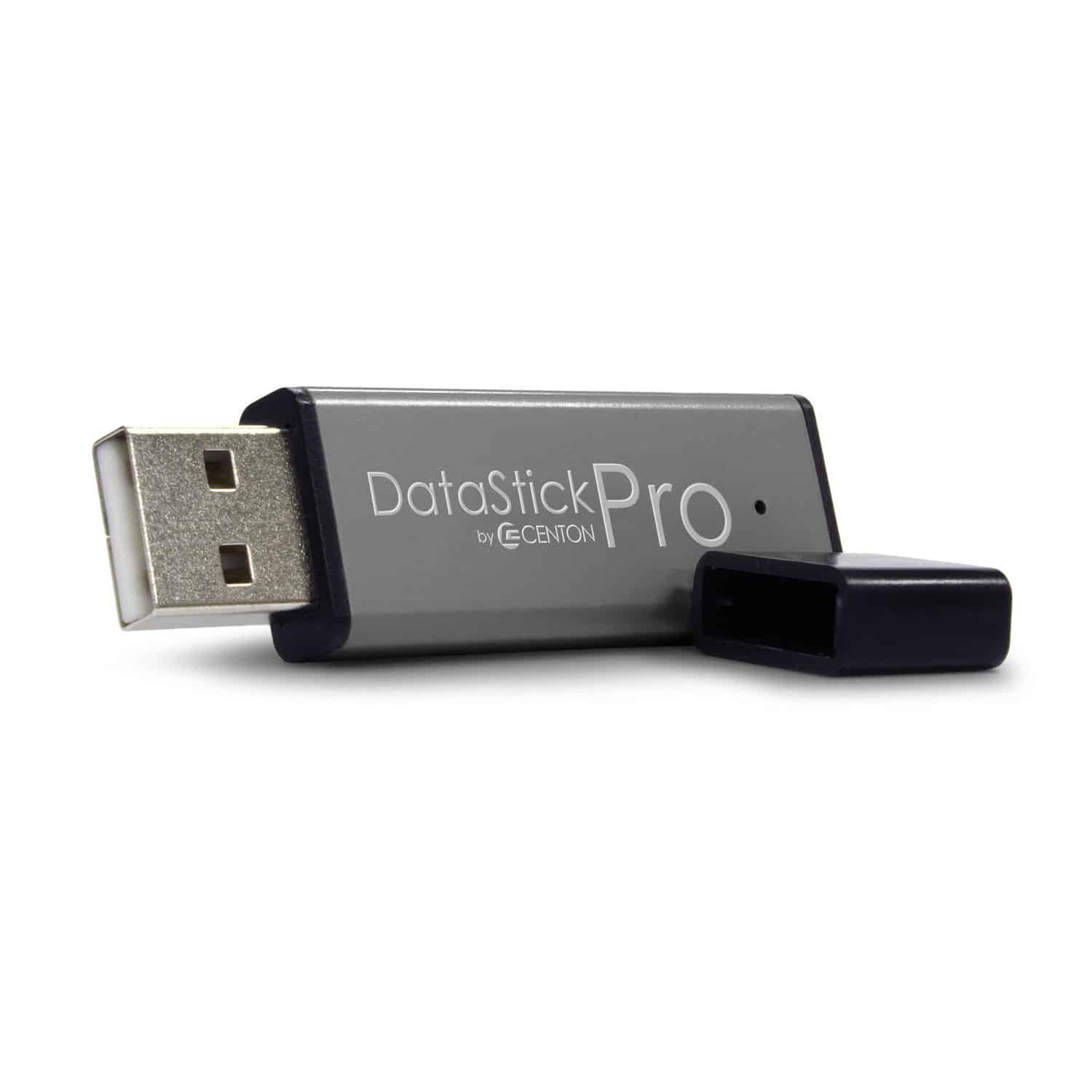
USB flash drives come in multiple connector types and protocol versions, each with different physical characteristics and failure modes. Understanding the differences helps explain what happened to your drive and what flash drive data recovery approach applies.
USB-A (Standard Rectangular)
The most common connector on flash drives. USB-A has a flat rectangular shape that only inserts one way. The four internal pins (VBUS for +5V power, D+ and D- for data, GND for ground) are exposed on a thin insulator board inside the metal shell. USB-A connectors are mechanically vulnerable because the drive often protrudes from the laptop, creating a lever that concentrates force on the solder joints where the connector meets the PCB. This is why snapped connectors are the #1 physical failure we see.
USB-C (Reversible)
USB-C uses a smaller oval connector with 24 pins, supporting USB 3.1/3.2 speeds and the ability to insert the plug in either orientation. The additional pins support faster transfer rates and more robust electrical connections. USB-C flash drives experience fewer connector failures than USB-A because the connector is recessed and the engagement mechanism distributes force more evenly. When USB-C connectors do fail, repair is more complex due to the higher pin count and finer pitch.
Micro-USB and Mini-USB
Some older or specialty flash drives use Micro-USB or Mini-USB connectors. These are smaller than USB-A but electrically identical for data recovery purposes. Micro-USB connectors (the trapezoidal shape common on older Android phones) are particularly fragile and prone to failure after repeated insertion cycles. Mini-USB (the slightly larger trapezoidal shape) is more robust but less common on modern devices.
USB Protocol Versions
USB 2.0, USB 3.0 (now called USB 3.2 Gen 1), USB 3.1 (USB 3.2 Gen 2), and USB 3.2 Gen 2×2 define the transfer speed but don’t affect recoverability. A USB 2.0 drive and a USB 3.2 drive use the same NAND flash memory architecture internally. The controller chip differs (USB 3.x controllers support higher speeds), but our chip-off recovery process reads the NAND directly and is independent of the USB protocol version. Your drive’s USB version does not affect recovery cost or success probability.
Flash Drive Brands and Recovery Compatibility

eProvided performs USB flash drive recovery on every manufacturer. Our controller and NAND identification database covers over 15,000 drive models. Here are the brands we see most frequently, and the recovery characteristics specific to each.
SanDisk — The most common brand in our lab. Cruzer, Ultra, Extreme, iXpand series. SanDisk uses proprietary controllers and NAND from Western Digital/Kioxia. Chip-off recovery requires SanDisk-specific ECC algorithms, which our tools fully support. Success rate: 98%+.
Kingston — DataTraveler, IronKey, HyperX series. Kingston uses various controller manufacturers (Phison, Silicon Motion, proprietary). IronKey encrypted drives require the user’s PIN for data access after physical repair. Success rate: 98%+.
Samsung — BAR Plus, FIT Plus, Type-C series. Samsung uses their own NAND (V-NAND) and controllers. Metal body designs are more durable but can transfer heat to internal components. Success rate: 98%+.
Lexar — JumpDrive series. Lexar drives use Micron NAND with third-party controllers (typically Phison or Silicon Motion). Common in professional photography as backup drives. Success rate: 97%+.
PNY, Transcend, Patriot, Verbatim, Corsair, ADATA — All use third-party NAND and controllers in various combinations. Recovery processes are identical once the controller and NAND pairing is identified. Success rate: 97%+.
Promotional and unbranded drives — Custom-shaped marketing drives and no-name imports often use lower-grade NAND and budget controllers. Higher failure rates but fully recoverable via chip-off. Some promotional drives use counterfeit capacity reporting (a 4 GB chip marketed as 64 GB) — in these cases, we recover the actual data that fits within the real capacity.
USB Flash Drive Data Recovery Cost
USB flash drive data recovery pricing at eProvided varies based on the severity of damage and the complexity of recovery. Every case begins with a free evaluation — we never charge to diagnose your drive.
Logical recovery (deleted files, formatting, file system corruption on a drive that’s physically intact and recognized by the computer) is our least expensive tier. The drive mounts normally and data can be recovered through software imaging.
PCB-level repair (broken connectors, cracked boards, failed components requiring microsoldering) falls in the mid range. The drive needs physical repair before data can be read, but chip-off is not required.
Chip-off NAND recovery (dead controller, destroyed PCB, severe water damage, encrypted drives with physical failure) is our most complex tier. The NAND chip must be desoldered, read on programmer hardware, and the data reconstructed from raw dumps.
Regardless of the tier, our policy is absolute: No Data, No Data Recovery Fee. If we cannot recover your files, you pay nothing. For specific pricing ranges, see our pricing page, or call (866) 857-5950 to discuss your case directly.
Our USB Flash Drive Recovery Process
Watch: how to start your free USB flash drive recovery case with eProvided
Here is what to expect when you send your USB flash drive to eProvided for recovery.
1. Contact us. Call (866) 857-5950 or fill out our online form. Tell us what happened to the drive — we’ll give you an initial assessment and shipping instructions.
2. Ship your drive. Pack the USB flash drive in a small padded envelope or box (bubble wrap recommended, no packing peanuts in direct contact with the drive). Ship to our lab at 9527 Knopfler Ln, Las Vegas, NV 89148. We receive drives from every state and from overseas.
3. Free evaluation. Within 1-2 business days of receiving your drive, our engineers complete the diagnostic assessment. We contact you with findings: what failed, what recovery method we recommend, success probability, and exact cost. No work proceeds without your written approval.
4. Recovery. Standard USB flash drive recovery takes 3-7 business days after approval. Chip-off cases may take 5-10 business days depending on NAND complexity. Expedited 48-hour service is available for urgent cases.
5. File verification and delivery. We provide a complete file listing for your review. Once approved, recovered data is delivered on a new USB drive shipped to you, or via our secure download portal for smaller recoveries.
What Our Customers Say About Our USB Flash Drive Recovery
— Cherylee S., Trustpilot, November 2015
— Cathy J., Trustpilot, April 2015
— Carter J., Trustpilot, March 2015
— David W., Trustpilot, November 2013
— Julie S., Trustpilot, November 2013
For more reviews, check out eProvided on Reddit where real customers share their recovery experiences. You can also read verified reviews on Trustpilot.
Frequently Asked Questions: USB Flash Drive Data Recovery
How much does USB flash drive data recovery cost?
Recovery pricing varies based on the type of failure and complexity. Every case begins with a free evaluation at our Las Vegas lab. Logical recovery from recognized drives costs less than physical chip-off from destroyed drives. Our policy is simple: No Data, No Data Recovery Fee. You only pay if we successfully recover your files. Call (866) 857-5950 to discuss your case, or visit our pricing page for general ranges.
Can you recover data from a USB flash drive that is not recognized?
Yes. An unrecognized USB flash drive typically has a failed controller chip, damaged USB connector, or corrupted firmware. The NAND flash memory holding your files is usually intact. Our chip-off recovery process bypasses the dead controller entirely, reading data directly from the NAND memory cells. We recover data from drives that show “USB Device Not Recognized,” “Please Insert Disk,” zero bytes, or don’t appear at all. For more on this error, see our USB device not recognized service page.
How long does USB flash drive recovery take?
Standard flash drive data recovery takes 3-7 business days from when we receive your drive. Chip-off cases involving NAND extraction and reconstruction may take 5-10 business days depending on the NAND architecture and data volume. Expedited 48-hour service is available for time-sensitive recoveries including legal evidence, insurance claims, and business-critical documents. Contact us at (866) 857-5950 to discuss rush processing.
Can a broken USB flash drive be fixed?
In many cases, yes. Broken USB connectors can be resoldered. Cracked PCBs can have their traces bridged. Failed components can be replaced from donor drives. However, the goal of USB flash drive repair at eProvided is always data recovery first. We repair the drive to the minimum extent needed to image your data safely, then return your files on new media. We don’t recommend continued use of a physically repaired flash drive for important data — once a drive has failed, the risk of repeat failure is elevated.
Is it safe to use data recovery software on a damaged USB drive?
Only if the drive is recognized by your computer and the damage is purely logical (deleted files, accidental formatting). If the drive has physical damage, makes clicking sounds, isn’t recognized, shows incorrect capacity, or triggers hardware error messages, do NOT run recovery software. Repeated read attempts on a failing drive can cause further NAND degradation, controller lockout, or complete data loss. Power off the device immediately and contact a professional recovery lab. Every failed DIY attempt increases the risk and may increase the cost of professional recovery.
Do you recover data from USB drives that went through the washing machine?
Yes — we have recovered data from hundreds of USB flash drives that went through full wash and rinse cycles. The detergent and water exposure causes PCB corrosion, but the sealed NAND chip package usually protects the data. Critical rule: do NOT attempt to dry the drive in a clothes dryer (heat damage) or plug it in while wet (short circuit). Keep it in a sealed bag and ship it to eProvided as soon as possible. The sooner we receive a water-damaged drive, the less corrosion progresses and the higher the recovery probability.
What types of files can you recover from a USB flash drive?
We recover all file types stored on USB flash drives: documents (Word, Excel, PowerPoint, PDF), photos (JPEG, RAW/CR2/NEF/ARW, PNG, HEIF, TIFF), videos (MP4, MOV, AVI, MKV), audio files (MP3, FLAC, WAV), databases, source code, CAD files, medical records, legal documents, financial spreadsheets, email archives (PST/OST), virtual machine images, game saves, and any other file format. The file type does not change our recovery approach — we reconstruct the complete file system from the raw NAND data regardless of what was stored on the drive.
Can you recover data from an encrypted USB flash drive?
If you have the encryption password or PIN, yes. Hardware-encrypted drives (IronKey, Kingston DataTraveler Vault, Apricorn Aegis) encrypt data at the NAND level using AES-256. If the drive’s physical hardware has failed but you know the password, we can often repair the physical failure, mount the encrypted volume, and recover your data normally. Without the correct password, the data is cryptographically protected and cannot be accessed — this is by design and is not a limitation of our capabilities. Contact us to discuss your specific encrypted drive situation.
Ready to Recover Your USB Flash Drive Data?
27+ years of USB flash drive recovery expertise. 98% success rate. No Data, No Data Recovery Fee.
Or call (866) 857-5950 • 9527 Knopfler Ln, Las Vegas, NV 89148