
LAS VEGAS · HENDERSON · SINCE 1999
Computer Repair Las Vegas — Laptop, PC & Virus Removal
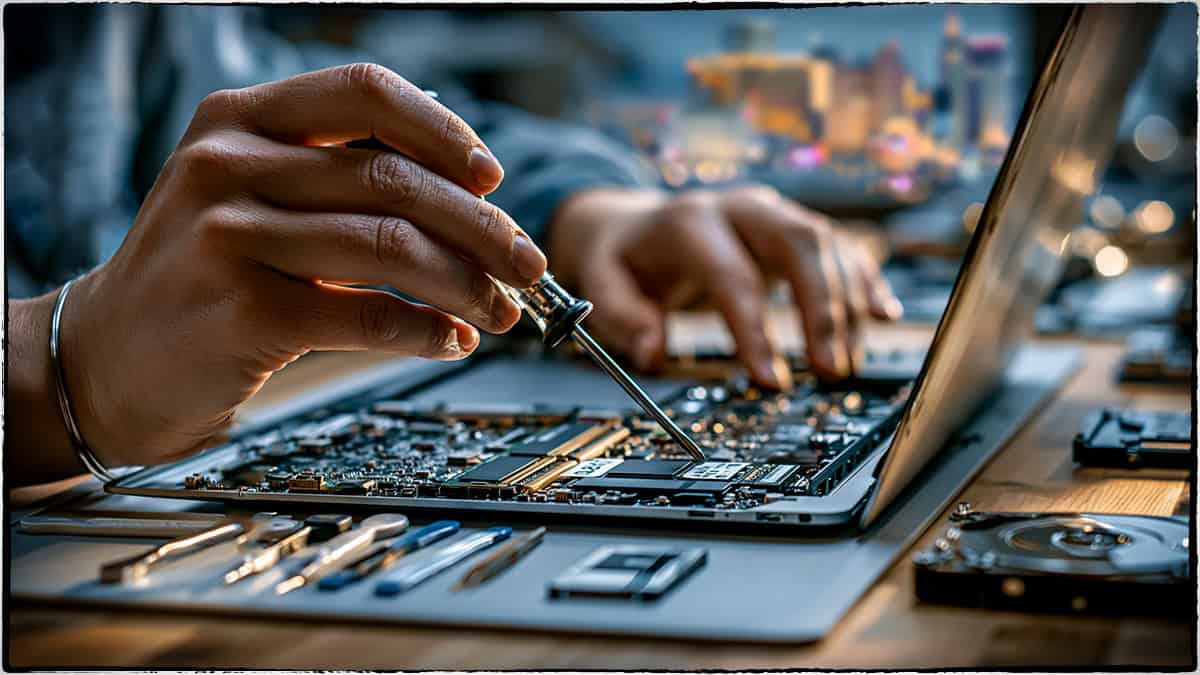
Computer giving you trouble in Las Vegas? eProvided repairs laptops and desktops for Las Vegas, Henderson, and the entire valley — virus and malware removal, hardware failures, slow or won’t-boot PCs, and data recovery when a drive dies. We’ve run a professional repair and recovery lab since 1999. Every job starts with a free evaluation, and we quote before any work begins. Call 1-866-857-5950 to get started.
Local Las Vegas computer trouble is rarely as catastrophic as it feels. A laptop that won’t power on, a desktop crawling under malware, a drive that suddenly clicks — almost every one of these problems has a clear cause and a real fix when diagnosed by someone who has seen it before. eProvided has handled tens of thousands of repair and recovery cases since 1999, from one-off consumer machines to high-stakes lab-grade NAND extraction, and we apply the same diagnostic discipline to every job that reaches our Vegas bench.
What that means for you is simple: an honest answer first, an itemized quote second, and work only after you approve it. Most jobs come back to life. The ones that can’t still hand back the data, because the same lab that fixes the machine also recovers from the storage when it can’t. That combination — local repair plus a real recovery lab — is rare, and it’s why customers across Las Vegas, Henderson, and the rest of the valley have trusted eProvided for more than two decades.
Table of Contents
- Our Las Vegas Computer Repair Services
- Common Computer Problems We Fix
- Why Las Vegas Computers Fail
- Virus & Malware Removal in Las Vegas
- Before You Bring It In: Safe Steps
- Brands & Devices We Service
- Laptop Repair & Data Recovery
- Why Choose eProvided
- Serving Las Vegas, Henderson & the Whole Valley
- How It Works
- Frequently Asked Questions
Our Las Vegas Computer Repair Services
For more than 26 years — since 1999 — eProvided has fixed computers and rescued data for people across Las Vegas and Henderson. Whether your laptop won’t start, your PC crawls, or a virus has taken over, our engineers diagnose the real problem and tell you honestly what it needs and what it costs before any work begins. There’s no guesswork and no surprise charges — just a straight answer from a lab that has handled everything from everyday consumer machines to high-stakes recovery work.
Our Las Vegas computer repair services cover the full range of problems that bring a machine into the shop:
- Virus & malware removal — we clean the infection completely and harden the system so it stays gone, not just until the next reboot.
- Slow, freezing, or won’t-boot PCs — we find the true cause, whether it’s malware, a failing drive, or an overloaded system, instead of treating the symptom.
- Blue screens & random crashes — driver conflicts, bad memory, and dying storage are the usual suspects, and we test each one.
- Laptop & desktop hardware repair — power, storage, memory, and component failures across all major brands.
- Operating system repair & reinstall — we fix Windows and, in most cases, keep your files intact rather than wiping the machine.
- Data recovery from failed drives — when a hard drive or SSD dies, our lab gets the files back with a 98% success rate. See our data recovery for Las Vegas, SSD recovery, and hard drive recovery.
Most Las Vegas customers drop their computer off once they have a case number — we set that up first so your device is logged and tracked the moment it arrives. Out of the area? You can also ship a laptop or handheld device to our lab.
Common Computer Problems We Fix
Most computer trouble in Las Vegas comes down to a handful of recurring problems. The good news is that very few of them mean your data is actually gone — even a computer that won’t power on usually has a perfectly intact drive inside. The key is correctly identifying which part has failed before throwing money at the wrong fix. Here are the problems we see most, and how we approach each:
- Computer won’t turn on. It could be the power supply, the motherboard, or a failed drive. We diagnose the real fault before you spend money replacing the whole machine — often it’s a single component, not the entire computer.
- Everything runs slow. Usually it’s malware, a full or failing drive, or too many background processes fighting for resources. We identify which one is the bottleneck and fix it, so the speed actually comes back and stays back.
- Blue screen or random crashes. A blue screen almost always points to a driver conflict, bad RAM, or a dying drive. We test memory and storage and read the crash logs instead of guessing.
- Virus or malware infection. We remove the infection, recover whatever it damaged, and harden the system against the next one. Pop-ups, browser hijacks, and sudden slowdowns are classic signs.
- Won’t boot or Windows errors. We repair the operating system and, in most cases, keep your files intact — a corrupted Windows install rarely means your data is gone.
- A drive has failed and your data’s on it. This is our specialty. Our lab recovers data from dead laptops, SSDs, and hard drives at a 98% success rate, even when other shops have given up.
Why Las Vegas Computers Fail (and What You Can Do)
Las Vegas is hard on computers in ways other cities aren’t. Our desert summers push indoor temperatures up, and heat is the number-one enemy of electronics. A laptop left in a hot car on the Strip, a desktop tucked into a poorly ventilated cabinet, or a machine running through a 110-degree afternoon all face the same risk: components run hotter than designed, fans work overtime and wear out, and solder joints and storage chips degrade faster. We see heat-related failures spike every summer — thermal shutdowns, swollen laptop batteries, and drives that quietly die from sustained high temperatures.
Power is the other big factor. Summer-storm surges and grid fluctuations can spike a power supply and take the motherboard or drive with it. If your machine died right after a storm or a flicker, that’s a classic surge signature — and often the data is still perfectly recoverable even when the computer won’t turn on. A few simple habits go a long way: keep laptops out of hot cars, give desktops breathing room and clean the vents, use a surge protector or UPS, and back up anything you can’t replace. When prevention isn’t enough, that’s where we come in.
Computer Symptoms: Likely Cause & Risk to Your Data
| Symptom | Most Likely Cause | Risk to Data | What To Do |
|---|---|---|---|
| Won’t power on at all | Power supply, board, or battery | Low — drive usually fine | Bring it in — we test the components |
| Powers on, won’t boot to Windows | OS corruption or failing drive | Medium | Don’t reinstall — we repair without wiping |
| Slow, freezing, browser pop-ups | Malware, full disk, or background processes | Low | Safe to bring in for cleanup & tune-up |
| Blue screen / random crashes | Bad RAM, driver conflict, or dying drive | Medium | Stop using it — we test memory & storage |
| Drive clicking or grinding | Physical hard-drive failure | HIGH — power off NOW | Lab recovery only — do not power back on |
| SSD vanished from Windows | Controller failure | HIGH | Lab recovery — chip-level extraction |
| Liquid spill or water damage | Corrosion on board / storage | HIGH — act fast | Do NOT power on — bring in immediately |
Virus & Malware Removal in Las Vegas
A slow, pop-up-ridden, or locked-up computer is often malware quietly working in the background. Our Las Vegas virus removal goes past the obvious symptoms — we remove the infection completely, then close the security gaps that let it in so the same thing doesn’t happen again next week. Fake “your computer is infected” pop-ups, browsers that redirect on their own, toolbars you never installed, and sudden slowdowns are all classic signs that something is running that shouldn’t be.
If ransomware has encrypted your files, don’t pay or panic first: bring the machine in. In many cases we recover data directly from the drive, and paying a ransom is never a guarantee you’ll get anything back. Ransomware now drives a large share of business breaches (IBM, 2025), so a real cleanup beats hoping the problem disappears on its own. We also take the time to explain how the infection got in — a malicious email attachment, a fake download, an unpatched system — so you’re less likely to get hit again. As always, the evaluation is free and we tell you exactly what we find before doing any paid work.
Before You Bring It In: Safe Steps
If your data matters, the most important rule is this: stop using a drive that may be failing. The more a damaged drive runs, the more it can overwrite or lose. A few safe things you can do before bringing your computer to us:
- If the drive is making clicking or grinding noises, power it off immediately. Those sounds mean physical damage — every extra minute of running risks the data.
- Don’t keep rebooting a machine that won’t start. Repeated boot attempts on a failing drive can make recovery harder.
- Don’t run “recovery” or “repair” software on a drive with important files. Many of these tools write to the very drive you’re trying to save, overwriting recoverable data.
- Don’t open the laptop or drive yourself. Storage devices are sensitive to dust and static; opening them outside a controlled lab usually does more harm than good.
- Note what happened. Did it get dropped, get wet, suffer a surge, or just stop one day? That history helps us diagnose faster.
Then call us for a case number and bring it in. The sooner a struggling drive is in our hands and powered down safely, the better the odds.
Brands & Devices We Service
We repair and recover data from virtually every brand and form factor of personal computer. That includes Windows laptops and desktops from Dell, HP, Lenovo, ASUS, Acer, MSI, and Microsoft Surface, plus custom-built gaming and workstation PCs. On the storage side, we work with traditional hard drives, SATA and NVMe SSDs, and the soldered storage found in ultrabooks and handheld PCs — the kind of chip-level work most local shops can’t do in-house. Whether it’s a business laptop full of work you can’t lose, a student’s machine the night before a deadline, or a family desktop holding years of photos, the approach is the same: diagnose honestly, quote before we work, and treat your data like it’s our own.
We also handle the request we hear constantly: “My old computer still works, but I bought a new one — can you move everything over?” Yes. We transfer your files, photos, and settings from an old or failing machine to a new one, including pulling data off a laptop or handheld device that owners mail in from outside the Las Vegas area. If your old drive is on its last legs, doing this transfer sooner rather than later can be the difference between a routine copy and an emergency recovery. Bring both machines in with your case number, or ship the device, and we’ll get your new computer set up with everything that mattered on the old one.
Laptop Repair & Data Recovery — One Lab, One Stop
Here’s what sets eProvided apart from a typical repair shop: when your laptop won’t power on and your files matter, we repair the machine and recover the data in the same lab. Most shops fix what they can and send you elsewhere when a drive is dead. We don’t — chip-level recovery is what we’ve done since 1999.
If your laptop took a spill, suffered a power surge, overheated, or simply won’t wake up, we diagnose both the hardware and the storage together. When the data is the priority, our Las Vegas data recovery team handles it, with SSD recovery and hard drive recovery for failed drives. Our guarantee on recovery is simple: No Data, No Data Recovery Fee.
What makes that possible is a genuine recovery lab, not just a repair bench. When a drive has failed at the physical level — a seized hard drive, a dead SSD controller, or storage chips that no longer respond — we can recover at the chip level, reading data directly from the memory itself. That capability is why businesses, government agencies, and individuals have relied on us with their most critical data since 1999, and it’s the same expertise we bring to a Las Vegas laptop that won’t turn on. A local repair shop that can also do lab-grade recovery is rare, and it means you don’t have to ship your files across the country to a faceless company when the worst happens.
What to Expect: Turnaround & Process
We know a dead computer is stressful — especially when it holds your work, your business records, or irreplaceable photos. Our process is built to be fast and transparent. Once your device arrives with its case number, we begin the free evaluation and diagnose the actual problem rather than guessing. For most standard repairs and virus removal, you’ll hear back quickly with a clear explanation and a quote. Data recovery timelines depend on the type and severity of the failure — a logical issue is faster than a physically damaged drive that needs chip-level work — but we keep you informed at every step.
You always approve the cost before any paid work begins. There are no surprise charges, no jargon designed to confuse you, and no pressure. If a repair isn’t worth the cost compared to a replacement, we’ll tell you honestly — sometimes the right answer is to recover your data and move it to a new machine, and we’ll help you make that call based on what’s actually best for you.
Why Choose eProvided for Computer Repair
Las Vegas has no shortage of repair shops. Here’s what makes eProvided different:
- Since 1999 — 27+ years repairing computers and recovering data.
- Used by NASA — our work has supported NASA on six missions, including Helios.
- 98% success in our recovery lab.
- A name search engines have ranked #1 for data-recovery searches over the years.
- Free evaluation on every job — we quote before we touch anything.
- No Data, No Data Recovery Fee on data recovery.
That combination — a real recovery lab behind a local repair service — is rare. It means a slow laptop and a dead hard drive can be handled by the same team, in the same place, without being passed around. Many repair shops are excellent at swapping parts but have no way to recover data from a drive that has failed physically; when they hit that wall, they hand your machine back and point you to a recovery company hundreds of miles away. With eProvided, the repair and the recovery happen under one roof, by engineers who do this every day.
It also means honest advice. Because we’re not only trying to sell you a repair, we can tell you when a fix makes sense and when it doesn’t. If your five-year-old laptop has a failing drive and a tired battery, we’ll lay out the real options: repair it, or recover the data and start fresh on a new machine. That straight talk is how we’ve kept Las Vegas customers coming back — and referring their friends — for over two decades.
Serving Las Vegas, Henderson & the Whole Valley
eProvided helps customers throughout Las Vegas, Henderson, Summerlin, Spring Valley, North Las Vegas, and Paradise. Start your case by phone or online, get your case number, then drop your computer off — logged and tracked from the moment it arrives. It’s local computer repair backed by a recovery lab that governments and businesses have relied on for over two decades.
How It Works
- Start your case — call 1-866-857-5950 or submit a request online. We set up your case number first.
- Bring it in (or ship it) — drop your computer off in Las Vegas, or mail a laptop or handheld device to our lab.
- Free evaluation — we diagnose the real issue and quote before any work begins.
- Repair or recover — we fix the machine, remove the infection, or recover the data, then return your device.
Frequently Asked Questions
My computer won’t turn on — can you fix it in Las Vegas?
Yes. Bring it in (or call first for your case number) and we’ll diagnose whether it’s the power supply, the board, or the drive — then tell you honestly what it needs and what it costs before any work begins.
How much does computer repair cost?
Every job starts with a free evaluation. We diagnose the problem and quote you before we begin, so there are no surprises. See our pricing page for how our process works.
Can you remove a virus without erasing my files?
In most cases, yes. We remove the infection and preserve your data whenever possible, then harden the system so it doesn’t come back.
My laptop died — can you still get my files?
Yes. Our lab recovers data from failed laptops, SSDs, and hard drives at a 98% success rate, and recovery is backed by our No Data, No Data Recovery Fee guarantee. Start with our Las Vegas data recovery team.
Do you serve Henderson and the rest of the valley?
Absolutely — Las Vegas, Henderson, Summerlin, Spring Valley, North Las Vegas, and Paradise. Most customers drop off after getting a case number; out-of-area laptops can be shipped in.
Do I need an appointment?
Start with a quick call or online request for your case number, then drop your device off. That way it’s logged and tracked the moment it reaches us.
Lost files or a computer that won’t cooperate? Let’s fix it. Free evaluation — call 1-866-857-5950 or start your case online. Serving Las Vegas & Henderson since 1999.